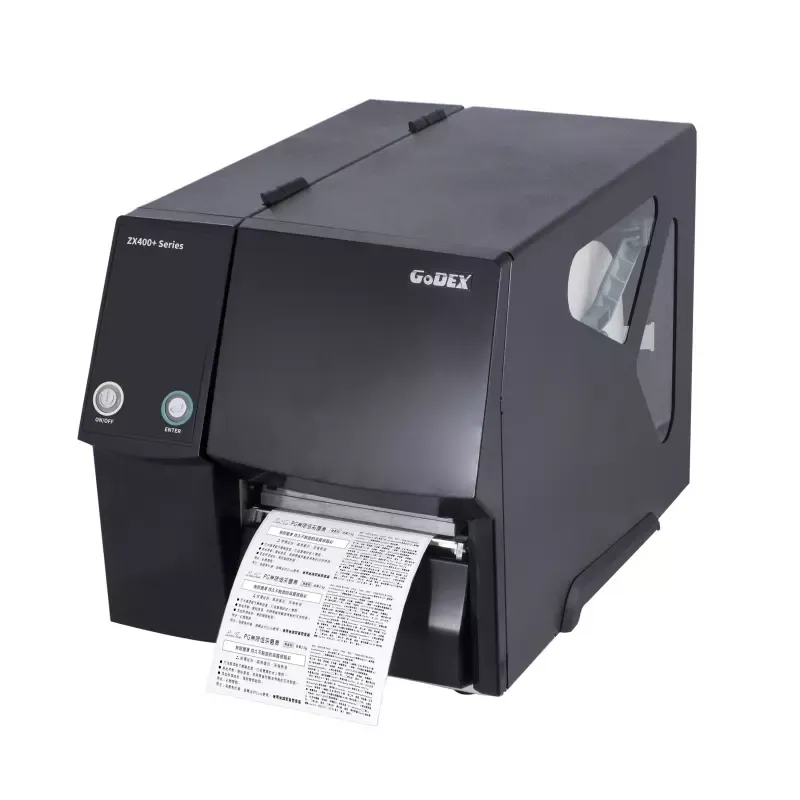

Manuals of product ZX420+


Editorial note
The Godex ZX420+ printer stands out for its optimal performance, offering fast and precise prints, making it an ideal choice for professional environments where productivity is essential. Ease of use is also a strong point, with a clear manual that allows for quick installation for users. Additionally, the versatility of the printer enables it to handle different types of printing media, catering to various needs. However, some drawbacks are worth mentioning. The high cost of consumables, such as ribbons and labels, can increase long-term operating costs. Furthermore, the printer is relatively bulky, which may pose space issues in confined offices. Limited connectivity could be a hindrance for those seeking seamless wireless integration with other equipment. Finally, the installation process can be complex for less experienced users, and the noise level during printing can be disruptive in quiet environments. In summary, the Godex ZX420+ is a high-performing and reliable printer, suitable for professional use, but it is essential to consider operating costs and space constraints before making a choice.Score details
User experience
The user experience is generally positive, thanks to a clear user manual that facilitates the installation and setup of the Godex ZX420+ printer.
Performance
The printer's performance is optimal, providing fast and accurate prints, ideal for professional environments requiring high productivity.
Value for money
The cost of consumables, such as ribbons and labels, can be high, which may increase long-term operating costs.
Usability
The printer is designed to be easy to use, but the installation process can be complex for less experienced users.
Features
The Godex ZX420+ offers good versatility by handling different types of printing media, but connectivity may be limited.
Robustness
The printer can be relatively bulky, which may pose space issues in restricted work environments.
Support
The availability of documents such as a brochure and a user manual allows users to easily access useful information.
Advantages
Fast and accurate prints
Brand known for its reliability
Simple and quick installation
Compatible with various printing media
Accessible user documentation
Disadvantages
High cost of consumables
Bulky printer
Limited wireless connectivity
Complex installation for beginners
High noise level
Technical Specifications ZX420+
General Information
-
ModelZX420+
-
Brand
-
Category
-
Type
-
SKU1804415
-
MPN1804415
Frequently Asked Questions
What is the recommended method for removing jammed paper from the printer?
Why is my printer rejecting original cartridges?
Why is the print quality poor?
What are the differences between a laser printer and an inkjet printer?
Why does my inkjet printer leave black streaks on prints?
What does the acronym DPI mean?
Is there a manual for the Godex ZX420+ in French?
Similar products


More product categories from brand Godex


Presentation of product ZX420+ specifications from brand Godex
General Information
The Godex ZX420+ model is a printer from the Godex brand, known for its commitment to quality and innovation in the home appliance sector. Designed to meet the demands of professional environments, the ZX420+ stands out for its exceptional performance and an optimized user experience.
Advantages
High-quality performance: The Godex ZX420+ printer is specifically designed to ensure fast and accurate prints, making it ideal in contexts where productivity is paramount.
Brand reliability: Godex has a strong reputation, ensuring that the ZX420+ model benefits from a legacy of reliability and innovation.
Ease of use: With a clear user manual, installation and setup are simplified, allowing users to start printing without difficulties.
Versatility: This printer is capable of handling a variety of printing media, providing flexibility suited to different needs, whether for labels, barcodes, or other types of documents.
Technical support: Users can access resources such as a brochure and a manual to optimize their user experience.
Disadvantages
Consumable costs: The prices of ribbons and labels can be high, which could impact long-term operating costs.
Dimensions: The printer can be relatively bulky, posing space challenges in restricted work environments.
Connectivity: Connectivity is sometimes limited, with restricted support for certain wireless options, which can hinder integration with other devices.
Installation complexity: The installation and setup process can be tricky for less experienced users, requiring some technical expertise.
Noise level: The noise produced during printing can be noticeable, which could disrupt quiet work environments.


