
Manual of product 24F1D

Editorial note
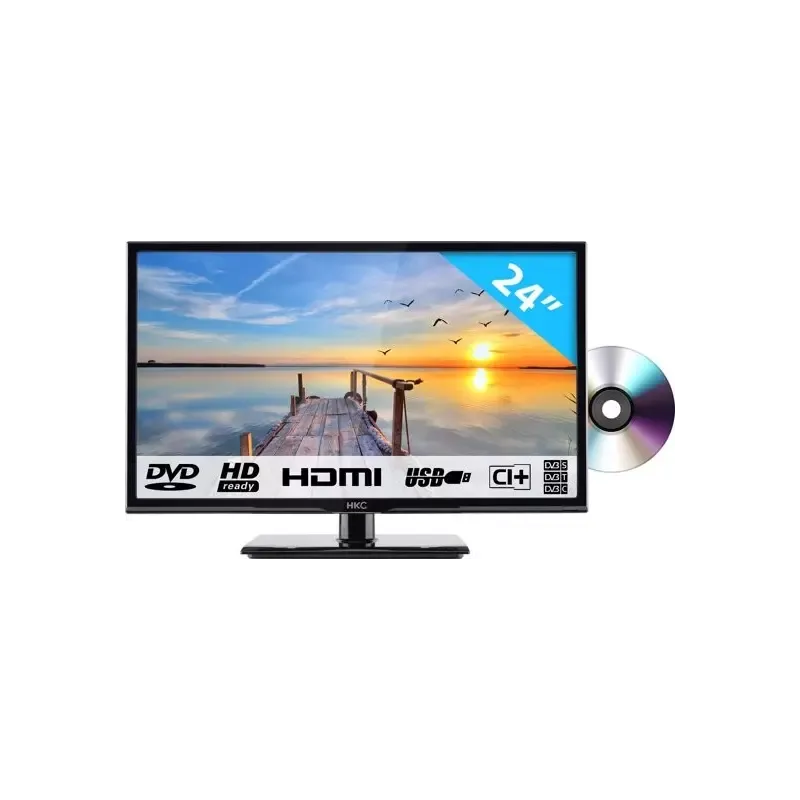
The HKC 24F1D is a television that stands out for its exceptional picture quality, offering optimal visual performance for an immersive viewing experience. Its compact and elegant design fits perfectly into small spaces, adding a modern touch to your interior. Moreover, it is easy to use thanks to a clear manual, facilitating installation and setup for all users. However, this model also has some limitations. Its 24-inch screen size may not be suitable for users seeking a more immersive viewing experience in larger spaces. Although the visual performance is good, the picture quality may not compete with that of high-end models, particularly regarding contrast and color saturation. Furthermore, the HKC 24F1D suffers from limited features, lacking Smart TV connectivity and advanced image adjustment options. The sound quality is also a weak point, with built-in speakers that lack depth, which could prompt users to invest in an external audio system. Finally, the limited number of connectivity options restricts the possibilities for connecting with other devices. In summary, the HKC 24F1D is a good choice for those looking for a compact television with good picture quality, but it may not meet the expectations of users in search of advanced features and an optimal sound experience.Score details
User experience
The user experience is enhanced by a clear manual that assists with installation and setup. However, the limited screen size may not be suitable for everyone.
Performance
The visual performance is good, but the image quality may be inferior to that of high-end models, especially in terms of contrast and saturation.
Design
The compact and sleek design of the HKC 24F1D fits well in small spaces while adding a modern touch to the interior.
Features
This television has limited features, lacking Smart TV connectivity and advanced image adjustment options.
sound_quality
The sound quality is subpar, with the built-in speakers lacking depth, which may require an external audio system.
connectivity
The connectivity options are restricted, limiting the possibilities for connecting with other devices.
Advantages
Sharp and bright image quality
Brand innovation and reliability
Compact, ideal for small spaces
Easy installation with clear manual
Versatile for movies, series, and games
Disadvantages
24-inch screen too small
Image quality inferior to high-end models
Limited features, no Smart TV
Poor sound quality
Restricted connectivity, few ports available
Technical Specifications 24F1D
General Information
-
Model24F1D
-
Brand
-
Category
-
Type
-
SKU1825086
-
MPN1825086
Frequently Asked Questions
What is the recommended viewing distance for my HKC television?
What should I do if my television is no longer receiving a signal?
What are the dimensions of the screen of my television?
What does the acronym HDMI stand for?
Is it possible to connect Bluetooth devices from different brands?
How do I manually tune ATV channels on my HKC 24F1D television?
How do I manually tune DTV channels on my HKC 24F1D television?
How do I adjust the program settings on my HKC 24F1D television?
How do I access signal information on my HKC 24F1D television?
How do I access CI (Conditional Access) information on my HKC 24F1D television?
Is the manual for the HKC 24F1D available in French?
Similar products




More product categories from brand HKC


Presentation of product 24F1D specifications from brand HKC
General Information
The HKC 24F1D television is a product of the HKC brand, known for its expertise and innovation in the electronics sector. This model, the 24F1D, is designed to provide satisfactory performance and an enjoyable viewing experience while incorporating features suited to modern needs.
Advantages
Exceptional image quality: The HKC 24F1D stands out for its visual performance, ensuring sharp and bright images to immerse users in an engaging experience.
Innovation and reliability: As an HKC product, it benefits from advanced technology, ensuring durable and high-performance use.
Compact and stylish: With a 24-inch screen, this television is ideal for small spaces while adding a modern touch to your interior.
Ease of use: The product comes with a clear user manual, simplifying its installation and setup for all users.
Multimedia versatility: This model is designed to adapt to various content, providing an enriching experience for watching movies, series, or playing games.
Disadvantages
Limited screen size: With its 24 inches, this television may not be suitable for those seeking a more immersive viewing experience in larger spaces.
Average image quality: Although the performance is acceptable, the image quality may not compete with that of high-end models, particularly in terms of contrast and color saturation.
Limited features: This television may lack certain modern options such as Smart TV connectivity or advanced image settings, which may disappoint users looking for an interactive experience.
Inferior sound quality: The built-in speakers may provide sound lacking depth and clarity, potentially prompting an investment in an external audio system for a better sound experience.
Few connectivity options: The number of available ports may be limited, restricting connection possibilities with other devices or accessories.


