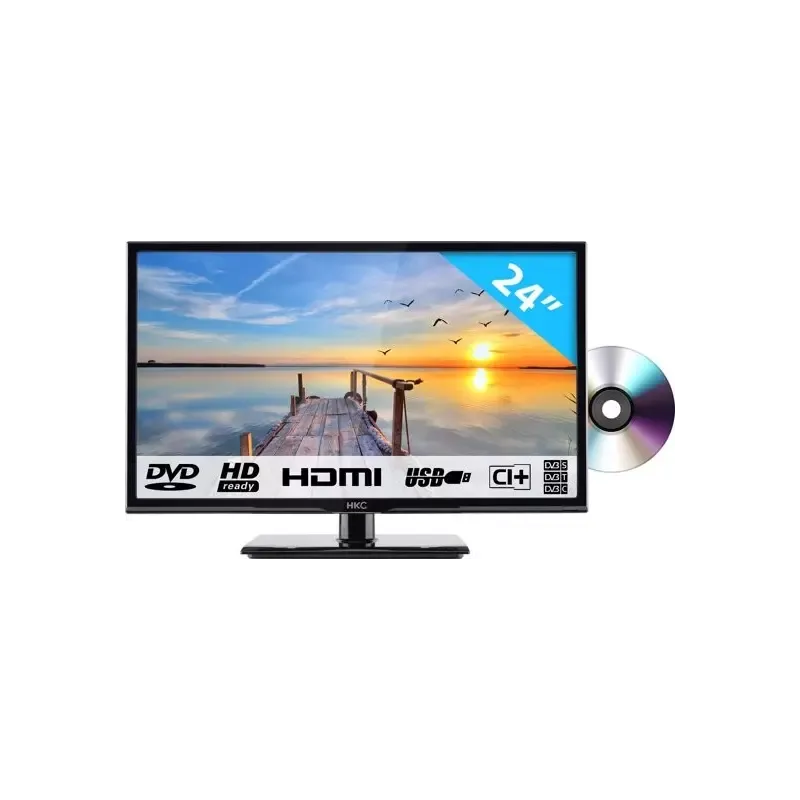
Thumbnail of product 43F3 from brand HKC
Logo of brand HKC

Television HKC 43F3

The HKC 43F3 television is a quality model that stands out for its advanced technology and modern design. With a size of 43 inches, it offers an immersive viewing experience, ideal for watching your favorite movies and shows.

The HKC brand is recognized for its commitment to innovation and performance, and the 43F3 model is no exception. It guarantees optimal performance for an enhanced user experience.
This television also comes with a user manual, making its installation and handling easier.

In summary, the HKC 43F3 is a television that combines image quality and practical features, perfect for multimedia enthusiasts looking for a reliable and high-performing device.

Manual of product 43F3

7 10

Editorial note

The HKC 43F3 television stands out for its build quality and modern design, bringing a contemporary touch to any interior. With optimal technical performance, it offers a pleasant user experience for various activities, whether watching movies, playing video games, or streaming content. The presence of a user manual makes it easy to get started and allows for quick adjustment of features. However, some limitations should be noted. The 43-inch screen size may not be suitable for large rooms, which could restrict the visual experience. Additionally, the connectivity options are limited compared to other competing models, which could reduce compatibility with certain devices. The built-in sound quality is another weak point, potentially requiring the addition of an external audio system for a more immersive experience. In summary, the HKC 43F3 is a good choice for those looking for a reliable television with a sleek design, but it may disappoint users seeking the latest display technologies and superior sound quality.

Score details

User experience

The user experience is generally positive, but the user interface may lack intuitiveness, making navigation through the menus less smooth for some users.

Performance

The television's performance is optimal for daily use, but it may not offer the latest display technologies, such as 4K or HDR features, which could disappoint some users.

Design

The design is modern and sleek, fitting perfectly into any type of interior and adding a contemporary touch.

Value for money

The build quality and technical performance justify the price, but limitations in connectivity could restrict compatibility with certain devices.

Usability

The included user manual makes it easy to get started and quickly adjust the features, but the 43-inch screen size may not be suitable for large rooms.

sound_quality

The built-in sound quality may not meet user expectations, potentially requiring the addition of an external audio system for a better experience.


Advantages

Recognized quality and reliability

High technical performance

User manual included

Modern and elegant design

Versatile for various uses

Disadvantages

43-inch screen too small for large rooms

Limited connectivity compared to competitors

Insufficient built-in sound, external audio needed

User interface not very intuitive

No 4K or HDR available

Technical Specifications 43F3

General Information

Frequently Asked Questions

What is the recommended viewing distance for my HKC television?
For your HKC television, the optimal viewing distance varies depending on the screen size. Generally, it is advised to sit about 2.4 times the diagonal of the screen.
What should I do if my television is no longer receiving a signal?
If your television is not receiving a signal, check the following: - Ensure that your television is on the correct source. - Check that the connections via the HDMI or SCART input are correct.
What are the dimensions of my television screen?
The size of your television is usually expressed in inches, where 1 inch equals 2.54 centimeters. This measurement corresponds to the diagonal of the screen, which you can measure from the bottom left corner to the top right corner.
What does HDMI stand for?
HDMI stands for High-Definition Multimedia Interface. An HDMI cable allows for the transmission of audio and video signals between different devices.
Can devices from different brands be connected via Bluetooth?
Yes, Bluetooth technology is universal and allows various compatible devices to connect with each other.
How do I set up the HKC 43F3 television?
To set up the HKC 43F3 television, follow these steps: 1. Unbox the television and remove the packaging. 2. Place it on a stable surface ensuring good ventilation. 3. Plug the power cord into the television and an electrical outlet. 4. Connect the antenna or cable to the appropriate port. 5. Turn on the television using the power button on the remote or the device. 6. Follow the on-screen instructions to select your language, country, and other settings. 7. If you have external devices, connect them with the appropriate cables. 8. Use the remote to navigate the menu and adjust settings to your preferences. 9. Scan for channels to receive signals. 10. Adjust the picture and sound settings to your liking. 11. If desired, connect the television to your home network to access streaming services. 12. Refer to the user manual for detailed instructions on advanced features and troubleshooting. For further assistance, contact HKC customer service via email at service@hkc-europe.com or by phone at +31 (0)24 - 34 34 230 (Monday to Friday, from 9:00 AM to 5:00 PM).
Why won't my HKC 43F3 television turn on?
If the HKC 43F3 television does not turn on, there could be several reasons. Here are some steps to troubleshoot the issue: 1. Check the power cord: ensure it is properly plugged into the television and the outlet. 2. Replace the batteries in the remote if it is unresponsive. 3. Check that the cable connecting the television to the antenna or an external device is securely connected. Reconnect them if necessary to ensure a stable connection. 4. Press the power button on the remote or on the television. 5. Select the correct source by pressing the SOURCE button on the remote and using the arrows to choose the TV source. If these steps do not resolve the issue, it is advisable to contact customer service for assistance.
How do I change the input source on the HKC 43F3 television?
To change the input source on the HKC 43F3 television, follow these steps: 1. Press the MENU button on the remote to access the OSD menu. 2. Use the arrows to navigate to the 'SETUP' menu and press OK. 3. In the 'SETUP' menu, choose the 'Input Source' option. 4. Press OK to access the input source settings. 5. Select the desired source, such as HDMI, AV, or DTV, then press OK to confirm. 6. Exit the OSD menu by pressing the MENU button again. By following these steps, you can easily change the input source of your HKC 43F3 television.
Is the manual for the HKC 43F3 available in French?
Unfortunately, the manual for the HKC 43F3 is not available in French. It is only accessible in English.

Similar products


Discover the technical sheet of 43D1 from HKC and its manuals...
Available manuals:
Discover the technical sheet of 55LED1600 from Salora and its manuals...
Available manuals:
Discover the technical sheet of 17H2C from HKC and its manuals...
Available manuals:
Discover the technical sheet of 28LED1600 from Salora and its manuals...
Available manuals:
Discover the technical sheet of 50D1 from HKC and its manuals...
Available manuals:
Discover the technical sheet of 43LED1600 from Salora and its manuals...
Available manuals:
Discover the technical sheet of 20LED1600 from Salora and its manuals...
Available manuals:
Discover the technical sheet of 24C2NBD from HKC and its manuals...
Available manuals:
Discover the technical sheet of HV24H1 from HKC and its manuals...
Available manuals:
Discover the technical sheet of 22LED1600 from Salora and its manuals...
Available manuals:
Discover the technical sheet of 32F1D from HKC and its manuals...
Available manuals:
Discover the technical sheet of 32LED1600 from Salora and its manuals...
Available manuals:

More product categories from brand HKC

Presentation of product 43F3 specifications from brand HKC

General Information

The HKC 43F3 television embodies HKC's commitment to innovation and quality in the multimedia device sector. This 43-inch model is designed to deliver optimal performance and an enriching visual experience, making it a wise choice for various uses such as watching movies, gaming, or streaming content.

Advantages

The HKC 43F3 stands out for its build quality, reflecting HKC's reputation for reliable and durable products. Its high technical performance ensures a smooth and enjoyable usage. An included user manual makes it easy to get started and adjust the features, while its modern design fits harmoniously into different interior decors. Additionally, its multimedia versatility makes it a device suitable for a multitude of leisure activities.

Disadvantages

However, some aspects may limit the user experience. The screen size of 43 inches may not be ideal for large rooms, thus reducing the visual impact. Furthermore, the connectivity options are less varied compared to other competing models, which may restrict compatibility with certain devices. The built-in sound quality may not meet the expectations of audiophiles, potentially requiring the addition of an external audio system. The user interface, on the other hand, may lack intuitiveness, making navigation less smooth for some users. Finally, this model does not offer the latest technological advancements such as 4K resolution or HDR features, which could disappoint cinema enthusiasts.