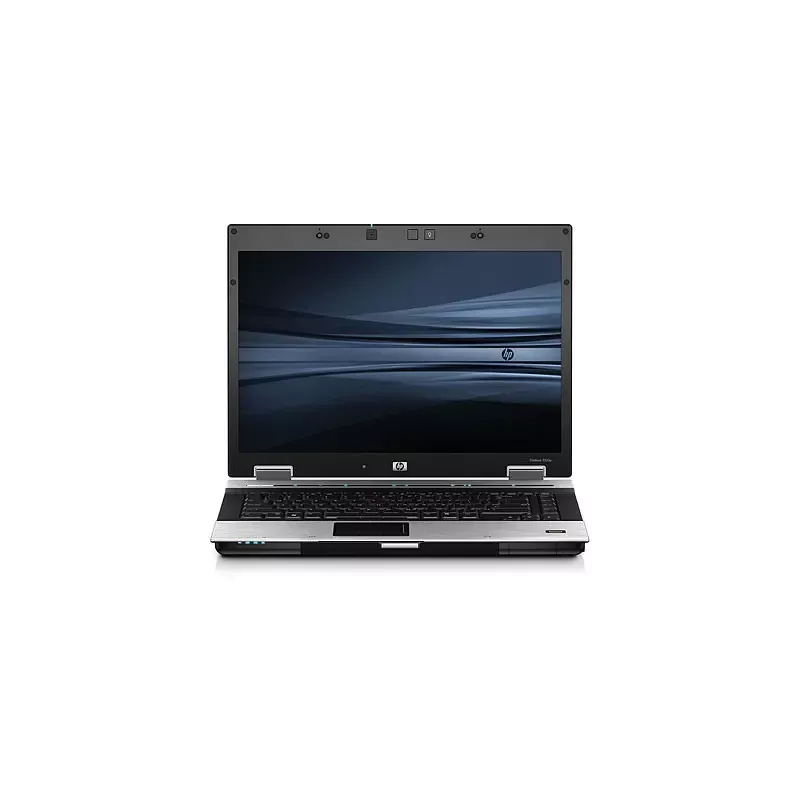
Thumbnail of product EliteBook 8530p from brand HP
Logo of brand HP

Laptop HP EliteBook 8530p

The HP EliteBook 8530p is a laptop designed for professionals seeking performance and reliability. Equipped with an Intel® Core™2 Duo T9400 processor, it offers a frequency of 2.53 GHz and a dual-core system, ensuring smooth multitasking.

With a 15.4-inch screen and a resolution of 1680 x 1050 pixels, this model provides optimal display quality, ideal for presentations and visual work. Its robust design and compact dimensions (355 x 263.5 x 28.2 mm) make it an ideal companion for travel.

The HP EliteBook 8530p also offers a storage capacity of 250 GB and uses a SATA II hard drive with a rotational speed of 7200 RPM, allowing for quick data access. For enhanced connectivity, it is equipped with several ports, including 4 USB 2.0 ports, an HDMI port, and a VGA port, facilitating connection to various peripherals.

Data security is enhanced with features such as the fingerprint reader and the TPM chip. Additionally, with a Lithium-Ion battery of 73 WHr, the laptop offers good battery life, essential for users on the go.

In summary, the HP EliteBook 8530p combines performance, security, and mobility, making it a wise choice for professionals looking for a reliable laptop.

Manuals of product EliteBook 8530p

7 10

Editorial note

The HP EliteBook 8530p stands out for its reliable performance thanks to its Intel® Core™2 Duo T9400 processor, with a frequency of 2.53 GHz that is suitable for everyday tasks. However, it may seem outdated against the demands of modern applications, which limits its performance in more recent environments. The user experience is generally satisfactory, particularly due to the 15.4-inch screen with a resolution of 1680 x 1050 pixels that ensures a pleasant display quality. That said, the maximum RAM of 8 GB may pose issues for multitasking users or those needing to run multiple applications simultaneously. In terms of storage, the 250 GB capacity is adequate for basic use, but it may not meet the needs of users managing large amounts of data or heavy multimedia files. Connectivity is varied, with several USB ports and an internal modem, but the lack of modern HDMI ports and certain connectivity options like Bluetooth 4.0 may restrict compatibility with recent devices. Weighing 2860 g makes this laptop less practical for on-the-go use, especially compared to lighter models available on the market. On the other hand, security features such as a fingerprint reader and a TPM chip provide effective protection for sensitive data, which is a significant advantage for users concerned about the security of their information. In summary, the HP EliteBook 8530p represents a good choice for users with basic computing needs, but may not be suitable for those seeking higher performance or better portability.

Score details

Performance

The Intel® Core™2 Duo T9400 processor offers a frequency of 2.53 GHz, ensuring reliable performance for everyday tasks, but it may seem outdated for demanding modern applications.

User experience

The 15.4-inch screen with a resolution of 1680 x 1050 pixels provides a pleasant visual experience, but the limitation to 8 GB of RAM may hinder multitasking users.

storage

The 250 GB storage capacity is adequate for basic use, but may not be sufficient for those who need to manage large amounts of data or heavy multimedia files.

connectivity

Connectivity is varied with several USB ports and an internal modem, but the lack of modern HDMI ports and some connectivity options like Bluetooth 4.0 may limit compatibility.

weight

The weight of 2860 g may make the device less portable, which can be a disadvantage for on-the-go use compared to lighter models.

security

Enhanced security features, such as a fingerprint reader and a TPM chip, ensure effective protection of sensitive data.


Advantages

High-performance Intel® Core™2 Duo processor

15.4'' screen with a resolution of 1680 x 1050

250 GB of storage and DVD drive

Integrated high-definition stereo audio

Connectivity with USB and HDMI ports

Security with fingerprint reader and TPM

Disadvantages

Maximum RAM of 8 GB insufficient

Obsolete Intel Core 2 Duo processor

Limited storage capacity of 250 GB

Lack of modern HDMI ports

Inconvenient weight of 2860 g

Technical Specifications EliteBook 8530p

General Information

Processor

  • Processor family
    Intel® Core™2 Duo
  • Processor model
    T9400
  • System bus processor
    1066 MHz
  • Processor technology
    Intel Centrino 2 w/ vPro
  • Processor frequency
    2.53 GHz
  • Processor cache type
    L2
  • Processor cache memory
    6 MB
  • Processor socket (processor receptacle)
    Socket 479
  • Computer bus
    - GT/s
  • Number of processor threads
    2
  • Number of processor threads
    2
  • Processor lithography
    45 nm
  • Processor operating modes
    64-bit
  • Bus type
    FSB
  • Processor code name
    Penryn
  • Parity FSB
    No
  • Thermal envelope (TDP, Thermal Design Power)
    35 W
  • Processor series
    Intel Core 2 Duo T9000 Series
  • Parity FSB
    No
  • Tjunction
    105 °C
  • Number of Treatment Transistors Die
    410 M
  • CPU Multiplier
    9.5
  • Size of the processing chip
    107 mm²
  • Stepping
    E0
  • Processor manufacturer
    Intel

Representation / realization

  • Motherboard chipset
    Intel® PM45 Express

Storage support

  • Total storage capacity
    250 GB
  • Hard drive interface
    SATA II
  • Hard disk rotation speed
    7200 RPM
  • Built-in memory card reader
    Yes
  • Optical reader
    DVD Super Multi DL

Screen

  • Screen size
    15.4 "
  • Display area
  • Screen resolution
    Mat
  • Image format
  • 1680 x 1050 pixels
  • 16:10

Other features

  • Screen
    LCD
  • Wireless option
    Yes
  • Wireless option
    Yes
  • Wireless technology
    802.11a/b/g/n
  • Modem speed
    56 Kbit/s
  • Wireless option
    Yes
  • TV Input
    No
  • TV Input
    No
  • Type
    PC
  • Dimensions (LxWxH)
    355 x 263.5 x 28.2 mm
  • Power requirements
    External 120-watt Smart AC adapter; HP Fast Charge
  • Power requirements
    External 120-watt Smart AC adapter; HP Fast Charge
  • Battery type
    8-cell (73 WHr) Lithium-Ion
  • Administration devices
    HP 3D DriveGuard
  • Modem type
    56K V.92 modem
  • Extension connectors
    1 Express Card/54; 1 media card reader
  • Compatible operating systems
    Genuine Windows Vista Business 64; Genuine Windows Vista Enterprise
  • Size (imperial)
    14 "
  • Weight (imperial)
    Weight varies by configuration and component.
  • Multimedia
    Starting at 6.3 lb kg
  • Note regarding rear ports
    High Definition Audio support w/24-bit DAC; Integrated stereo speakers; Integrated dual-microphone array; Touch-sensitive controls for volume up, volume down, and mute; Stereo headphone/line out; Stereo microphone in; Optional 2 MP Webcam with Business Card Reader Software
  • Minimum RAM
    1 external VGA monitor; 1 AC power
  • Energy management
    1000 Mo
  • Wireless option
    8-cell (73 WHr) Lithium-Ion battery, optional HP (52 WHr) Extended Life Battery, optional HP (95 WHr) Ultra-Capacity Battery
  • Home solution
    Yes
  • Relative humidity
    HP Docking Station, HP Advanced Docking Station, HP Monitor Stand, HP Adjustable Notebook Stand (all sold separately)
  • Protection Tools
    10 - 90 %
  • HP ProtectTools, TPM Embedded Security Chip 1.2, HP Fingerprint Sensor, HP Disk Sanitizer, integrated Smart Card Reader

Memory

  • Internal memory
    2 GB
  • Memory locations
    2x SO-DIMM
  • Type of internal memory
    DDR2-SDRAM
  • Maximum internal memory
    8 GB

Graphique

  • Dedicated graphics card memory
    0.25 GB
  • Maximum graphics card memory
    0.256 GB
  • Distinct graphics adapter model
    AMD Mobility Radeon HD 3650
  • Dedicated graphics card adapter
    Yes

Audio

  • Audio system
    Audio HD
  • Number of built-in speakers
    2
  • Audio included
    High Definition Audio, stereo speakers, stereo headphone/line out, stereo microphone in, integrated dual-microphone array

Network

  • Bluetooth
    Yes
  • Bluetooth model
    2.0+EDR
  • Network features
    Gigabit Ethernet, WLAN

Software

  • Installed operating system
    Windows Vista Business
  • Provided software
    HP Recovery Manager, HP Client Manager Software, HP Client Configuration Management Agent, HP OpenView PC Configuration Management Solutions
  • Optional operating system provided
    Windows XP Professional

Battery

  • Number of battery cells
    8

Connectivity

  • Welcome connector
    Yes
  • Quantity of eSATA Ports
    1
  • Number of CardBus PCMCIA Housing(s)
    0
  • Number of CardBus PCMCIA Housing(s)
    0
  • Number of CardBus PCMCIA Housing(s)
    0
  • Quantity of eSATA Ports
    1
  • Quantity of eSATA Ports
    1
  • Type of housing for CardBus PCMCIA
    No
  • Quantity of USB 2.0 Ports
    4
  • Quantity of eSATA Ports
    1
  • Quantity of eSATA Ports
    1
  • Welcome connector
    Yes
  • Type of housing for CardBus PCMCIA
    No
  • Type of housing for CardBus PCMCIA
    No
  • Number of CardBus PCMCIA Housing(s)
    0
  • Welcome connector
    Yes
  • Type of housing for CardBus PCMCIA
    No
  • Welcome connector
    Yes
  • Quantity of eSATA Ports
    1
  • Quantity of eSATA Ports
    1
  • I/O Ports
    4 USB 2.0; 1 1394a; 1 RJ-11; 1 RJ-45; 1 microphone in; 1 headphone/line-out; 1 docking connector; 1 HDMI; 1 battery connector; 1 eSATA
  • Charging port type
    DC-in jack

Security

  • TPM chip (Trusted Platform Module)
    Yes
  • TPM chip (Trusted Platform Module)
    Yes
  • Security management
    Standard: HP ProtectTools, TPM Embedded Security Chip 1.2, HP Fingerprint Sensor, Enhanced Pre-Boot Security, HP Spare Key, HP Disk Sanitizer, Enhanced Drive Lock, Drive Encryption for HP ProtectTools, Credential Manager for HP ProtectTools, File Sanitizer for HP ProtectTools, integrated Smart Card Reader;
  • Optional: Kensington lock, HP Privacy Filter, McAfee Security Solution

Weight and dimensions

  • Weight
    2860 g
  • Depth
    263.5 mm
  • Width
    355 mm
  • Height (front)
    28.2 mm

Power

  • AC power adapter
    120 W

Keyboard

  • Pointing device
    Touchpad + scrolling area
  • Keyboard type
    101/102-key compatible keyboard with HP DuraKeys

Certificate

  • Certification
    ENERGY STAR qualified

Disk reader

  • Type of hard disk drive reader
    250 GB 7200 rpm SATA II

Video

  • Video card features
    ATI Mobility RadeonTM HD 3650

Environmental conditions

  • Temperature out of operation
    -20 - 60 °C
  • Humidity out of operation
    5 - 90 %
  • Operating temperature
    0 - 35 °C
  • Operating relative humidity (H-H)
    10 - 90 %
  • Relative humidity rate (storage)
    5 - 95 %

Special features of the processor

  • Intel® Vitalization Technology (VT-x)
    Yes
  • Idle States
    No
  • Idle States
    No
  • Idle States
    No
  • Idle States
    No
  • Idle States
    No
  • Idle States
    No
  • Idle States
    No
  • Intel® Vitalization Technology (VT-x)
    Yes
  • Idle States
    No
  • Idle States
    No
  • Idle States
    No
  • Idle States
    No
  • Intel® Vitalization Technology (VT-x)
    Yes
  • Intel® Vitalization Technology (VT-x)
    Yes
  • Idle States
    No
  • Processor packaging size
    35 x 35 mm
  • Intel® Vitalization Technology (VT-x)
    Yes
  • Idle States
    No
  • Intel® Vitalization Technology (VT-x)
    Yes
  • Idle States
    No
  • Idle States
    No
  • Idle States
    No
  • Idle States
    No
  • Idle States
    No
  • Idle States
    No
  • Idle States
    No
  • Idle States
    No
  • Idle States
    No
  • Idle States
    No
  • Processor code
    SLGEK
  • Processor ID ARK
    35562
  • Idle States
    No

Design

  • Country of origin
    China

Frequently Asked Questions

What influences the download speed on the Internet?
The download speed on the Internet is determined by the type of connection you are using. For example, a 25 Mb/s connection means that you should theoretically be able to download up to 25 MB per second. Q: What are the dimensions of my laptop screen? A: The size of your laptop screen is generally measured in inches, where 1 inch equals 2.54 centimeters. This measurement corresponds to the diagonal of the screen, which you should measure from the bottom left corner to the top right corner. Q: What does the acronym HDMI stand for? A: HDMI stands for High-Definition Multimedia Interface. An HDMI cable allows for the transmission of audio and video signals between different devices. Q: What is the best method to clean my laptop? A: To remove fingerprints, use a slightly damp cloth or a soft, clean cloth. For dust in hard-to-reach areas, a can of compressed air is recommended. Q: How should I clean my keyboard? A: Turn the keyboard upside down and use a can of compressed air to remove dirt. The keys can be cleaned with a slightly damp cloth. Q: What is Bluetooth? A: Bluetooth allows for wireless data transfer between electronic devices via radio waves. Generally, the range of this connection can reach up to ten meters. Q: What is the weight of the HP EliteBook 8530p? A: The weight of the HP EliteBook 8530p is 2860 g. Q: What certifications does the HP EliteBook 8530p have? A: The HP EliteBook 8530p is ENERGY STAR certified. Q: What is the screen size of the HP EliteBook 8530p? A: The screen of the HP EliteBook 8530p measures 15.4 inches. Q: What is the resolution of the HP EliteBook 8530p screen? A: The resolution of the HP EliteBook 8530p screen is 1680 x 1050 pixels. Q: What is the width of the HP EliteBook 8530p? A: The HP EliteBook 8530p has a width of 355 mm. Q: What is the depth of the HP EliteBook 8530p? A: The depth of the HP EliteBook 8530p is 263.5 mm. Q: Does the HP EliteBook 8530p come with an Intel Core 2 Duo processor? A: Yes, the HP EliteBook 8530p is equipped with an Intel Core 2 Duo processor, which offers good performance for multitasking and everyday tasks. Q: What is the storage capacity of the HP EliteBook 8530p? A: The HP EliteBook 8530p has a total storage capacity of 250 GB, which is sufficient for most users, although it is not the largest capacity available. Q: Does the HP EliteBook 8530p have a card reader? A: Yes, the HP EliteBook 8530p is equipped with a built-in card reader, allowing for easy file transfer from memory cards, such as those used in digital cameras or smartphones. Q: What is the display resolution of the HP EliteBook 8530p? A: The display resolution of the HP EliteBook 8530p is 1680 x 1050 pixels, providing sharp and clear images, ideal for tasks such as graphic design or video editing. Q: How do I activate the fingerprint reader on the HP EliteBook 8530p? A: To activate the fingerprint reader on the HP EliteBook 8530p, follow these steps: 1. Disconnect the ZIF cable from the TouchPad and the ZIF cable from the fingerprint reader from the motherboard. 2. Lift the back edge of the upper cover and tilt it up and forward until it is at an angle. 3. Remove the upper cover. 4. Follow the reverse steps to put the cover back on. This will allow you to activate the fingerprint reader. Q: Why is my HP EliteBook 8530p not charging when plugged into the power adapter? A: Several reasons may explain why your HP EliteBook 8530p is not charging with the power adapter. Here are some checks to make: 1. Ensure that the adapter is plugged into a working power outlet. 2. Make sure the adapter is properly connected to the laptop's power port. 3. Inspect the adapter and power cord for damage. 4. Reset the power management settings by unplugging the adapter, removing the battery, and holding the power button for 15 seconds. Reconnect the adapter and battery, then try charging again. 5. Test with another adapter if possible. If the problem persists, it is advisable to contact HP support for assistance. Q: How do I set up and use the smart card reader on the HP EliteBook 8530p? A: To set up and use the smart card reader on the HP EliteBook 8530p, proceed as follows: 1. Ensure that the smart card reader is properly installed. Refer to the manual for installation if necessary. 2. Insert the smart card into the reader, ensuring that the gold contacts are facing down and the notch is aligned. 3. Open the application compatible with your smart card, whether it is a security application or a program requiring authentication. 4. Follow the on-screen instructions to set up the smart card, including creating a PIN or password. 5. Once set up, you will be able to use the smart card for secure authentication, digital signatures, or access to encrypted data. Q: Is it possible to update the operating system on the HP EliteBook 8530p? A: Yes, it is possible to update the operating system on your HP EliteBook 8530p. Here are the steps: 1. Back up all your personal files to avoid data loss. 2. Check for the presence of the HP recovery partition by going to Start > Computer. If it is not present, a Windows Vista operating system DVD and a driver recovery disk will be needed. 3. If the partition is present, turn on or restart the computer and press 'esc' when the message 'Press ESC to access the startup menu' appears. 4. Press 'f11' when the message 'Press for recovery' is displayed. 5. Follow the on-screen instructions to begin the recovery process and update the operating system. If you do not have the partition, insert the operating system DVD before Windows starts, follow the instructions, and select 'Repair your computer'. Be sure to follow the proper backup procedures and have the necessary installation media before proceeding. Q: What are the specifications of the HP EliteBook 8530p? A: The specifications of the HP EliteBook 8530p include: - Dimensions: Length - 26.0 cm (10.24 inches), Width - 35.7 cm (14.00 inches), Height - 2.8 to 3.4 cm (1.10 to 1.34 inches) - Weight: 2.77 kg (6.1 lbs) (with optical drive, 8-cell battery, 512 MB RAM, pointer, and TouchPad) - Input power: Operating voltage - 19.0 V DC @ 4.74 A (90 W) - Temperatures: Operating - 0°C to 35°C (32°F to 95°F), Non-operating -20°C to 60°C (-4°F to 140°F) - Humidity: Operating - 10% to 90%, Non-operating - 5% to 95% - Maximum altitude: Operating -15 m to 3,048 m (50 ft to 10,000 ft), Non-operating -15 m to 12,192 m (-50 ft to 40,000 ft) - Shock: Operating - 125 g, Non-operating - 200 g - Vibration: Operating - 0.75 g peak to peak, 10 Hz to 500 Hz. These specifications provide information about the size, weight, power requirements, temperature range, humidity, maximum altitude, shock, and vibration resistance of the HP EliteBook 8530p. Q: Is the manual for the HP EliteBook 8530p available in French? A: Yes, the manual for the HP EliteBook 8530p is available in French.
Quelles sont les dimensions de l'écran de mon ordinateur portable ?
La taille de l'écran de votre ordinateur portable est généralement mesurée en pouces, où 1 pouce équivaut à 2,54 centimètres. Cette mesure correspond à la diagonale de l'écran, que vous devez mesurer du coin inférieur gauche au coin supérieur droit.
Que signifie l'acronyme HDMI ?
HDMI est l'abréviation de High-Definition Multimedia Interface (interface multimédia haute définition). Un câble HDMI permet de transmettre des signaux audio et vidéo entre différents appareils.
Quelle est la meilleure méthode pour nettoyer mon ordinateur portable ?
Pour enlever les empreintes digitales, utilisez un chiffon légèrement humide ou un chiffon doux et propre. Pour la poussière dans les zones difficiles d'accès, un aérosol d'air comprimé est recommandé.
Comment dois-je procéder pour nettoyer mon clavier ?
Retournez le clavier et utilisez une bombe d'air comprimé pour enlever la saleté. Les touches peuvent être nettoyées avec un chiffon légèrement humide.
Qu'est-ce que le Bluetooth ?
Bluetooth permet le transfert de données sans fil entre des appareils électroniques via des ondes radio. En général, la portée de cette connexion peut atteindre jusqu'à dix mètres.
Quel est le poids du HP EliteBook 8530p ?
Le poids du HP EliteBook 8530p est de 2860 g.
Quelles certifications possède le HP EliteBook 8530p ?
Le HP EliteBook 8530p est certifié ENERGY STAR.
Quelle est la taille de l'écran du HP EliteBook 8530p ?
L'écran du HP EliteBook 8530p mesure 15,4 pouces.
Quelle est la résolution de l'écran du HP EliteBook 8530p ?
La résolution de l'écran du HP EliteBook 8530p est de 1680 x 1050 pixels.
Quelle est la largeur du HP EliteBook 8530p ?
Le HP EliteBook 8530p a une largeur de 355 mm.
Quelle est la profondeur du HP EliteBook 8530p ?
La profondeur du HP EliteBook 8530p est de 263,5 mm.
Le HP EliteBook 8530p est-il équipé d'un processeur Intel Core 2 Duo ?
Oui, le HP EliteBook 8530p est doté d'un processeur Intel Core 2 Duo, qui offre de bonnes performances pour le multitâche et les tâches quotidiennes.
Quelle est la capacité de stockage du HP EliteBook 8530p ?
Le HP EliteBook 8530p dispose d'une capacité de stockage totale de 250 Go, ce qui est suffisant pour la plupart des utilisateurs, bien qu'il ne s'agisse pas de la plus grande capacité disponible.
Le HP EliteBook 8530p possède-t-il un lecteur de carte ?
Oui, le HP EliteBook 8530p est équipé d'un lecteur de carte intégré, permettant un transfert facile de fichiers à partir de cartes mémoire, comme celles utilisées dans les appareils photo numériques ou les smartphones.
Quelle est la résolution d'affichage du HP EliteBook 8530p ?
La résolution d'affichage du HP EliteBook 8530p est de 1680 x 1050 pixels, offrant des images nettes et claires, idéales pour des tâches telles que la conception graphique ou le montage vidéo.
Comment activer le lecteur d'empreintes digitales sur le HP EliteBook 8530p ?
Pour activer le lecteur d'empreintes digitales sur le HP EliteBook 8530p, suivez ces étapes : 1. Déconnectez le câble ZIF du TouchPad et le câble ZIF du lecteur d'empreintes digitales de la carte mère. 2. Soulevez le bord arrière du capot supérieur et inclinez-le vers le haut et l'avant jusqu'à ce qu'il soit à un angle. 3. Retirez le capot supérieur. 4. Suivez les étapes inverses pour remettre le capot. Cela vous permettra d'activer le lecteur d'empreintes digitales.
Pourquoi mon HP EliteBook 8530p ne charge-t-il pas lorsqu'il est branché à l'adaptateur secteur ?
Plusieurs raisons peuvent expliquer pourquoi votre HP EliteBook 8530p ne se charge pas avec l'adaptateur secteur. Voici quelques vérifications à faire : 1. Vérifiez que l'adaptateur est bien branché sur une prise de courant fonctionnelle. 2. Assurez-vous que l'adaptateur est correctement connecté au port d'alimentation de l'ordinateur portable. 3. Inspectez l'adaptateur et le cordon d'alimentation pour déceler des dommages. 4. Réinitialisez les paramètres de gestion de l'alimentation en débranchant l'adaptateur, en retirant la batterie et en maintenant le bouton d'alimentation enfoncé pendant 15 secondes. Rebranchez l'adaptateur et la batterie, puis essayez de charger à nouveau. 5. Testez avec un autre adaptateur si possible. Si le problème persiste, il est conseillé de contacter le support HP pour obtenir de l'aide.
Comment configurer et utiliser le lecteur de carte à puce sur le HP EliteBook 8530p ?
Pour configurer et utiliser le lecteur de carte à puce sur le HP EliteBook 8530p, procédez comme suit : 1. Assurez-vous que le lecteur de carte à puce est correctement installé. Consultez le manuel pour l'installation si nécessaire. 2. Insérez la carte à puce dans le lecteur en veillant à ce que les contacts dorés soient orientés vers le bas et que l'encoche soit alignée. 3. Ouvrez l'application compatible avec votre carte à puce, qu'il s'agisse d'une application de sécurité ou d'un programme nécessitant une authentification. 4. Suivez les instructions à l'écran pour configurer la carte à puce, y compris la création d'un code PIN ou mot de passe. 5. Une fois configurée, vous pourrez utiliser la carte à puce pour l'authentification sécurisée, les signatures numériques ou l'accès à des données chiffrées.
Est-il possible de mettre à jour le système d'exploitation sur le HP EliteBook 8530p ?
Oui, il est possible de mettre à jour le système d'exploitation de votre HP EliteBook 8530p. Voici les étapes : 1. Sauvegardez tous vos fichiers personnels pour éviter toute perte de données. 2. Vérifiez la présence de la partition de récupération HP en allant dans Démarrer > Ordinateur. Si elle n'est pas présente, un DVD du système d'exploitation Windows Vista et un disque de récupération des pilotes seront nécessaires. 3. Si la partition est présente, allumez ou redémarrez l'ordinateur et appuyez sur 'esc' lorsque le message 'Appuyez sur ESC pour accéder au menu de démarrage' apparaît. 4. Appuyez sur 'f11' lorsque le message 'Appuyez sur pour la récupération' s'affiche. 5. Suivez les instructions à l'écran pour commencer le processus de récupération et mettre à jour le système d'exploitation. Si vous n'avez pas la partition, insérez le DVD du système d'exploitation avant que Windows ne démarre, suivez les instructions et sélectionnez 'Réparer votre ordinateur'. Assurez-vous de suivre les bonnes procédures de sauvegarde et d'avoir le support d'installation nécessaire avant de procéder.
Quelles sont les spécifications du HP EliteBook 8530p ?
Les spécifications du HP EliteBook 8530p incluent : - Dimensions : Longueur - 26,0 cm (10,24 pouces), Largeur - 35,7 cm (14,00 pouces), Hauteur - 2,8 à 3,4 cm (1,10 à 1,34 pouce) - Poids : 2,77 kg (6,1 lbs) (avec lecteur optique, batterie 8 cellules, 512 Mo de RAM, pointeur et TouchPad) - Puissance d'entrée : Tension de fonctionnement - 19,0 V cc @ 4,74 A (90 W) - Températures : Fonctionnement - 0°C à 35°C (32°F à 95°F), Non-opérationnel -20°C à 60°C (-4°F à 140°F) - Humidité : Fonctionnement - 10% à 90%, Non-opérationnel - 5% à 95% - Altitude maximale : Fonctionnement -15 m à 3 048 m (50 ft à 10 000 ft), Non-opérationnel -15 m à 12 192 m (-50 ft à 40 000 ft) - Choc : Fonctionnement - 125 g, Non-opérationnel - 200 g - Vibration : Fonctionnement - 0,75 g crête à crête, 10 Hz à 500 Hz. Ces spécifications donnent des informations sur la taille, le poids, les exigences en matière de puissance, la plage de température, l'humidité, l'altitude maximale, la résistance aux chocs et aux vibrations du HP EliteBook 8530p.
Le manuel du HP EliteBook 8530p est-il disponible en français ?
Oui, le manuel du HP EliteBook 8530p est proposé en français.

Similar products


Discover the technical sheet of Pavilion dv7-1015eo from HP and its manuals...
Available manuals:
Discover the technical sheet of Pavilion dv7-1010eg from HP and its manuals...
Available manuals:
Discover the technical sheet of Pavilion DV5200 from HP and its manuals...
Available manuals:
Discover the technical sheet of Vaio PCG-QR20 from Sony and its manuals...
Available manuals:
Discover the technical sheet of Vaio VGN-FS295XP from Sony and its manuals...
Available manuals:
Discover the technical sheet of Vaio VGN-CR29XN from Sony and its manuals...
Available manuals:
Discover the technical sheet of Vaio VGN-FE39VP from Sony and its manuals...
Available manuals:
Discover the technical sheet of X500 from Toshiba and its manuals...
Available manuals:
Discover the technical sheet of Pavilion DV5100 from HP and its manuals...
Available manuals:
Discover the technical sheet of Pavilion dv7-1010eo from HP and its manuals...
Available manuals:
Discover the technical sheet of Vaio VGN-C2M from Sony and its manuals...
Available manuals:
Discover the technical sheet of Pavilion dv7-1023cl from HP and its manuals...
Available manuals:

Presentation of product EliteBook 8530p specifications from brand HP

General Information

The HP EliteBook 8530p is a laptop from the renowned brand HP, known for its technological innovations and reliability. This model, the EliteBook 8530p | FU617AW#AKD?U4415A, is designed to deliver high-level performance and an optimized user experience.

Processor

This laptop is powered by an Intel® Core™2 Duo T9400 processor, operating at a frequency of 2.53 GHz, ensuring smooth usage for various tasks. With a system bus of 1066 MHz and a Penryn architecture, it ensures effective communication with other components. Its 6 MB L2 cache further optimizes performance by allowing quick access to frequently used data.

Representation / Implementation

The HP EliteBook 8530p is equipped with an Intel® PM45 Express motherboard, providing efficient resource management.

Storage Support

It has a storage capacity of 250 GB, allowing for efficient management of a large amount of data. With a SATA II interface and a rotational speed of 7200 RPM, data access performance is optimized. Additionally, an integrated memory card reader and a Super Multi DL DVD optical drive add to its versatility.

Screen

The 15.4-inch screen with a resolution of 1680 x 1050 pixels offers superior display quality, ideal for work and entertainment. Its matte surface reduces glare, enhancing the visual experience.

Other Features

The integrated stereo audio system, along with support for high-definition sound, enriches the listening experience. In terms of connectivity, the HP EliteBook 8530p offers four USB 2.0 ports, an HDMI port, as well as an internal modem, facilitating connection to various devices and networks.

Security

Data security is enhanced with a fingerprint reader and a TPM chip, ensuring the protection of sensitive information.

Weight and Dimensions

With a weight of 2860 g and dimensions of 355 x 263.5 x 28.2 mm, this laptop is designed for easy handling while remaining robust.

Battery

The HP EliteBook 8530p is powered by an 8-cell lithium-ion battery (73 WHr), providing sufficient autonomy for prolonged use.

Connectivity

This model includes numerous connectivity options, including an ExpressCard port, a VGA port, as well as four USB 2.0 ports, ensuring great flexibility for connecting external devices.

Graphics Performance

For graphic needs, the HP EliteBook 8530p is equipped with an ATI Mobility Radeon HD 3650 graphics card, offering an enriching visual experience.

Environmental Conditions

Designed to withstand various conditions, the HP EliteBook 8530p operates within a temperature range of 0 to 35 °C and can support humidity levels of 10 to 90%.

Certifications

This model is certified ENERGY STAR, ensuring energy efficiency and environmentally friendly performance.