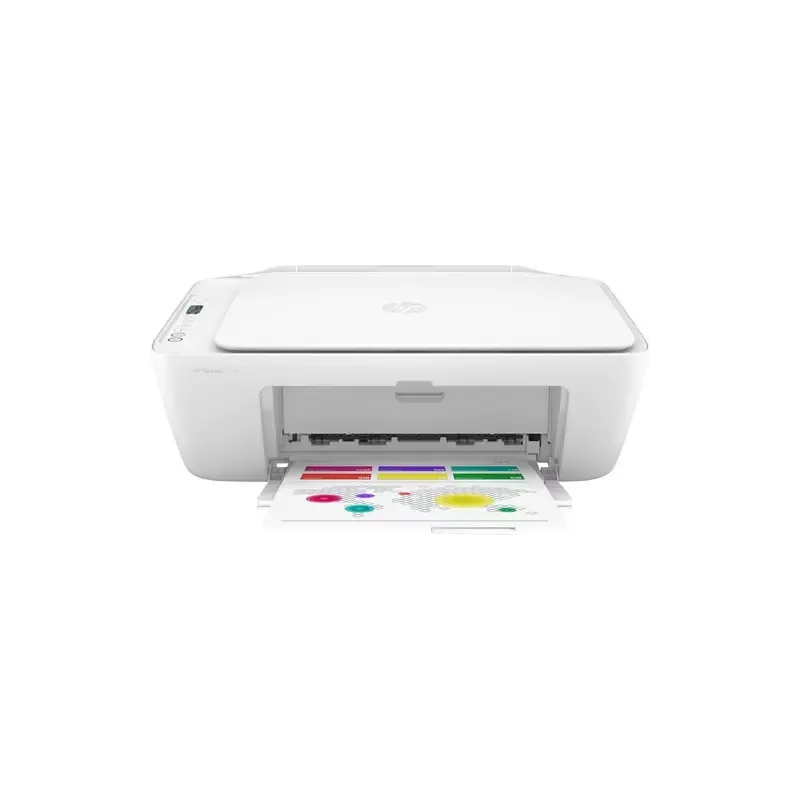

Manual of product Deskjet 2710e

Editorial note
The HP Deskjet 2710e printer is a solid choice for users looking for a versatile device. With its 3-in-1 features, it allows for printing, copying, and scanning, making it ideal for home use. The print quality is satisfactory, providing sharp text documents and accurate images. Additionally, Wi-Fi connectivity makes it easy to print from various devices, making it very convenient to use. However, some drawbacks must be considered. The printing speed can be relatively slow, which could be problematic for those with high printing needs. Furthermore, the costs of ink cartridges can add up quickly, affecting long-term profitability. Wi-Fi connectivity issues may also arise, which can frustrate users during wireless printing. In terms of user experience, setup is straightforward thanks to a clear user manual, allowing even novices to get started quickly. The printer's design is compact and functional, well-suited for home use, but it lacks advanced options that might appeal to professional users. The provided documentation is comprehensive and well-written, making it easy to set up and use the printer. In summary, the HP Deskjet 2710e is an interesting option for home use, combining print quality and versatility, despite some limitations in terms of speed and operating costs.Score details
User experience
The user experience is satisfactory due to a simple setup and clear manual, making it easy to use, even for beginners.
Performance
The performance is adequate for home use, but the printing speed may be slow for large volumes.
Design
The design is compact and functional, well-suited for home use, but lacks advanced options.
Value for money
Although the printer is affordable, the cost of ink cartridges can make its use less economical in the long run.
Usability
Ease of use is a strong point, with Wi-Fi connectivity that simplifies printing from various devices.
Features
The features are versatile with printing, copying, and scanning, but the absence of certain advanced options may disappoint.
Support
The support is adequate, but Wi-Fi connectivity issues may arise, which could frustrate users.
Documentation
The provided documentation is comprehensive and well-written, making the setup and use of the printer easier.
Advantages
Clear and precise prints
3-in-1 function: print, copy, scan
Wi-Fi connectivity for wireless printing
Simple and quick setup
Energy-efficient and environmentally friendly
Disadvantages
Slow print speed for large volumes.
High cost of ink cartridges.
Frequent Wi-Fi connectivity issues.
Photo quality inferior to dedicated models.
No duplex scanning available.
No A3 printing.
Technical Specifications Deskjet 2710e
General Information
-
ModelDESKJET 2710E
-
Brand
-
Category
-
Type
-
SKU1421121
-
MPN1421121
Frequently Asked Questions
What is the recommended method for removing paper jammed in the printer?
Why does my printer not recognize original cartridges?
What are the possible causes of poor print quality?
What is the difference between a laser printer and an inkjet printer?
Why is my inkjet printer producing black lines on prints?
What does the acronym DPI mean?
Why won't my HP Deskjet 2710e turn on?
Why do my prints appear dull or blurry?
How do I connect my wireless printer to my computer or mobile device?
Why do my printed pages have color streaks? What should I do?
How do I insert paper into the HP Deskjet 2710e?
Is the manual for the HP Deskjet 2710e available in French?
Similar products


More product categories from brand HP
Computers and accessories HP
Other HP
Phones HP
Audio HP
Interior HP
Software HP
More product types from brand HP


Presentation of product Deskjet 2710e specifications from brand HP
General Information
The model HP Deskjet 2710e is a product of the brand HP, which is widely recognized for its commitment to quality and innovation in the electronics sector. This model is designed to provide an optimal user experience, combining performance and ease of use.
Advantages
This 3-in-1 printer stands out for its ability to print, copy, and scan, making it a versatile choice for users with varied needs. The print quality is also a strong point, offering sharp and precise results for text documents as well as images, which is perfectly suited for home use.
Wireless connectivity is another major advantage, allowing for easy printing from mobile devices and computers via Wi-Fi, which increases usability flexibility. Additionally, its installation is simplified thanks to a clear user manual, making it easy to get started even for novices. Finally, the printer's energy efficiency helps reduce electricity costs while being environmentally friendly.
Disadvantages
However, the HP Deskjet 2710e has some drawbacks. The printing speed can be relatively slow, which may pose a problem for users needing quick prints in large quantities. Moreover, the costs associated with ink cartridges can add up, making long-term use less economical.
Connectivity issues, particularly with Wi-Fi, can also occur, which can be frustrating during wireless printing. Furthermore, the print quality on photo media may not meet all expectations, especially when compared to dedicated photo printer models. Lastly, the lack of advanced features such as duplex scanning or A3 printing may limit its use for some professional users.


