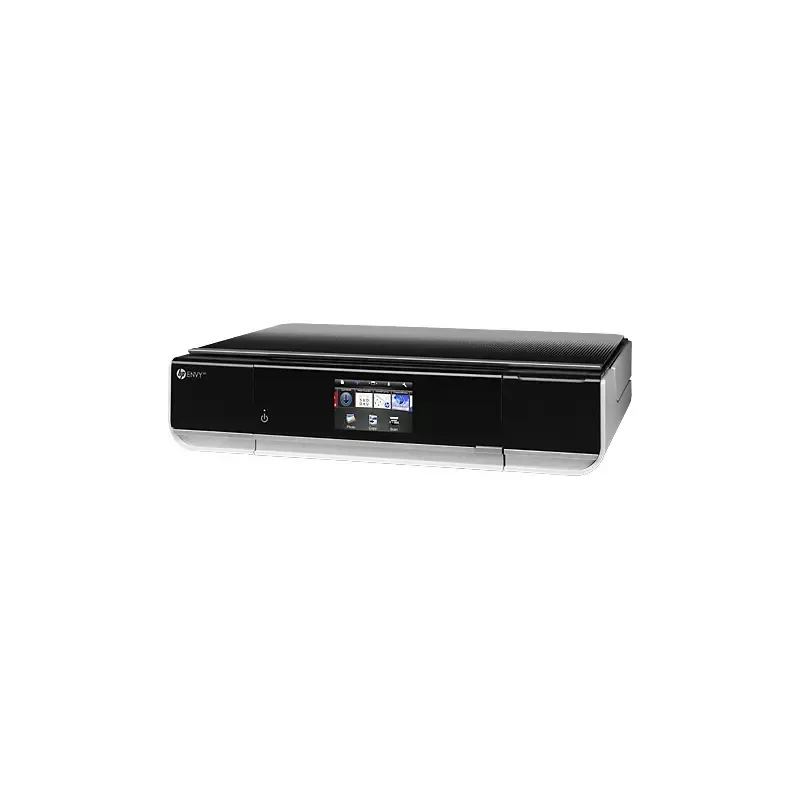

Manuals of product ENVY 100 e-All-in-One D410


Editorial note
The HP ENVY 100 e-All-in-One D410 stands out for its versatility, combining printing, scanning, and copying functions in a compact device. Its wireless connectivity allows for easy printing from various devices, providing great flexibility of use. Additionally, it ensures high print quality for both text documents and photos, making it a wise choice for users seeking professional results. The intuitive user interface makes navigation easy, even for the less experienced, and the energy-saving features help reduce power consumption. However, there are some drawbacks to note. The ink cartridges can be expensive and may require frequent replacement, thus increasing the long-term cost of use. Furthermore, the printing speed is relatively slow compared to other similar models, which can be limiting for users with high printing volumes. The touchscreen interface, while modern, can sometimes lack responsiveness, and Wi-Fi connectivity issues have been reported, making printing from mobile devices occasionally frustrating. Finally, the compact design, although aesthetic, may limit access to certain features, such as paper loading. Overall, the HP ENVY 100 e-All-in-One D410 has many strengths, but it is important to consider the drawbacks to determine if it will meet your specific needs.Score details
User experience
The user experience is generally positive due to an intuitive interface, although the touch interface can sometimes be unresponsive.
Performance
The printing performance is good, but the printing speed is relatively slow compared to other models in the same price range.
Battery life
The printer is equipped with energy-saving features, which helps reduce energy consumption.
Design
The compact design is aesthetically pleasing, but it may limit access to certain features like paper loading.
Value for money
Although the printer is versatile, the high cost of ink cartridges and their frequent replacement can increase the long-term cost of use.
Features
Wireless connectivity and the multiple functions of printing, scanning, and copying add great flexibility of use.
Support
The available documents, such as the user manual and installation guide, are helpful, but additional information could be beneficial.
Advantages
All-in-one printer: prints, scans, copies
Wireless printing from various devices
High print quality for documents and photos
User-friendly and easy-to-use interface
Energy-saving features to reduce consumption
Disadvantages
Expensive ink cartridges and frequent replacements.
Slow printing speed compared to competitors.
Touch interface sometimes unresponsive.
Frequent Wi-Fi connectivity issues.
Compact design limits access to features.
Technical Specifications ENVY 100 e-All-in-One D410
General Information
-
ModelENVY 100 E-ALL-IN-ONE D410
-
Brand
-
Category
-
Type
-
SKU957359
-
MPN957359
Frequently Asked Questions
What is the recommended method for removing a jammed paper from the printer?
Why does my printer not recognize the original cartridges?
Why is the quality of my prints poor?
What is the difference between a laser printer and an inkjet printer?
Why does my inkjet printer leave black streaks on prints?
What does the acronym DPI mean?
Is the manual for the HP ENVY 100 e-All-in-One D410 available in French?
Similar products


More product categories from brand HP
Computers and accessories HP
Other HP
Phones HP
Audio HP
Interior HP
Software HP
More product types from brand HP


Presentation of product ENVY 100 e-All-in-One D410 specifications from brand HP
General Information
The HP ENVY 100 e-All-in-One D410 model is a versatile device from the HP brand, known for its commitment to quality and innovation in the electronics equipment sector. This model combines several essential functions, including printing, scanning, and copying, which helps optimize workspace while meeting the varied needs of users.
Advantages
Versatility: The HP ENVY 100 e-All-in-One D410 combines multiple features in a single device, thus facilitating daily office tasks.
Wireless connectivity: Thanks to its e-All-in-One technology, this printer allows wireless printing from various devices such as computers, smartphones, and tablets, providing flexibility of use.
Print quality: This model is designed to deliver high print quality, whether for professional documents or photographs, ensuring sharp and precise results.
Intuitive user interface: The user-friendly interface of the printer makes navigation and setup easy, which is particularly advantageous for less experienced users.
Energy savings: Equipped with energy-efficient features, the HP ENVY 100 helps reduce energy consumption, thus contributing to environmental protection while generating savings on electricity bills.
Disadvantages
It is important to note that ink cartridges can be expensive and require frequent replacement, thus increasing the long-term cost of use.
Additionally, the printing speed is relatively slow compared to other similar models, which can be a disadvantage for users with high printing volumes.
The touch interface, while convenient, can sometimes lack responsiveness, making navigation through the menus a bit frustrating.
It should also be mentioned that Wi-Fi connectivity issues may arise, complicating printing from mobile devices.
Finally, the compact design of the device, while aesthetic, may restrict access to certain features, such as paper loading or cartridge replacement.


