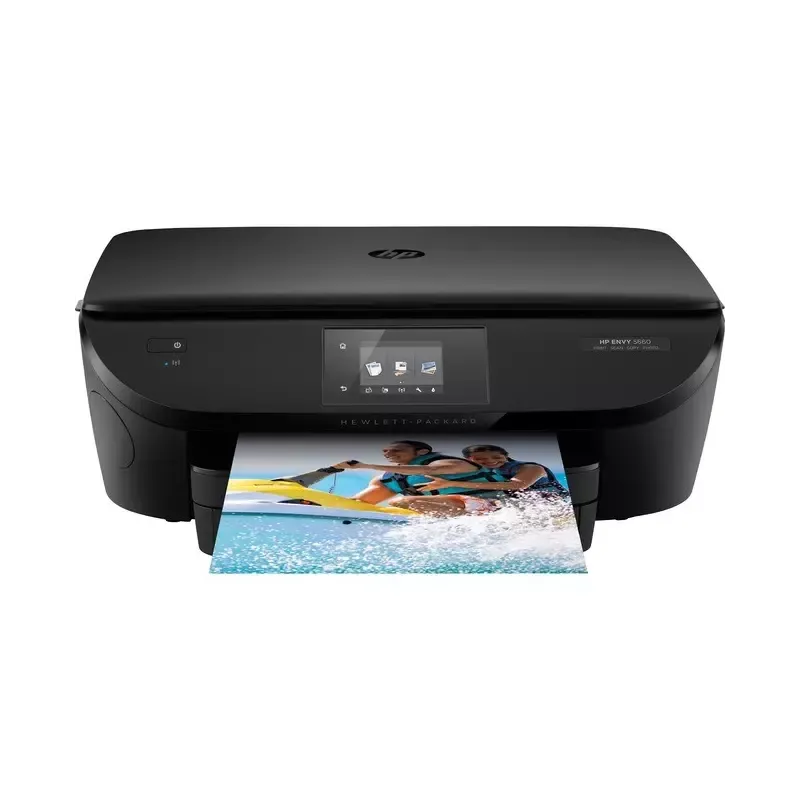

Manuals of product ENVY 5660


Editorial note
The HP ENVY 5660 printer stands out for its exceptional print quality, delivering sharp results for both text documents and photos. Its versatile features, including printing, scanning, and copying, make it an ideal choice for home users or small offices. Additionally, its Wi-Fi connectivity allows for easy printing from mobile devices, adding great flexibility of use. However, some drawbacks may affect the overall experience. The high cost of ink cartridges can quickly increase the expenses associated with its use. Furthermore, the printing speed is relatively slow, especially for color prints. Some users may also find the interface a bit complex, making the initial setup more challenging. Finally, connectivity issues may arise with Wi-Fi, affecting the reliability of wireless printing. In terms of user experience, ease of use is a strong point, supported by a manual and installation guide. Nevertheless, difficulties may arise during setup for some users. Overall, the HP ENVY 5660 offers good value for money, but it is important to consider the cost of consumables and the limitations of speed and connectivity before making a choice.Score details
User experience
The user experience is generally positive, thanks to a user manual and an installation guide that facilitate setup, although the interface may seem complex for some.
Performance
The printing performance is good, with exceptional quality, but the printing speed is relatively slow, especially for color documents.
Features
The printer offers versatile features, including printing, scanning, and copying, as well as wireless connectivity that adds to its flexibility.
Value for money
The cost of ink cartridges is high, which can significantly increase the overall cost of using the printer.
Usability
Ease of use is a strong point, as it comes with help documents, but some users may encounter difficulties during initial setup.
Robustness
Although the printer is generally reliable, Wi-Fi connectivity issues may occur, affecting the reliability of wireless printing.
Advantages
Clear and precise prints
All-in-one features: print, scan, copy
Wi-Fi connectivity for mobile printing
Easy to set up and use
Energy-efficient and environmentally friendly
Disadvantages
High cost of ink cartridges.
Slow printing speed, especially in color.
Complex user interface for some.
Limited paper tray capacity.
Frequent Wi-Fi connectivity issues.
Technical Specifications ENVY 5660
General Information
-
ModelENVY 5660
-
Brand
-
Category
-
Type
-
SKU859143
-
MPN859143
Frequently Asked Questions
What is the procedure for removing a jammed paper from the printer?
Why does my printer refuse to accept original cartridges?
What are the possible reasons for poor print quality?
How does a laser printer differ from an inkjet printer?
Why does my inkjet printer print black streaks?
What does the acronym DPI mean?
Is the manual for the HP ENVY 5660 available in French?
Similar products


More product categories from brand HP
Computers and accessories HP
Other HP
Phones HP
Audio HP
Interior HP
Software HP
More product types from brand HP


Presentation of product ENVY 5660 specifications from brand HP
General Information
The HP ENVY 5660 printer, manufactured by the renowned brand HP, stands out for its commitment to quality and innovation in the multimedia device sector. This all-in-one model is designed to deliver superior performance and an enhanced user experience, meeting the varied needs of home users and small offices.
Advantages
Exceptional print quality: Thanks to its advanced printing technology, the ENVY 5660 produces prints with remarkable clarity, whether for text documents or photos.
Versatile features: As an all-in-one printer, it not only allows printing but also scanning and copying, making it an ideal tool for various uses.
Wireless connectivity: The ENVY 5660 is equipped with Wi-Fi functionality, making it easy to print from mobile devices, laptops, or tablets, thus offering appreciated flexibility of use.
Ease of use: The printer comes with a manual and an installation guide, simplifying its setup and use, even for less experienced users.
Energy efficiency: Designed to be energy-efficient, this printer helps reduce the carbon footprint while maintaining effective performance.
Disadvantages
Cost of cartridges: The price of ink cartridges can be high, thus increasing the overall cost of using the device.
Print speed: Compared to other models, the print speed of the ENVY 5660 is relatively slow, especially when printing color documents.
User interface: Although functional, the interface may be perceived as complex by some users, making the initial setup more challenging.
Paper tray capacity: Its limited capacity requires frequent reloading during high-volume printing, which can be inconvenient.
Connectivity issues: Occasional Wi-Fi connectivity problems may affect the reliability of wireless printing for some users.


