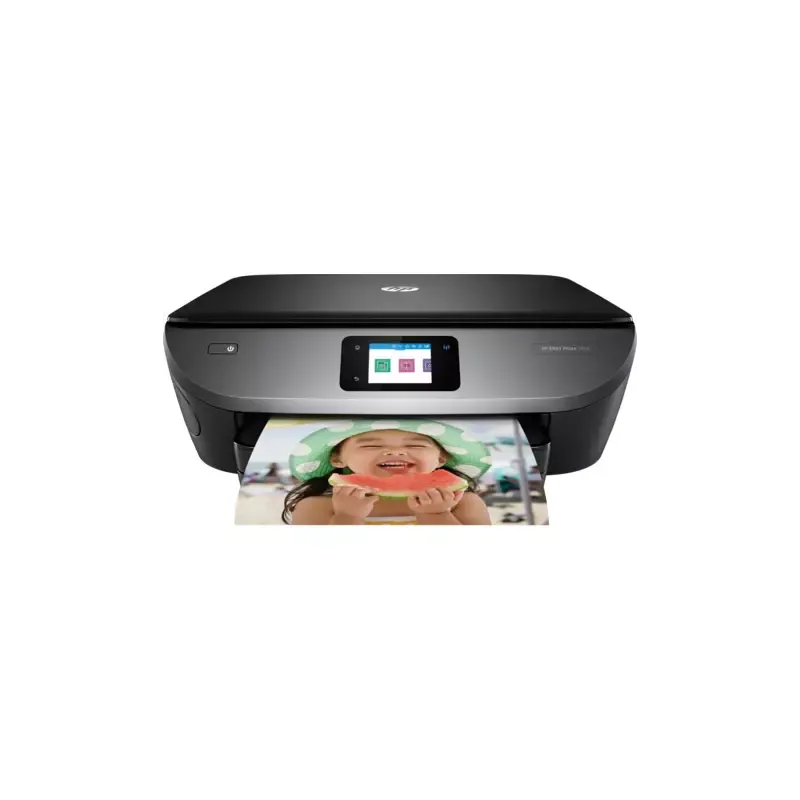

Manual of product ENVY 7100

Editorial note
The HP ENVY 7100 printer stands out for its superior print quality, delivering sharp and precise results for both professional documents and photos. Its versatility is also an asset, as it allows not only printing but also scanning and copying, making everyday office tasks easier. Additionally, wireless connectivity enables easy printing from various devices, making the printer very convenient to use. However, some drawbacks should be noted. Ink consumption can be high, leading to additional costs for cartridge replacements. Print times are relatively slow compared to other models, and the mobile app for remote control can sometimes exhibit instability. Furthermore, certain features, such as double-sided printing, may require manual adjustments, which can complicate the user experience. In terms of performance, the overall user experience is positive thanks to a user-friendly interface and an included user manual. However, users will need to be prepared to face manual adjustments for certain features. Finally, the energy efficiency of the device is a strong point, helping to reduce electricity costs and minimize environmental impact, which is appreciated by users concerned about their ecological footprint.Score details
User experience
The user experience is generally positive, with a user-friendly interface and an included manual, although some features may require manual adjustments.
Performance
The printing performance is good, but the printing times can be relatively slow compared to other models in the same range.
Features
The printer offers versatile features, including printing, scanning, and copying, as well as wireless connectivity, although the mobile app may be unstable.
Value for money
Although the print quality is excellent, the high ink consumption can lead to additional costs for cartridge replacements.
Battery life
The energy efficiency of the device helps reduce electricity costs, which is a positive point for environmentally conscious users.
Advantages
Clear and precise prints.
Printing, scanning, and copying functions.
Wireless printing from various devices.
User-friendly and easy-to-use interface.
Energy-efficient design.
Disadvantages
High ink consumption, additional costs.
Relatively slow printing times.
Unstable and unintuitive mobile application.
Manual settings for double-sided printing.
Interference issues with wireless connectivity.
Technical Specifications ENVY 7100
General Information
-
ModelENVY 7100
-
Brand
-
Category
-
Type
-
SKU1765362
-
MPN1765362
Frequently Asked Questions
What is the recommended method for removing paper jammed in the printer?
Why does my printer not recognize the original cartridges?
What could be the reasons for poor print quality?
How is a laser printer different from an inkjet printer?
Why does my inkjet printer leave black streaks on prints?
What does the acronym DPI mean?
Is the manual for the HP ENVY 7100 available in French?
Similar products


More product categories from brand HP
Computers and accessories HP
Other HP
Phones HP
Audio HP
Interior HP
Software HP
More product types from brand HP


Presentation of product ENVY 7100 specifications from brand HP
General Information
The HP ENVY 7100 printer is a flagship model from the HP brand, known for its commitment to quality and innovation in the home appliance sector. This model, the ENVY 7100, stands out for its high performance and a user interface designed to simplify the printing experience.
Advantages
Among the many strengths of the HP ENVY 7100, the first notable feature is its superior print quality, providing sharp and precise results, ideal for both professional documents and photos. Additionally, this device is versatile thanks to its scanning and copying features, making everyday office tasks easier.
The wireless connectivity is also a major advantage, allowing for smooth printing from various devices, whether they are computers, smartphones, or tablets. In terms of ease of use, the printer is equipped with a user-friendly interface and a user manual, making setup accessible to everyone. Finally, its design is intended to be energy-efficient, helping to reduce electricity costs and limit environmental impact.
Disadvantages
However, the HP ENVY 7100 also has some drawbacks. The ink consumption can be high, leading to additional costs for cartridge replacements. Moreover, the print speeds can sometimes be slower than those of other competing models.
Regarding the mobile application, it can be unstable or not very intuitive, making printing from a smartphone more complicated for some users. Features such as double-sided printing may also require manual adjustments, which may not suit those who prefer simplicity. Finally, the wireless connectivity may experience interference, especially in environments where many devices are connected simultaneously.


