

Manual of product LaserJet 3052
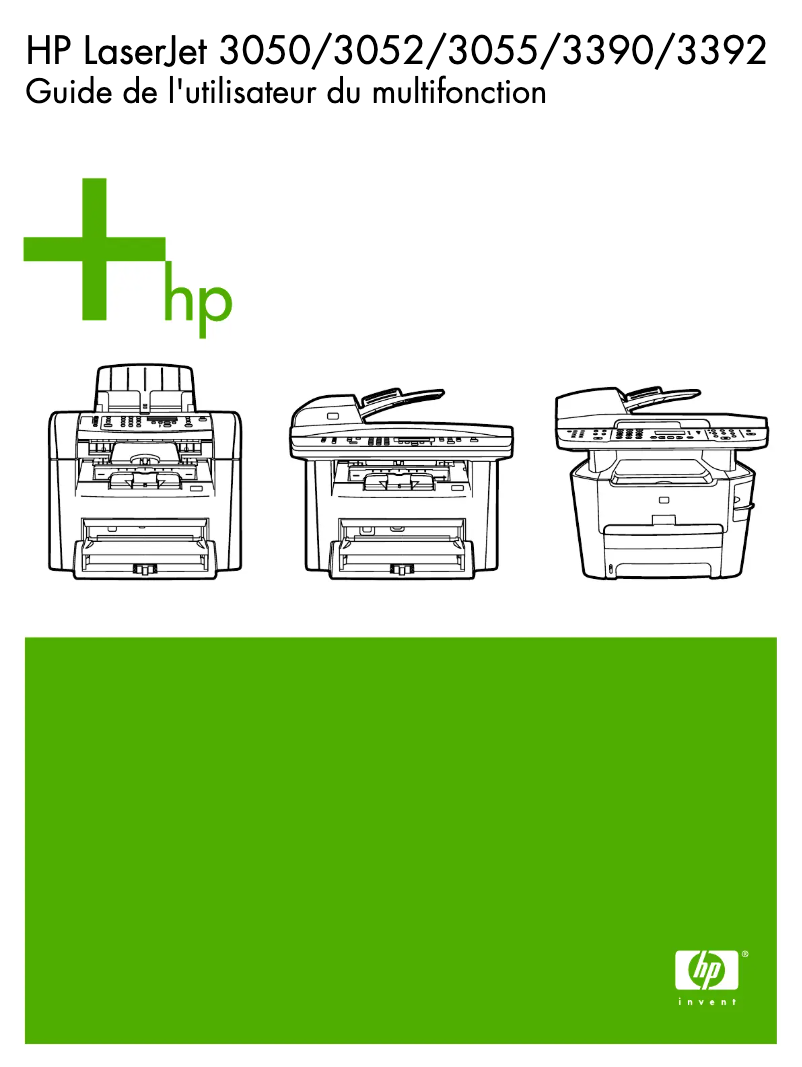
Editorial note
The HP LaserJet 3052 printer stands out for its solid performance, offering fast printing at 18 pages per minute and high print quality of up to 1200 x 1200 DPI. This all-in-one feature, which includes printing, scanning, and copying, optimizes workspace, which is a major asset for demanding office environments. However, some drawbacks deserve to be highlighted. The HP LaserJet 3052 is not compatible with Mac systems, limiting its use for a certain audience. Additionally, the scanning speed, at 5 pages per minute in black and 3.5 pages in color, may be considered relatively slow in a context where speed is essential. The lack of fax function is also a constraint for users needing this feature. Finally, its weight of 12 kg can make transportation difficult in workspaces where mobility is necessary, and the standard output capacity of 100 sheets may require frequent interventions. In terms of scores, the user experience was rated at 78, highlighting ease of use thanks to the all-in-one feature. Performance received a score of 80, reflecting its efficiency for quality prints. Features were rated at 70, due to the absence of certain options. Usability scored 75, thanks to varied connectivity, while design was rated at 72, with reservations about the weight. Finally, the value for money is considered good with a score of 76, although the output capacity may pose problems for some users. Overall, the HP LaserJet 3052 represents a wise choice for those seeking a reliable and efficient printer, despite some notable limitations.Score details
User experience
The user experience is enhanced by the all-in-one feature that allows printing, scanning, and copying, thus optimizing the workspace.
Performance
With a printing speed of 18 pages per minute and a print quality of up to 1200 x 1200 DPI, the performance is suitable for demanding work environments.
Features
The features are varied, but the lack of fax and the low scanning speed may limit its use in certain contexts.
Usability
The varied connectivity with RJ-45 and USB ports makes the printer easy to integrate into different environments, but the incompatibility with Mac systems is a notable drawback.
Design
The design is functional, but the weight of 12 kg can make transport difficult, thus limiting mobility in an office space.
Value for money
The value for money is good, especially for users with regular printing needs, but the standard output capacity of 100 sheets may require frequent interventions.
Advantages
Fast printing: 18 pages per minute.
All-in-one function: printing, scanning, copying.
High print quality: up to 1200 x 1200 DPI.
Connectivity: RJ-45 and USB ports.
250-sheet tray for fewer interruptions.
Disadvantages
Not compatible with Mac systems.
Slow scanning speed.
Lack of fax function.
Difficult to transport due to weight.
Output capacity limited to 100 sheets.
Technical Specifications LaserJet 3052
General Information
-
ModelLASERJET 3052
-
Brand
-
Category
-
Type
-
SKU859126
-
MPN859126
Other features
-
I/O Ports1 RJ-45; Hi-Speed USB
-
Acoustic pressure emissions50 dB
-
Print margin, bottom (A4)4 mm
-
Power requirements220 - 240 V (± 10%), 50/60 Hz (± 2 Hz), 2, 3 Amp
-
Print margin, bottom (A4)4 mm
-
Print quality (black, normal quality)1200 DPI
-
Printer managementHP Toolbox FX, HP Web Jetadmin, HP Embedded Web Server (Mac only)
-
Electromagnetic compatibilityCISPR 22: 1993+A1+A2/EN 55022: 1994+A1+A2 - Class B; EN 61000-3-2: 1995/A14: 2000; EN 61000-3-3: 1995+A1; EN 55024: 1998+A1+A2; FCC Title 47 CFR, Part 15 Class B 2/ICES-003, Ed. 3; GB9254-1998
-
Print quality (black, normal quality)1200 DPI
-
Support weight, bin 260 - 105 g/m2
-
Formats of scanned filesBMP, GIF, PDF, PNG
-
Print margin, bottom (A4)4 mm
-
Network features10/100 Ethernet
-
Standard average formatsMedia input tray and priority slot: A4, A5, B5, C5, C6, DL (ISO), postcard; automatic document feeder (ADF): A4, A5
-
Package dimensions (LxWxH)600 x 500 x 505 mm
-
Memory technologyMemory Enhancement
-
Double-sided printing optionsManual (driver support available)
-
Maximum support size (custom)76 x 127 to 216 x 356 mm; automatic document feeder (ADF): 127 x 127 to 216 x 381 mm
-
Dimensions (LxWxH)497 x 406 x 393 mm
-
Print margin, bottom (A4)4 mm
-
Print quality (black, premium quality)1200 x 1200 DPI
-
Type of media and capacity for the automatic document feeder50
-
Accepted types of mediaA4, A5, 127 x 127 mm - 216 x 381 mm Paper (bond, colour, glossy, heavy, letterhead, light, plain, preprinted, prepunched, recycled, rough), envelopes, transparencies, labels, cardstock
-
Sound power emitted6, 3
-
Type upgradeFirmware
-
Service and supportHP websites, HP Customer Support Centre, HP Care Pack
-
Support formats, tray 1A4, A5, B5, C5, C6, DL (ISO), 76 x 127 - 216 x 356 mm
-
Support formats, level 2A4, A5, B5, (C5, DL), 147 x 211 mm - 216 x 356 mm
-
Features of the intelligent photocopier softwareUp to 99 multiple copies, collation, reduce/enlarge from 25 to 400% (with page size presets), fit to page, 2 or 4 pages to 1 page, contrast (lighter/darker), resolution (copy quality)
-
SureSupply supportedYes
-
Standard input paper trays2
-
FontsPCL: 45 scalable TrueType fonts, PostScript: 35 scalable TrueType fonts
-
Minimum configuration for MacintoshMac OS X v 10.3.x; G3, G4 or G5 processor, 32 MB RAM, 30 MB disk space, Hi-Speed USB (compatible with USB 2.0 specifications) port or network port, CD-ROM drive
-
Features of smart printer softwareManual duplex and booklet printing, N-up printing, collation, watermarks, install printer driver only, Economode for toner savings, accepts a variety of paper sizes and types
-
Standard power capacity for enclosures10 sheets
-
Driver update descriptionsLatest drivers available from http://www.hp.com
-
Control panelIntuitive control panel with 2-line, 16-character back lit display, numeric buttons, menu and cancel controls, copy and scan controls
-
Weight of supports per paper pathMedia input tray, priority slot, output bin: 60 to 163 g/m2; automatic document feeder (ADF): 60 to 90 g/m2
-
Pallet dimensions (L x W x H)1200 x 1000 x 2160 mm
-
Memory increaseNon Go
-
Downloadable softwareInstaller, print drivers, HP Scan software, HP ToolboxFX for management and support, ReadIRIS Pro text recognition software, HP Software Update
-
Maximum scan zone (imperial)8.5 "
-
Packaging dimensions (L x W x H)23.63 x 19.69 x 19.89 "
-
Pallet dimensions (L x W x H)48 x 40 x 85 "
-
Weight per pallet549 kg
-
Weight (imperial)27.4 lb kg
-
Size (imperial)19.6 "
-
Standard power capacity for enclosures10 sheets
-
Acoustic power (in operation)67 dB
-
Acoustic pressure emissions for spectator (ready)Inaudible dB
-
Acoustic pressure (in operation)53 dB(A)\n50 dB(A)
-
Acoustic pressure emissions for spectator (ready)Inaudible dB
-
Function of the "scaling" of the photocopier (Automatic Document Feeder)25 to 400%
-
Double-sided bindingNo
-
Printing time for the first black page (letter, standby)8 s
-
Printing time for the first black page (letter, standby)8 s
-
Printing time for the first black page (letter, standby)8 s
-
Maximum power supply capacity (tray 1)250 sheets
-
Maximum scanning surface (ADF) (imperial)8.5 x 14 "
-
Maximum scanning area (automatic paper feed)216 x 381 mm
-
Supported media formatsMedia input tray and priority slot: letter, legal, envelopes (No. 5 1/2 Baronial through No. 11), index cards, postcards; automatic document feeder (ADF): letter, legal
-
Auto feeder scan size (minimum)5 x 5 "
-
Minimum scanning area (automatic paper feed)127 x 127 mm
-
Flatbed scanner scanning size (minimum)No minimum "
-
Weight of the box/package31.8 kg
-
Connection type SureSupplyDirect and Network
-
SureSupply supportedYes
-
UNSPSC Code43212110
-
Security managementSNMP v1 (community name), embedded Web server and HP Toolbox (password-protected), security-lock slot for securing the all-in-one with a cable lock (available for purchase via a third-party vendor)
-
FeaturesIntegration with OpenView software via Smart Plug-In (SPI). Delivers integrated IT Services management in areas like provisioning, operations, reporting and charge back.\nBackup management. Single view of backup activities. Identify unprotected applications, servers and files. Root cause analysis of backup failure. Increase utilization of backup resources.
-
Compatible productsArrays: HP StorageWorks XP disk arrays (XP12000, XP1024, XP512, XP128, XP48); HP StorageWorks Enterprise Virtual Array (EVA) EVA3000/4000/5000/6000/8000; HP Modular Storage Array (MSA) MSA1000, MSA1500; HP EMA 12000, EMA16000; EMC DMX800, 1000, 2000; EMC Clariion CX 100, 300, 400, 600, 700; EMC Clariion FC-4700; EMC Symmetrix 4.8, 5.0, 5.5; HDS Lightning 9900, 9900V; HDS Thunder 9200, 9500V; IBM ESS 800, F20; IBM DS4100 (FAStT 100), DS4300 (FAStT 600, FAStT 600 Turbo), DS4400 (FAStT 700), DS4500 (FAStT 900), DS4800, ESS800, DS6xxx, DS8xxx; Sun StorEdge 6920, 9900, 9990, 3510, 3511; NetApp Data on Tap 6.5 thru 7.0; Engenio E2600 series, E4600, E5600, E6998; StorageTek FLX280, D280, D178; XIOTech; 3Par Data Systems; Switches: HP StorageWorks (B-series) Core Switch 2/64, 2/64 Power Pak; SAN Switch 2/32, 2/32 Power Pak, 2/16, 2/16 Power Pak, 2/16 EL, 2/8 EL, 2/8 Power Pak, SAN Switch 4/8, 4/16, SAN Director 4/256; HP StorageWorks (M-series) Director 2/140, 2/64; Edge Switch 2/32, 2/24, 2/12; HP StorageWorks (C-series) MDS 9509 Director, MDS 9506 Director, MDS 9216, 9216i, 9216A Fabric Switch, MDS 9120 Fabric Switch, 9140 Fabric Switch; Brocade and OEM equivalent: SilkWorm 2xx0, 38xx, 32xx, 3900, 4100, 200E, 48000; Brocade 4Gb SAN Switch for HP p-Class BladeSystem; Brocade and OEM equivalent: Director 12000, 24000, 6400; McData and OEM equivalents ES-3016, ES-3032, ES-3200 series, ES-4500 series; McData and OEM equivalents Director ED-6140, ED-6064, ED-5000; Cisco and OEM equivalents 9509, 9506, 9216, 9120, 9140; CNT FC/9000-64 (2gbps), FC/9000-128 (2gbps), FC/9000-16, UMD; QLogic Sanbox 1-8, 1-16, 2-8, 2-16; QLogic 5200; QLogic Sanbox Director 2-64; EMC Connectrix DS-16M, DS-24M2, DS-32M2; EMC Connectrix Director ED-1032, ED-64M, ED-140M; Sun StorEdge 2GB Network FC Switch 8-port, 16-port, 64-port
-
Supported browsersIE 5.5 or higher (Windows); Netscape 7.x (Windows); Netscape 7.0 (Solaris); Mozilla 1.4 and 1.7 or higher (Solaris)
-
All-in-one functionsScanning
-
All-in-one color functionsscan, n
Representation / realization
-
Internal memory64 MB
-
Processor familyNXP ColdFire V4e
-
Minimum system requirementsSVGA 800 x 600, CD-ROM, Internet Explorer 5.5, USB
-
Processor frequency264 MHz
-
Integrated into the processorYes
-
Integrated into the processorYes
Digitization
-
Optical scanning resolution1200 x 1200 DPI
-
Version TWAIN1.9
-
Type of scannerFlatbed scanning
-
Input color display depth24 bit
-
Maximum scan area216 x 381 mm
-
Gray levels256
-
Scanning modesFront control panel scan buttons, scanning via HP LaserJet Scan (Windows), HP Director (Macintosh) or TWAIN-compliant or WIA-compliant software
-
Scanner featuresIntuitive device front control panel with Scan-to button for direct walk-up scan to folder and e-mail capability (pre-configuration of walk-up capability required via software provided); Software; 50-page automatic document feeder
-
Minimum scanning sizeNo minimum
-
Scanning speed (black, normal quality)Up to 5 ppm
-
Scanning speed (color, normal quality)Up to 3.5 ppm
-
DigitizationColor scanning
-
Maximum scanning resolution19200 x 19200 DPI
Input and output capacity
-
Automatic document feeder capacity50 sheets
-
Standard output capacity for envelopes10 sheets
-
Maximum output capacity100 sheets
-
Maximum input capacity260 sheets
-
Maximum input capacity260 sheets
-
Maximum output capacity100 sheets
-
Standard input capacity for transparencies10
-
Automatic Document Feeder (ADF)Yes
Copier
-
High copy margin4 mm
-
High copy margin4 mm
-
High copy margin4 mm
-
Copy resolution (black graphics)Max. 600 x 600 dpi
-
Maximum number of copies99 copies
-
Resizing copy25 - 400 %
-
High copy margin4 mm
-
Maximum copy speed (black, A4)18 cpm
-
Max. resolution of copies600 x 600 DPI
-
Copying settingsContrast (lighter/darker), resolution copy quality (draft, text, mixed, film photo and picture), reduce/enlarge 25 to 400%, copy collation, number of copies, paper size
-
Copy speed (black, high, letter)Up to 19 cpm (single sheet on flatbed, multiple copies, ADF copy speed is up to 15.9 cpm)
-
Copy deadline for the first page (letter)8.1 sec
-
CopyNon
Print speed
-
Printing technologyLaser
-
Economic printingYes
-
Print speed (black, high quality, A4)18 ppm
-
Copy time for the first page (Black, normal)8 s
-
Print speed (black, high quality, A4)18 ppm
-
Print speed (black, draft quality, A4/US Letter)18, 19 ppm
-
Print speed (black, high quality, letter)Up to 19 ppm
-
PrintingNo
-
Maximum resolution1200 x 1200 DPI
Paper management
-
Weight/Grammage of the support, bin 160 - 163 gr/m²
-
Recommended weights75 - 90 g/m²
-
Type of support and capacity (bin 2)250
-
Paper management250-sheet media input tray, 10-sheet priority tray, 50-sheet automatic document feeder, 100-sheet output bin
-
Maximum number of paper bins2
-
Weight of the media, automatic document feeder60 - 90 g/m²
-
Paper management in standard/input250-sheet media input tray, 10-sheet priority tray, 50-sheet automatic document feeder
-
Paper management in standard/output100-sheet face-down output tray
-
Envelope chargerNo
-
Management of supportsSheets
-
Maximum print format206 x 344 mm
Packaging information
-
Package weight14500 g
Environmental conditions
-
Temperature out of operation-20 - 40 °C
-
Operating temperature15 - 32.5 °C
-
Relative humidity rate (storage)0 - 95 %
-
Operating relative humidity (H-H)10 - 80 %
-
Operating temperature15 - 32.5 °C
-
Relative humidity rate (storage)0 - 95 %
-
Operating altitude (imperial measurement)10000 ft
Power
-
Electricity consumption (average operation)300 W
-
Electricity consumption (stop)1 W
-
Energy consumption (eco mode)10 W
-
Energy consumption (standby mode)13 W
Weight and dimensions
-
Weight12000 g
Features
-
Service cycle (Maximum)7000 pages per month
-
Number of print cartridges1
-
All-in-one multitaskingYes
-
Digital senderNo
-
Languages of the page descriptionPCL 5e, PCL 6, PostScript 3
Packaging contents
-
Provided softwareHP Toolbox FX
-
HP LaserJet Scan
-
TWAIN 1.9 or WIA scan drivers
-
Readiris PRO text recognition software (not installed with other software, separate installation required)
-
printer drivers (HP PCL 6, HP PCL 5e, HP Postscript Level 3 emulation)
-
installer/uninstaller
-
HP Director (Macintosh)
Minimum system requirements
-
Minimal disk space10 MB
-
Minimal processorPentium II
-
Minimum RAM64 MB
Logistics data
-
Products by pallet16 piece(s)
-
Gross weight of the pallet250000 g
-
Layers per pallet2 piece(s)
Network
-
Support for network protocols (IPv4)TCP/IP: IP Direct Mode
-
LPD
-
SLP
-
Bonjour
-
BOOTP/DHCP/AutoIP
-
WINS
-
SNMP v 1
-
HTTP
Sustainability
-
Sustainability certificatesBlue Angel
-
ENERGY STAR
Fax
-
FaxNo
-
Modem speed33.6 Kbit/s
-
Fax transmission speed3 sec/page
-
Fax resolution (color)300 x 300 DPI
-
Fax memory110 pages
-
Fax Memory2 MB
Design
-
Market positionDomestic and professional
Frequently Asked Questions
What is the weight of the HP LaserJet 3052 printer?
What is the recommended method for removing jammed paper from the printer?
Why is my printer not recognizing the original cartridges?
What are the possible causes of poor print quality?
What are the differences between a laser printer and an inkjet printer?
Why does my inkjet printer leave black streaks on prints?
What does the acronym DPI mean?
How many cartridges can be inserted into the HP LaserJet 3052?
Is the manual for the HP LaserJet 3052 available in French?
Similar products


More product categories from brand HP
Computers and accessories HP
Other HP
Phones HP
Audio HP
Interior HP
Software HP
More product types from brand HP


Presentation of product LaserJet 3052 specifications from brand HP
General Information
The HP LaserJet 3052 model, marketed by the HP brand, is known for its reliability and innovation in the printing technology sector. This model, referenced under the code Q6502A, is designed to deliver optimal performance and a smooth user experience. Its EAN code, which allows for unique identification in the distribution system, is varied and includes numbers such as 0882780146457 and 0882780146150.
Other Features
Regarding connectivity, the HP LaserJet 3052 printer is equipped with an I/O port that includes an RJ-45 port and a Hi-Speed USB port, allowing for easy integration into various work environments. With a noise level of 50 dB, it operates relatively quietly. The print margins for A4 format are uniformly 4 mm, ensuring a neat rendering of documents. The device requires a power supply between 220 and 240 V, and its management system consists of tools such as HP Toolbox FX and HP Web Jetadmin, facilitating control and maintenance of the printer.
The print quality in draft mode is 1200 DPI, providing fast and economical results, while normal quality ensures clear and readable documents. The weight of the media accepted in tray 2 ranges from 60 to 105 gr/m², suitable for various types of paper. Furthermore, the product supports multiple formats of scanned files, including BMP, GIF, PDF, and PNG, offering flexibility for document storage and sharing.
Network features include 10/100 Ethernet support, ensuring a stable and fast connection. In terms of dimensions, the product measures 497 x 406 x 393 mm, making it suitable for a standard workspace. The built-in memory technology enhances the overall performance of the device, while the duplex printing option allows for optimized paper usage.
Representation / Performance
The HP LaserJet 3052 is equipped with 64 MB of internal memory and operates on an NXP ColdFire V4e processor, providing fast task execution. The minimum required configuration for its operation is an SVGA 800 x 600 system, accompanied by a CD-ROM drive and a USB port. It is worth noting that this model is not compatible with Mac systems.
Scanning
With an optical scanning resolution of 1200 x 1200 DPI, the HP LaserJet 3052 guarantees high-quality reproductions. It offers flatbed scanning, with a color depth of 24 bits, and can process documents measuring 216 x 381 mm. The scanning mode includes features such as direct email sending and optical character recognition (OCR), providing appreciated versatility.
Input and Output Capacity
The automatic document feeder capacity is 50 sheets, while the input tray can hold up to 250 sheets. The product is designed for efficient use, with a standard output capacity of 100 sheets. This allows for handling large print volumes without requiring frequent interventions.
Copier
The HP LaserJet 3052 offers a maximum copying speed of 18 copies per minute in black, with a resolution of up to 600 x 600 DPI. It allows for up to 99 copies by adjusting the size between 25 and 400%, thus providing flexibility according to user needs.
Print Speed
With a print speed of 18 pages per minute in normal quality, the HP LaserJet 3052 proves efficient for daily use. The maximum print resolution is 1200 x 1200 DPI, ensuring documents of remarkable clarity.
Paper Management
Paper management is facilitated by a system that includes a multifunction tray and a 250-sheet tray. The accepted media weights range from 60 to 163 gr/m², with a recommended weight of 75 to 90 g/m², ensuring compatibility with different types of documents.
Environmental Conditions
The HP LaserJet 3052 can operate at temperatures ranging from 15 to 32.5 °C, with a relative humidity of 10 to 80%. Outside of these ranges, it can withstand storage temperatures between -20 and 40 °C, thus ensuring its durability.
Power
Regarding energy consumption, the HP LaserJet 3052 uses 300 W in operation, 10 W in economy mode, and only 1 W when turned off, promoting significant energy savings.
Features
The maximum service cycle is 7000 pages per month, which is suitable for high-demand environments. This all-in-one model also supports various languages to accommodate user preferences.
Packaging Contents
The product comes with various software, including HP Toolbox FX and HP LaserJet Scan, which enhance the user experience and optimize printer performance.
Network
The HP LaserJet 3052 supports multiple network protocols, ensuring optimal connectivity and print management in various environments.
Durability
Certified Blue Angel and ENERGY STAR, this model meets high standards for energy efficiency, contributing to environmental protection.


