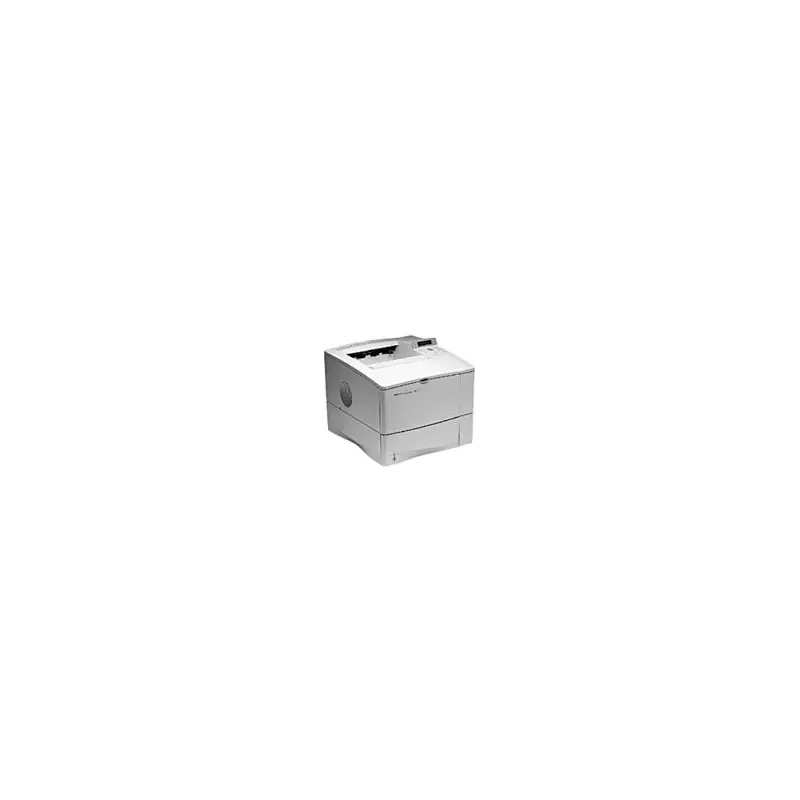

Manual of product LaserJet 4050

Editorial note
The HP LaserJet 4050 printer stands out for its high print quality, delivering sharp and professional documents thanks to its laser technology. Its robustness and durability make it an ideal choice for demanding work environments, where intensive use is the norm. Additionally, ease of use is a major asset, with the included user manual allowing for quick and hassle-free installation. However, some drawbacks must be taken into account. The printer can be noisy during operation, which could be disruptive in a quiet office. Its weight and size may make it difficult to move, which could pose a problem in limited workspaces. Furthermore, the cost of toner cartridges can be high, leading to additional expenses in the long run. Connectivity is also limited, with few wireless options, and the model being relatively old, it may lack some modern features. In terms of scoring, the user experience is very positive with a score of 85, highlighting ease of use. Performance is also satisfactory with a score of 80, although connectivity may limit some features. Robustness is particularly appreciated, rated at 90, while the value for money receives a score of 70, mainly due to cartridge costs. The design, functional but bulky, gets a score of 65, and HP's brand support is rated at 75, providing peace of mind to users. In summary, the HP LaserJet 4050 is a reliable and high-performing printer, well-suited to the needs of work environments, despite some limitations that deserve consideration.Score details
User experience
The user experience is overall very positive due to the ease of use and the included user manual, allowing for quick installation.
Performance
The performance is optimal, providing fast and high-quality printing, but may be limited by restricted connectivity.
Robustness
The robustness of the HP LaserJet 4050 is commendable, designed to withstand heavy use, making it ideal for demanding work environments.
Value for money
Although the printer offers excellent print quality, the high cost of toner cartridges can lead to additional expenses in the long run.
Design
The design is functional, but the weight and size of the printer may pose issues for users with limited workspace.
Support
The HP brand is recognized for its support and innovation, providing peace of mind regarding the reliability of the equipment.
Advantages
High-quality printing.
Sturdy and durable.
Easy and quick installation.
Consistent and efficient performance.
Trust in the HP brand.
Disadvantages
Significant noise during operation.
Difficult to move due to weight.
High cost of toner cartridges.
Limited connectivity, no wireless options.
Old model, lacking recent features.
Technical Specifications LaserJet 4050
General Information
-
ModelLASERJET 4050
-
Brand
-
Category
-
Type
-
SKU87749
-
MPN87749
Frequently Asked Questions
What is the recommended method for removing a jammed paper from the printer?
Why does my printer not recognize the original cartridges?
What could be the reasons for poor print quality?
How does a laser printer differ from an inkjet printer?
Why does my inkjet printer leave black streaks on prints?
What does the acronym DPI mean?
Is the manual for the HP LaserJet 4050 available in French?
Similar products


More product categories from brand HP
Computers and accessories HP
Other HP
Phones HP
Audio HP
Interior HP
Software HP
More product types from brand HP


Presentation of product LaserJet 4050 specifications from brand HP
General Information
The HP LaserJet 4050 model, manufactured by the renowned brand HP, is recognized for its commitment to quality and innovation in the printer industry. This laser model is specifically designed to deliver high-level performance while enhancing the user experience through its advanced technology.
Advantages
The HP LaserJet 4050 stands out for several strengths:
- Superior print quality: Thanks to its laser technology, it produces documents with remarkable sharpness and clarity, ideal for professional environments.
- Reliability and durability: Designed to withstand intensive use, this model is perfect for offices requiring a robust printer.
- Ease of use: The printer comes with a user manual, making its installation and setup simple and quick.
- Consistent performance: It ensures high efficiency by reducing wait times between prints.
- Trusted brand: As a product of HP, it benefits from a well-established reputation for reliability.
Disadvantages
Despite its many advantages, the HP LaserJet 4050 also has some drawbacks:
- Noise level: During operation, the printer can be loud, which may disrupt a quiet work environment.
- Weight and bulk: Its dimensions and weight can make it difficult to move, especially in tight workspaces.
- Consumable costs: The price of toner cartridges can represent a significant expense over time.
- Limited connectivity: This model offers few wireless connectivity options, which may disappoint modern users accustomed to more flexible solutions.
- Outdated technology: Being an older model, it may not support some recent features available on contemporary printers.


