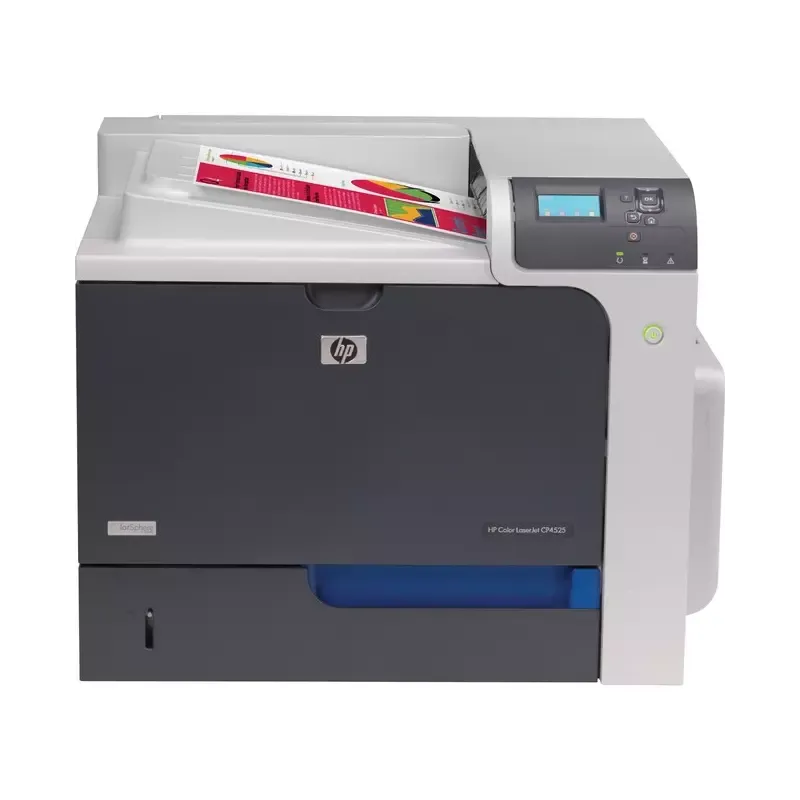

Manual of product LaserJet Enterprise CP4520

Editorial note
The HP LaserJet Enterprise CP4520 printer stands out for its superior print quality, delivering sharp and professional documents thanks to excellent resolution. Designed for heavy use, it ensures optimal performance with fast printing speeds, which helps improve efficiency within work environments. The reputation of the HP brand for reliability and innovation reinforces users' trust in this product. However, some drawbacks deserve to be highlighted. The purchase cost of the printer may seem high compared to other models on the market, and the toner cartridges, while effective, can also represent a significant long-term expense. Additionally, the size and weight of the device may pose space issues in restricted offices, while the noise generated during operation could disrupt concentration in quiet environments. Finally, the setup and installation of the printer can be complex, sometimes requiring the intervention of a professional. In summary, the HP LaserJet Enterprise CP4520 is a wise choice for those seeking high-quality printing performance, but it is essential to consider operating costs and space constraints before purchasing.Score details
User experience
The user experience is enhanced by a clear and accessible manual, making setup and use easier, even for novices.
Performance
Performance is optimal for heavy use, with fast printing speed that improves efficiency in work environments.
Value for money
Although print quality is superior, the high purchase cost and expensive toner cartridges can represent a significant investment.
Design
The printer is quite large and heavy, which can pose space issues in offices where space is limited.
Usability
Setup can be complex and may require professional assistance, which can be a drawback for some users.
Robustness
The reliability of the HP brand inspires confidence, but the noise during operation can be disruptive in quiet environments.
Advantages
High-quality and sharp printing.
Fast and efficient printing speed.
Reliable and durable brand.
Easy to use for all users.
Easy traceability with EAN code.
Disadvantages
High purchase cost compared to other models.
Expensive toner cartridges in the long run.
Bulky and heavy device, impractical.
Disturbing noise in a quiet environment.
Complex installation, requires a professional.
Technical Specifications LaserJet Enterprise CP4520
General Information
-
ModelLASERJET ENTERPRISE CP4520
-
Brand
-
Category
-
Type
-
SKU1402583
-
MPN1402583
Frequently Asked Questions
What is the recommended method for removing a paper jammed in the printer?
Why does my printer not recognize the original cartridges?
What are the possible reasons for poor print quality?
How does a laser printer differ from an inkjet printer?
Why does my inkjet printer leave black streaks on prints?
What does the acronym DPI mean?
Is the manual for the HP LaserJet Enterprise CP4520 available in French?
Similar products


More product categories from brand HP
Computers and accessories HP
Other HP
Phones HP
Audio HP
Interior HP
Software HP
More product types from brand HP


Presentation of product LaserJet Enterprise CP4520 specifications from brand HP
General Information
The HP LaserJet Enterprise CP4520 printer is a model from the HP brand, known for its innovation and quality in the printing device sector. This model is designed to deliver remarkable performance, ensuring a smooth and efficient user experience. The EAN code, which includes the references 0884420585305, 0884420585329, 0884962019238, and 0884962176542, allows for precise identification of the device within distribution systems.
Advantages
This printer stands out for its superior print quality, producing documents with exceptional clarity, ideal for professional presentations. Designed for heavy use, it offers optimal performance with fast printing speeds, thereby increasing efficiency in work environments.
The reliability of the HP brand inspires confidence due to its commitment to innovation and the durability of its products. Additionally, the device is easy to use, with a clear user manual that facilitates setup and operation even for novices. Finally, its unique identification via the EAN code allows for efficient inventory management and simplified tracking.
Disadvantages
However, the HP LaserJet Enterprise CP4520 can represent a considerable investment due to its relatively high purchase price compared to other laser printers on the market. The toner cartridges, necessary for its operation, can also be expensive, which may increase the long-term operating costs.
Furthermore, this device is quite bulky and heavy, which can pose space challenges in restricted office environments. The noise generated during its operation can also be a drawback, potentially disrupting concentration in quiet work settings. Finally, the setup and installation of the printer can be complex, sometimes requiring the assistance of a professional for optimal placement.


