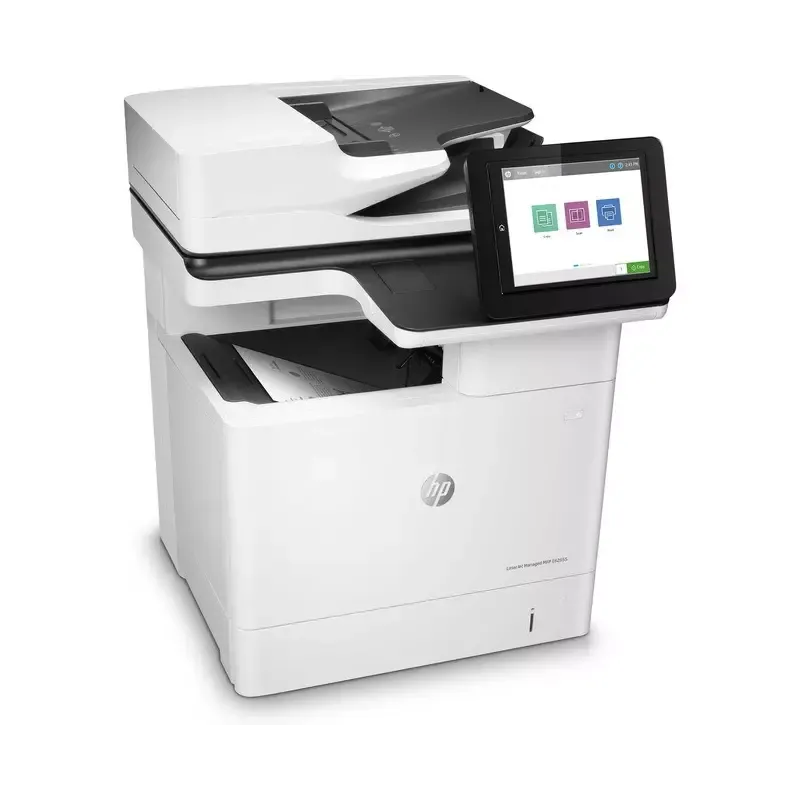

Manual of product LaserJet Managed E62655dn

Editorial note
The HP LaserJet Managed E62655dn printer stands out for its impressive performance, offering fast and high-quality prints thanks to its laser technology. It is ideal for demanding work environments, capable of handling large print volumes while ensuring reliability and durability. Designed to withstand intensive use, it is a wise choice for professionals seeking efficient and reliable solutions. However, some drawbacks are worth mentioning. The purchase cost of the printer and the toner cartridges can be high, representing a significant investment, especially for small businesses or individuals. Additionally, its size requires sufficient workspace, which can pose problems in cramped offices. The user interface, while feature-rich, can be complex for some, requiring a learning curve to fully benefit from it. Finally, the operating noise is higher than that of some competing models, which can be disruptive in quiet environments. Overall, despite a few drawbacks, the HP LaserJet Managed E62655dn positions itself as a robust and high-performing printer, ideal for users seeking quality and reliability.Score details
User experience
The user experience is generally positive due to the availability of a user manual, but the interface can be complex for some users, requiring a learning period.
Performance
This printer offers optimal performance with fast and high-quality printing, ideal for professional environments and high print volumes.
Value for money
The purchase cost and the price of toner cartridges can be high, which may represent a significant investment for small businesses or individuals.
Design
The printer can be bulky, requiring sufficient workspace for installation, which can be problematic in restricted office environments.
Robustness
Designed to withstand intensive use, this printer ensures reliability and durability, making it a wise choice for professionals.
Usability
Although the printer offers advanced features and varied connectivity, the complexity of the user interface can make its use less intuitive.
noise_level
The operating noise may be higher than that of other models, which can be disruptive in a quiet work environment.
Advantages
Fast and high-quality printing
Reliability and durability in heavy use
Ease of setup and use
Efficient management of large print volumes
Advanced connectivity and easy integration
Disadvantages
High purchase cost for small businesses.
Expensive toner cartridges in the long run.
Bulky, requires a lot of space.
Complex user interface to master.
Disturbing operating noise in silence.
Technical Specifications LaserJet Managed E62655dn
General Information
-
ModelLASERJET MANAGED E62655DN
-
Brand
-
Category
-
Type
-
SKU1378239
-
MPN1378239
Frequently Asked Questions
What is the recommended method for removing paper jammed in the printer?
Why does my printer not recognize the original cartridges?
What are the possible reasons for poor print quality?
How does a laser printer differ from an inkjet printer?
Why does my inkjet printer leave black streaks on my prints?
What does the acronym DPI mean?
Is the manual for the HP LaserJet Managed E62655dn available in French?
Similar products


More product categories from brand HP
Computers and accessories HP
Other HP
Phones HP
Audio HP
Interior HP
Software HP
More product types from brand HP


Presentation of product LaserJet Managed E62655dn specifications from brand HP
General Information
The HP LaserJet Managed E62655dn printer, designed by the renowned brand HP, stands out for its commitment to quality and innovation in the office equipment sector. This model is specifically crafted to deliver optimal performance, thus meeting the demands of professional environments.
Advantages
This laser printer is capable of producing fast, high-quality prints, ensuring clear and precise documents, perfect for professional use. Thanks to its robust design, it ensures reliability and durability, even under intensive usage conditions. Moreover, its user-friendly interface and accessible user manual allow for easy setup and optimization according to the specific needs of the user.
The E62655dn model is also designed to efficiently handle large print volumes, making it ideal for busy offices. In terms of connectivity, it offers multiple options, facilitating its integration into various printing systems.
Disadvantages
However, it is worth noting that the acquisition cost of the E62655dn may be higher than that of some competing models, representing a significant investment for small businesses or individuals. Additionally, the toner cartridges, while high quality, can be expensive, increasing the total cost of ownership in the long run.
Furthermore, the printer may be bulky, requiring adequate workspace for installation, which could pose a problem in restricted office environments. The user interface, while functional, may seem complex to some users, necessitating an adjustment period to fully utilize its features. Finally, the noise level during operation may be higher than that of some alternatives, which could be perceived as disruptive in quiet workspaces.


