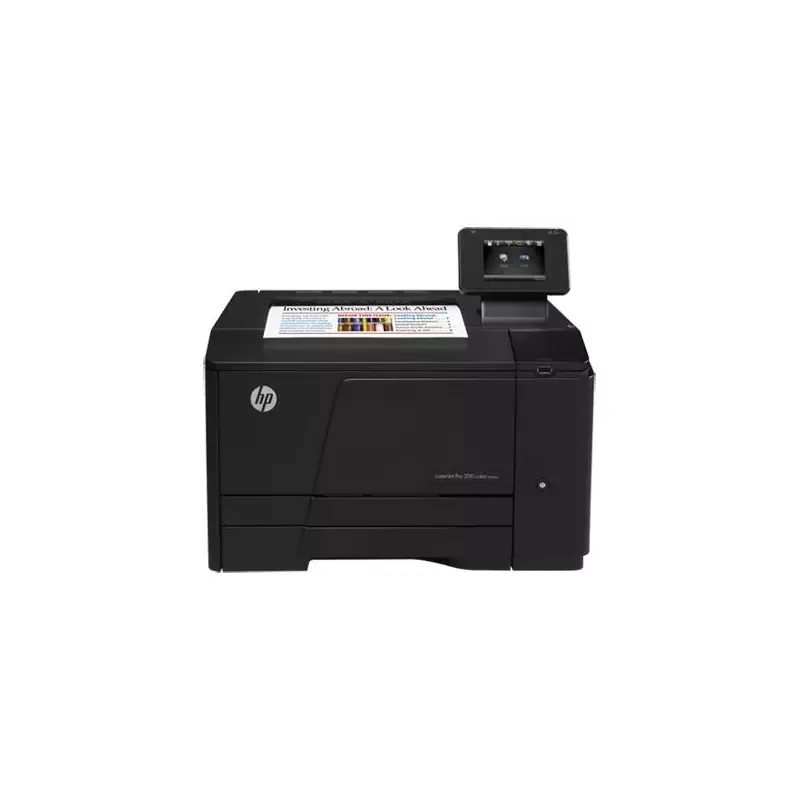

Manual of product LaserJet Pro 200 M251nw

Editorial note
The HP LaserJet Pro 200 M251nw printer stands out for its performance and print quality. With a print speed of 14 pages per minute, it is suitable for everyday use, although this may be insufficient in high-demand work environments. Its resolution of up to 600 x 600 DPI ensures sharp and professional documents, which is a major asset for quality-conscious users. One of the strengths of this printer is its built-in wireless connectivity, allowing for easy printing from various devices, such as smartphones and laptops. Additionally, its input capacity of 150 sheets and compliance with ENERGY STAR standards make it an environmentally friendly and energy-efficient choice. However, the lack of duplex printing functionality is a drawback, leading to higher paper consumption. Furthermore, the weight of 18.8 kg can complicate its transport and installation, especially in tight workspaces. The internal memory of 128 MB may also prove insufficient for more complex tasks or for printing large multimedia files. In summary, the HP LaserJet Pro 200 M251nw offers good value for money, but its limitations in terms of features and input capacity may pose issues for some users. Its modern and sleek design, coupled with solid performance, makes it a wise choice for light home or office use.Score details
User experience
The user experience is satisfactory thanks to the built-in wireless connectivity, making it easy to print from various devices. However, the lack of duplex printing may be a drawback for some users.
Performance
The printing speed of 14 pages per minute is acceptable for daily use, but may not be sufficient in a high-demand work environment. The print quality is high with a resolution of 600 x 600 DPI, ensuring sharp and professional documents.
Design
The design is modern and sleek, but the weight of 18.8 kg can make transport and installation more difficult.
Value for money
The product offers good value for money with its 150-sheet input capacity and compliance with ENERGY STAR standards, making it environmentally friendly.
Features
Although the printer has several interesting features, the internal memory of 128 MB may be insufficient for more complex tasks or large multimedia files.
Usability
The use of the printer is generally intuitive, but the limited input capacity and lack of duplex printing can lead to frequent interruptions.
Advantages
Fast printing: 14 pages per minute.
Print quality: up to 600 x 600 DPI.
Wireless connectivity for various devices.
Input capacity: 150 sheets.
Output capacity: 125 sheets.
ENERGY STAR certified, energy-efficient.
Disadvantages
No double-sided printing, more paper used.
Insufficient printing speed for large volumes.
Relatively heavy, difficult to transport.
Input capacity limited to 150 sheets.
Internal memory of 128 MB too low.
Technical Specifications LaserJet Pro 200 M251nw
General Information
-
ModelLASERJET PRO 200 M251NW
-
Brand
-
Category
-
Type
-
SKU140031
-
MPN140031
Weight and dimensions
-
Weight18800 g
-
Dimensions (LxWxH)405 x 453 x 265 mm
-
Pallet dimensions (L x W x H)1200 x 1000 x 2340 mm
-
Maximum dimensions (LxWxH)405 x 512 x 354 mm
Other features
-
Print quality (color, superior quality)600 DPI
-
Left print margin (A4)4.3 mm
-
Input capacity for envelopes (primary tray)10 sheets
-
Standard output capacity for transparencies50 sheets
-
Left print margin (A4)4.3 mm
-
Package dimensions (LxWxH)500 x 333 x 550 mm
-
Left print margin (A4)4.3 mm
-
Print quality (black, premium quality)600 x 600 DPI
-
Left print margin (A4)4.3 mm
-
Print quality (color, superior quality)600 DPI
-
Supported network protocolsTCP/IP, IPv4, IPv6, Bonjour
Representation / realization
-
Maximum internal memory128 MB
-
Processor frequency750 MHz
-
Maximum internal memory128 MB
Packaging information
-
Package weight22770 g
Print speed
-
Print speed (black, normal quality, A4/US Letter)14 ppm
-
Print speed (black, normal quality, A4/US Letter)14 ppm
-
Printing technologyLaser
-
ColorYes
-
Maximum resolution600 x 600 DPI
-
Double-sided printingNo
-
Copy time for the first page (Black, normal)18.5 s
-
Copy time for the first page (color, normal)19 s
Input and output capacity
-
Total output capacity125 sheets
-
Total output capacity125 sheets
-
Total power capacity150 sheets
-
Total power capacity150 sheets
Environmental conditions
-
Operating relative humidity (H-H)20 - 70 %
-
Relative humidity rate (storage)10 - 95 %
-
Operating temperature15 - 32.5 °C
Sustainability
-
Sustainability certificatesENERGY STAR
Logistics data
-
Products by pallet28 piece(s)
-
Gross weight of the pallet660260 g
Power
-
Average power consumption in Print mode315 W
-
Electricity consumption (stop)0.2 W
Features
-
Number of print cartridges4
-
Service cycle (Maximum)30000 pages per month
-
Service cycle (recommended)250 - 1500 pages per month
-
Languages of the page descriptionPCL 5c, PCL 6, PostScript 3
-
Printing colorsBlack, Cyan, Magenta, Yellow
Network
-
WifiYes
-
WifiYes
-
WifiYes
-
Wifi standards802.11b, 802.11g, Wi-Fi 4 (802.11n)
-
Management protocolsSNMPv1/v2/v3, HTTP/HTTPs, Telnet
-
Security-supported algorithm802.1x RADIUS, SSL/TLS, WPA
Paper management
-
Maximum print format216 x 356 mm
-
Type of paper tray supportBond paper
-
Types of multi-purpose binsEnvelopes
-
ISO, Format Series A (A0...A9)Glossy paper
-
Non-ISO print support sizesPhoto paper
-
JIS series B format (B0...B9)Plain paper
-
Weight of paper tray supportRecycled paper
-
Support width customizationHeavyweight paper
-
Customization of support lengthLetterhead
-
Maximum ISO A series paper sizePreprinted forms
-
A4
-
A5
-
A6
-
Letter
-
B5
-
63 - 163 g/m²
-
76 - 216 mm
-
127 - 356 mm
-
A4
Connectivity
-
Standard interfacesUSB 2.0
-
Quantity of USB 2.0 Ports2
Minimum system requirements
-
Support for the Mac operating systemMac OS X 10.5 Leopard
-
Support for the Linux operating systemMac OS X 10.6 Snow Leopard
-
Minimal disk spaceMac OS X 10.7 Lion
-
Minimum RAMFedora 11
-
Minimal processorFedora 12
-
Fedora 9
-
SuSE Linux 10.3
-
SuSE Linux 11
-
Ubuntu 8.04
-
Ubuntu 8.10
-
Ubuntu 9.04
-
Ubuntu 9.10
-
200 MB
-
512 MB
-
233 MHz
Design
-
ScreenLCD
-
Product colorBlack
Frequently Asked Questions
What is the weight of the HP LaserJet Pro 200 M251nw printer?
What is the recommended method for removing a jammed paper from the printer?
Why is my printer not recognizing the original cartridges?
What could be the reasons for poor print quality?
What is the difference between a laser printer and an inkjet printer?
Why does my inkjet printer leave black streaks on prints?
What does the acronym DPI mean?
How many cartridges can be installed in the HP LaserJet Pro 200 M251nw?
Is the manual for the HP LaserJet Pro 200 M251nw available in French?
Similar products


More product categories from brand HP
Computers and accessories HP
Other HP
Phones HP
Audio HP
Interior HP
Software HP
More product types from brand HP


Presentation of product LaserJet Pro 200 M251nw specifications from brand HP
General Information
The HP LaserJet Pro 200 M251nw printer is a product of the HP brand, known for its commitment to quality and innovation in the printing field. This model, identified by the reference number CF147A, is designed to deliver solid performance and an enhanced user experience. The EAN code, which uniquely identifies the product in the distribution system, includes several references.
Weight and Dimensions
With a weight of 18.8 kg, the HP LaserJet Pro 200 M251nw printer is designed for efficient handling while ensuring stability during use. Its dimensions of 405 x 453 x 265 mm allow for easy integration into various workspaces. For storage and transport, it has pallet dimensions of 1200 x 1000 x 2340 mm.
Other Features
The black print quality, at a resolution of 600 DPI, ensures clear and professional documents. This printer has a print margin of 4.3 mm for A4 format, allowing for a neat output. With an input capacity of 150 sheets and a standard output capacity of 125 sheets, it is capable of handling large print volumes. The package dimensions are 500 x 333 x 550 mm, ensuring adequate protection during transport.
Printing Performance
The printing speed is 14 pages per minute for both color and black, providing appreciable productivity for work environments. The laser printing technology used ensures precise results, while the maximum resolution of 600 x 600 DPI guarantees excellent document clarity. However, it should be noted that the printer does not support duplex printing, which may lead to higher paper consumption.
Input and Output Capacity
The maximum input capacity is 150 sheets, while the output capacity reaches 125 sheets. These specifications are ideal for efficiently managing a flow of documents without frequent interruptions for paper reloading.
Environmental Conditions
For optimal operation, the HP LaserJet Pro 200 M251nw printer should be used in a relative humidity of 20 to 70 % and at an ambient temperature of 15 to 32.5 °C. The humidity rate for storage is 10 to 95 %, ensuring durability and optimal performance.
Durability
Compliant with ENERGY STAR standards, this device is designed to be energy-efficient, thus contributing to a reduced ecological footprint.
Logistical Data
On a pallet, there can be 28 pieces of the HP LaserJet Pro 200 M251nw printer, with a gross pallet weight of 660.26 kg, optimizing logistics and inventory management.
Power
In print mode, the power consumption is 315 W, while in standby, it consumes only 0.2 W, thus minimizing energy costs.
Technical Specifications
This printer uses four cartridges and has a maximum service cycle of 30,000 pages per month, suitable for the needs of demanding users. The internal memory of 128 MB may be limited for more complex tasks, but it is sufficient for routine operations.
Connectivity
The product is equipped with several standard interfaces, including two USB 2.0 ports for fast and efficient connections. It also supports Wi-Fi and Ethernet networking, facilitating printing from various devices.
Paper Management
The maximum supported print size is 216 x 356 mm, and the multi-purpose tray allows for handling different types of media, including plain paper, envelopes, and photo paper. The customization of paper dimensions ranges from 76 to 216 mm in width, and from 127 to 356 mm in length.
Minimum System Requirements
The printer is compatible with Mac and Linux operating systems and requires a minimum disk space of 200 MB as well as at least 512 MB of RAM for optimal operation.
Design
The model features an LCD screen providing clear visibility and a modern black finish that easily integrates into any office environment.


