

Manual of product LaserJet Pro 300 M351a
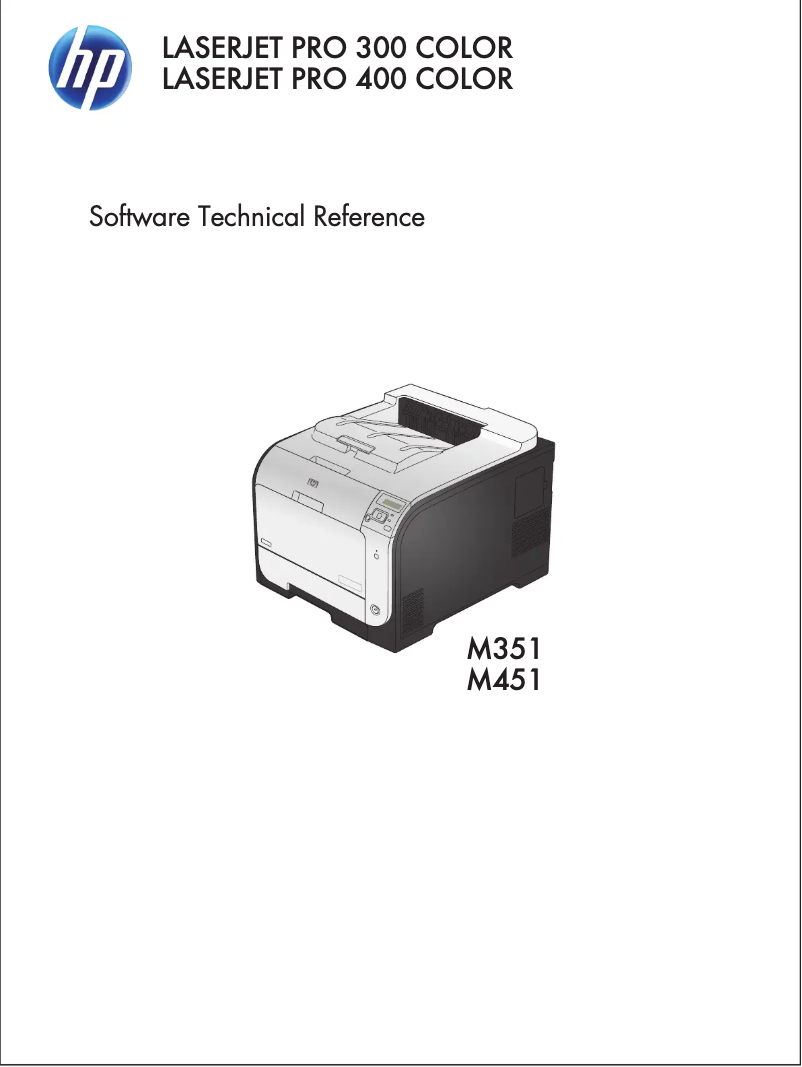
Editorial note
The HP LaserJet Pro 300 M351a printer stands out for its superior print quality, thanks to laser technology that ensures sharp prints, ideal for professional use. Its fast performance also contributes to improving productivity, making it a major asset in a dynamic work environment. Users will appreciate the ease of use of this device, supported by a comprehensive manual that facilitates setup, even for the less experienced. However, it is important to note a few drawbacks. The initial purchase cost is relatively high, which may be a barrier for some users. Additionally, the printer requires specific HP brand toner cartridges, resulting in additional costs for their replacement. Its weight and size may make the model difficult to move, thus limiting its flexibility of use in various workspaces. The lack of scanning and copying features may also disappoint those looking for a multifunction device. Finally, the noise level during printing may be higher than that of some inkjet models, which can be disruptive in quiet environments. In summary, the HP LaserJet Pro 300 M351a is a high-performing and reliable printer, ideal for users seeking print quality and speed. Nevertheless, its cost and certain functional limitations should be considered before purchase.Score details
User experience
The user experience is positive due to the ease of use and the availability of a comprehensive manual, making the printer accessible even for less experienced users.
Performance
The printer's performance is excellent with superior print quality and fast printing speed, which enhances productivity at work.
Value for money
The initial purchase cost is relatively high, which may be a barrier for some users, although the quality partly justifies this investment.
Design
The design is functional, but the weight and size of the printer may limit its flexibility of use in different workspaces.
Features
The lack of scanning and copying features can be a disadvantage for users looking for a multifunction device.
Robustness
The reliability of the HP brand ensures good durability and consistent performance, although the limited compatibility with specific toner cartridges may incur additional costs.
Usability
The printer is generally easy to use, but the noise level during printing can be disruptive in quiet environments.
Advantages
Clear and precise prints
Printing speed for increased productivity
Reliability of the HP brand
Easy to use for all levels
Energy savings to reduce costs
Disadvantages
High initial purchase cost.
Limited compatibility with HP cartridges.
Difficult to move due to weight.
Lack of multifunction features.
High noise level during printing.
Technical Specifications LaserJet Pro 300 M351a
General Information
-
ModelLASERJET PRO 300 M351A
-
Brand
-
Category
-
Type
-
SKU107584
-
MPN107584
Frequently Asked Questions
What is the recommended method for removing a paper jam in the printer?
Why is my printer refusing to accept original cartridges?
What could be the reasons for poor print quality?
What are the differences between a laser printer and an inkjet printer?
Why is my inkjet printer leaving black streaks on prints?
What does the acronym DPI mean?
Is it possible to obtain the manual for the HP LaserJet Pro 300 M351a in French?
Similar products


More product categories from brand HP
Computers and accessories HP
Other HP
Phones HP
Audio HP
Interior HP
Software HP
More product types from brand HP


Presentation of product LaserJet Pro 300 M351a specifications from brand HP
General Information
The HP LaserJet Pro 300 M351a printer is a model from the renowned brand HP, known for its reliability and innovation in the printing technology sector. Designed to deliver high-level performance, this laser printer ensures superior quality prints, ideal for professional environments. The EAN code, which identifies this unique model, is as follows: 7330381431531, 886111731220, 886111731282, 886111731305, 8861117313054, 886111731312.
Advantages
Among the strengths of the HP LaserJet Pro 300 M351a, we find:
- Print Quality: Thanks to its laser technology, this printer produces sharp and precise documents, ideal for professional presentations.
- Fast Performance: Its efficiency in printing reduces waiting times, thus increasing productivity.
- Brand Reliability: HP is synonymous with durability and innovation, ensuring a satisfying user experience.
- Ease of Use: The printer comes with a user manual, simplifying its setup and use, even for novices.
- Energy Efficiency: Designed to be energy-saving, it helps reduce operating costs while minimizing its environmental impact.
Disadvantages
However, the HP LaserJet Pro 300 M351a model also has some drawbacks:
- Initial Purchase Cost: Its price can be relatively high, which may not suit all budgets.
- Specific Cartridges: This printer is only compatible with HP toner cartridges, which can incur additional costs when replacing them.
- Weight and Size: Its size can complicate moving it from one place to another, limiting its use in different workspaces.
- Lack of Multifunction Features: The absence of scanning and copying can be a disadvantage for those looking for an all-in-one device.
- Noise Level: The noise produced during printing can be higher compared to other models, which can be disruptive in quiet environments.


