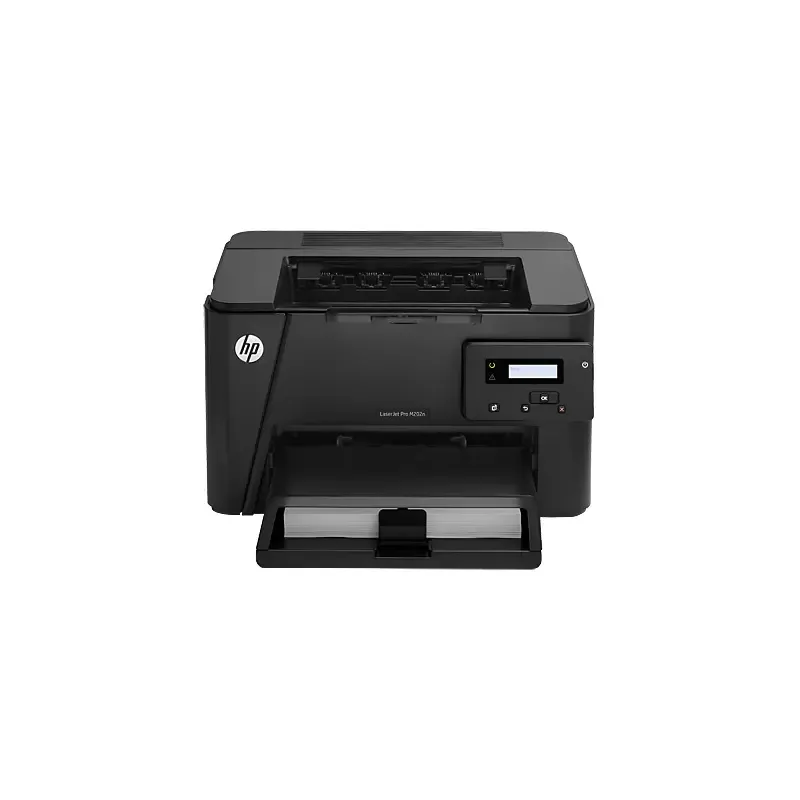

Manuals of product LaserJet Pro M202


Editorial note
The HP LaserJet Pro M202 stands out for its exceptional print quality thanks to laser technology, delivering sharp and precise results, ideal for professional documents. Its printing speed saves valuable time in managing office tasks, which is a major asset for users. The user experience is overall positive, facilitated by a quick start guide and a manual that simplify installation and use from the outset. Additionally, its modern and compact design allows it to be easily integrated into various work environments without cluttering the space. However, a few drawbacks are worth mentioning. The printer can be noisy during printing, which could disrupt quiet work environments. Furthermore, the lack of automatic duplex printing features may lead to higher paper consumption. Connectivity is also limited, as it does not offer Wi-Fi connection, restricting its use to wired network computers. Finally, although the print quality is up to par, the high cost of toners could increase long-term printing expenses, which is something to consider for those with higher printing needs. In summary, the HP LaserJet Pro M202 is a reliable and efficient printer, ideal for moderate printing volumes, but it has some limitations that should be considered based on the specific needs of users.Score details
User experience
The user experience is positive, with a quick start guide and a user manual that facilitate installation and use from the outset.
Performance
Print performance is excellent, with exceptional print quality thanks to laser technology and appreciable printing speed.
Design
The design is modern and compact, making it easy to integrate the printer into a work environment without cluttering the space.
Value for money
Although the quality is there, the cost of toners can be high, thus increasing long-term printing expenses.
Features
The lack of automatic duplex printing features and limited connectivity may be drawbacks for some users.
Robustness
The reliability of the HP brand ensures good longevity, although it is primarily designed for moderate printing volumes.
Advantages
Clear and precise prints
Fast printing to save time
Easy installation and use
Reputable brand for reliability
Compact and modern design
Disadvantages
Noisy during printing.
No automatic duplex printing.
Limited connectivity, no Wi-Fi.
High cost of toners.
Designed for moderate printing volumes.
Technical Specifications LaserJet Pro M202
General Information
-
ModelLASERJET PRO M202
-
Brand
-
Category
-
Type
-
SKU859099
-
MPN859099
Frequently Asked Questions
What is the recommended method for removing jammed paper from the printer?
Why is my printer refusing to accept original cartridges?
Why are my prints of poor quality?
What are the differences between a laser printer and an inkjet printer?
Why is my inkjet printer leaving black streaks on prints?
What does the acronym DPI mean?
Is the manual for the HP LaserJet Pro M202 available in French?
Similar products


More product categories from brand HP
Computers and accessories HP
Other HP
Phones HP
Audio HP
Interior HP
Software HP
More product types from brand HP


Presentation of product LaserJet Pro M202 specifications from brand HP
General Information
The HP LaserJet Pro M202 printer embodies the brand's HP commitment to quality and innovation in the printing device sector. Designed to deliver high-level performance, this laser printer stands out for its ability to produce accurate and professional documents, thus meeting the varied needs of users.
Advantages
- Exceptional print quality: Thanks to its laser technology, the HP LaserJet Pro M202 delivers clear and detailed prints, ideal for professional environments.
- Fast printing: This printer is designed for quick printing, allowing for efficient management of office tasks and saving valuable time.
- Ease of use: Supplied with a quick start guide and a user manual, it is simple to install and use from the very first moments.
- Brand reliability: HP's reputation for durability and quality of its products ensures appreciable longevity and good value for money.
- Compact design: Its reduced size allows for easy integration into various workspaces without cluttering the environment.
Disadvantages
- Noisy during printing: The printer can emit significant noise, which may be disruptive in quiet environments.
- Lack of automatic duplex printing: This can lead to increased paper usage, thereby raising printing costs.
- Limited connectivity: Not offering Wi-Fi connection, its use is restricted to computers connected via cable.
- Cost of toners: Toners can be expensive, leading to potential long-term expenses for users.
- Moderate print volume: This printer is mainly suited for medium print volumes, which may not be suitable for those with higher needs.


