

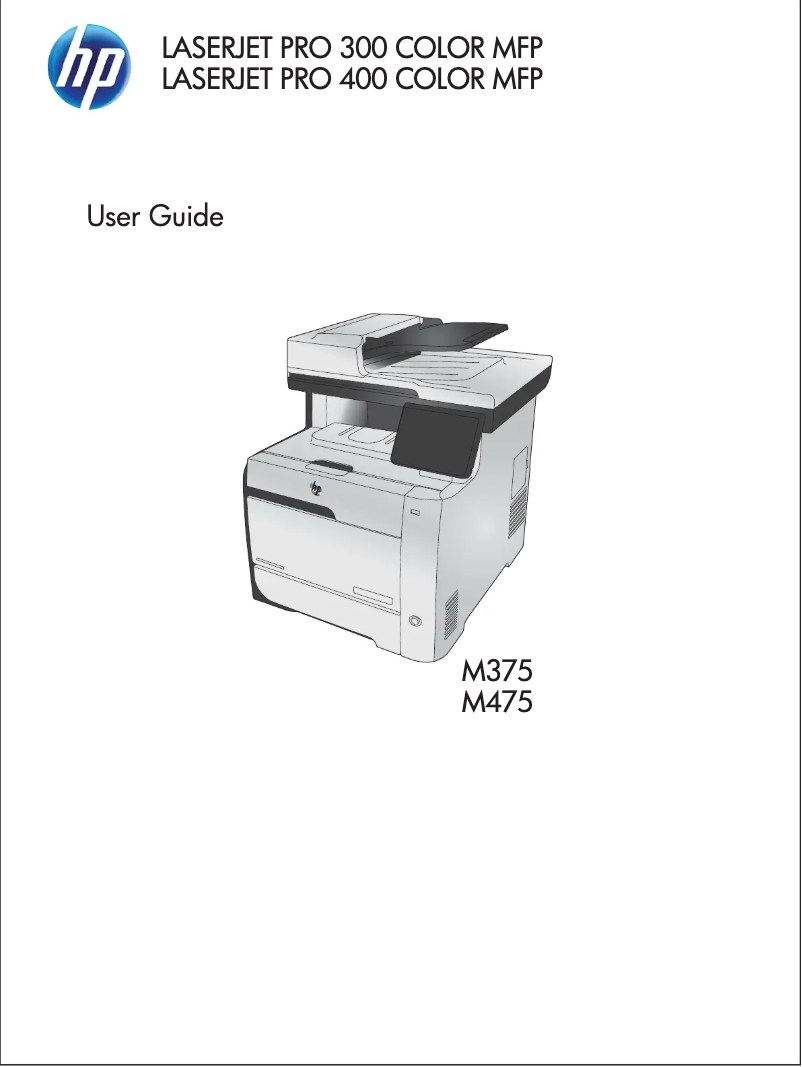
Manual of product LaserJet Pro M475dw
Editorial note
The HP LaserJet Pro M475dw stands out for its versatility and all-in-one features. With a fast printing speed of 21 pages per minute, this printer is suitable for everyday office needs. Its exceptional print quality, thanks to a maximum resolution of 1200 x 1200 DPI, ensures clear and professional documents. Additionally, wireless and Ethernet connectivity makes it easy to integrate into a network, allowing for easy printing from multiple devices. However, some aspects may pose problems. Its weight of 29.5 kg makes moving and installing it difficult, especially in tight spaces. While the printing speed is adequate, it may not be sufficient for high-volume work environments. Furthermore, the duplex printing feature is manual, which can be inconvenient for users who need it frequently. The noise level of 51 dB during printing can also be disruptive in environments requiring relative silence. The lack of compatibility with Mac operating systems may also limit its appeal to some users. In terms of value for money, although the print quality is high, the cost of ink cartridges could lead to additional expenses in the long run. In summary, the HP LaserJet Pro M475dw is a solid choice for those looking for a multifunction printer, but it is important to consider its limitations in terms of weight, printing speed, and compatibility.Score details
User experience
The user experience is generally good thanks to the all-in-one features and wireless connectivity, but the printer's heavy weight can make it difficult to move.
Performance
The printing speed of 21 pages per minute is acceptable, but may be insufficient for high-volume work environments.
Features
The printer offers various features, including copying, faxing, and scanning, making it a versatile device for the office.
Design
The design is modern, but the weight of 29.5 kg can pose installation issues in tight spaces.
Value for money
Although the print quality is exceptional, the high cost of ink cartridges can increase long-term expenses.
Support
The lack of compatibility with Mac operating systems limits its appeal to some users.
Advantages
Fast printing: 21 pages per minute
All-in-one function: printing, copying, scanning
Print quality: 1200 x 1200 DPI
Built-in Wi-Fi and Ethernet connectivity
Double-sided printing to save paper
Disadvantages
Heavy weight, difficult to move.
Insufficient printing speed for large volumes.
Manual duplex printing is inconvenient.
Annoying noise level during printing.
Not compatible with Mac systems.
High cost of ink cartridges.
Technical Specifications LaserJet Pro M475dw
General Information
-
ModelLASERJET PRO M475DW
-
Brand
-
Category
-
Type
-
SKU108578
-
MPN108578
Print speed
-
Printing technologyLaser
-
Maximum resolution1200 x 1200 DPI
-
Print speed (color, normal quality, A4/US Letter)21 ppm
-
Print speed (color, normal quality, A4/US Letter)21 ppm
-
Color resolution600 x 600 DPI
-
Duplex printing modeAuto
-
Copy time for the first page (color, normal)17 s
-
Copy time for the first page (color, normal)17 s
-
PrintingColor printing
-
Double-sided printingYes
Other features
-
All-in-one functionsCopy
-
All-in-one color functionsFax
-
Network featuresPrint
-
Built-in scannerScan
-
Type of power supplycopy
-
Wireless technologyprint
-
Built-in scannerscan
-
Connectivity technologyFast Ethernet/Wi-Fi
-
Built-in scannerYes
-
Built-in scannerSector
-
Network standardsWi-Fi
-
Built-in scannerYes
-
Wired & wireless
-
Yes
-
Yes
-
IEEE 802.11b, IEEE 802.11g, IEEE 802.11n, IEEE 802.3, IEEE 802.3u
-
Yes
Features
-
Service cycle (Maximum)40000 pages per month
-
All-in-one multitaskingYes
-
Number of print cartridges4
-
Languages of the page descriptionPCL 5c, PCL 6, PostScript 3
-
Printing colorsBlack, Cyan, Magenta, Yellow
-
Service cycle (recommended)1000 - 2500 pages per month
-
Digital senderNo
Copier
-
Max. resolution of copies300 x 300 DPI
-
Copy speed (normal quality, color, A4)20 cpm
-
Copy speed (normal quality, color, A4)20 cpm
-
Maximum number of copies99 copies
-
Resizing copy25 - 400 %
-
Copy speed (US letter, color, normal)21 cpm
-
Copy speed (US letter, color, normal)21 cpm
-
CopyColor copy
Digitization
-
Optical scanning resolution1200 x 1200 DPI
-
Maximum scan areaLegal (216 x 356) mm
-
Type of scannerFlatbed scanner and ADF
-
Scan toE-mail, USB
-
Supported image formatsBMP, JPG, PNG
-
Support for text formatsPDF, RTF, TXT
-
Input color display depth24 bit
-
Gray levels256
-
DigitizationColor scanning
Fax
-
Fax resolution (black)300 x 300 DPI
-
Fax transmission speed3 sec/page
-
Modem speed33.6 Kbit/s
-
Fax memory250 pages
-
Fax transmission120 localisations
-
Maximum number of shortcuts for numbers120
-
FaxSimple fax
Input and output capacity
-
Total power capacity250 sheets
-
Maximum input capacity500 sheets
-
Input capacity of multi-purpose trays50 sheets
-
Input capacity of multi-purpose trays50 sheets
-
Total number of power supply units2
-
Maximum number of feed bins3
-
Total output capacity150 sheets
-
Automatic Document Feeder (ADF)Yes
-
Automatic Document Feeder (ADF)Yes
Paper management
-
Maximum print format216 x 356 mm
-
Type of paper tray supportBond paper
-
ISO, Format Series A (A0...A9)Card stock
-
ISO, Formats Series-B (B0...B9)Envelopes
-
ISO Paper Size, Series C Formats (C0…C9)Labels
-
Non-ISO print support sizesPhoto paper
-
Envelope sizesPlain paper
-
Weight of paper tray supportPre-Printed
-
Support weight supported in duplex modeRecycled paper
-
Maximum ISO A series paper sizeTransparencies
-
A4
-
A5
-
A6
-
B5
-
C5
-
Legal
-
10
-
60 - 176 g/m²
-
60 - 163 g/m²
-
A4
Design
-
Screen size3.5 "
-
Product color
-
Color displayGray
-
Market positionYes
-
Color displayProfessional
-
Yes
Connectivity
-
USB portYes
-
Standard interfacesEthernet, USB 2.0, Wireless LAN
-
Quantity of USB 2.0 Ports2
-
USB portYes
Network
-
WifiYes
-
WifiYes
-
Wifi standards802.11b, 802.11g, Wi-Fi 4 (802.11n)
-
Mobile printing technologiesApple AirPrint, HP ePrint
Representation / realization
-
Internal memory192 MB
-
Maximum internal memory448 MB
-
Built-in memory card readerNo
-
Processor frequency600 MHz
-
Processor familyARM11
-
Sound pressure level (impression)51 dB
-
Integrated into the processorYes
-
Integrated into the processorYes
Power
-
Electricity consumption (average operation)465 W
-
Electricity consumption (stop)0.5 W
-
Energy consumption (standby mode)6 W
Weight and dimensions
-
Weight29500 g
-
Width420 mm
-
Depth483 mm
-
Height500 mm
Packaging information
-
Package weight35000 g
-
Package depth500 mm
-
Package height606 mm
-
Package width600 mm
Environmental conditions
-
Operating temperature15 - 30 °C
-
Operating relative humidity (H-H)20 - 70 %
Minimum system requirements
-
Support for the Windows operating systemWindows 7 Home Premium
-
Support for the Mac operating systemWindows 7 Home Premium x64
-
Support for the Linux operating systemWindows 7 Professional
-
Support for the server operating systemWindows 7 Professional x64
-
Minimal processorWindows 7 Starter
-
Minimum RAMWindows 7 Starter x64
-
Minimal disk spaceWindows 7 Ultimate
-
Windows 7 Ultimate x64
-
Windows Vista Business x64
-
Windows Vista Home Basic
-
Windows Vista Home Basic x64
-
Windows Vista Home Premium
-
Windows Vista Home Premium x64
-
Windows Vista Ultimate
-
Windows Vista Ultimate x64
-
Windows XP Home
-
Windows XP Professional
-
Mac OS X 10.5 Leopard
-
Mac OS X 10.6 Snow Leopard
-
Fedora 11
-
Fedora 12
-
Fedora 9
-
RedHat EL Linux 5.0
-
SuSE Linux 10.3
-
SuSE Linux 11
-
Ubuntu 8.04
-
Ubuntu 8.10
-
Ubuntu 9.04
-
Ubuntu 9.10
-
Windows Server 2003
-
Windows Server 2008
-
233MHz
-
512 Mo
-
400 Mo
Sustainability
-
Sustainability certificatesENERGY STAR
Frequently Asked Questions
What is the weight of the HP LaserJet Pro M475dw printer?
What is the best method to remove paper jammed in the printer?
Why is my printer not recognizing the original cartridges?
Why is the quality of my prints poor?
How does a laser printer differ from an inkjet printer?
Why is my inkjet printer producing black streaks on my prints?
What does the term DPI mean?
How many cartridges can be installed in the HP LaserJet Pro M475dw printer?
What is the size of the screen on the HP LaserJet Pro M475dw printer?
What is the height of the HP LaserJet Pro M475dw printer?
What is the width of the HP LaserJet Pro M475dw printer?
What is the depth of the HP LaserJet Pro M475dw printer?
Is the manual for the HP LaserJet Pro M475dw printer available in French?
Similar products


More product categories from brand HP
Computers and accessories HP
Other HP
Phones HP
Audio HP
Interior HP
Software HP
More product types from brand HP


Presentation of product LaserJet Pro M475dw specifications from brand HP
General Information
The HP LaserJet Pro M475dw is a multifunction printer from the HP brand, known for its commitment to quality and innovation in the office equipment field. This model, identified by the reference LaserJet Pro M475dw | CE864A, is designed to deliver optimal performance and a smooth user experience. The unique EAN code associated with this product is 4053162315273, among others, ensuring its precise identification in distribution systems.
Print Speed
Equipped with Laser printing technology, the HP LaserJet Pro M475dw ensures remarkable print quality with a maximum resolution of 1200 x 1200 DPI. The print speed is 21 pages per minute in both black and color, which is suitable for regular use. The duplex printing mode is manual, allowing for more economical paper management. Additionally, the first page print time is only 17 seconds, which is particularly useful in professional environments where time is essential.
Additional Features
The HP LaserJet Pro M475dw stands out with its all-in-one features, including printing, scanning, copying, and faxing. These capabilities make it a versatile tool ideal for modern offices. It also offers fast connectivity via Fast Ethernet and Wi-Fi, facilitating integration into any network. The presence of wireless technology allows for easy printing from various devices, without the constraints of cables.
Technical Specifications
With a maximum duty cycle of 40,000 pages per month, this printer is designed for high workloads. It uses four print cartridges, ensuring vibrant colors with a palette ranging from black to cyan, magenta, and yellow. Its integrated scanner supports color scanning and has a resolution of 1200 x 1200 DPI, ensuring accurate scans.
Input and Output Capacity
The total input capacity is 250 sheets, with a maximum input capacity of 500 sheets. The automatic document feeder can hold up to 50 sheets, making it easier to process multiple pages at once. The output capacity is 150 sheets, ensuring efficient management of printed documents.
Connectivity and Compatibility
The HP LaserJet Pro M475dw is compatible with various operating systems, including Windows and Linux, although it does not support Mac systems. The USB 2.0 ports and network connection options ensure easy integration with your devices.
Energy Consumption and Sustainability
In terms of energy efficiency, the HP LaserJet Pro M475dw is ENERGY STAR certified, attesting to its compliance with environmental standards. The power consumption in operational mode is 465 W, while it consumes only 0.5 W in standby mode.
Dimensions and Weight
Weighing 29.5 kg, this printer may be less easy to move, which should be considered during installation. Its dimensions are 420 mm wide, 483 mm deep, and 500 mm high, making it a relatively imposing device, but suitable for a well-organized office.
Environmental Conditions
The HP LaserJet Pro M475dw operates optimally within a temperature range of 15 to 30 °C and a relative humidity of 20 to 70 %, ensuring reliable operation in various environments.


