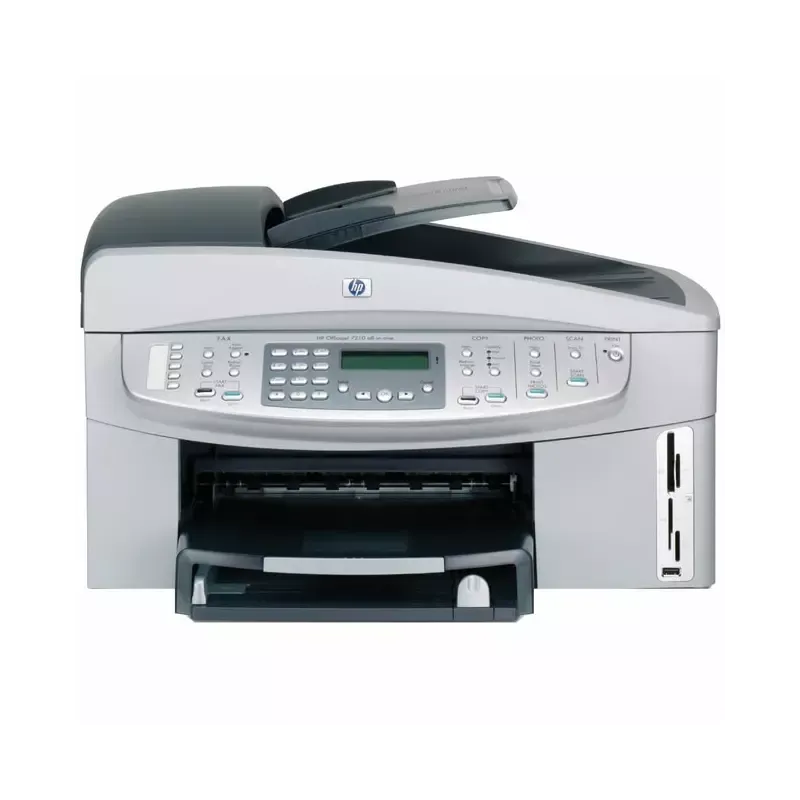

Manual of product Officejet 7200

Editorial note
The HP Officejet 7200 printer stands out for its high print quality, delivering professional results for both text documents and images. Its versatility is also a major asset, as it can handle various types of media and formats, thus meeting personal and professional printing needs. The ease of use, thanks to a user-friendly interface and an included user manual, is a positive point, although some users may find it complex at first. However, the Officejet 7200 has some notable drawbacks. The high cost of ink cartridges can quickly increase the long-term operating costs, which may deter some users. Additionally, the print speed is lower than that of some competing models, which can be problematic for those with high printing needs. The bulky size of the printer can also pose installation challenges in tight workspaces. Finally, technical support, while essential, can sometimes be difficult to reach, which can lead to frustrations for users needing assistance. In summary, the HP Officejet 7200 is a quality printer, but it is not without flaws that deserve consideration before purchase.Score details
User experience
The user-friendly interface makes setup easy, but some users may find it complex at first, which can detract from the user experience.
Performance
Although the HP Officejet 7200 offers high print quality, its print speed is lower than that of some competing models, which can be a disadvantage for high-volume printing needs.
Features
The printer offers various features such as wireless connectivity and support for different types of media, making it versatile for various uses.
Value for money
The high cost of ink cartridges can increase long-term operating costs, which could deter some users even if the printer itself is of good quality.
Support
Technical support can sometimes be difficult to reach, leading to frustrations for users who need assistance.
Design
The size of the printer can be cumbersome for small workspaces, limiting its installation in tight environments.
Advantages
High-quality prints.
Versatile for various formats.
Recognized reliability of HP.
User-friendly and easy to use interface.
Convenient wireless connectivity.
Disadvantages
High cost of ink cartridges.
Printing speed lower than competitors.
Complex user interface for some.
Bulky size for small spaces.
Technical support difficult to contact.
Technical Specifications Officejet 7200
General Information
-
ModelOFFICEJET 7200
-
Brand
-
Category
-
Type
-
SKU1402435
-
MPN1402435
Frequently Asked Questions
What is the recommended method for removing jammed paper from the printer?
Why is my printer rejecting original cartridges?
What are the possible reasons for poor print quality?
What are the differences between a laser printer and an inkjet printer?
Why is my inkjet printer producing black lines on prints?
What does the acronym DPI mean?
Is the manual for the HP Officejet 7200 available in French?
Similar products


More product categories from brand HP
Computers and accessories HP
Other HP
Phones HP
Audio HP
Interior HP
Software HP
More product types from brand HP


Presentation of product Officejet 7200 specifications from brand HP
General Information
The HP Officejet 7200 is a printer from the HP brand, which is synonymous with quality and innovation in the IT equipment sector. This model is designed to deliver high performance, thus providing an enhanced user experience. The EAN code for this device, 0829160690995 and 0829160691008, allows for unique identification within distribution systems.
Advantages
The HP Officejet 7200 stands out for its superior print quality, capable of producing text documents and images with remarkable clarity, ideal for professional use. Its versatility allows it to handle various formats and types of media, thus meeting diverse needs, whether personal or professional.
As a product of the HP brand, this device benefits from a proven reliability, ensuring durability and performance over the long term. Additionally, it is characterized by ease of use thanks to its intuitive interface, allowing for simple setup even for less experienced users. Finally, the wireless connectivity options facilitate printing from multiple devices, such as computers, tablets, and smartphones.
Disadvantages
However, some points may be considered disadvantages. The cost of ink cartridges can be high, thus increasing long-term expenses. Moreover, the print speed of the Officejet 7200 may be lower than that of some competing models, which could be a drawback for users with significant printing needs.
The user interface, while user-friendly, may seem complex to some, making the initial setup less intuitive. Furthermore, the size of the printer may pose a problem in restricted workspaces, limiting its installation. Finally, it is worth noting that technical support can sometimes be difficult to access, which may lead to frustrations in case assistance is needed.


