

Manual of product Officejet J4660
Editorial note
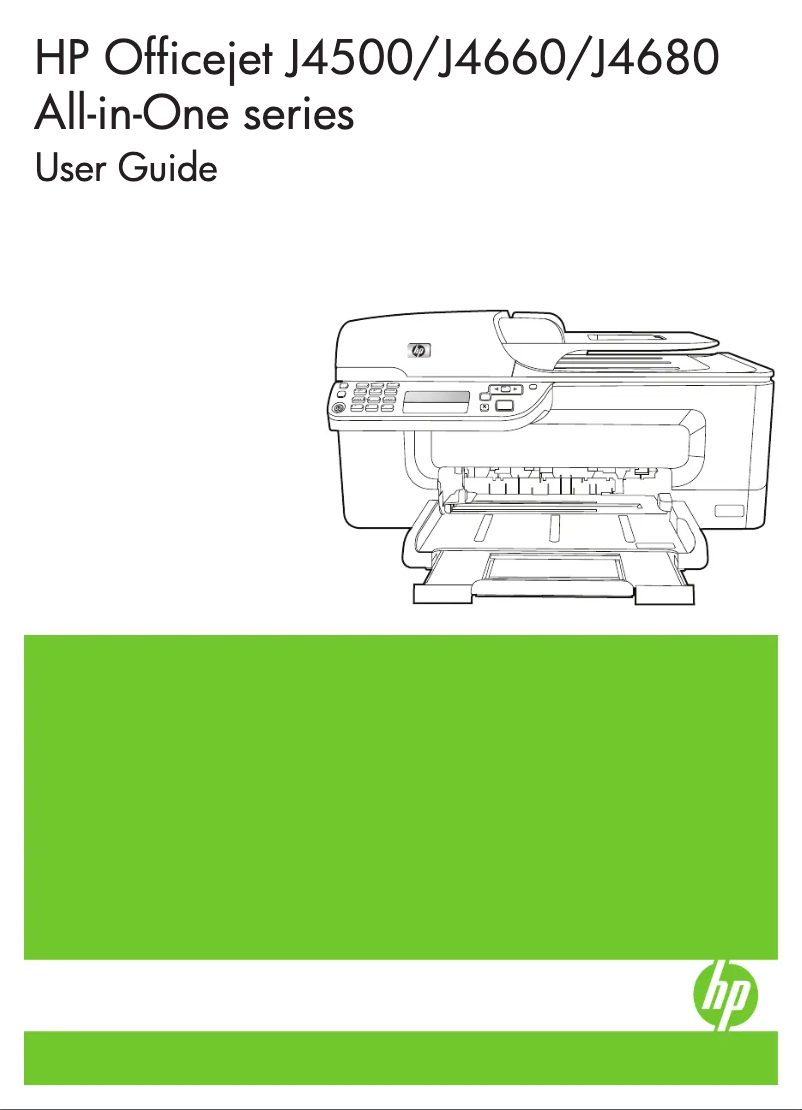
The HP Officejet J4660 is an all-in-one printer that stands out for its versatility. With the ability to print, copy, scan, and fax, it effectively meets the varied needs of users, whether in an office or home environment. Its print quality is remarkable, with a maximum resolution of 4800 x 1200 DPI, ensuring documents and images of exceptional clarity. Additionally, its execution speed is satisfactory, especially in draft mode where it can reach up to 28 pages per minute, which helps optimize daily productivity. However, the HP Officejet J4660 has some drawbacks. The lack of automatic duplex printing can lead to higher paper consumption, which may be a disadvantage for those requiring double-sided prints. Furthermore, its incompatibility with Mac systems limits its use for a number of users. The print speed in high-quality mode is relatively slow, reaching only 2.5 pages per minute for black prints, which can hinder those with high printing needs. Finally, the absence of wireless connectivity and the 16 MB internal memory may prove insufficient for users handling large files. In terms of user experience, the product receives an overall score of 75, thanks to its compact design that easily fits into various workspaces. However, the non-compatibility with Mac systems and the lack of Wi-Fi connectivity may hinder some users. Performance is deemed good for everyday tasks, although the print speed in high-quality mode may disappoint. The value for money is satisfactory, considering the all-in-one features, but the printing cost could be higher due to the absence of certain convenient options. Overall, the HP Officejet J4660 is a solid choice for those looking for a versatile and efficient printer, despite some limitations that may not suit all users.Score details
User experience
The user experience is generally positive due to the versatility of the device. However, the lack of wireless connectivity and incompatibility with Mac systems may hinder some users.
Performance
The performance is good for everyday tasks, with satisfactory printing speed in draft mode. Nevertheless, the printing speed in high-quality mode is relatively slow.
Design
The design is compact and easily fits into various workspaces, which is a positive point for offices with limited space.
Value for money
The HP Officejet J4660 offers good value for money with its all-in-one features, but its printing cost may be higher due to the lack of automatic duplex printing.
Features
The features are interesting, but the absence of certain options like automatic duplex printing and Wi-Fi connectivity limits its appeal.
Support
The support is adequate, but the documentation could be improved to better help users take advantage of all the printer's features.
Advantages
All-in-one functions: printing, copying, scanning, faxing
Print resolution of 4800 x 1200 DPI
Print speed of up to 28 pages per minute
Fax memory of 100 pages
Compact design for small spaces
Disadvantages
No automatic duplex printing.
Not compatible with Mac systems.
Slow printing speed in high quality.
Lack of wireless connectivity.
Internal memory of only 16 MB.
Technical Specifications Officejet J4660
General Information
-
ModelOFFICEJET J4660
-
Brand
-
Category
-
Type
-
SKU136113
-
MPN136113
Weight and dimensions
-
Weight6100 g
-
Width489 mm
-
Depth402 mm
-
Height217 mm
Fax
-
Fax speed (A4)3 sec/page
-
Fax memory100 pages
-
Maximum number of shortcuts for numbers99
-
Fax transmission48 localisations
-
Automatic reminderYes
-
Automatic reminderYes
-
FaxColor fax
-
Duplex faxNo
Copier
-
Copy speed (color, draft, A4)22 cpm
-
Max. resolution of copies4800 x 1200 DPI
-
Copy speed (black, draft, A4)28 cpm
-
Copy speed (normal quality, color, A4)5.5 cpm
-
Maximum number of copies90 copies
-
Copy speed (normal quality, black, A4)7.6 cpm
-
Resizing copy25 - 400 %
-
Copy speed (color, draft, A4)22 cpm
-
Copy speed (black, draft, A4)28 cpm
-
CopyColor copy
-
Duplex copyNo
Print speed
-
Print speed (colour, high quality, A4)2.5 ppm
-
Print speed (color, normal quality, A4/US Letter)6.5 ppm
-
Print speed (color, draft quality, A4/US Letter)22 ppm
-
Print speed (black, normal quality, A4/US Letter)9 ppm
-
Print speed (black, draft quality, A4/US Letter)28 ppm
-
Print speed (colour, high quality, A4)2.5 ppm
-
Printing technologyThermal inkjet
-
Maximum resolution4800 x 1200 DPI
-
Borderless printingYes
-
PrintingColor printing
-
Double-sided printingNo
Representation / realization
-
Maximum internal memory16 MB
-
Maximum internal memory16 MB
-
Built-in memory card readerNo
-
Minimum system requirementsIE6
-
Mac CompatibilityQuickTime 5.0+
-
Yes
Packaging information
-
Package weight8400 g
Other features
-
Resolution of hardware scanning1200 x 2400 DPI
-
Dimensions (LxWxH)489 x 402 x 217 mm
-
Fax in colorYes
-
Acoustic pressure emissions56 dB
-
Package dimensions (LxWxH)475 x 250 x 345 mm
-
Print quality (black, premium quality)600 x 600 DPI
-
Maximum scanning area (automatic paper feed)216 x 356 mm
-
Print quality (color, superior quality)4800 DPI
-
All-in-one functionsCopy, Fax, Print, Scan
-
All-in-one color functionscopy, fax, print, scan
Environmental conditions
-
Operating relative humidity (H-H)15 - 85 %
-
Temperature out of operation-40 - 60 °C
-
Recommended operating temperature15 - 32 °C
Power
-
Electricity consumption (average operation)17 W
-
Electricity consumption (stop)0.4 W
-
Energy consumption (standby mode)3 W
-
AC input frequency50 - 60 Hz
-
AC input voltage100 - 240 V
Digitization
-
Input color display depth48 bit
-
Maximum scan area216 x 297 mm
-
Gray levels256
-
Optical scanning resolution1200 x 1200 DPI
-
Type of scannerFlatbed and ADF scanner
-
DigitizationColor scanning
-
Double-sided scanningNo
Input and output capacity
-
Maximum input capacity for transparents25 sheets
-
Automatic document feeder capacity20 sheets
-
Maximum input capacity for 10 x 15 cm photos40 sheets
-
Total power capacity100 sheets
-
Total power capacity100 sheets
-
Automatic document feeder capacity20 sheets
-
Automatic Document Feeder (ADF)Yes
Connectivity
-
Direct printingNo
-
Standard interfacesUSB 2.0
-
Quantity of USB 2.0 Ports1
-
USB portYes
Features
-
Number of print cartridges2
-
Service cycle (Maximum)3000 pages per month
-
Languages of the page descriptionPJL, PCL 3, PML
-
Printing colorsBlack, Cyan, Magenta, Yellow
-
Service cycle (recommended)350 - 600 pages per month
-
Digital senderNo
Paper management
-
Maximum print format216 x 297 mm
-
Type of paper tray supportCard stock, Envelopes, Iron-On Transfers, Labels, Photo paper, Plain paper, Transparencies
-
ISO, Format Series A (A0...A9)A4, A5
-
ISO, Formats Series-B (B0...B9)B5
-
ISO Paper Size, Series C Formats (C0…C9)C6
-
Envelope sizesDL
-
Photo paper formats10x15, 13x18 cm
-
Maximum ISO A series paper sizeA4
Design
-
ScreenLCD
-
Number of lines displayed1 lines
-
Product colorBlack, White
-
Built-in screenYes
-
Market positionDomestic and professional
Network
-
WifiNo
-
WifiNo
Minimum system requirements
-
Support for the Windows operating systemWindows 2000
-
Support for the Mac operating systemWindows 7 Home Basic
-
Support for the Linux operating systemWindows 7 Home Basic x64
-
Minimal processorWindows 7 Home Premium
-
Minimum RAMWindows 7 Home Premium x64
-
Minimal disk spaceWindows 7 Professional
-
Windows 7 Professional x64
-
Windows 7 Starter
-
Windows 7 Starter x64
-
Windows 7 Ultimate
-
Windows 7 Ultimate x64
-
Windows Vista Business
-
Windows Vista Business x64
-
Windows Vista Enterprise
-
Windows Vista Enterprise x64
-
Windows Vista Home Basic
-
Windows Vista Home Basic x64
-
Windows Vista Home Premium
-
Windows Vista Home Premium x64
-
Windows Vista Ultimate
-
Windows Vista Ultimate x64
-
Windows XP Home
-
Windows XP Professional
-
Windows XP Professional x64
-
Mac OS X 10.3 Panther
-
Mac OS X 10.4 Tiger
-
Mac OS X 10.5 Leopard
-
Mac OS X 10.6 Snow Leopard
-
Yes
-
Intel® Pentium® II
-
128 MB
-
200 MB
Sustainability
-
Sustainability certificatesENERGY STAR
Frequently Asked Questions
What is the weight of the HP Officejet J4660 printer?
What is the best method to remove paper jammed in the printer?
Why does my printer not recognize the original cartridges?
Why is the quality of my prints poor?
What are the differences between a laser printer and an inkjet printer?
Why is my inkjet printer producing black streaks?
What does the acronym DPI mean?
How many cartridges can be inserted into the HP Officejet J4660?
What is the height of the HP Officejet J4660 printer?
What is the width of the HP Officejet J4660 printer?
What is the depth of the HP Officejet J4660 printer?
Is the manual for the HP Officejet J4660 available in French?
Similar products


More product categories from brand HP
Computers and accessories HP
Other HP
Phones HP
Audio HP
Interior HP
Software HP
More product types from brand HP


Presentation of product Officejet J4660 specifications from brand HP
General Information
The HP Officejet J4660 printer, branded by HP, is a model recognized for its reliability and innovation in the office equipment sector. This model, referenced as Officejet J4660 | CB786A, promises high-level performance, ensuring an enhanced user experience. The EAN code for this product is a unique identifier, facilitating its tracking in the distribution system.
Weight and Dimensions
Weighing 6100 g, the HP Officejet J4660 is designed for practical use and easy handling. Its dimensions, with a width of 489 mm, a depth of 402 mm, and a height of 217 mm, ensure a harmonious integration into various workspaces, whether they are limited or spacious.
Fax
This printer offers a fax speed of 3 seconds per page in A4 format, ensuring quick document transmission. It is also equipped with a fax memory of 100 pages for simplified management of sending and receiving. Users can create up to 99 shortcuts for fax numbers, making access to frequent contacts easier. In terms of functionality, the HP Officejet J4660 allows fax sending to 48 locations and supports fax forwarding. Additionally, the automatic redial function ensures that missed calls are not forgotten, and the color fax feature allows for enhanced visual communication. However, it is worth noting that the printer does not support duplex faxing.
Copier
The integrated copier of the HP Officejet J4660 reaches a maximum speed of 22 copies per minute in color and 28 copies per minute in black, thus optimizing productivity. With a maximum resolution of 4800 x 1200 DPI, it ensures high-quality prints. It can make up to 90 copies per session and offers speeds suited to various needs, ranging from 5.5 copies per minute in color to 7.6 in black for normal quality. The resizing of copies is flexible, ranging from 25% to 400%, and the printer does not support duplex copying.
Print Speed
This printer displays competitive print speeds, with 2.5 pages per minute in high-quality black and 6.5 pages per minute in normal color. In draft mode, it reaches up to 28 pages per minute for black and 22 for color. The thermal inkjet printing technology ensures quality results, with a maximum resolution of 4800 x 1200 DPI. The HP Officejet J4660 also allows borderless printing, although it does not offer automatic duplex printing.
Memory / Performance
Equipped with 16 MB of internal memory, this printer can handle various documents and applications. However, it does not have a built-in memory card reader. The minimum system configuration required for optimal operation includes Internet Explorer 6 and QuickTime 5.0+, and it is important to note that the HP Officejet J4660 is not compatible with Mac systems.
Packaging Information
The total weight of the packaging for the HP Officejet J4660 is 8400 g, ensuring adequate protection during transport and delivery.
Other Features
With a scanning resolution of up to 1200 x 2400 DPI, the HP Officejet J4660 guarantees quality scans. Its dimensions (489 x 402 x 217 mm) allow for easy integration into different environments. Additionally, it supports color faxing, enhancing the presentation of sent documents. With a noise level of 56 dB, its operation remains relatively quiet. The all-in-one functions include printing, copying, scanning, and faxing, providing a complete solution for office needs.
Environmental Conditions
This printer operates optimally in a relative humidity of 15 to 85% and can withstand temperatures ranging from -40 to 60 °C when not in operation. For normal use, a operating temperature between 15 and 32 °C is recommended.
Power
In operation, the HP Officejet J4660 consumes 17 W, and in standby mode, this consumption is reduced to 3 W, allowing for energy savings. In standby, the consumption is even lower, at 0.4 W. The AC input voltage is 100 to 240 V, ensuring compatibility with most electrical systems.
Scanning
The product allows color scanning with an optical resolution of 1200 x 1200 DPI and handles documents up to a maximum size of 216 x 297 mm. It features a flatbed scanner and an automatic document feeder (ADF), although it does not support duplex scanning.
Input and Output Capacity
The maximum input capacity of the tray is 100 sheets, with an output capacity of 20 sheets. For transparencies, the input capacity is limited to 25 sheets. The ADF can handle up to 20 sheets at a time, making it easier to process multiple documents simultaneously.
Connectivity
Although this printer does not have a direct printing function or wireless connectivity, it is equipped with a USB 2.0 port for quick and easy connection to other devices.
Features
The HP Officejet J4660 uses two ink cartridges and can handle up to 3000 pages per month at maximum cycle, thus meeting the needs of heavy users. The cartridges are available in several colors, allowing for quality printing. The recommended service cycle is 350 to 600 pages per month.
Paper Management
It supports various types of paper, including labels, photo paper, and envelopes. The maximum print size is 216 x 297 mm, ensuring optimal print quality for all your documents.
Design
The HP Officejet J4660 is equipped with an LCD screen for easy interaction. With understated colors like black and white, its modern design fits well into any work environment, whether home or professional.
Network
This model does not offer Ethernet or Wi-Fi connectivity, thus limiting printing options from mobile devices or tablets.
Minimum System Configuration
Compatible with several Windows operating systems, the HP Officejet J4660 also supports Linux environments. The minimum required configuration includes an Intel Pentium II processor, 128 MB of RAM, and 200 MB of disk space.
Durability
Certified ENERGY STAR, the HP Officejet J4660 meets strict standards for energy efficiency and environmental sustainability.


