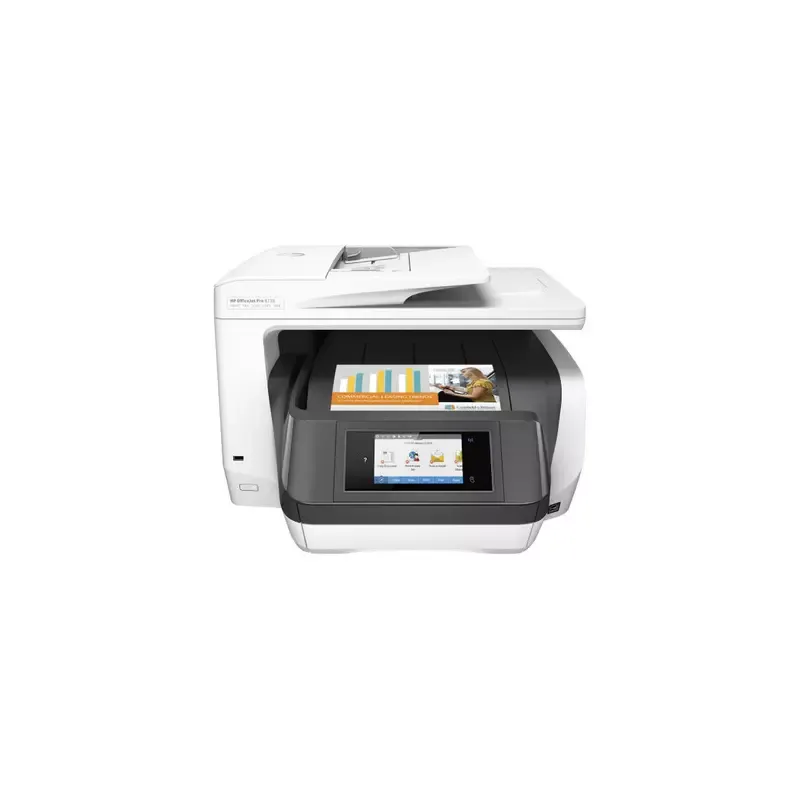

Manuals of product OfficeJet Pro 8730
Editorial note
The HP OfficeJet Pro 8730 printer stands out for its versatility and print quality. It offers excellent resolution, allowing for clear and professional documents and images. With its multiple features, including printing, scanning, copying, and faxing, it proves to be a wise choice for offices and various work environments. Additionally, its advanced connectivity, including wireless, USB, and Ethernet options, makes printing from different devices easy. However, several drawbacks deserve to be highlighted. The high cost of ink cartridges can represent a significant expense in the long run, especially for users who print frequently. Furthermore, the printer is relatively bulky, which can be an issue in small workspaces. Connectivity problems may also arise, particularly with Wi-Fi, and some users report paper jams with specific types of paper. In terms of scores, the user experience is rated at 85, thanks to a user-friendly interface that makes it easy to use. Print performance receives a score of 78, despite a speed that may be lower than that of some laser models. The printer's features are particularly appreciated with a score of 90, while the value for money is estimated at 70, due to the cost of cartridges. Durability is rated at 75, and ease of use at 80, although connectivity issues can be frustrating. Finally, the design, deemed functional, receives a score of 70, but its bulkiness should be considered for those who lack space.Score details
User experience
The user experience is very satisfactory thanks to a user-friendly interface and an intuitive control panel, making setup and use easy even for novice users.
Performance
The printing performance is generally good with excellent resolution, but the printing speed may be lower than that of some laser models for high volumes.
Features
The printer offers a wide range of features, including printing, scanning, copying, and faxing, making it versatile for various work environments.
Value for money
The cost of ink cartridges is relatively high, which can increase long-term expenses for users who print frequently.
Robustness
Although the printer is generally robust, paper jam issues can occur with certain types of paper, leading to interruptions.
Usability
Ease of use is a strong point, but connectivity issues via Wi-Fi can disrupt remote printing, which can be frustrating.
Design
The design is functional, but the printer is bulky and may not be suitable for small workspaces.
Advantages
High-quality printing, sharp documents.
All-in-one functions: print, scan, copy, fax.
Wireless, USB, and Ethernet connectivity.
Energy efficient, reduces costs.
Intuitive interface, easy to use.
Disadvantages
High cost of ink cartridges
Bulky, not suitable for small spaces
Frequent Wi-Fi connectivity issues
Slower printing speed compared to laser models
Paper jams with certain types of paper
Technical Specifications OfficeJet Pro 8730
General Information
-
ModelOFFICEJET PRO 8730
-
Brand
-
Category
-
Type
-
SKU1084507
-
MPN1084507
Frequently Asked Questions
What is the recommended method for removing paper jammed in the printer?
Why is my printer not recognizing the original cartridges?
What are the possible reasons for poor print quality?
What is the difference between a laser printer and an inkjet printer?
Why is my inkjet printer producing black streaks?
What does the acronym DPI mean?
Why is the print quality of my HP OfficeJet Pro 8730 not satisfactory?
How can I fix paper jams in my HP OfficeJet Pro 8730?
What should I do if my HP OfficeJet Pro 8730 is not connecting to my Wi-Fi network?
What should I do if my printer displays a low ink level or a cartridge error?
How can I resolve alignment issues with my HP OfficeJet Pro 8730?
Is the manual for the HP OfficeJet Pro 8730 available in French?
Similar products


More product categories from brand HP
Computers and accessories HP
Other HP
Phones HP
Audio HP
Interior HP
Software HP
More product types from brand HP


Presentation of product OfficeJet Pro 8730 specifications from brand HP
General Information
The HP OfficeJet Pro 8730 printer is a flagship model from the brand HP, known for its innovation and reliability in the office equipment sector. Designed to meet the needs of professionals, this model, identified by the reference OfficeJet Pro 8730 | D9L20-10001, ensures high-level performance and a smooth user experience.
Advantages
This printer stands out for its high-quality printing capability, delivering precise and professional results, whether for documents or images. As an all-in-one printer, it allows for scanning, copying, and faxing, making it very versatile, particularly suited for various work environments.
The advanced connectivity of the OfficeJet Pro 8730, including wireless, USB, and Ethernet options, facilitates printing from a multitude of devices, including smartphones and tablets. Additionally, its energy-efficient design helps to reduce operating costs while minimizing its environmental impact.
For ease of use, the printer features a user-friendly interface and an intuitive control panel, simplifying setup and operation, even for novice users.
Disadvantages
However, some aspects may pose problems. The cost of ink cartridges is often considered high, increasing expenses for those who print frequently. Moreover, its bulkiness can be a drawback in small workspaces, requiring a sufficiently large desk for installation.
Connectivity issues, particularly when using Wi-Fi, may also arise, hindering remote printing. Although the printing speed is satisfactory, it may be lower than that of some laser models for high-volume printing. Finally, some users have reported occasional paper jams with specific types of paper, which can lead to frustrating interruptions in workflow.


