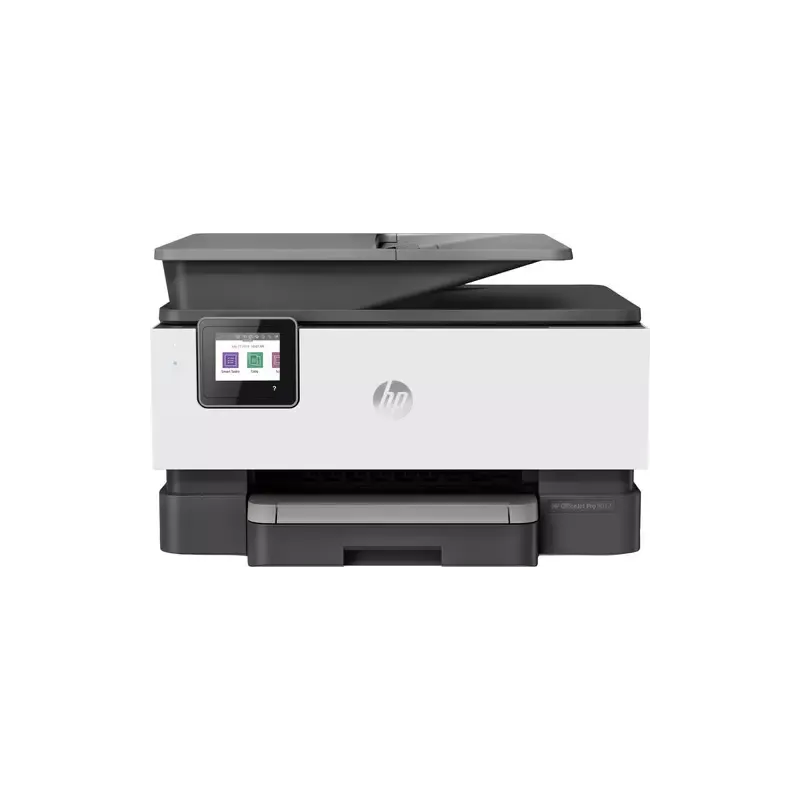

Manual of product OfficeJet Pro 9012

Editorial note
The HP OfficeJet Pro 9012 printer stands out for its exceptional print quality, offering a high resolution that ensures sharp and professional documents, whether for reports, presentations, or photos. Its versatility as an all-in-one device, capable of printing, copying, scanning, and sending faxes, makes it an ideal choice for home offices and small businesses. Additionally, its wireless connectivity allows for easy printing from mobile devices, making the user experience more convenient. However, some drawbacks deserve to be highlighted. The cost of ink cartridges can be high in the long run, which may deter some users. Furthermore, the printer can be noisy during operation, which can be disruptive in a quiet work environment. Wireless connectivity, while convenient, can sometimes present instabilities, leading to printing interruptions. Moreover, the startup time can be relatively long, and the size of the printer may pose issues in small office spaces. In terms of scores, the user experience is rated pleasant due to its intuitive interface and touchscreen, while print performance is rated very highly. Connectivity and value for money receive more mixed scores due to the mentioned concerns. Overall, the HP OfficeJet Pro 9012 is a solid choice for those seeking quality print performance, but users should consider operating costs and available space before making their decision.Score details
User experience
The user experience is pleasant thanks to an intuitive interface and a touchscreen that simplify printing and task management.
Performance
The printer offers excellent print quality with high resolution, ideal for professional documents and photos.
connectivity
Wireless connectivity is convenient, but can sometimes be unstable, leading to interruptions during printing.
Value for money
Although performance is high, the cost of ink cartridges can be a barrier for some users, increasing long-term expenses.
Design
The design is modern, but the size of the printer can be cumbersome for small office spaces.
Usability
Ease of use is a strong point, although the startup time can be relatively long for urgent prints.
Robustness
The printer is designed for regular use, but the noise during printing can be disruptive in a quiet work environment.
Advantages
High-quality printing.
All-in-one functionality.
Wi-Fi connectivity and mobile printing.
Reduced energy consumption.
Intuitive user interface.
Disadvantages
High cost of ink cartridges.
Noisy during printing.
Unstable wireless connectivity.
Long startup time.
Bulky for small spaces.
Technical Specifications OfficeJet Pro 9012
General Information
-
ModelOFFICEJET PRO 9012
-
Brand
-
Category
-
Type
-
SKU1135732
-
MPN1135732
Frequently Asked Questions
What is the recommended method for removing a paper jam in the printer?
Why is my printer not recognizing the original cartridges?
What are the possible reasons for poor print quality?
What is the difference between a laser printer and an inkjet printer?
Why is my inkjet printer producing black streaks on prints?
What does the acronym DPI mean?
How do I properly load paper into the printer?
Why is my printer unable to connect to Wi-Fi?
How can I clear a paper jam in my HP OfficeJet Pro 9012?
How do I change the ink cartridges in my printer?
Why do my prints not meet my expectations?
Is the manual for the HP OfficeJet Pro 9012 available in French?
Similar products


More product categories from brand HP
Computers and accessories HP
Other HP
Phones HP
Audio HP
Interior HP
Software HP
More product types from brand HP


Presentation of product OfficeJet Pro 9012 specifications from brand HP
General Information
The HP OfficeJet Pro 9012 is an all-in-one printer from the HP brand, known for its commitment to innovation and quality in the home appliance sector. This model is designed to deliver exceptional performance and an optimized user experience, thus meeting the varied needs of home offices and small businesses.
Advantages
Superior print quality: With its high print resolution, the HP OfficeJet Pro 9012 produces documents with remarkable clarity, whether they are reports, presentations, or photographs.
Versatility: This multifunction device not only allows printing but also copying, scanning, and sending faxes, making it very convenient to use in a dynamic work environment.
Wireless connectivity: With Wi-Fi connection options, it is possible to print directly from mobile devices, providing considerable flexibility for users on the go.
Energy efficiency: Designed to reduce energy consumption, the HP OfficeJet Pro 9012 helps decrease the ecological footprint while maintaining high performance.
Ease of use: The intuitive interface and touchscreen make managing print tasks easy, making the user experience pleasant and accessible.
Disadvantages
Cost of cartridges: Ink cartridges can be expensive, leading to significant expenses over the long term for users.
Noise level: The printer can be noisy during operation, which could be disruptive in a quiet work environment.
Occasionally unstable connectivity: Connection issues may arise with wireless connectivity, leading to interruptions during printing.
Startup time: The time required for the printer to become operational can be relatively long, which may delay urgent prints.
Bulkiness: The size of the printer can be an issue in tight office spaces, making its integration more complex in certain environments.


