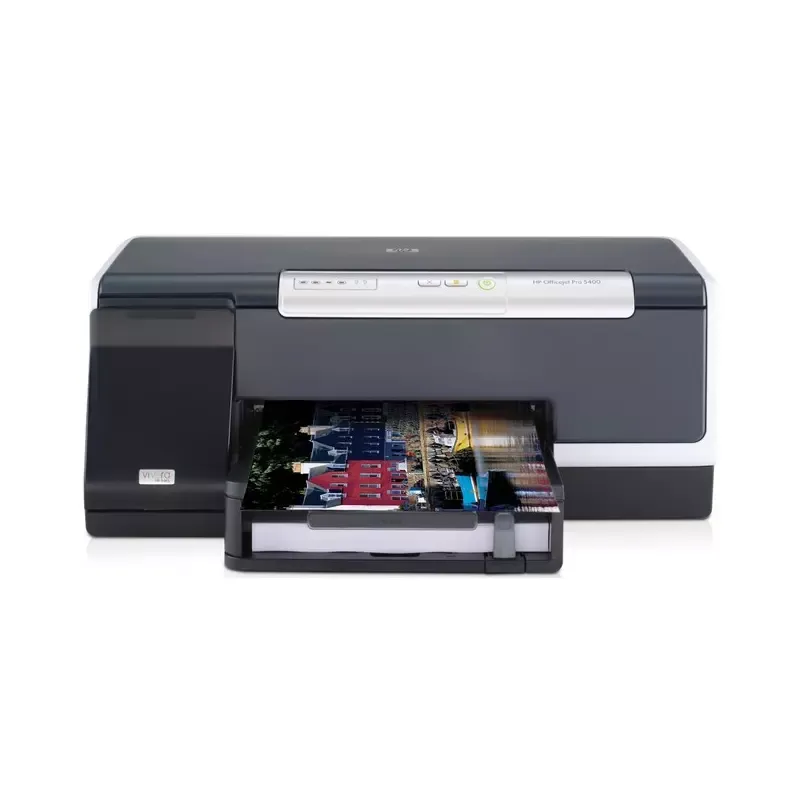

Manual of product Officejet Pro K5400

Editorial note
The HP Officejet Pro K5400 printer stands out for its remarkable printing performance, notably with a speed of up to 36 pages per minute in draft mode, making it an ideal choice for users with high printing needs. Its 250-sheet paper capacity and management of various paper formats allow for handling a large volume of documents without interruption, thus offering good value for money. However, the lack of built-in wireless connectivity may limit usability flexibility in modern environments where printing from mobile devices is common. Additionally, its weight of 8800 g can make transport and installation more difficult, especially in tight workspaces. The maximum output capacity of 150 sheets may also require frequent interventions to empty the tray, which can be cumbersome for some users. Regarding design, the printer is compact and lightweight, facilitating its integration into different workspaces. Nevertheless, the lack of automatic paper detection and the print quality in high mode, which can be slow at 5 ppm, are points to consider. Overall, the HP Officejet Pro K5400 is a solid choice for those seeking an efficient and productive printer, but it is important to take into account its limitations in connectivity and weight.Score details
User experience
The user experience is generally good thanks to the Hi-Speed USB interface that facilitates connection to various devices. However, the lack of wireless connectivity may restrict usage flexibility.
Performance
The printing performance is impressive, with a speed of up to 36 ppm in draft mode, which is ideal for users with high printing needs. However, the print quality in high mode can be slow, at 5 ppm.
Design
The design is compact and lightweight, making it easy to transport and integrate into various workspaces. However, its weight of 8800 g can make moving it more difficult.
Value for money
The value for money is good thanks to the 250-sheet paper capacity and the management of various paper formats, allowing for handling a large volume of documents without interruption.
Features
The features offered, such as thermal inkjet printing technology ensuring optimal quality, are appreciated. However, the lack of automatic paper detection and the absence of wireless connectivity can be notable drawbacks.
Advantages
Printing up to 36 ppm in draft mode.
250-sheet capacity for high volume.
Optimal print quality with inkjet.
Fast connection via Hi-Speed USB.
Compact design for easy transport.
ENERGY STAR certified for energy efficiency.
Disadvantages
Lack of built-in wireless connectivity.
Heavy weight makes movement difficult.
Capacity of 150 sheets insufficient.
No automatic paper detection.
Slow printing in high-quality mode.
Technical Specifications Officejet Pro K5400
General Information
-
ModelOFFICEJET PRO K5400
-
Brand
-
Category
-
Type
-
SKU1184421
-
MPN1184421
Input and output capacity
-
Maximum number of paper bins2
-
Standard output capacity for envelopes15 sheets
-
Maximum output capacity150 sheets
-
Total power capacity250 sheets
-
Support formats, level 2A4, B5, 182 x 257 to 216 x 356 mm
-
Type of support and capacity (bin 2)sheets: 350
-
Paper management in standard/input250-sheet input tray
-
Paper management in standard/output150-sheet output tray
-
Maximum input capacity for envelopes30
-
Maximum output capacity150 sheets
-
Standard output capacity for cardsUp to 60 cards
-
Input capacity for envelopes (primary tray)Sheet envelopes
-
Standard input capacity for cardsUp to 80 cards
-
Envelope chargerNo
-
Paper feed typePaper tray
Weight and dimensions
-
Weight8800 g
-
Pallet dimensions (L x W x H)1219 x 1016 x 2155 mm
-
Width495 mm
-
Depth382 mm
-
Height207 mm
Other features
-
Standard input paper trays1
-
Printing technologyA thermal inkjet
-
Standard output capacity for transparencies60 sheets
-
InterfaceHi-Speed USB port - compatible with USB 2.0 specifications
-
Accepted types of mediaPaper (plain, inkjet, photo), envelopes, brochure paper, transparencies, labels, cards (index, greeting), photo media
-
Power requirementsInput voltage 110 to 127 VAC (+/- 10%), 50/60 Hz (+/- 2 Hz); 220 to 240 VAC (+/- 10%), 50/60 Hz (+/- 2 Hz)
-
Fonts8 built-in fonts, 4 each in portrait and landscape orientation; CG Times, CG Times Italic, Univers, Univers Italic, Courier, Courier Italic, Letter Gothic, Letter Gothic Italic (Euro symbol supported)
-
Package dimensions (LxWxH)302 x 598 x 503 mm
-
Dimensions (LxWxH)495 x 382 x 207 mm
-
Double-sided printing optionsNone
-
Compatible ink typesPigment-based (black), dye-based (colour)
-
Vivera ink supportedNo
-
Driver update descriptionsLatest driver updates available at /support/
-
Control panel3 buttons (Power, Job cancel, Resume), 2 LEDs (Attention, Ready), 4 LEDs for supplies, 2 LEDs for printhead; LED display
-
FeaturesLaser Quality Speeds of up to 12 ppm black/10 ppm colour.
-
Features of smart printer softwareEconomical printing with individually replaceable HP Vivera ink cartridges, each linked into a unique ink recirculation system for maximum ink efficiency. Optional high capacity cartridges available (not included, purchase separately).
-
Vivera ink supportedPrint colour text, documents, and graphics at up to 10 ppm, plus black text documents at up to 12 ppm.
-
Printer managementInkjet draft mode print speeds of up to 36 ppm black and up to 35 ppm colour.
-
Print cartridge volume (metric)Laser Quality Speeds of up to 12 ppm black/10 ppm colour.
-
Print headPrint colour text, documents, and graphics at up to 10 ppm, plus black text documents at up to 12 ppm.
-
Type upgradeEconomical printing with individual HP Vivera ink cartridges and ink recirculation system.
-
Packaging dimensions (L x W x H)Economical printing with individually replaceable HP Vivera ink cartridges, each linked into a unique ink recirculation system for maximum ink efficiency. Optional high capacity cartridges available (not included, purchase separately).
-
Pallet dimensions (L x W x H)250-sheet paper tray
-
Weight per palletPrints are water- and smudge-resistant with HP Vivera Inks and HP Advanced Paper.
-
Size (imperial)Draft speeds up to 36 ppm black/35 ppm colour.
-
Weight (imperial)Inkjet draft mode print speeds of up to 36 ppm black and up to 35 ppm colour.
-
Maximum print length (imperial)Accepts a variety of paper sizes and types, automatic duplex (optional)
-
Supported media formatsNo
-
Print speed (color, high quality, letter)HP Web Jetadmin
-
Print speed (color, high quality, letter)HP 88XL Print Cartridge: black (58.5 ml), cyan (17 ml), magenta (17 ml), yellow (17 ml); HP 88 Print Cartridge: black (20.5 ml), cyan (9 ml), magenta (9 ml), yellow (9 ml)
-
Print speed (color, draft quality, letter)2 (1 black/yellow, 1 magenta/cyan)
-
Recommended substrate weight (imperial)Not applicable
-
Size (imperial)23.5 x 11.9 x 19.8 "
-
Vivera ink supported48 x 40 x 84.8 "
-
Main carton capacity731.9 kg
-
Maximum input capacity for 10 x 15 cm photos19.5 "
-
Thickness of supports (per print path)19.4 lb kg
-
Operating altitude (imperial measurement)US legal
-
Printed page identifierLetter, legal, statement, executive, envelopes (No. 10, Monarch), cards (index), borderless photo (4 x 6 in, 5 x 7 in, 8 x 10 in), borderless panorama (4 x 10 in, 4 x 11 in, 4 x 12 in)
-
Connection type SureSupply< 5 ppm
-
SureSupply supported< 5 ppm
-
Vivera ink supported< 35 ppm
-
Wireless technology20 to 24 lb
-
19.5 "
-
No
-
1 piece(s)
-
55 sheets
-
Tray 1: up to 11.8 mil; envelopes: up to 15.7 mil; Tray 2: up to 11.8 mil
-
10000 ft
-
OJ K5400
-
Direct and Network
-
Yes
-
No
-
802.11b; 802.11g (optional)
Representation / realization
-
Processor frequency192 MHz
-
Sound power emitted6.6 B(A) (active)
-
Maximum internal memory32 MB
-
Memory increaseNot Go
-
Memory locations1
-
Maximum internal memory32 MB
-
Built-in memory card readerNo
-
Compatible memory cardsNot supported
-
Sound pressure level (impression)61 dB
Print speed
-
Print speed (black, normal quality, A4/US Letter)16, 12 ppm
-
Print speed (colour, high quality, A4)5 ppm
-
Print speed (black, draft quality, A4/US Letter)36 ppm
-
Print speed (color, full page color, high quality, A4)2.5 ppm
-
Print speed (color, draft quality, A4/US Letter)35 ppm
-
Print speed (color, normal quality, A4/US Letter)15 ppm
-
Print margin, top (A4)3.3 mm
-
Print margin, top (A4)3.3 mm
-
Print margin, top (A4)3.3 mm
-
Print margin, top (A4)3.3 mm
-
Print quality (black, premium quality)1200 x 1200 DPI
-
Print speed (colour, high quality, A4)5 ppm
-
Maximum resolution4800 x 1200 DPI
Connectivity
-
I/O Ports1 Hi-Speed USB port - compatible with USB 2.0 specifications
-
Wireless optionOptional, with HP Jetdirect Wireless Print Server
-
PictBridgeNo
-
Standard interfacesUSB 2.0
-
PictBridgeNo
-
Quantity of USB 2.0 Ports1
-
USB portYes
Paper management
-
Maximum support size (custom)76 x 127 to 216 x 356 mm
-
Standard average formatsA4 (210 x 297 mm), A5 (148 x 210 mm), A6 (105 x 148 mm), B5 (176 x 250 mm), C5 (162 x 229 mm), C6 (114 x 162 mm), 100 x 150 mm, 130 x 180 mm
-
Maximum print format215 x 355 mm
-
Support formats, tray 1A4, A5, A6, B5, 76 x 127 to 216 x 356 mm
-
Weight/Grammage of the support, bin 160 to 105 g/m² (plain media), 60 to 280 g/m² (special media), up to 200 g/m² (card media)
-
Support weight supported in duplex mode60 - 105 (plain media), 60 - 200 (special media), up - 200 (card media) g/m²
-
Support weight, bin 260 to 105 g/m² (plain media)
-
Optional paper management/inputOptional 350-sheet paper tray
-
Recommended weights75 - 90 g/m²
-
Weight of supports per paper pathTray 1: plain media: 60 to 105 g/m², special media: 60 to 280 g/m², cards media: up to 200 g/m²; Tray 2: plain media: 60 to 105 g/m²
-
Supported media size in duplex modeA4, A5, B5, executive, letter, card (4 x 6 in, 5 x 8 in, A6)
-
Management of supportsSheets
-
ISO, Format Series A (A0...A9)A4, A5, A6
Features
-
Print head nozzles1056 black ink nozzles, 1056 ink nozzles per colour
-
Electromagnetic compatibilityFCC Title 47 CFR Part 15 Class B (USA), CE (European Union), ICES (Canada), VCCI (Japan), MIC (Korea), BSMI (Taiwan), China S&E (China)
-
SecurityCE (European Union), FCC Title 47 CFR Part 15 Class B (USA), ICES (Canada), Japan (VCCI), Korea (MIC), China (Requirements for Class B Products), Taiwan (BSMI), Mexico NOM-NYCE, Russia GOST, IEC 60950 compliant, USA UL listed, EU LVD, EN 60950 compliant, NEMKO GS, Canada CSA, China CCC, Taiwan BSMI, Australia C-Tick
-
Number of print cartridges4
-
ColorYes
-
Service cycle (Maximum)7500 pages per month
-
Printing colorsBlack, Cyan, Magenta, Yellow
-
Double-sided printingO
Minimum system requirements
-
Minimum system requirementsMicrosoft Windows 2000 (SP4): Intel Pentium II or Celeron processor, 128 MB RAM, 280 MB free hard disk space, Microsoft Internet Explorer 6.0; Microsoft Windows XP (32-bit): Intel Pentium II or Celeron processor, 512 MB RAM, 280 MB free hard disk space, Microsoft Internet Explorer 6.0; Microsoft Windows x64: AMD Athlon 64 or Opteron processor, Intel Xeon or Pentium processor with Intel EM64T support, 512 MB RAM, 280 MB free hard disk space, Microsoft Internet Explorer 6.0; Windows Vista: 800 MHz 32-bit (x86) or 64-bit (x64) processor, 512 MB RAM, 490 MB free hard disk space, Microsoft Internet Explorer 7.0; CD-ROM drive, USB port (with Windows Vista some features may not be available. /go/windowsvista)
-
Minimum configuration for Macintosh
-
Compatible operating systemsMicrosoft Windows 2000 (SP4): Intel Pentium III or higher processor, 256 MB RAM, 500 MB free hard disk space, Microsoft Internet Explorer 6.0 or later; Microsoft Windows XP (32-bit): Intel Pentium III or higher processor, 512MB RAM, 500MB free hard disk space, Microsoft Internet Explorer 6.0 or later; Microsoft Windows x64: AMD Athlon 64 or Opteron processor, Intel Xeon or Pentium 4 processor with Intel EM64T support, 512 MB RAM, 500 MB free hard disk space, Microsoft Internet Explorer 6.0 or later; Windows Vista: 1 GHz 32-bit (x86) or 64-bit (x64) processor, 1GB RAM, 500 MB free hard space, Microsoft Internet Explorer 7.0; CD-ROM drive, USB port (with Windows Vista some features may not be available. /go/windowsvista)
-
Support for the Windows operating system
-
Support for the Mac operating systemMac OS X v10.3.9, v10.4.9, v10.5*: PowerPC G3, G4, G5, or Intel Core Duo processor, 512 MB memory, 500 MB free hard disk space, CD-ROM drive, USB port (* Software is available for download from: /support)
-
Support for the Linux operating system
-
Mac OS X v10.3.9, v10.4.9, v10.5*: PowerPC G3, G4, G5, or Intel Core Duo processor, 256 MB memory, 300 MB free hard disk space, QuickTime 5.0 or higher, CD-ROM drive, USB port (* Software is available for download from: /support)
-
-
Microsoft Windows 2000 (SP4), XP Home, XP Professional, XP Professional x64; Certified for Windows Vista; Mac OS X v10.3.9, v10.4.9, v10.5
-
-
Windows 2000, Windows 2000 Professional, Windows 7 Enterprise, Windows 7 Enterprise x64, Windows 7 Home Basic, Windows 7 Home Basic x64, Windows 7 Home Premium, Windows 7 Home Premium x64, Windows 7 Professional, Windows 7 Professional x64, Windows 7 Starter, Windows 7 Starter x64, Windows 7 Ultimate, Windows 7 Ultimate x64, Windows Vista Home Basic, Windows Vista Home Basic x64, Windows Vista Home Premium, Windows Vista Home Premium x64, Windows Vista Ultimate, Windows Vista Ultimate x64, Windows XP Home, Windows XP Home x64, Windows XP Professional, Windows XP Professional x64
-
-
Mac OS X 10.10 Yosemite, Mac OS X 10.11 El Capitan, Mac OS X 10.3 Panther, Mac OS X 10.4 Tiger, Mac OS X 10.5 Leopard, Mac OS X 10.6 Snow Leopard, Mac OS X 10.7 Lion, Mac OS X 10.8 Mountain Lion, Mac OS X 10.9 Mavericks
-
-
Yes
Sustainability
-
Sustainability certificatesENERGY STAR
Packaging information
-
Package weight13000 g
-
Provided softwareHP Solution Center
-
Weight of the box/package28.7 kg
-
Power cord includedYes
-
Power cord includedYes
-
Power cord includedYes
-
Power cord includedYes
Environmental conditions
-
Recommended operating temperature20 - 30 °C
-
Temperature out of operation-40 - 60 °C
-
Operating relative humidity (H-H)10 - 80 %
-
Operating temperature15 - 35 °C
-
Relative humidity rate (storage)5 - 85 %
-
Operating temperature68 - 86 °F
Logistics data
-
Products by pallet24 piece(s)
-
Gross weight of the pallet332000 g
-
Main locker (external) per pallet6 piece(s)
-
Layers per pallet4 piece(s)
Technical details
-
Unknown< 5
Network
-
WifiNo
-
WifiNo
Design
-
Product colorBlack, silver
-
Market positionDomestic and professional
Frequently Asked Questions
What is the weight of the HP Officejet Pro K5400 printer?
What is the recommended method for removing jammed paper from the printer?
Why is my printer not recognizing the original cartridges?
What could be the reasons for poor print quality?
What is the difference between a laser printer and an inkjet printer?
Why is my inkjet printer printing black streaks?
What does the acronym DPI mean?
How many cartridges can be installed in the HP Officejet Pro K5400?
What is the height of the HP Officejet Pro K5400?
What are the width dimensions of the HP Officejet Pro K5400?
What is the depth of the HP Officejet Pro K5400 printer?
Is the manual for the HP Officejet Pro K5400 available in French?
Similar products


More product categories from brand HP
Computers and accessories HP
Other HP
Phones HP
Audio HP
Interior HP
Software HP
More product types from brand HP


Presentation of product Officejet Pro K5400 specifications from brand HP
General Information
The HP Officejet Pro K5400 printer, designed by the HP brand, is recognized for its reliability and innovation in the electronics sector. This model, identified by the reference C8184A, offers optimal performance and an enhanced user experience. The product is identifiable by a unique EAN code, ensuring its integration into various distribution systems.
Input and Output Capacity
This printer has two paper trays, which facilitates workspace organization. Its standard output capacity for envelopes is 15 sheets, while the total capacity is 150 sheets, allowing for efficient print processing. With a feed capacity of 250 sheets, the K5400 easily handles large volumes without interruption. It accepts various paper sizes, including A4, A5, A6, B5, Letter, and Legal, providing great flexibility of use. Additionally, the 500-sheet universal tray and the 100-sheet multi-purpose tray allow for optimal paper management.
Weight and Dimensions
The weight of the printer is 8800 g, making installation and use easier. Its dimensions of 495 mm wide, 382 mm deep, and 207 mm high ensure harmonious integration into various work environments while optimizing space during storage.
Other Features
Equipped with thermal inkjet printing technology, the HP Officejet Pro K5400 ensures high print quality for text and graphic documents. It includes a Hi-Speed USB interface for quick connection with various devices. The product supports various media types, such as plain paper, envelopes, transparencies, and cards, allowing for versatile use. Driver updates available on the HP website ensure compatibility with the latest technologies.
Print Speed
The print speed in draft mode reaches up to 36 ppm for black and 35 ppm for color, promoting increased productivity. In high-quality mode, the speed is 5 ppm for both black and color, providing high-quality prints. The maximum resolution of 4800 x 1200 DPI ensures sharp and precise results.
Connectivity
The HP Officejet Pro K5400 features a USB 2.0 port, facilitating its connection to various devices. However, it does not offer built-in Ethernet or Wi-Fi connectivity, which may limit its use in modern environments where mobile printing is common.
Paper Management
The product supports a wide range of paper weights, from 60 to 280 g/m², allowing for quality prints on different types of media. The maximum input capacity for envelopes is 30, ensuring effective management of correspondence.
Durability
Certified ENERGY STAR, the HP Officejet Pro K5400 printer meets high standards for energy efficiency, thus contributing to responsible resource use.
Environmental Conditions
This printer operates optimally within a temperature range of 20 to 30 °C, with a relative humidity of 10 to 80%. It can also withstand extreme conditions from -40 to 60 °C.
Logistical Details
The gross weight of the pallet containing the printer is 332000 g, and 24 units can be stacked on it. The product's packaging dimensions ensure adequate protection during transport.
Minimum System Requirements
To operate, the HP Officejet Pro K5400 requires a system compatible with Microsoft Windows versions, as well as Mac and Linux operating systems, thus ensuring broad compatibility.


