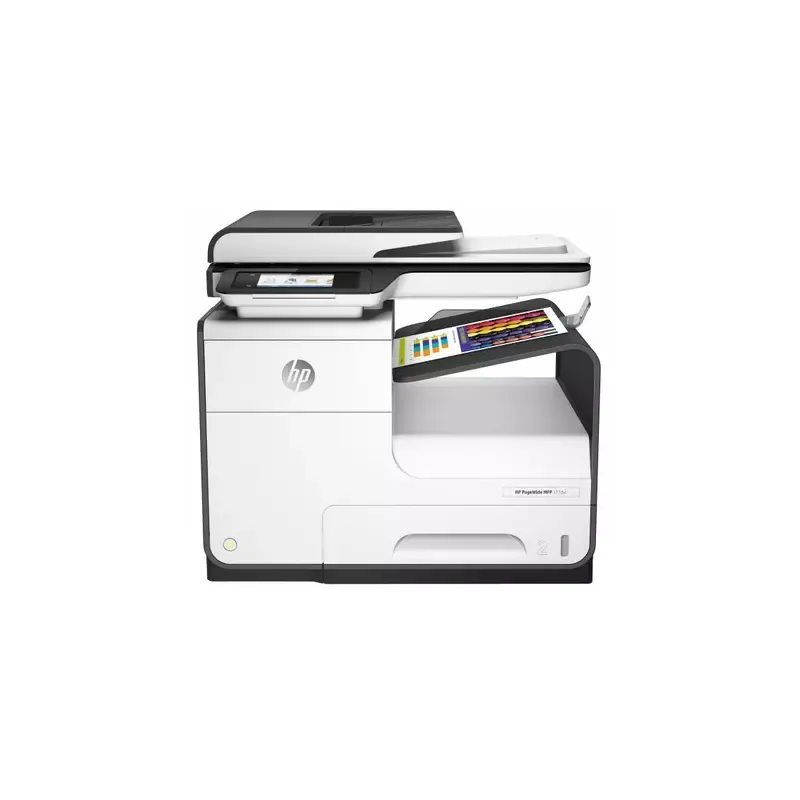

Manual of product PageWide 377dw MFP

Editorial note
The HP PageWide 377dw MFP stands out for its impressive performance and versatility. Thanks to PageWide technology, it offers fast, high-quality printing, making it an ideal choice for offices requiring increased productivity. Its multifunction features, including printing, scanning, copying, and faxing, meet various office needs while contributing to efficient task management. However, some points may detract from the user experience. The high cost of PageWide ink cartridges can significantly increase operating expenses, which may deter some users. Additionally, the relatively bulky design may pose space issues for those with limited desk areas. While the user interface is generally intuitive, some users may find it complicated to navigate, and the initial startup time can also delay urgent prints. Finally, wireless connectivity, although advanced, can sometimes be unstable, leading to connection issues. Overall, the HP PageWide 377dw MFP is a robust and high-performing printer, but it is essential to consider its operating costs and size before making a choice.Score details
User experience
The user experience is generally good, with an intuitive interface, although some users find navigation in the menus a bit complicated.
Performance
Print performance is excellent thanks to PageWide technology, ensuring fast and high-quality prints.
Design
The design is functional but relatively bulky, which can pose space issues for some users.
Value for money
Operating costs can be high due to the price of ink cartridges, which can affect the perception of overall value.
Features
The versatility of multifunction features, including printing, scanning, copying, and faxing, is a major asset.
Support
The user manual is comprehensive and facilitates quick familiarization with the device.
connectivity
Wireless connectivity is advanced but can sometimes be unstable, leading to intermittent connection issues.
Advantages
Fast and high-quality printing.
Multifunction features: printing, scanning, copying, faxing.
Energy-efficient design, reduces costs and impact.
Advanced wireless and mobile connectivity.
Intuitive interface for easy use.
Disadvantages
High cost of ink cartridges.
Bulky printer for small spaces.
Non-intuitive user interface.
Long initial startup time.
Unstable wireless connectivity.
Technical Specifications PageWide 377dw MFP
General Information
-
ModelPAGEWIDE 377DW MFP
-
Brand
-
Category
-
Type
-
SKU1084596
-
MPN1084596
Frequently Asked Questions
How can I remove paper jammed in the printer?
Why is my printer not recognizing the original cartridges?
What could be the reasons for poor print quality?
What is the difference between a laser printer and an inkjet printer?
Why is my inkjet printer leaving black marks on my prints?
What does the acronym DPI mean?
How can I check if the HP PageWide 377dw MFP printer complies with Telecom New Zealand's telepermit requirements?
What should I do if the HP PageWide 377dw MFP damages the telephone network in the United States?
How can I connect the HP PageWide 377dw MFP to a group line service without difficulties?
Is the manual for the HP PageWide 377dw MFP available in French?
Similar products


More product categories from brand HP
Computers and accessories HP
Other HP
Phones HP
Audio HP
Interior HP
Software HP
More product types from brand HP


Presentation of product PageWide 377dw MFP specifications from brand HP
General Information
The HP PageWide 377dw MFP, designed by the brand HP, is renowned for its excellence in print quality and technological innovation. This model, the PageWide 377dw MFP, stands out for its superior performance, offering not only fast printing but also an enhanced user experience.
Advantages
The HP PageWide 377dw MFP is distinguished by its PageWide technology, allowing for high printing speeds while maintaining exceptional resolution. Its versatility is enhanced by its multiple features, including printing, scanning, copying, and faxing, thus meeting a variety of office needs.
Designed with an energy-efficient approach, this printer helps reduce printing costs as well as its environmental impact, while ensuring reliable performance. Additionally, it offers advanced connectivity options, including wireless and mobile connections, making it easy to print from various devices and increasing usage flexibility.
With an intuitive interface, the HP PageWide 377dw MFP allows for quick handling, supported by a detailed user manual to simplify daily use.
Disadvantages
However, it is important to note some disadvantages. The cost of PageWide ink cartridges can be relatively high, which may increase operating costs. Furthermore, the printer is quite large, which can pose space issues for users with limited office space.
Some users find that the interface may lack intuitiveness, making navigation through the menus more complex. The initial startup time can also be long, which could delay urgent prints. Finally, while convenient, the wireless connectivity can sometimes be unstable, leading to interruptions in connection with devices.


