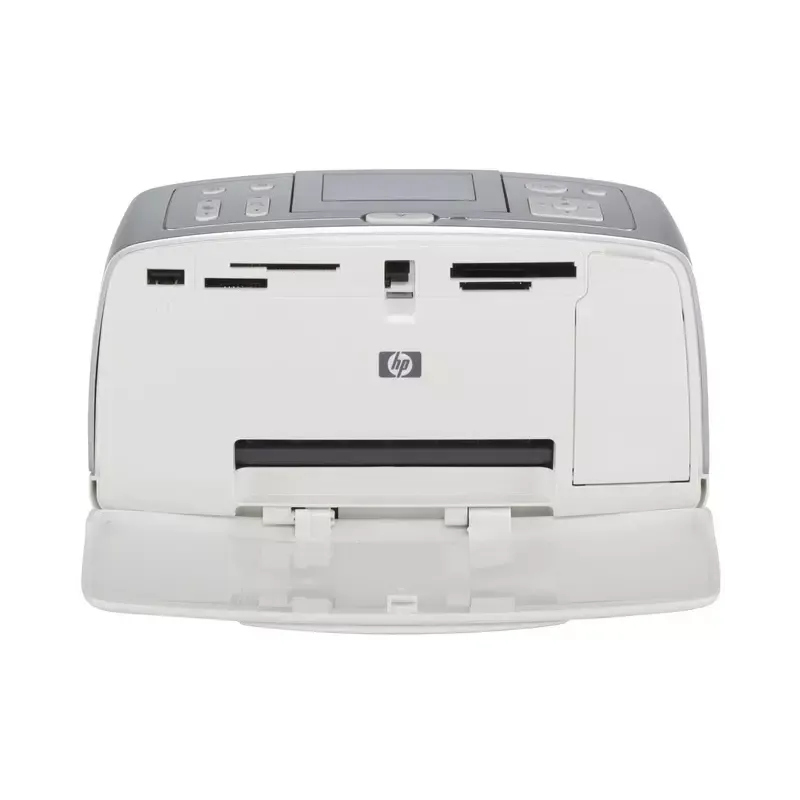

Manual of product Photosmart 375

Editorial note
The HP Photosmart 375 printer stands out for its ability to deliver high-quality prints, making every photo and document vibrant and sharp. Its compact and aesthetic design makes it easy to integrate into any space, whether at home or in the office. Additionally, the presence of a user manual allows beginners to quickly get the hang of the device, although some users may find the interface a bit less intuitive. However, this printer has some drawbacks. Print quality can fluctuate depending on the type of paper used, which can affect the final output. Moreover, the printing speed is relatively slow, which could disappoint those with frequent or high-volume printing needs. The costs of ink cartridges are also a consideration, as they can add up and increase the long-term operating cost. Regarding wireless connectivity, while it is convenient, it can sometimes be finicky, making the connection with other devices more complex. In summary, the HP Photosmart 375 is a reliable and stylish printer, ideal for light home or office use, but it requires special attention regarding operating costs and connection management.Score details
User experience
The ease of use is enhanced by the user manual, but the interface may seem unintuitive for some users.
Performance
The print quality is generally good, but can vary depending on the type of paper used. Additionally, the print speed is relatively slow.
Design
The compact and aesthetic design allows for easy integration into various workspaces or at home.
Value for money
The cost of ink cartridges is high, which can increase the long-term cost of using the printer.
Features
The wireless connectivity is convenient, but can be fickle, leading to connection difficulties with other devices.
Robustness
HP is a reputable brand known for the durability and reliability of its products, providing peace of mind to users.
Advantages
Crisp and vibrant prints.
Compact and aesthetic format.
Simple to use for beginners.
Recognized reliability of HP.
Convenient wireless printing.
Disadvantages
Variable print quality depending on the paper
High cost of ink cartridges
Slow print speed
Non-intuitive user interface
Unreliable wireless connectivity
Technical Specifications Photosmart 375
General Information
-
ModelPHOTOSMART 375
-
Brand
-
Category
-
Type
-
SKU1378375
-
MPN1378375
Frequently Asked Questions
What is the most effective method for removing paper jammed in the printer?
Why is my printer refusing to accept original cartridges?
What are the possible reasons for poor print quality?
How does a laser printer differ from an inkjet printer?
Why is my inkjet printer leaving black streaks on prints?
What does the acronym DPI mean?
Is the manual for the HP Photosmart 375 available in French?
Similar products


More product categories from brand HP
Computers and accessories HP
Other HP
Phones HP
Audio HP
Interior HP
Software HP
More product types from brand HP


Presentation of product Photosmart 375 specifications from brand HP
General Information
The HP Photosmart 375 printer is a flagship model from the HP brand, known for its commitment to quality and innovation in the electronics sector. The Photosmart 375 | Q3419A model is designed to deliver optimal performance while ensuring a smooth and enjoyable user experience. The product's EAN code, which includes several references such as 0829160417882 and 0829160429281, allows for precise identification in the distribution system.
Advantages
- High-quality printing: Thanks to its advanced technology, this printer produces sharp and vibrant prints, ideal for important photos and documents.
- Compactness and practical design: Its compact and aesthetic format makes it easy to integrate into various workspaces or at home.
- Ease of use: Accompanied by a user manual, it allows beginners to quickly familiarize themselves with its features.
- Brand reliability: HP is synonymous with durability and performance, providing users with peace of mind regarding the longevity of their printer.
- Convenient connectivity: The ability to print wirelessly simplifies access and use from different devices.
Disadvantages
- Variation in print quality: The quality may fluctuate depending on the type of paper used, which can affect the final output of prints.
- Cost of ink cartridges: The high price of cartridges can increase the long-term cost of use.
- Print speed: Compared to other models, the print speed is relatively slow, which can be a disadvantage for users with high printing needs.
- User interface: Some users may find the interface not very intuitive, making navigation through options more complex.
- Wireless connectivity: Connectivity can sometimes be fickle, leading to difficulties when connecting with mobile devices or computers.


