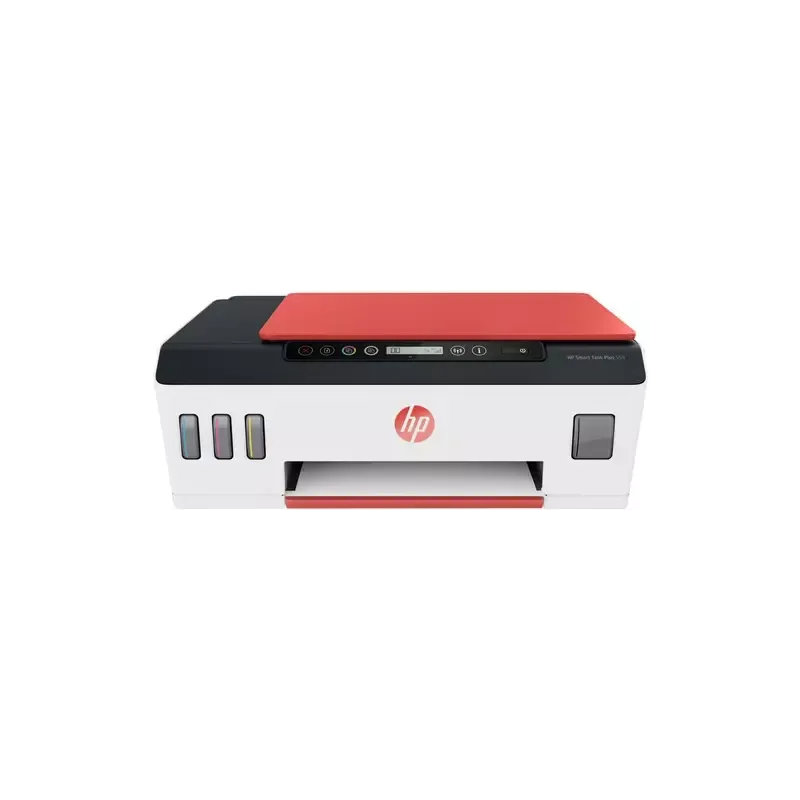

Manual of product Smart Tank Plus 559

Editorial note
The HP Smart Tank Plus 559 printer stands out for its superior print quality, delivering professional results for both text documents and photos. Thanks to its ink tank system, it allows cartridge-free printing, making it an economical and eco-friendly solution. Moreover, its ease of use is a major asset, with a clear manual that simplifies setup, making this device accessible to all levels of users. However, some drawbacks must be considered. The initial purchase cost is relatively high, which may deter users looking for more affordable options. Additionally, the costs of refilling the ink tanks can add up, especially for those who print frequently. The size of the printer can also be an issue in tight workspaces, making its installation less convenient. Finally, although the user experience is generally positive, technical support is sometimes perceived as slow, which can be frustrating when assistance is needed. In summary, the HP Smart Tank Plus 559 represents a good choice for regular users who prioritize quality and ink savings, but it is essential to weigh these advantages against potential drawbacks.Score details
User experience
The user experience is overall positive due to the ease of use and a clear manual, allowing for quick setup.
Performance
The print quality is superior, providing professional results for both text documents and photos.
Value for money
Although the initial purchase cost is high, the long-term ink savings can offset this investment for regular users.
Design
The size of the printer can be cumbersome, which limits its installation in tight workspaces.
Support
Technical support may be perceived as slow or unresponsive, which can be frustrating for users in case of issues.
Advantages
Cartridge-free printing, economical and eco-friendly.
High-quality printing for documents and photos.
Easy to set up and use.
Wi-Fi connectivity for wireless printing.
Optimized consumable management and savings.
Disadvantages
High initial purchase cost.
Additional long-term ink costs.
Bulkiness in small spaces.
Complex interface for beginners.
Often slow technical support.
Technical Specifications Smart Tank Plus 559
General Information
-
ModelSMART TANK PLUS 559
-
Brand
-
Category
-
Type
-
SKU1294528
-
MPN1294528
Frequently Asked Questions
What is the recommended method for removing paper jammed in the printer?
Why does my printer not recognize the original cartridges?
What are the possible reasons for poor print quality?
How does a laser printer differ from an inkjet printer?
Why is my inkjet printer printing black streaks?
What does the acronym DPI mean?
Why won't my printer turn on?
Why is my printer not producing any prints?
How do I resolve print quality issues like smudges or streaks?
What should I do if my printer cannot connect to the Wi-Fi network?
How do I replace the ink tanks?
Is the manual for the HP Smart Tank Plus 559 available in French?
Similar products


More product categories from brand HP
Computers and accessories HP
Other HP
Phones HP
Audio HP
Interior HP
Software HP
More product types from brand HP


Presentation of product Smart Tank Plus 559 specifications from brand HP
General Information
The HP Smart Tank Plus 559 printer is a model from the renowned brand HP, known for its innovation and quality in the office equipment sector. This model is designed to deliver optimal performance while enhancing the user experience with its advanced features.
Advantages
This printer stands out for its ink tank system, allowing for cartridge-free printing, which is an economical solution while minimizing waste generated by traditional cartridges. The print quality is also a strong point, ensuring professional results for both text documents and photos.
It is easy to use, thanks to a clear user manual, making it a suitable choice for users of all levels. Additionally, the connectivity is versatile: the printer supports Wi-Fi, enabling wireless printing from various devices, whether they are computers, tablets, or smartphones.
The ink tank system also optimizes consumable management, helping to reduce the cost per page and offering extended autonomy before the need for refilling.
Disadvantages
However, there are some disadvantages to consider. The initial purchase cost may be relatively high compared to other entry-level printers, which could deter some users looking for more economical options. Furthermore, ink cartridges and refill tanks can incur additional expenses in the long run, especially for those who print frequently.
The size of the printer may also pose a problem in restricted workspaces, making installation more challenging. The user interface, while functional, may seem complex to some, leading to a steep learning curve. Finally, technical support is sometimes deemed slow or unresponsive, which can create frustrations when assistance is needed.


