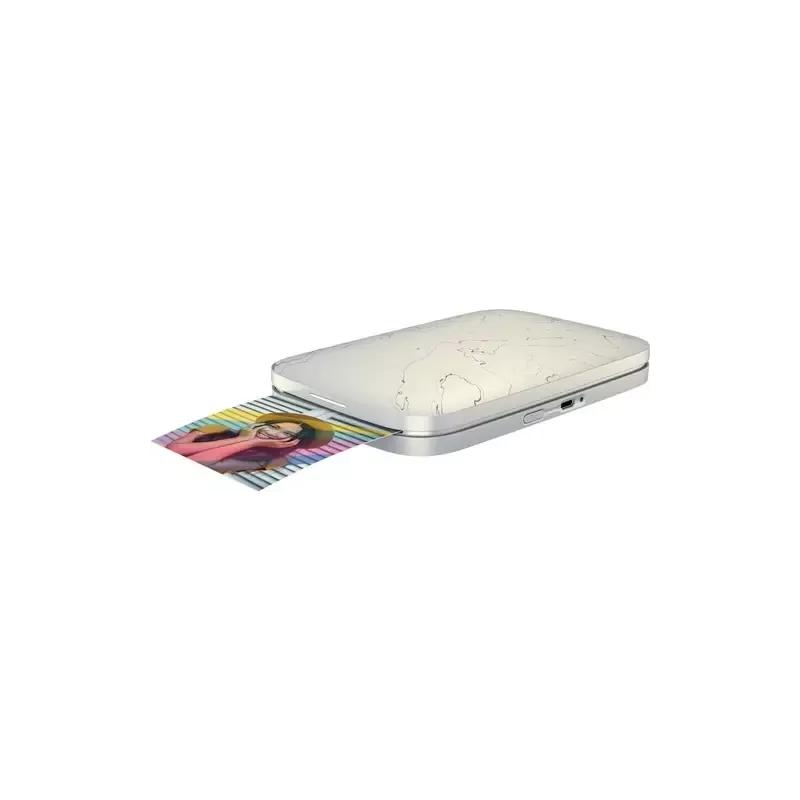

Manual of product Sprocket Select

Editorial note
The HP Sprocket Select is a portable printer that stands out for its ease of use and compact design. Thanks to its Bluetooth connectivity, it allows users to print photos directly from a smartphone or tablet, making the user experience very enjoyable, even for beginners. Its intuitive interface and one-button operation make it accessible to all users. In terms of print quality, the Sprocket Select delivers satisfactory results for occasional use, with vibrant colors and sharp details. However, professional users may find that the quality does not match that of traditional photo printers. Additionally, the cost of consumables such as photo paper and ink cartridges can quickly add up, making regular use less economical. The portability of the printer is a real asset, although battery life may vary depending on usage, which may sometimes require frequent recharging. The associated mobile app offers interesting customization features, but it lacks some advanced options found in other photo editing software. Finally, while support is adequate, connectivity issues may arise, which can lead to frustrations during printing. Overall, the HP Sprocket Select is a good choice for those looking for a simple and effective mobile printing solution.Score details
User experience
The user experience is very positive thanks to an intuitive interface and simple operation with a single button, making printing accessible even for novices.
Performance
Although the print quality is superior for occasional use, it may not satisfy professional users due to limitations compared to traditional photo printers.
Battery life
The portability of the printer is a major asset, but battery life can vary depending on usage, which sometimes requires frequent recharging.
Design
The compact and lightweight design makes the Sprocket Select very easy to carry, ideal for events and outings.
Value for money
The cost of consumables can add up quickly, making regular use less economical, despite an attractive purchase price.
Features
The associated app offers interesting customization features, but lacks some advanced options available in other photo editing software.
Support
The support is adequate, but connectivity can sometimes be unstable, leading to frustrations during printing.
Advantages
Wireless printing via Bluetooth
Compact and easy to carry
High and precise print quality
Photo customization with the app
Simple to use with a single button
Disadvantages
Print quality inferior to traditional printers.
High cost of consumables in the long term.
Connectivity sometimes unstable with mobile devices.
Size limits the dimensions of printed photos.
Mobile app lacks advanced features.
Technical Specifications Sprocket Select
General Information
-
ModelSPROCKET SELECT
-
Brand
-
Category
-
Type
-
SKU1229915
-
MPN1229915
Frequently Asked Questions
What is the best method to remove paper jammed in the printer?
Why is my printer not recognizing the original cartridges?
What are the reasons my prints are of poor quality?
What is the difference between a laser printer and an inkjet printer?
Why is my inkjet printer leaving black streaks on prints?
What does the acronym DPI mean?
Is the HP Sprocket Select manual available in French?
Similar products


More product categories from brand HP
Computers and accessories HP
Other HP
Phones HP
Audio HP
Interior HP
Software HP
More product types from brand HP


Presentation of product Sprocket Select specifications from brand HP
General Information
The HP Sprocket Select is a portable printer from the renowned brand HP, known for its innovation and quality in the home appliance sector. This model, identified by the reference Sprocket Select | MPC_HP_PRINTERSGB_AST_16032020_0012, is designed to provide an optimal user experience, combining performance and ease of use.
Advantages
This printer stands out for its wireless printing capability thanks to Bluetooth connectivity, allowing users to print photos directly from a smartphone or tablet, which greatly facilitates its use. Its compact size and lightweight make it an ideal companion for events, travel, or gatherings with friends.
The print quality is also a major asset, as the device uses advanced technologies to ensure photos with vibrant colors and sharp details. Additionally, the associated app allows users to customize images before printing, offering the possibility to add filters, text, or stickers to create unique memories. With an intuitive design and a single operation button, the Sprocket Select is accessible even to novice users, making the printing process simple and quick.
Disadvantages
Despite its many advantages, some users may find that the print quality does not fully meet their expectations, especially when compared to traditional photo printers. Furthermore, the cost of consumables, such as photo paper and ink cartridges, can become high with regular use.
The connectivity can sometimes present instabilities, particularly with certain mobile devices, which can lead to frustrations during printing. Although compact, the size of the printer also limits the dimensions of printed photos, which may not suit all users. Finally, the required mobile app may not offer some advanced features found in other photo editing applications.


