
Manual of product EasyShare ESP 7
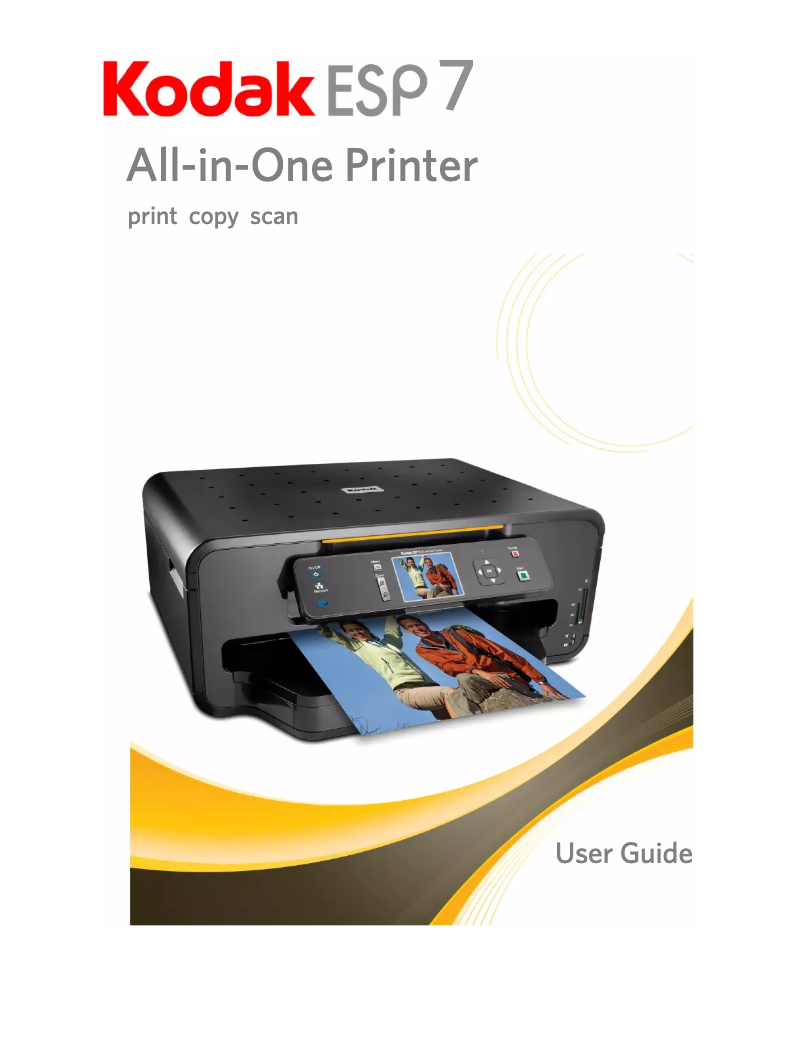
Editorial note
The Kodak EasyShare ESP 7 is a printer that stands out for its print quality, offering vibrant colors and precise details, making it an ideal choice for users seeking high-quality prints. Its ease of use is a major asset, making installation and operation accessible even to less experienced individuals. Additionally, its versatile features, including printing, scanning, and copying, make it a convenient all-in-one solution for home needs. However, this printer has some notable drawbacks. Its print speed can be relatively slow, which may frustrate those who need quick prints. The cost of ink cartridges is also a point to consider, as it can increase the overall cost of use. Furthermore, compatibility with certain recent operating systems may pose issues, making integration more complex for some users. Finally, its bulkiness may limit its use in tight spaces. In summary, the Kodak EasyShare ESP 7 offers good image quality and practical features, but users should be aware of the limitations related to print speed and ink costs.Score details
User experience
The ease of use of the printer is a major asset, making it accessible even to less experienced users.
Performance
The print quality is high, but the printing speed can be relatively slow, which can be frustrating for some users.
Features
The versatile features, including printing, scanning, and copying, make it a convenient all-in-one solution for home needs.
Value for money
Although the printer offers good image quality, the cost of ink cartridges can increase the overall cost of use.
Design
The printer can be bulky, which limits its use in small spaces, but its design remains modern.
Support
Compatibility issues with some recent operating systems can make integration more complex.
Advantages
High-quality and accurate prints.
Easy installation and use.
All-in-one solution: print, scan, copy.
Wireless printing from various devices.
Ink savings for reduced costs.
Disadvantages
Slow printing for quick needs.
High cost of ink cartridges.
Limited compatibility with recent systems.
Bulky for small spaces.
Insufficient print quality for professionals.
Technical Specifications EasyShare ESP 7
General Information
-
ModelEASYSHARE ESP 7
-
Brand
-
Category
-
Type
-
SKU1381462
-
MPN1381462
Frequently Asked Questions
What is the recommended method for removing a jammed paper from the printer?
Why does my printer not recognize the original cartridges?
What are the possible reasons for poor print quality?
How does a laser printer differ from an inkjet printer?
Why does my inkjet printer produce black lines on prints?
What does the acronym DPI mean?
Is the manual for the Kodak EasyShare ESP 7 available in French?
Similar products


More product categories from brand Kodak
More product types from brand Kodak






Presentation of product EasyShare ESP 7 specifications from brand Kodak
General Information
The Kodak EasyShare ESP 7 printer is a model from the famous Kodak brand, known for its innovation and the quality of its products in the home appliance sector. This printer is designed to deliver superior performance and enhance the user experience. The EAN code, which ensures unique identification of the product in distribution systems, is 0041771252977 and 0041771735890.
Advantages
The EasyShare ESP 7 stands out for its high print quality, producing documents with vibrant colors and precise details, characteristic of Kodak's expertise in imaging. Its ease of use makes it an ideal choice for everyone, including less experienced users, thanks to simple setup and a user-friendly interface. Additionally, this printer offers versatile features such as printing, scanning, and copying, thus acting as a comprehensive solution for your home or professional needs. In terms of connectivity, the ESP 7 allows wireless printing from various devices, making the printing process more accessible and convenient. Finally, it is designed to be economical, with ink cartridges that optimize usage, thereby helping to reduce printing costs while maintaining satisfactory quality.
Disadvantages
However, the Kodak EasyShare ESP 7 printer also has some limitations. It can be relatively slow when printing, which may be a drawback for those seeking quick printing. Additionally, the ink cartridges can be expensive, thus increasing the overall cost of using the printer. Compatibility issues with certain recent operating systems have been reported, making its integration more complex for some users. Furthermore, its bulkiness can pose challenges in tight workspaces. Finally, although the print quality is generally good, it may not satisfy professional users who require a higher level of precision.


