

Manuals of product ECOSYS M2040DN
Editorial note
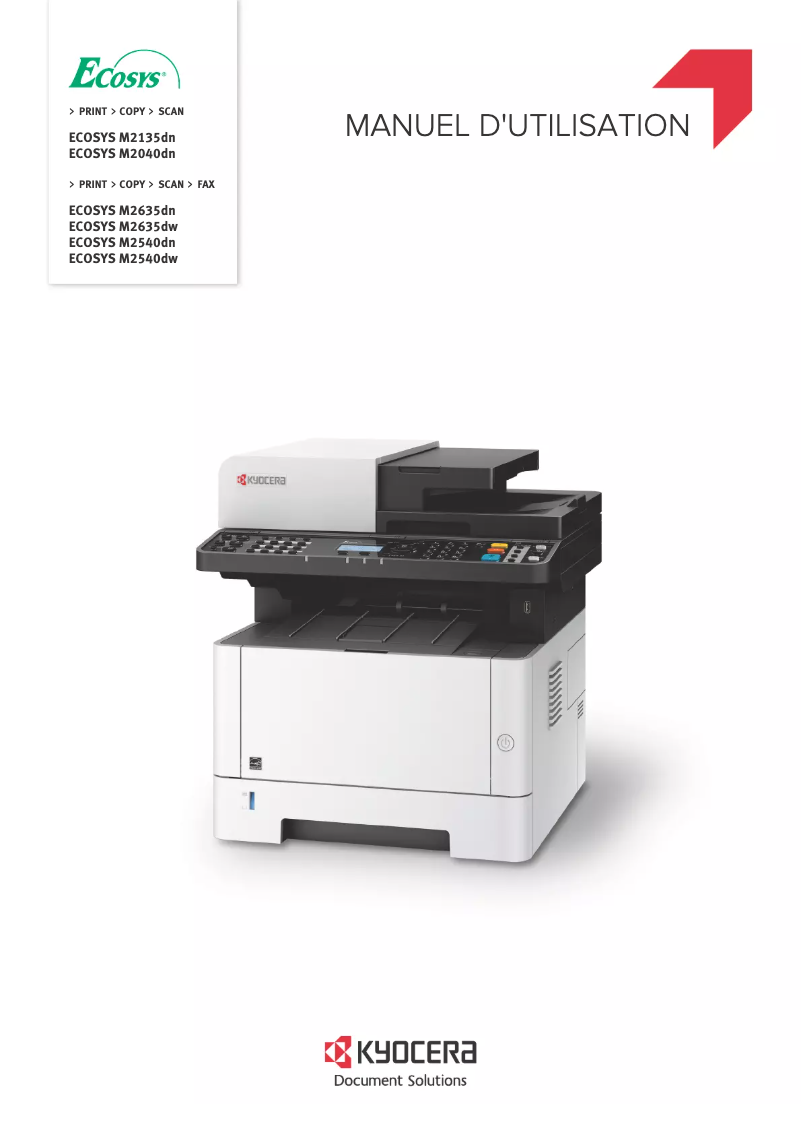
The Kyocera ECOSYS M2040DN printer stands out for its remarkable performance, offering a printing speed of up to 40 pages per minute and a resolution of 1200 x 1200 DPI, ensuring high-quality documents. Its impressive paper feeding capacity, accommodating up to 850 sheets, reduces interruptions for reloading, which is a considerable asset for intensive work environments. Additionally, its versatile features include color printing, copying, and scanning, making this all-in-one device particularly suitable for professional needs. However, some drawbacks may limit its appeal. Manual duplex printing can be less convenient for those who frequently print documents on both sides. Furthermore, the lack of fax functionality may disappoint some users, as well as the relatively slow duplex scanning speed compared to other competing models. Additionally, the absence of Wi-Fi connectivity forces users to rely on a wired connection, which can be a disadvantage in modern offices. In terms of design, the printer is both modern and energy-efficient, displaying certifications like ENERGY STAR, although its weight of 19 kg may pose handling issues. Usability is fair, but the previously mentioned limitations reduce operational flexibility. Overall, the Kyocera ECOSYS M2040DN offers good value for money with many useful features for professional use. However, some improvements, such as the addition of Wi-Fi connectivity or faster scanning speed, could further enhance its attractiveness in the market.Score details
User experience
The user experience is good, with versatile features, although the manual duplex printing function may be less convenient.
Performance
The performance is excellent for printing with speeds of up to 40 pages per minute and a resolution of 1200 x 1200 DPI, ensuring high-quality prints.
Design
The design is modern and energy-efficient, with certifications such as ENERGY STAR, although its weight may pose handling issues.
Value for money
The value for money is good, offering many features for professional use at a competitive price.
Usability
The ease of use is fair, but the lack of Wi-Fi connectivity and the slow duplex scanning speed may limit flexibility.
Features
The product has many useful features, such as printing, copying, and color scanning, making it suitable for office environments.
Support
The support is adequate, but the lack of a fax machine may be a drawback for some users.
Documentation
The documentation is available with several documents, but it could be more comprehensive to facilitate the use of all features.
Advantages
Fast printing up to 40 pages per minute
All-in-one features: printing, copying, scanning
Paper capacity of 850 sheets
Print resolution of 1200 x 1200 DPI
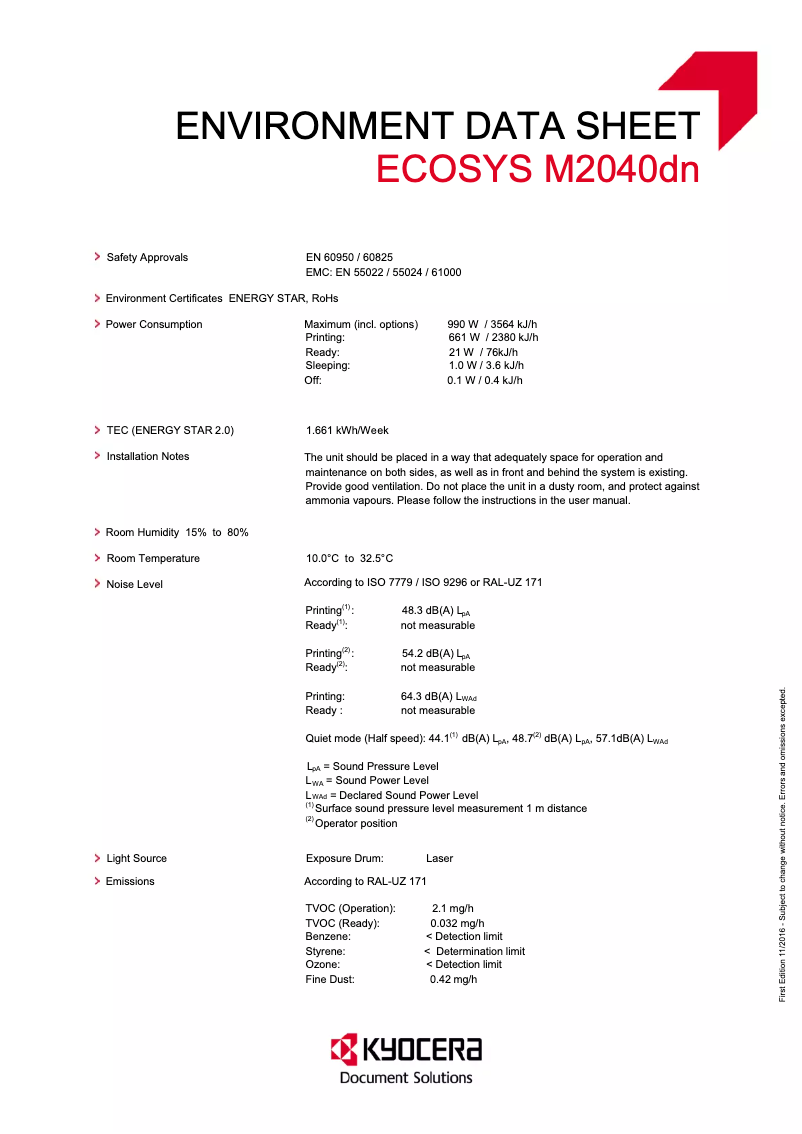
Energy savings with ENERGY STAR certification
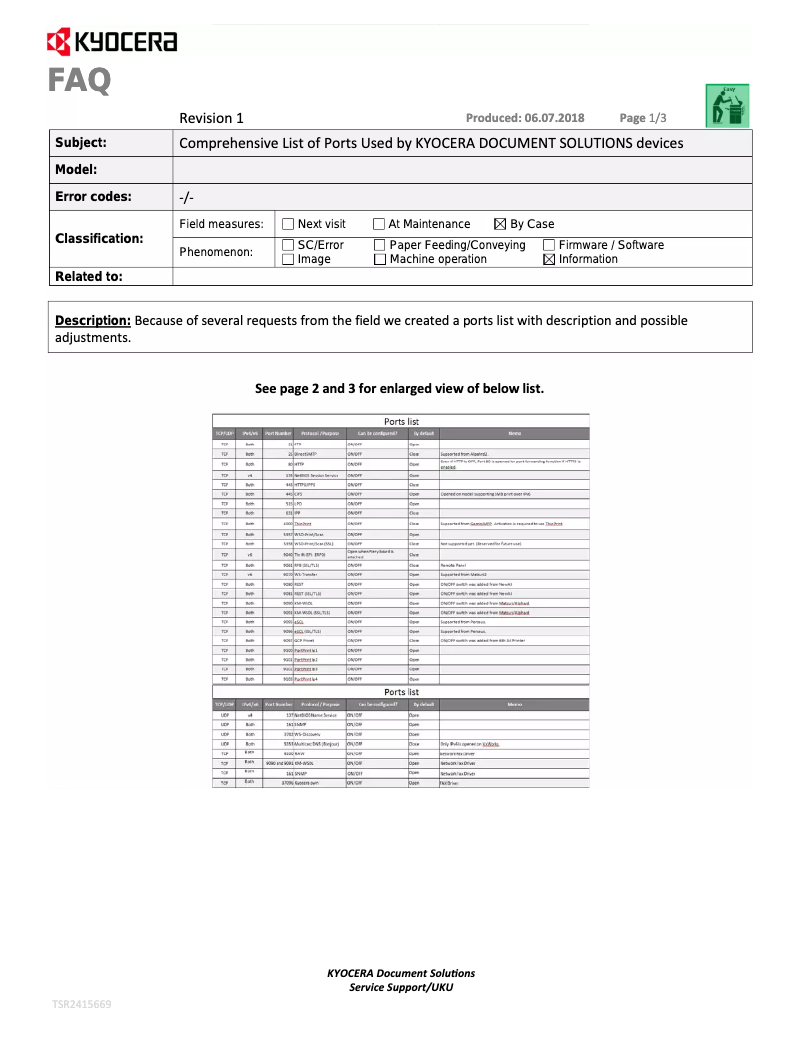
Network connectivity via Ethernet
Disadvantages
Manual and slow double-sided printing
No built-in fax function
Slow double-sided scanning
No Wi-Fi connectivity
Disturbing noise level in silence
Technical Specifications ECOSYS M2040DN
General Information
-
ModelECOSYS M2040DN
-
Brand
-
Category
-
Type
-
SKU780488
-
MPN780488
Input and output capacity
-
Maximum output capacity150 sheets
-
Total power capacity250 sheets
-
Paper feed typeCassette, Paper tray
-
Maximum input capacity850 sheets
-
Input capacity of multi-purpose trays100 sheets
-
Total number of power supply units1
-
Maximum number of feed bins3
-
Total output capacity- sheets
-
Multifunctional trayYes
Paper management
-
Type of paper tray support-
-
Maximum ISO A series paper sizeA4
-
ISO, Format Series A (A0...A9)A4, A5, A6
-
ISO, Formats Series-B (B0...B9)B5, B6
-
Non-ISO print support sizesLegal
-
Customization of support length148 - 356 mm
-
Support width customization70 - 216 mm
-
Weight of paper tray support60 - 163 g/m²
-
Weight of paper tray support60 - 163 g/m²
-
Weight of the multifunctional tray support60 - 220 g/m²
-
Weight of the scanning support50 - 160 g/m²
Print speed
-
Printing technologyLaser
-
PrintingMonochrome printing
-
Duplex printing modeAuto
-
Print speed (black, normal quality, A4/US Letter)40 ppm
-
Maximum resolution1200 x 1200 DPI
-
Copy time for the first page (Black, normal)6.4 s
-
Double-sided printingYes
-
Double-sided printingYes
-
Preheating time17 s
-
Double-sided printingYes
Copier
-
CopySimple copy
-
Max. resolution of copies- DPI
-
Duplex copyYes
-
All-in-one function (N=)2, 4
-
Resizing copy25 - 400 %
-
Maximum number of copies999 copies
-
Release time of the first print (black, normal)6.4 s
-
Duplex copyYes
-
Duplex copyYes
-
Duplex copyYes
Digitization
-
DigitizationColor scanning
-
Optical scanning resolution600 x 600 DPI
-
Type of scannerFlatbed and ADF scanner
-
Scan toE-mail, FTP, SMB, USB
-
Scanning speed (color)40 ppm
-
Scanner speed (black)23 ppm
-
Duplex scanning speed (color)16 ppm
-
Duplex scanning speed (black)32 ppm
-
Supported image formatsJPG, MMR, TIF
-
Support for text formatsPDF, XPS
-
Scan driversTWAIN, WIA
-
Double-sided scanningYes
Fax
-
FaxNo
Features
-
Digital sender-
-
Service cycle (Maximum)50000 pages per month
-
Number of print cartridges1
-
Languages of the page descriptionMicrosoft XPS, PCL 5c, PCL 6, PCL XL, PostScript 3
-
Printing colorsBlack
-
Number of printer fonts93
Representation / realization
-
Processor frequency800 MHz
-
Internal memory512 MB
-
Maximum internal memory1536 MB
-
Integrated into the processorYes
-
Compatible memory cardsSD, SDHC
-
Sound pressure level (impression)52 dB
-
Sound pressure level (impression)52 dB
-
Sound pressure level (silent mode)48 dB
-
Integrated into the processorYes
Design
-
ScreenLCD
-
Product colorBlack, White
-
Number of lines displayed5 lines
-
Built-in screenYes
-
Market positionProfessional
Network
-
Mobile printing technologies-
-
Ethernet/LANYes
-
WifiNo
-
LAN Ethernet: data transfer rate10,100,1000 Mbit/s
-
Wiring technology10/100/1000Base-T(X)
Connectivity
-
Direct printing-
-
Standard interfacesEthernet, USB 2.0
-
USB portYes
Power
-
Electricity consumption (average operation)- W
-
Average power consumption in Copy mode661 W
-
Average power consumption in Copy mode661 W
-
Energy consumption (loan)21 W
-
Energy consumption (in standby mode)1 W
-
AC input voltage220 - 240 V
-
AC input frequency50 - 60 Hz
Minimum system requirements
-
Support for the Linux operating systemYes
-
Support for the Mac operating systemMac OS X 10.10 Yosemite, Mac OS X 10.11 El Capitan, Mac OS X 10.5 Leopard, Mac OS X 10.6 Snow Leopard, Mac OS X 10.7 Lion, Mac OS X 10.8 Mountain Lion, Mac OS X 10.9 Mavericks
-
Support for the Linux operating systemYes
Sustainability
-
Sustainability certificatesENERGY STAR
Certificate
-
CertificationGS
-
TÜV
-
CE
-
ISO 9001
-
ISO 14001
Weight and dimensions
-
Width417 mm
-
Depth412 mm
-
Height437 mm
-
Weight19000 g
Other features
-
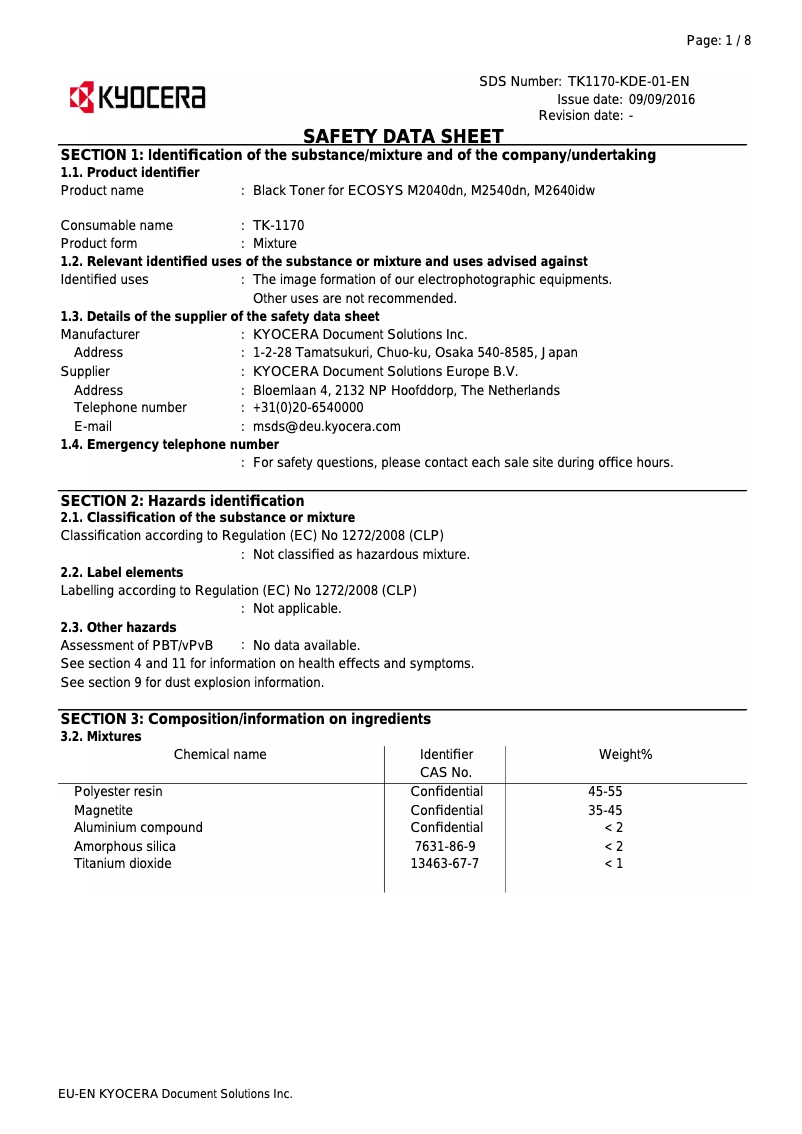
Cartridge typeTK-1170
Frequently Asked Questions
What is the weight of the Kyocera ECOSYS M2040DN printer?
What is the recommended method for removing paper jammed in the printer?
Why is my printer not recognizing the original cartridges?
What could be the reasons for poor print quality?
How does a laser printer differ from an inkjet printer?
Why is my inkjet printer producing black lines on prints?
What does the acronym DPI mean?
What are the certifications of the Kyocera ECOSYS M2040DN model?
How many cartridges can be installed in the Kyocera ECOSYS M2040DN?
What is the height of the Kyocera ECOSYS M2040DN printer?
What is the width of the Kyocera ECOSYS M2040DN printer?
What is the depth of the Kyocera ECOSYS M2040DN printer?
Why is my printer not turning on?
How can I clear a paper jam in the printer?
What should I do if my prints are blurry?
How do I set up the printer for wireless printing?
Why are my prints wrinkled or curled?
Does the Kyocera ECOSYS M2040DN have a maximum output capacity of 150 sheets?
Can the Kyocera ECOSYS M2040DN print in A4 format?
Is the Kyocera ECOSYS M2040DN a monochrome laser printer?
Does the Kyocera ECOSYS M2040DN have a color scanning function?
Does the Kyocera ECOSYS M2040DN support duplex printing?
Is the manual for the Kyocera ECOSYS M2040DN available in French?
Similar products


More product categories from brand Kyocera
Phones Kyocera
Other Kyocera
More product types from brand Kyocera


Presentation of product ECOSYS M2040DN specifications from brand Kyocera
General Information
The Kyocera ECOSYS M2040DN is a printer from the Kyocera brand, known for its innovations and quality in the office equipment sector. This model, identified by the reference 870B61102S33NL0, ensures high-level performance and an optimized user experience. The EAN code 632983933626 allows for precise identification of the product in the distribution network.
Input and Output Capacity
This printer has a maximum output capacity of 150 sheets, ensuring adequate performance for your printing needs. It can hold up to 250 sheets in total feed, thus facilitating the processing of a significant volume of documents without interruption. The feed type is via a cassette, and the input capacity can reach 850 sheets, while the multi-purpose tray can hold 100 sheets. The product is designed for efficient paper management with a total of 1 feed tray.
Paper Management
The Kyocera ECOSYS M2040DN supports a maximum ISO A series paper size of A4, ensuring compatibility with standard printers. It accepts several formats ranging from A4 to A6 as well as B5 and B6 formats. Custom paper dimensions are possible with a length ranging from 148 to 356 mm and a width of 70 to 216 mm. This model supports a wide range of paper weights, from 60 to 220 g/m², thus ensuring optimal print quality on various media.
Print Speed
Equipped with Laser printing technology, the Kyocera ECOSYS M2040DN offers high-quality color printing, with a maximum resolution of 1200 x 1200 DPI. Its print speed reaches 40 pages per minute, ideal for regular use. The duplex printing mode is manual, and the warm-up time is 17 seconds, allowing for a quick first page print in 6.4 seconds.
Copier
The integrated copier allows for color copies with a N in 1 copy feature, thus providing the ability to make multiple copies in a single operation. The copy resizing is adjustable from 25 to 400%, and the maximum number of copies is set at 999. Although the product does not offer an automatic duplex copy function, it includes an ID-Card Copy function for accurate ID card copies.
Scanning
The color scanning function of the Kyocera ECOSYS M2040DN ensures faithful reproductions of your documents. With an optical scanning resolution of 600 x 600 DPI, the scanning speed reaches 40 ppm for color and 23 ppm for black. Although the model does not have duplex scanning functionality, it supports various image and text formats, such as PDF and JPG.
Fax
This model does not include a fax function, which may be a disadvantage for users requiring this feature.
Features
The maximum service cycle is 50,000 pages per month, making it suitable for intensive use. The Kyocera ECOSYS M2040DN operates with a single print cartridge, the TK-1170 model, and supports multiple page description languages, including Microsoft XPS and PostScript 3.
Representation / Performance
The printer's processor operates at 800 MHz, with an internal memory of 512 MB, expandable up to 1536 MB. The noise level during operation is 52 dB, ensuring reasonably quiet operation in offices.
Design
The model features a built-in LCD screen, displaying up to 5 lines of information. With a modern black and white design, it is designed to fit seamlessly into professional environments.
Network
The Kyocera ECOSYS M2040DN offers Ethernet connectivity but does not have Wi-Fi. It supports data transfer speeds of 10, 100, and 1000 Mbit/s, thus facilitating its integration into modern networks.
Connectivity
This model is equipped with a USB port for simplified connection to various devices. Standard interfaces ensure compatibility with a multitude of peripheral devices.
Power
The power consumption in print mode is 661 W, while the standby mode consumes 1 W. This feature contributes to energy-efficient use, supported by the ENERGY STAR certification.
Minimum System Requirements
The Kyocera ECOSYS M2040DN is compatible with Windows, Mac, and Linux operating systems, thus offering flexibility for various work environments.
Durability
This model complies with durability standards, including certifications such as ENERGY STAR, attesting to its adherence to energy efficiency criteria.
Certificate
The product is certified GS, TÜV, CE, ISO 9001, and ISO 14001, ensuring its compliance with safety and performance standards.
Weight and Dimensions
The dimensions of the Kyocera ECOSYS M2040DN are 417 mm in width, 412 mm in depth, and 437 mm in height, with a weight of 19 kg, facilitating its integration into workspaces.
Other Features
This printer uses the TK-1170 cartridge, ensuring quality printing and durable performance.


