

Manuals of product ECOSYS M2135dn
Editorial note
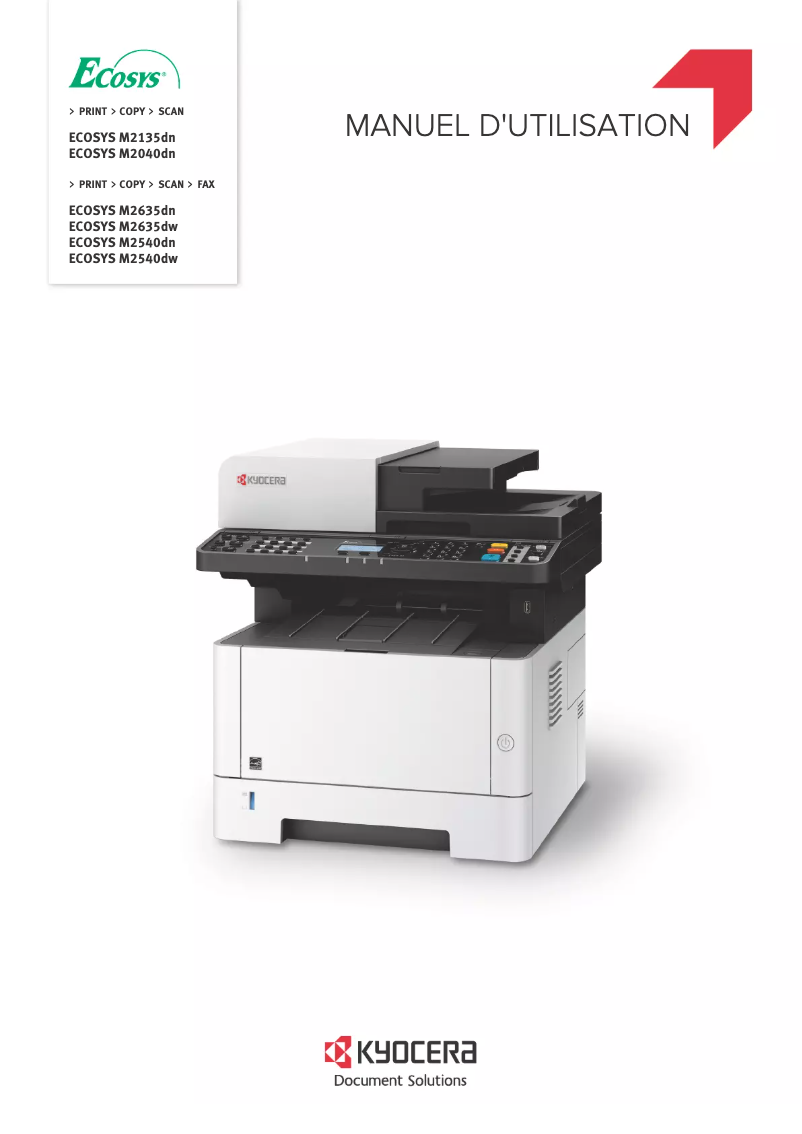
The Kyocera ECOSYS M2135dn stands out with its impressive printing speed of 35 pages per minute, making daily printing tasks more efficient. Its laser printing technology ensures optimal quality with a maximum resolution of 1200 x 1200 DPI, ideal for professional documents. Additionally, with a maximum paper capacity of 800 sheets and sustainability certifications such as ENERGY STAR and Blue Angel, this device offers good value for money in office environments. However, some drawbacks can be noted. The lack of color printing may disappoint users who need to produce more visually appealing documents. The manual duplex printing mode can slow down the process for double-sided prints. Furthermore, its relatively high weight (about 12 kg) can complicate its installation in tight spaces. The lack of Wi-Fi connectivity also limits wireless printing options, which could be a disadvantage for some users. Regarding user experience, the interface is intuitive, but the manual duplex printing mode may hinder some. The scanning speed of 23 ppm in color, while acceptable, could be improved to better meet the demands of high-volume environments. In terms of connectivity, the presence of Ethernet/LAN is appreciated, but the absence of Wi-Fi could restrict usage in certain contexts. Overall, the Kyocera ECOSYS M2135dn is a solid choice for professionals looking for a reliable and high-performing printer, but some aspects could be optimized for an even more satisfying user experience.Score details
User experience
The user experience is generally positive, with an intuitive interface, although the manual duplex printing mode may slow down the process for some users.
Performance
The printing speed of 35 pages per minute is appreciated for daily use, but the scanning speed of 23 ppm in color could be improved.
Design
The weight of the printer is relatively high (about 12 kg), which can complicate its installation and movement in tight workspaces.
Value for money
With its maximum paper capacity of 800 sheets and sustainability certifications, this model offers good value for money for office environments.
Features
The laser printing technology and maximum resolution of 1200 x 1200 DPI ensure exceptional print quality, but the lack of color may be a disadvantage for some users.
connectivity
The Ethernet/LAN connectivity is convenient, but the lack of Wi-Fi limits options for users wanting to print wirelessly.
Advantages
Fast printing at 35 pages per minute
Manual double-sided eco-friendly printing
Laser print quality 1200 x 1200 DPI
800-sheet capacity for fewer interruptions
Ethernet connectivity for easy sharing
ENERGY STAR and Blue Angel certified
Disadvantages
Black and white printing only
Manual duplex, slows down printing
Heavy weight, difficult to move
No Wi-Fi connectivity
Relatively slow scanning speed
Technical Specifications ECOSYS M2135dn
General Information
-
ModelECOSYS M2135DN
-
Brand
-
Category
-
Type
-
SKU1244357
-
MPN1244357
Print speed
-
Borderless printingNo
-
Maximum resolution1200 x 1200 DPI
-
Print speed (black, normal quality, A4/US Letter)35 ppm
-
Preheating time16.5 s
-
Copy time for the first page (Black, normal)8 s
-
Poster printing functionYes
-
Printing technologyLaser
-
Maximum resolution1200 x 1200 DPI
-
Print speed (black, normal quality, A4/US Letter)35 ppm
-
Preheating time17 s
-
Copy time for the first page (Black, normal)6.8 s
-
Printing technologyLaser
-
PrintingMono printing
-
Duplex printing modeAuto
-
Poster printing functionYes
-
Poster printing functionYes
-
Poster printing functionYes
-
Duplex printing speed (Black, normal quality, A4/US Letter)17.5 ppm
-
Poster printing functionYes
-
Layout option2, 4
-
Poster printing functionYes
-
Poster printing functionYes
-
Poster printing functionYes
-
Poster printing functionYes
-
Borderless printingNo
Paper management
-
Type of paper tray support-
-
Maximum ISO A series paper sizeA4
-
Weight of the multifunctional tray support60 - 220 g/m²
-
Weight of paper tray support60 - 120 g/m²
-
Support weight supported in duplex mode60 - 105 g/m²
-
Support width customization70 - 215.9 mm
-
Customization of support length148 - 356 mm
-
ISO, Format Series A (A0...A9)A4, A5, A6
-
Non-ISO print support sizesFolio (media size), Letter (media size), Oficio (media size)
-
ISO, Formats Series-B (B0...B9)B5
-
Maximum ISO A series paper sizeA4
-
Weight of the multifunctional tray support60 - 220 g/m²
-
Support weight supported in duplex mode60 - 163 g/m²
-
Support weight supported in duplex mode60 - 163 g/m²
-
Support width customization70 - 216 mm
-
Customization of support length148 - 356 mm
-
ISO, Format Series A (A0...A9)A4, A5, A6
-
Type of paper tray supportPlain paper
-
Non-ISO print support sizesLegal (media size), Letter (media size)
-
ISO, Formats Series-B (B0...B9)B5, B6
-
Maximum print format216 x 356 mm
Weight and dimensions
-
Width375 mm
-
Depth393 mm
-
Height267 mm
-
Weight12000 g
-
Width417 mm
-
Depth412 mm
-
Height437 mm
-
Weight19000 g
Power
-
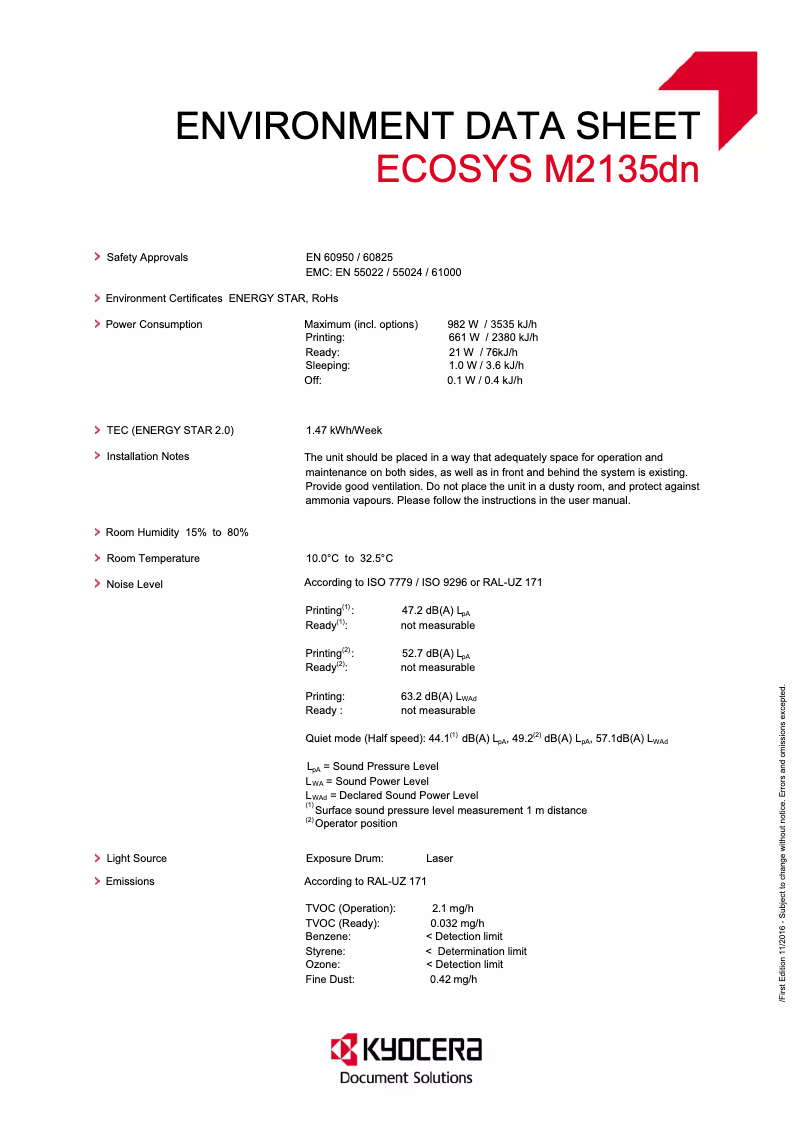
Average power consumption in Print mode535 W
-
Energy consumption (standby mode)11 W
-
AC input voltage220 - 240 V
-
AC input frequency50 - 60 Hz
-
Average power consumption in Copy mode661 W
-
Average power consumption in Copy mode661 W
-
Energy consumption (loan)21 W
-
Energy consumption (in standby mode)1 W
-
AC input voltage220 - 240 V
-
AC input frequency50 - 60 Hz
-
Average power consumption in Copy mode661 W
-
Energy Star, typical electrical consumption (TEC)1.47 kWh/week
Representation / realization
-
Sound pressure level (impression)53.5 dB
-
Sound pressure level (silent mode)50.2 dB
-
Internal memory256 MB
-
Maximum internal memory1280 MB
-
Memory locations1
-
Type of memoryDDR2
-
Integrated into the processorYes
-
Processor frequency500 MHz
-
Compatible memory cardsSD
-
Integrated into the processorYes
-
Sound pressure level (copy)51 dB
-
Sound pressure level (silent mode)47 dB
-
Internal memory512 MB
-
Maximum internal memory1536 MB
-
Processor frequency800 MHz
-
Compatible memory cardsSD, SDHC
-
Integrated into the processorYes
-
Sound pressure level (copy)51 dB
-
Integrated into the processorYes
-
Processor familyARM Cortex-A9
-
Sound power level (standby)29 dB
Sustainability
-
Sustainability certificatesENERGY STAR
-
Sustainability certificatesBlue Angel
-
REACH
-
RoHS
-
EPEAT Silver
-
ENERGY STAR
Design
-
Built-in screen-
-
CertificationTÜV/GS, CE, ISO 9001, ISO 14001
-
Product colorWhite
-
Product colorBlack, White
-
ScreenLCD
-
Number of lines displayed5 lines
-
Built-in screenYes
-
Market positionProfessional
Input and output capacity
-
Automatic document feeder capacity50 sheets
-
Paper feed typeCassette, Paper tray
-
Input capacity of the paper tray 1250 sheets
-
Maximum input capacity800 sheets
-
Maximum number of feed bins3
-
Total number of power supply units1
-
Input capacity of the paper tray 1250 sheets
-
Total output capacity- sheets
-
Input capacity of multi-purpose trays100 sheets
-
Paper feed typeCassette, Paper tray
-
Input capacity of the paper tray 1250 sheets
-
Maximum input capacity850 sheets
-
Maximum number of feed bins3
-
Total number of power supply units1
-
Total output capacity150 sheets
-
Total output capacity150 sheets
-
Automatic Document Feeder (ADF)Yes
-
Input capacity of the paper tray 1250 sheets
-
Automatic Document Feeder (ADF)Yes
-
Automatic document feeder capacity50 sheets
Features
-
Number of print cartridges1
-
Languages of the page descriptionPCL 5e, PCL 6, PCL XL, PJL, PostScript 3
-
Service cycle (Maximum)50000 pages per month
-
Service cycle (recommended)2000 - 50000 pages per month
-
Number of print cartridges1
-
Languages of the page descriptionMicrosoft XPS, PCL 5e, PCL 6, PCL XL, PostScript 3
-
Service cycle (Maximum)20000 pages per month
-
Printing colorsBlack
-
Digital senderYes
-
Number of printer fonts93
-
Service cycle (recommended)1000 - 2500 pages per month
-
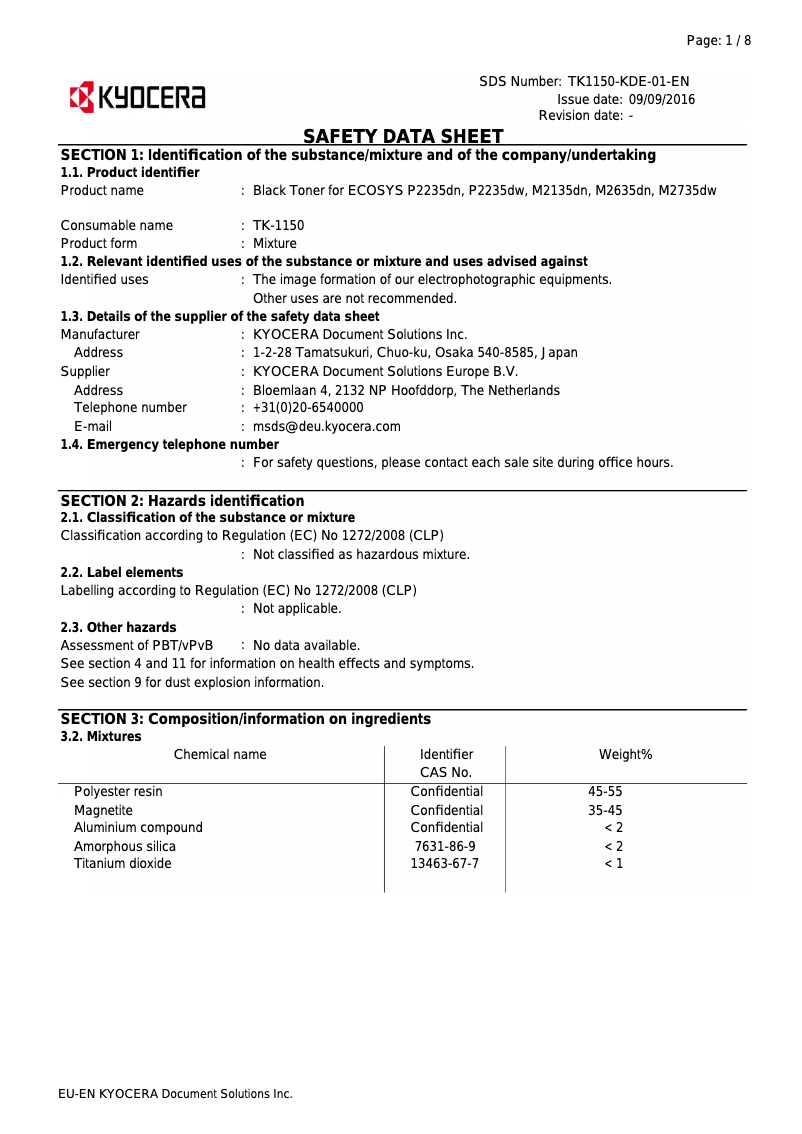
Replacement cartridgesTK-1150 (3,000 pages)
-
Double-sided functionsPrinting
Network
-
Mobile printing technologiesApple AirPrint
-
Security-supported algorithmHTTPS, IPPS, IPSEC, SNMP, SSL/TLS
-
Ethernet/LANYes
-
Contactless paymentNo
-
Ethernet/LANYes
-
Mobile printing technologiesApple AirPrint, Google Cloud Print, Kyocera Mobile Print, Mopria Print Service
-
Ethernet/LANYes
-
Contactless paymentNo
-
LAN Ethernet: data transfer rate10,100,1000 Mbit/s
-
Wiring technology10/100/1000Base-T(X)
-
Contactless paymentNo
-
Contactless paymentNo
Minimum system requirements
-
Support for the Linux operating systemYes
-
Support for the Linux operating systemYes
-
Support for the Mac operating systemMac OS X 10.10 Yosemite, Mac OS X 10.11 El Capitan, Mac OS X 10.5 Leopard, Mac OS X 10.6 Snow Leopard, Mac OS X 10.7 Lion, Mac OS X 10.8 Mountain Lion, Mac OS X 10.9 Mavericks
-
Support for the Linux operating systemYes
-
Support for the Linux operating systemYes
-
Support for the Mac operating systemMac OS X 10.10 Yosemite, Mac OS X 10.11 El Capitan, Mac OS X 10.12 Sierra, Mac OS X 10.13 High Sierra, Mac OS X 10.14 Mojave, Mac OS X 10.15 Catalina, Mac OS X 10.5 Leopard, Mac OS X 10.6 Snow Leopard, Mac OS X 10.7 Lion, Mac OS X 10.8 Mountain Lion, Mac OS X 10.9 Mavericks
Connectivity
-
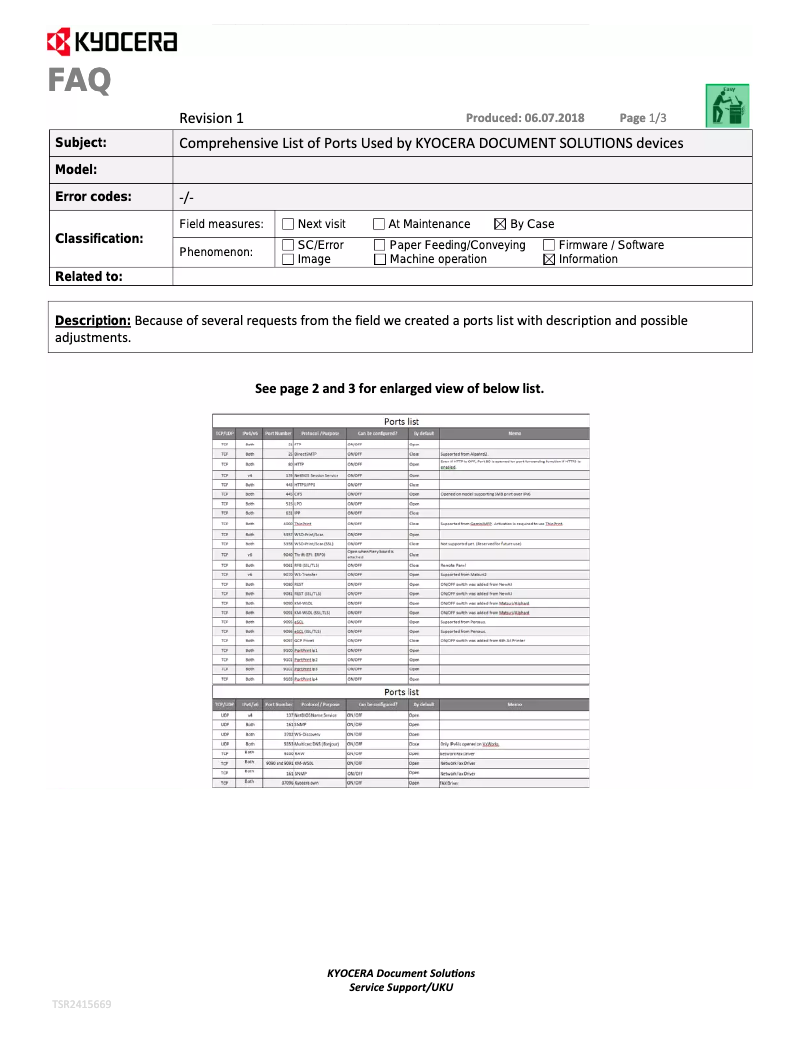
Standard interfacesEthernet, USB 2.0
-
Optional connectivityWireless LAN
-
Standard interfacesEthernet, USB 2.0
-
USB portYes
-
USB portYes
-
Quantity of USB 2.0 Ports2
Certificate
-
CertificationGS
-
Compliant with the standard (WEEE, Waste Electrical and Electronic Equipment)TÜV
-
CE
-
ISO 9001
-
ISO 14001
-
Yes
Copier
-
CopySimple copy
-
Max. resolution of copies600 x 600 DPI
-
Function ID-Card CopyYes
-
All-in-one function (N=)2, 4
-
Resizing copy25 - 400 %
-
Maximum number of copies999 copies
-
Release time of the first print (black, normal)6.9 s
-
Function ID-Card CopyYes
-
Function ID-Card CopyYes
-
Duplex copyNo
-
Copy speed (normal quality, black, A4)35 cpm
Digitization
-
DigitizationColor scanning
-
Optical scanning resolution600 x 600 DPI
-
Scan toE-mail, FTP, SMB, TWAIN, USB, WIA
-
Scanning speed (color)23 ppm
-
Scanner speed (black)40 ppm
-
Supported image formatsJPEG, TIF
-
Support for text formatsPDF, XPS
-
Scan driversTWAIN, WIA
-
Double-sided scanningNo
-
Scanning technologyCIS
Fax
-
FaxNo
Other features
-
Cartridge typeTK-1150
Environmental conditions
-
Operating relative humidity (H-H)10 - 80 %
-
Temperature out of operation-20 - 40 °C
-
Operating temperature10 - 32.5 °C
-
Relative humidity rate (storage)10 - 90 %
-
Operating altitude0 - 3500 m
-
Non-operating altitude0.6 - 15000 m
Packaging information
-
Package width541 mm
-
Package depth555 mm
-
Package height572 mm
-
Package weight25000 g
Packaging contents
-
Imaging unit includedYes
-
Included cartridge capacity (black)1000 pages
-
Imaging unit includedYes
-
Cables includedSector
Logistics data
-
Harmonized System Code84433100
Frequently Asked Questions
What is the weight of the Kyocera ECOSYS M2135dn?
What is the recommended method for removing paper jams from the printer?
Why is my printer not accepting original cartridges?
Why is the quality of my prints poor?
What is the difference between a laser printer and an inkjet printer?
Why is my inkjet printer printing black streaks?
What does the term DPI mean?
What certifications does the Kyocera ECOSYS M2135dn have?
How many cartridges can be installed in the Kyocera ECOSYS M2135dn?
What is the height of the Kyocera ECOSYS M2135dn?
What is the width of the Kyocera ECOSYS M2135dn?
What is the depth of the Kyocera ECOSYS M2135dn?
Why won't my printer turn on?
How should I load paper into the Kyocera ECOSYS M2135dn printer?
What should I do in case of a paper jam?
How do I change the print quality settings on the Kyocera ECOSYS M2135dn printer?
What should I do if my printed documents have marks or stains?
What is the maximum resolution that the Kyocera ECOSYS M2135dn can achieve?
What is the print speed of the Kyocera ECOSYS M2135dn?
What is the maximum paper size that the Kyocera ECOSYS M2135dn can handle?
What is the warm-up time of the Kyocera ECOSYS M2135dn?
What is the power consumption of the Kyocera ECOSYS M2135dn during printing?
Is the manual for the Kyocera ECOSYS M2135dn available in French?
Similar products


More product categories from brand Kyocera
Phones Kyocera
Other Kyocera
More product types from brand Kyocera


Presentation of product ECOSYS M2135dn specifications from brand Kyocera
General Information
The Kyocera ECOSYS M2135dn printer is a model recognized for its quality and efficiency, specifically designed to meet the needs of modern work environments. Its EAN code, 0632983040263, 4058154136430, 5715063098929, ensures unique identification in the distribution system.
Print Speed
The ECOSYS M2135dn is a monochrome printer, unable to print in color. However, it compensates for this lack with a maximum resolution of 1200 x 1200 DPI, ensuring prints of exceptional clarity, suitable for both professional needs and personal documents. Its print speed is 35 pages per minute in normal quality on A4 format, thus allowing increased efficiency during daily tasks. The warm-up time is 17 seconds, and the first page print delay is 6.8 seconds.
The duplex printing feature, although manual, helps reduce paper consumption. Thanks to its laser printing technology, the ECOSYS M2135dn offers consistent and precise print quality while allowing the printing of barcodes and watermarks for secure documents.
Paper Management
This device is designed to accommodate ISO A series paper sizes, with a maximum feed capacity of 800 sheets. The paper weight can vary from 60 to 220 g/m², ensuring flexibility in the choice of printing media. Additionally, the customization of the width and length of the media allows for format adaptation according to the specific needs of the user.
Weight and Dimensions
The dimensions of the Kyocera ECOSYS M2135dn printer are 375 mm in width, 393 mm in depth, and 267 mm in height, with a weight of approximately 12000 g. These characteristics facilitate its integration into various workspaces.
Power
The power consumption of the ECOSYS M2135dn is 535 W in print mode and 11 W in standby mode, contributing to appreciable energy efficiency. The required AC input voltage is 220 - 240 V, and the input frequency is 50 - 60 Hz.
Representation / Performance
The sound pressure level during printing is 53.5 dB, ensuring relatively quiet operation. The printer is equipped with an internal memory of 256 MB, expandable up to 1280 MB, allowing for efficient data storage.
Durability
Certifications such as ENERGY STAR and Blue Angel attest to compliance with high standards of energy efficiency and environmental protection.
Design
The design of the ECOSYS M2135dn is modern, featuring a white casing. Its integrated LCD screen facilitates access to the printer's functions and offers an intuitive user experience.
Input and Output Capacity
The total input capacity is 250 sheets, with a multifunction tray that can hold up to 100 sheets. The printer is also equipped with an automatic document feeder (ADF) with a capacity of 50 sheets, thus simplifying scanning and copying tasks.
Features
The maximum service cycle of the printer is 50000 pages per month, making it suitable for high-volume work environments. It comes with a TK-1150 print cartridge, capable of printing up to 3000 pages.
Network
The Kyocera ECOSYS M2135dn is equipped with Ethernet/LAN connectivity, facilitating integration into a corporate network. However, it does not have Wi-Fi connectivity, which may limit wireless printing options.
Minimum System Requirements
The printer is compatible with Windows and Linux operating systems, as well as several versions of Mac OS, ensuring smooth integration into different computing environments.
Environmental Conditions
The optimal operation of the ECOSYS M2135dn is ensured in relative humidity conditions of 10 - 80 % and at temperatures ranging from 10 - 32.5 °C.
Packaging Information
The packaging dimensions are 541 mm in width, 555 mm in depth, and 572 mm in height, with a total weight of approximately 25000 g.


