

Manuals of product ECOSYS M6030cdn

Editorial note
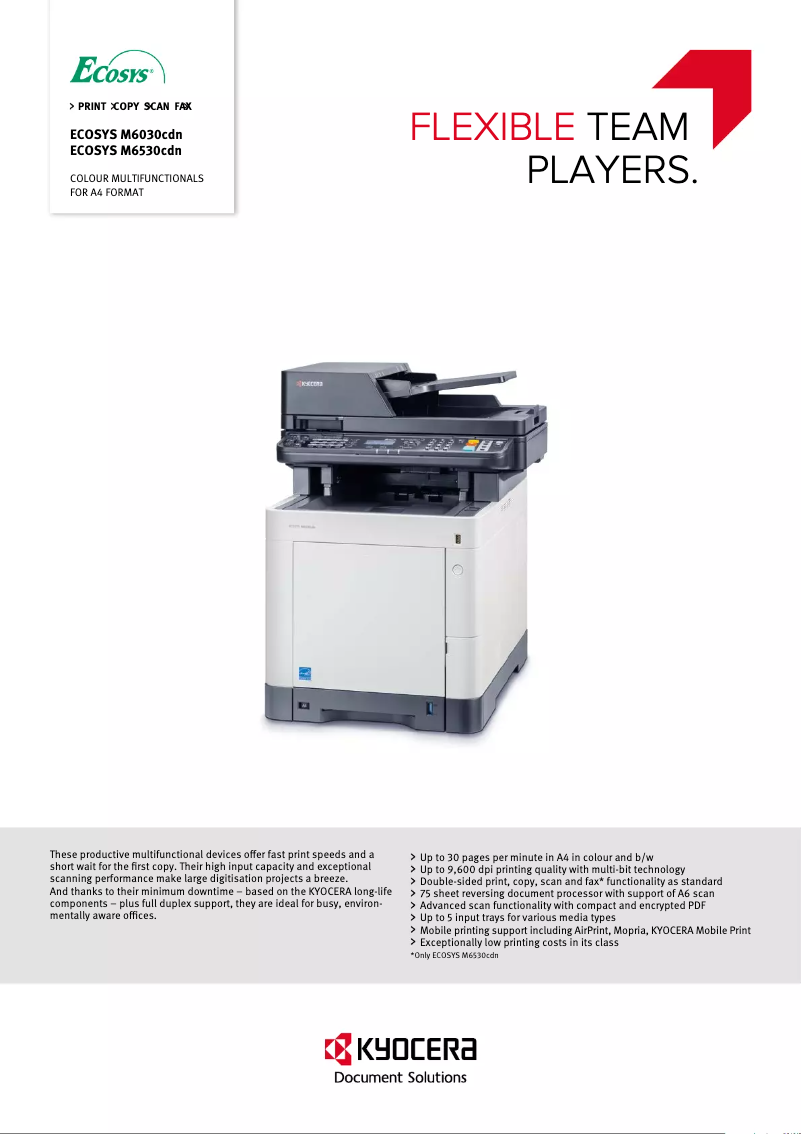
The Kyocera ECOSYS M6030cdn printer stands out for its exceptional printing performance, offering high resolution that ensures clear and professional documents, both in color and monochrome. Its versatility is a major asset, as it combines printing, copying, scanning, and faxing features, making it an ideal choice for small and medium-sized businesses. However, it is important to note that the initial purchase cost may be a barrier for some users, particularly those with a limited budget. Additionally, while its performance is generally satisfactory, relatively long startup times can affect efficiency in a dynamic work environment. The weight of the printer may also pose challenges during transport and installation, especially in tight spaces. Regarding user experience, although it is generally positive due to a user-friendly interface and accompanying documents, some users may find it less intuitive. Finally, Kyocera's ECOSYS technology is a guarantee of durability and reliability, reducing the need for frequent replacements, which is a significant advantage in the long run. Overall, the Kyocera ECOSYS M6030cdn is a robust and high-performing device, but it is advisable to carefully assess its cost and specific needs before purchase.Score details
User experience
The user experience is generally good thanks to a user-friendly interface and supporting documents, although some users may find it less intuitive.
Performance
Print performance is excellent with high resolution, but relatively long startup times can hinder efficiency in a work environment.
Value for money
The initial purchase cost is high compared to other similar models, which can be a barrier for small businesses or budget-conscious users.
Design
The weight of the printer can pose transportation issues, making installation difficult in tight workspaces.
Features
With its printing, copying, scanning, and faxing features, this device is very versatile, meeting various office needs.
Robustness
Kyocera's ECOSYS technology is known for its durability and reliability, which reduces the need for frequent replacements.
Advantages
High-quality printing
Energy saving
Multiple features
Easy to use
Durability and reliability
Disadvantages
High purchase cost for small businesses
Relatively long startup time
Heavy weight, difficult to move
Limited cartridge compatibility
Unintuitive user interface
Technical Specifications ECOSYS M6030cdn
General Information
-
ModelECOSYS M6030CDN
-
Brand
-
Category
-
Type
-
SKU389030
-
MPN389030
Frequently Asked Questions
What is the recommended method for removing jammed paper from the printer?
Why does my printer not recognize the original cartridges?
What are the possible causes of poor print quality?
How does a laser printer differ from an inkjet printer?
Why does my inkjet printer leave black streaks on prints?
What does the acronym DPI mean?
Is the user manual for the Kyocera ECOSYS M6030cdn available in French?
Similar products


More product categories from brand Kyocera
Phones Kyocera
Other Kyocera
More product types from brand Kyocera


Presentation of product ECOSYS M6030cdn specifications from brand Kyocera
General Information
The Kyocera ECOSYS M6030cdn stands out for its commitment to quality and innovation, essential characteristics of the Kyocera brand. This model is designed to deliver high performance and a smooth user experience, perfectly adapting to the varied needs of modern offices. Identified by the EAN code 632983033791, this product benefits from effective traceability in the distribution system.
Advantages
The Kyocera ECOSYS M6030cdn excels in several areas:
- High-quality printing: With remarkable print resolution, it ensures clear and professional documents, both in color and monochrome.
- Energy efficiency: This model is designed to consume less energy, helping to reduce electricity costs while minimizing environmental impact.
- Versatility: It integrates printing, copying, scanning, and faxing features, thus meeting the diverse needs of small and medium-sized businesses.
- Ease of use: Thanks to its intuitive interface and clear accompanying documents, even novice users can quickly familiarize themselves with its features.
- Durability: Kyocera's ECOSYS technology is known for its longevity, reducing the need for frequent replacements and contributing to a more sustainable approach.
Disadvantages
However, the Kyocera ECOSYS M6030cdn also has some drawbacks:
- Initial cost: The purchase price may be high compared to other similar models, which can be a barrier for small organizations or budget-limited users.
- Startup time: Some users have noticed longer startup times, which can be a disadvantage in environments where speed is essential.
- Weight: The printer can be heavy, making transport and installation more difficult, especially in tight spaces.
- Cartridge compatibility: The need to use brand-specific consumables can lead to higher operating costs.
- User interface: For some, the interface may seem less intuitive, complicating the handling for those unfamiliar with multifunction printers.


