

Manual of product ECOSYS M6526cidn
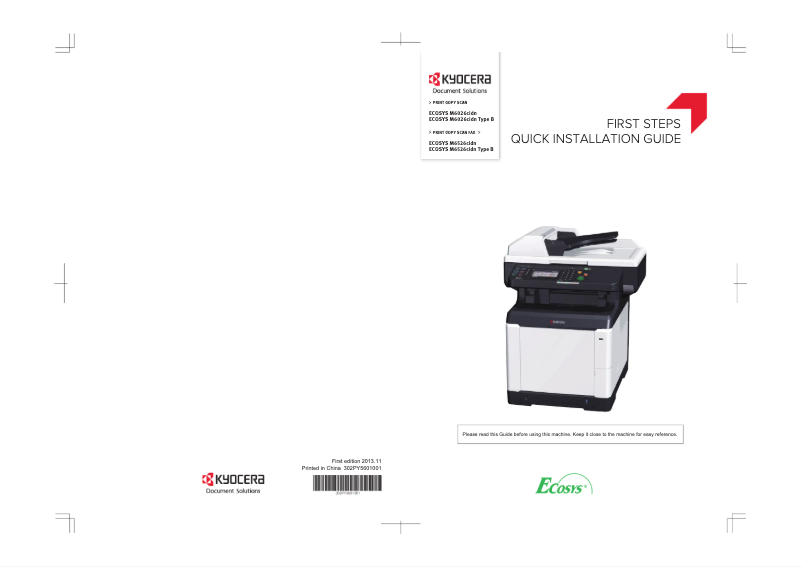
Editorial note
The Kyocera ECOSYS M6526cidn printer stands out for its exceptional print quality, ideal for professional documents and presentations. With its advanced technology, it ensures sharp and precise prints while offering appreciated versatility with its printing, copying, scanning, and faxing functions. Additionally, its energy efficiency helps reduce energy consumption, making this device a sustainable choice. However, there are some drawbacks to consider. The initial acquisition cost can be high compared to other models on the market, which may deter small businesses or home users. The size and weight of the printer can also complicate its installation, especially in tight spaces. Furthermore, while the print quality is satisfactory, the print speed may be lower than that of some competitors, thus impacting workflow efficiency. In terms of user experience, the printer is generally easy to use thanks to the availability of a user manual. However, the interface may seem complex to some, requiring a learning curve. From a financial perspective, the cost of toner cartridges can also lead to long-term expenses, which should be factored into the printing budget. In summary, the Kyocera ECOSYS M6526cidn is a robust and high-performing device, ideal for users seeking quality and durability, but it requires a more significant initial investment and careful attention to its installation and operating costs.Score details
User experience
The ease of use is a major asset thanks to the availability of a user manual. However, the interface can be complex for some users, requiring a learning period.
Performance
The printer offers high-quality printing, ideal for professional documents. However, the printing speed may be lower than that of some competitors, which can impact workflow efficiency.
Value for money
The initial acquisition cost is high compared to other models, which could deter small businesses or home users. Additionally, replacing toner cartridges can incur long-term costs.
Design
Although the size and weight of the printer can make installation difficult, its robust design and energy efficiency make it an interesting choice for users seeking durability and performance.
Features
The ECOSYS M6526cidn is a multifunction device that supports printing, copying, scanning, and faxing, thus meeting the varied needs of users.
Robustness
ECOSYS technology ensures the longevity of consumables, which reduces the frequency of replacements and contributes to long-term savings.
Advantages
Clear and precise prints
Optimized energy savings
Various multifunctional features
Easy installation and setup
Long-lasting consumables
Disadvantages
High acquisition cost
Difficult installation in small spaces
High long-term toner costs
Below-average printing speed
Complex user interface to master
Technical Specifications ECOSYS M6526cidn
General Information
-
ModelECOSYS M6526CIDN
-
Brand
-
Category
-
Type
-
SKU111889
-
MPN111889
Frequently Asked Questions
What is the recommended method for removing jammed paper from the printer?
Why is my printer not recognizing the original cartridges?
What are the possible reasons for poor print quality?
How does a laser printer differ from an inkjet printer?
Why is my inkjet printer leaving black streaks on prints?
What does the acronym DPI mean?
Is the manual for the Kyocera ECOSYS M6526cidn printer available in French?
Similar products


More product categories from brand Kyocera
Phones Kyocera
Other Kyocera
More product types from brand Kyocera


Presentation of product ECOSYS M6526cidn specifications from brand Kyocera
General Information
The Kyocera ECOSYS M6526cidn printer stands out due to the reputation of the Kyocera brand, known for its commitment to quality and innovation in the electronics sector. This model, the ECOSYS M6526cidn, is designed to deliver optimal performance, thereby enhancing the user experience. Its EAN code, 632983032411 and 6329830324112, allows for unique identification within distribution systems.
Technical Specifications
This printer is equipped with advanced features that ensure high-quality printing, thanks to Kyocera's cutting-edge technology, ideal for professional documents and presentations. Furthermore, its energy efficiency helps reduce energy consumption while ensuring remarkable performance. The ECOSYS M6526cidn is a multifunction device capable of printing, copying, scanning, and sending faxes, thus adapting to various needs.
Ease of use is another advantage of this model, with a clear user manual that simplifies installation and setup. Additionally, ECOSYS technology ensures increased durability of consumables, reducing the frequency of replacements and associated costs.
Advantages and Disadvantages
Among the advantages, there is superior print quality, energy savings, and the versatility of the device. However, some disadvantages should be considered: the initial purchase cost can be high, which may deter small businesses or home users. Moreover, the size and weight of the printer can make installation and movement challenging in tight spaces. Finally, replacing toner cartridges can prove costly in the long run, and the printing speed may be lower than that of some competing models, which could affect workflow efficiency.


