

Manuals of product ECOSYS P3055dn
Editorial note
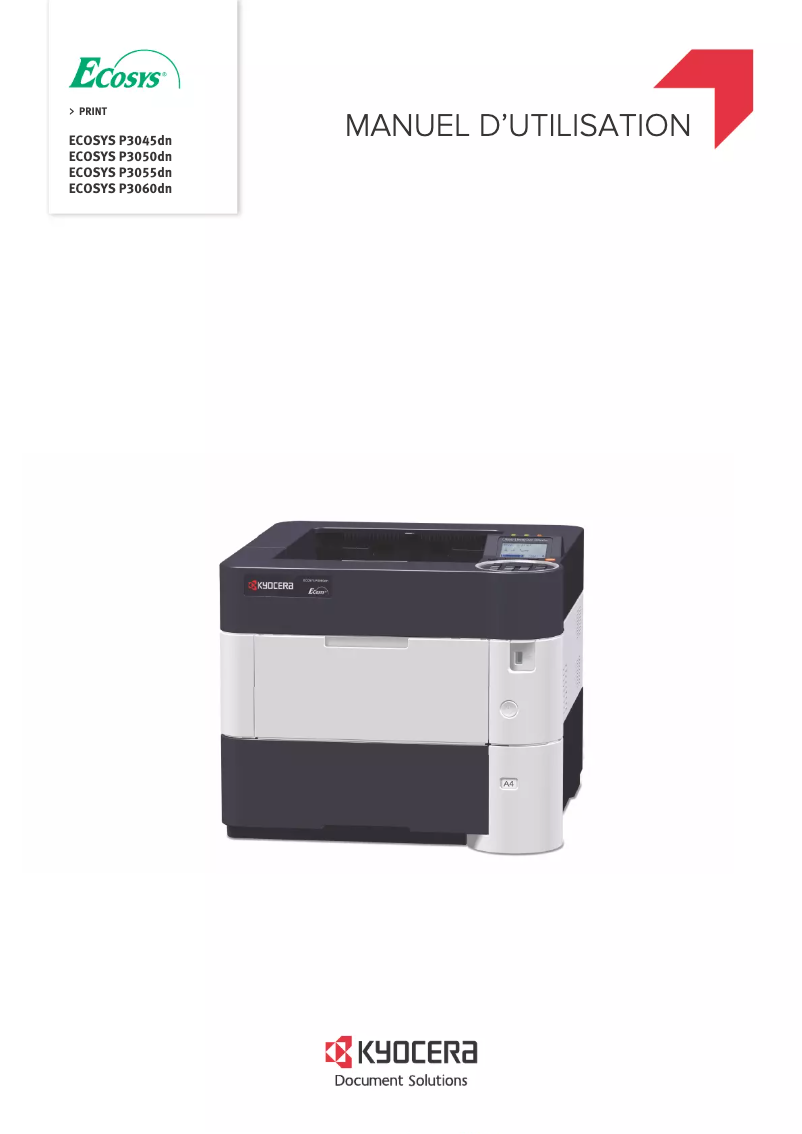
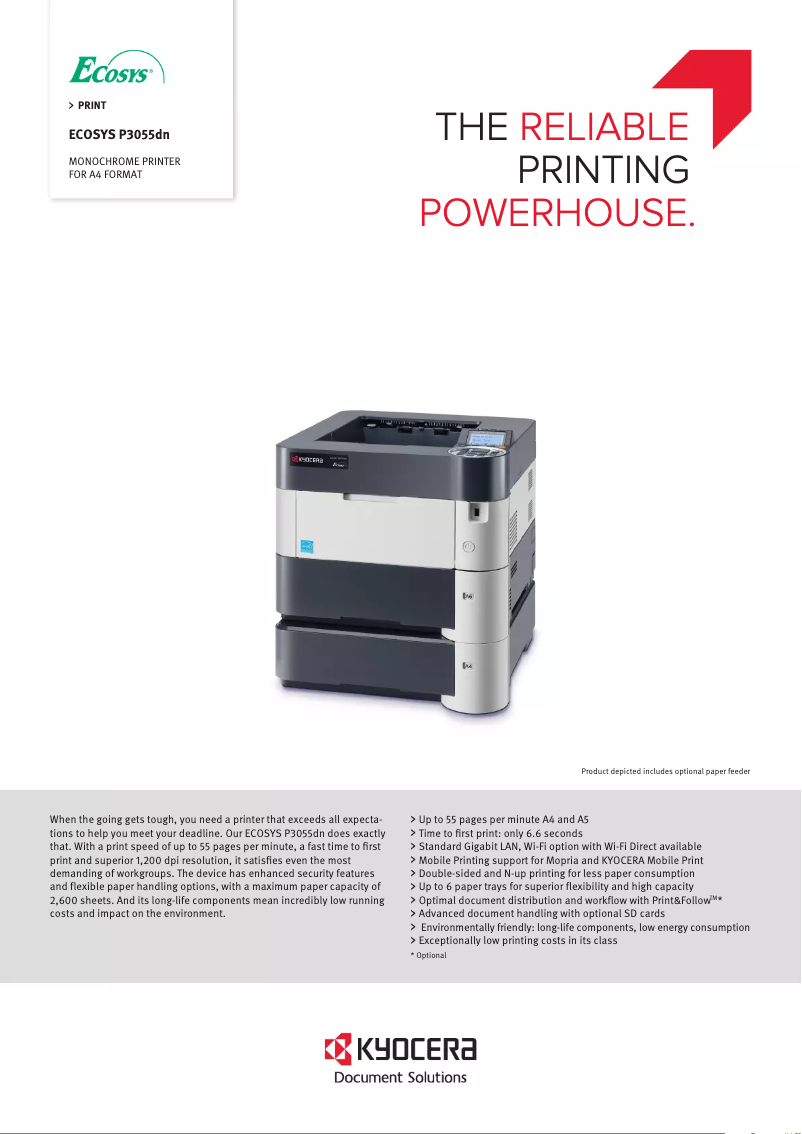
The Kyocera ECOSYS P3055dn printer stands out with its impressive printing speed of 55 pages per minute, making it an ideal choice for demanding work environments. Its print resolution of 1200 x 1200 DPI ensures documents of exceptional clarity, thus meeting professional needs. However, this device has some drawbacks. The lack of color printing may be a hindrance for users with graphic needs, and the manual duplex printing mode can make the process less convenient for those who frequently print double-sided documents. Additionally, its weight of 15,500 g limits its mobility in offices where space flexibility is necessary. In terms of energy consumption, the printer proves to be efficient with a consumption of only 11 W in standby mode, promoting sustainable use. Compatibility with multiple operating systems, including Windows, Linux, and Mac, also offers great flexibility of use. However, the high cost of toner cartridges can represent a significant expense in the long term for businesses that print regularly. Furthermore, the lack of wireless connectivity may complicate printing from mobile devices. Overall, the Kyocera ECOSYS P3055dn is a solid choice for those looking for a fast and efficient printer, but it may not be suitable for everyone due to its limitations in color and connectivity.Score details
User experience
The user experience is satisfactory due to complete network connectivity and mobile printing technologies, although the manual duplex printing mode may be less convenient.
Performance
The printing speed of 55 pages per minute is impressive, but may not be sufficient for very demanding work environments.
Battery life
The optimized power consumption in sleep mode (11 W) promotes sustainable and energy-efficient use.
Design
The weight of 15,500 g can make the printer difficult to move, thus limiting usage flexibility in some offices.
Value for money
The cost of toner cartridges can be high, increasing long-term expenses for businesses that print regularly, despite the print quality.
Features
The lack of color printing and wireless connectivity features may be a drawback for some users.
Support
Compatibility with multiple operating systems, including Windows, Linux, and Mac, offers great usage flexibility.
Advantages
55 pages per minute for optimal productivity.
Manual duplex printing, paper-saving.
Flexible network connectivity and mobile printing.
1200 x 1200 DPI resolution for clarity.
Reduced energy consumption in sleep mode.
Compatible with Windows, Linux, and Mac.
Disadvantages
No color printing available.
Manual double-sided printing.
Difficult to move (15,500 g).
Insufficient printing speed for some.
High cost of toner cartridges.
No wireless connectivity.
Technical Specifications ECOSYS P3055dn
General Information
-
ModelECOSYS P3055DN
-
Brand
-
Category
-
Type
-
SKU786629
-
MPN786629
Network
-
Wifi-
-
Mobile printing technologiesApple AirPrint
-
Security-supported algorithmGoogle Cloud Print
-
Ready-to-use networkKyocera Mobile Print
-
Management protocolsMopria Print Service
-
Ready-to-use network
-
Ready-to-use networkHTTPS
-
IPPS
-
IPSEC
-
SSL/TLS
-
-
Yes
-
-
SNMPv3
-
-
Yes
-
-
Yes
Print speed
-
Printing technologyLaser
-
Secure printingYes
-
ColorNo
-
Maximum resolution1200 x 1200 DPI
-
Print speed (black, normal quality, A4/US Letter)55 ppm
-
Preheating time25 s
-
Copy time for the first page (Black, normal)6.6 s
-
Duplex printing modeAuto
-
Secure printingYes
Features
-
Number of print cartridges1
-
Service cycle (Maximum)- pages per month
-
Languages of the page descriptionEpson LQ, IBM ProPrinter XL24E, PCL 5c, PCL 6, PCL XL, PDF 1.7, PostScript 3
-
Printing colorsBlack
Weight and dimensions
-
Width380 mm
-
Depth416 mm
-
Height320 mm
-
Weight15500 g
Power
-
Average power consumption in Print mode675 W
-
Energy consumption (loan)11 W
-
Electricity consumption (stop)0.9 W
-
AC input voltage220 - 240 V
-
AC input frequency50 Hz
Representation / realization
-
Sound pressure level (impression)54.7 dB
-
Sound pressure level (silent mode)50.4 dB
-
Sound level (ready)27.1 dB
-
Integrated into the processorYes
-
Processor frequency1200 MHz
-
Internal memory512 MB
-
Maximum internal memory2560 MB
Design
-
CertificationTÜV-GS, CE
-
Product colorBlack, White
-
Built-in screenYes
-
ScreenLED
-
Number of lines displayed5 lines
Input and output capacity
-
Input capacity of multi-purpose trays100 sheets
-
Maximum output capacity500 sheets
-
Maximum input capacity2600 sheets
-
Maximum output capacity500 sheets
-
Total output capacity- sheets
-
Paper feed typeCassette, Paper tray
-
Maximum number of feed bins6
-
Multifunctional trayYes
Paper management
-
Maximum ISO A series paper sizeA4
-
Types of multi-purpose binsBanner, Plain paper
-
Types of multi-purpose binsBanner, Plain paper
-
ISO, Format Series A (A0...A9)A4, A5, A6
-
ISO, Formats Series-B (B0...B9)B5
-
Weight of the multifunctional tray support60 - 220 g/m²
-
Non-ISO print support sizesLetter
-
Support width customization70 - 216 mm
-
Customization of support length148 - 356 mm
-
Max. length of the support915 mm
-
Support weight supported in duplex mode60 - 120 g/m²
Connectivity
-
Direct printingYes
-
Standard interfacesEthernet, USB 2.0
-
Quantity of USB 2.0 Ports2
Minimum system requirements
-
Support for the Mac operating systemYes
-
Support for the Mac operating systemYes
-
Support for the Mac operating systemYes
-
Support for other operating systemsAndroid, iOS
Sustainability
-
Sustainability certificatesENERGY STAR
Frequently Asked Questions
What is the weight of the Kyocera ECOSYS P3055dn printer?
What is the recommended method for removing a paper jam in the printer?
Why is my printer not recognizing the original cartridges?
Why is the print quality of my documents unsatisfactory?
How does a laser printer differ from an inkjet printer?
Why does my inkjet printer leave black streaks on prints?
What does the acronym DPI mean?
What certifications does the Kyocera ECOSYS P3055dn have?
How many cartridges can be installed in the Kyocera ECOSYS P3055dn?
What is the height of the Kyocera ECOSYS P3055dn?
What is the width of the Kyocera ECOSYS P3055dn?
What is the depth of the Kyocera ECOSYS P3055dn?
Is the manual for the Kyocera ECOSYS P3055dn available in French?
Similar products


More product categories from brand Kyocera
Phones Kyocera
Other Kyocera
More product types from brand Kyocera


Presentation of product ECOSYS P3055dn specifications from brand Kyocera
General Information
The model Kyocera ECOSYS P3055dn represents the brand's Kyocera commitment to quality and innovation in the printer sector. Identifiable by the EAN code 0632983042472, 4058154141908, and 5711783418559, this model is designed to deliver optimal performance and an enhanced user experience.
Network
This printer is equipped with various mobile printing technologies, allowing for quick printing from mobile devices, which adds valuable flexibility for users. A robust security algorithm, incorporating protocols such as HTTPS, IPPS, IPSEC, and SSL/TLS, protects your data from unauthorized access. Additionally, web management simplifies data administration via any internet-connected device. The model is also compatible with Ethernet/LAN for reliable network connectivity.
Print Speed
The Laser printing technology used by the Kyocera ECOSYS P3055dn ensures superior print quality. With a print speed of 55 pages per minute in black and white, it meets the demands of high-intensity work environments. Its maximum resolution of 1200 x 1200 DPI ensures documents of exceptional clarity. This printer also supports manual duplex printing, contributing to a more economical use of resources. The warm-up time is 25 seconds, while the first page output delay is 6.6 seconds.
Features
The Kyocera ECOSYS P3055dn operates with a single print cartridge and is designed for a service cycle suited to demanding users. It supports multiple page description languages, including PCL and PostScript, and offers black printing for high-quality visual output.
Weight and Dimensions
With dimensions of 380 mm in width, 416 mm in depth, and 320 mm in height, this model easily fits into various office spaces. Its weight of 15,500 g ensures optimal stability during use.
Power
The power consumption in print mode is 675 W, while in standby mode, it drops to 11 W, demonstrating its energy efficiency. In off mode, the consumption is reduced to 0.9 W. It operates with an input voltage of 220 - 240 V and a frequency of 50 Hz.
Representation / Performance
The noise level in print mode is 54.7 dB, ensuring relatively quiet operation, while in silent mode, it drops to 50.4 dB. The internal memory of 512 MB is expandable up to 2560 MB, allowing for efficient management of print tasks.
Design
Certified TÜV-GS and CE, the Kyocera ECOSYS P3055dn is available in black and white, offering a modern aesthetic. Its built-in screen with LED display facilitates interaction and management of print tasks.
Input and Output Capacity
The multifunction tray can hold up to 100 sheets, while the total feed capacity is 500 sheets. The maximum input capacity reaches 2600 sheets, allowing for the management of large print volumes. The output is optimized for a maximum of 500 sheets.
Paper Management
Compatible with ISO A series paper sizes up to A4, the tray can handle various types of media, including plain paper, envelopes, and labels. The weight supported by the multi-purpose tray is 60 - 220 g/m², ensuring flexibility in paper choices.
Connectivity
The Kyocera ECOSYS P3055dn allows for direct printing and is equipped with several standard interfaces for optimal connectivity. It features 2 USB 2.0 ports to facilitate connections.
Minimum System Requirements
Compatible with Windows, Linux, Mac, as well as mobile systems Android and iOS, this printer adapts to the varied needs of users.
Durability
The product also benefits from ENERGY STAR certification, attesting to its compliance with energy efficiency and environmental sustainability standards.


