

Manuals of product ECOSYS P4140dn
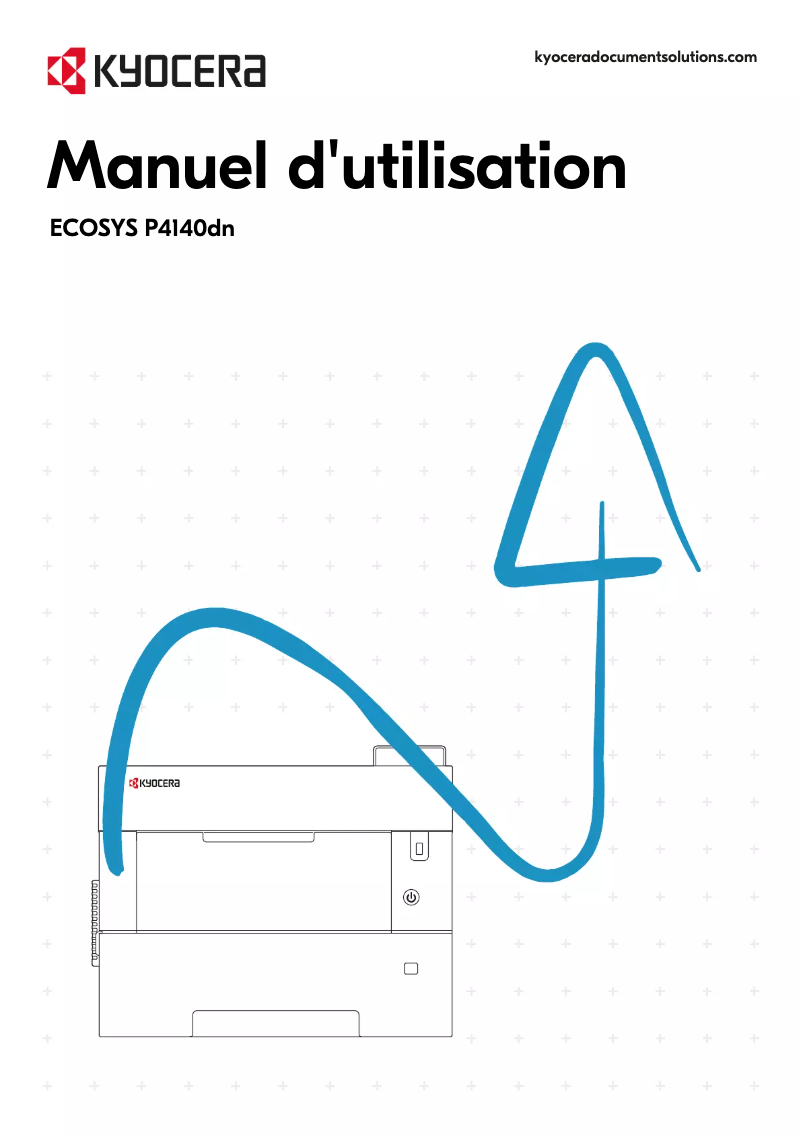

Editorial note
The Kyocera ECOSYS P4140dn printer stands out for its impressive performance, including a printing speed of 40 pages per minute and a high resolution of 1200 x 1200 DPI. These features make it an ideal choice for demanding work environments, ensuring clear and professional documents. However, some drawbacks are worth mentioning. The lack of color printing may limit its use for documents requiring an attractive visual presentation. Additionally, the manual duplex printing may not be suitable for those seeking a fully automated solution. Its weight of 21 kg and the absence of Wi-Fi connectivity may also complicate its installation and use in modern environments. Regarding user experience, the interface is intuitive, although the 18-second warm-up time may be perceived as long by hurried users. Despite these few restrictions, the 500-sheet input capacity, expandable to 2600, and compatibility with various operating systems make it a solid choice for professionals. In terms of value for money, the Kyocera ECOSYS P4140dn is ENERGY STAR and Blue Angel certified, reflecting its energy efficiency. However, the lack of color printing could be a drawback for some users. Overall, this printer meets many professional needs while offering reliable performance.Score details
User experience
The user experience is generally positive with an intuitive interface. However, the manual duplex printing may be perceived as less convenient.
Performance
The printing speed of 40 pages per minute and the resolution of 1200 x 1200 DPI ensure excellent performance for demanding work environments.
Design
The product has a modern look, although its weight of 21 kg may complicate its installation and movement.
Features
The features are suitable for professionals, with an input capacity of 500 sheets expandable to 2600, and compatibility with various operating systems.
Value for money
Certified ENERGY STAR and Blue Angel, the product offers good energy efficiency, but the lack of color printing limits its use for certain documents.
Usability
The lack of Wi-Fi connectivity restricts usage flexibility, and the warm-up time of 18 seconds may be long for demanding users.
Advantages
Fast printing of 40 pages per minute
Manual duplex printing eco-friendly
Print resolution 1200 x 1200 DPI
Compatible with Windows, Linux, and Mac
ENERGY STAR and Blue Angel certified
Input capacity of up to 2600 sheets
Disadvantages
No color printing available
Manual double-sided printing
Heavy model (21 kg)
Lack of Wi-Fi connectivity
Long warm-up time (18 seconds)
Technical Specifications ECOSYS P4140dn
General Information
-
ModelECOSYS P4140DN
-
Brand
-
Category
-
Type
-
SKU1229815
-
MPN1229815
Design
-
Market positionProfessional
-
Product colorBlack, White
-
Built-in screenYes
-
ScreenLCD
-
Color displayNo
-
CertificationTÜV, GS, CE
-
Order typeButtons
Print speed
-
ColorNo
-
Printing technologyLaser
-
Secure printingYes
-
Duplex printing modeAuto
-
Black print resolution1200 x 1200 DPI
-
Black print resolution1200 x 1200 DPI
-
Print speed (black, normal quality, A4/US Letter)40 ppm
-
Print speed (black, normal quality, A3)22 ppm
-
Duplex printing speed (Black, normal quality, A4/US Letter)28 ppm
-
Copy time for the first page (Black, normal)6.3 s
-
Preheating time18 s
-
Secure printingYes
-
Secure printingYes
Power
-
Average power consumption in Print mode632 W
-
Consumption (max)1415 W
-
Energy consumption (loan)15 W
-
Energy consumption (standby mode)11 W
-
Electricity consumption (stop)0.5 W
-
Energy Star, typical electrical consumption (TEC)1.9 kWh/week
-
AC input voltage220 - 240 V
-
AC input frequency50 - 60 Hz
Minimum system requirements
-
Support for the Linux operating systemYes
-
Support for the Linux operating systemYes
-
Support for the Mac operating systemMac OS X 10.10 Yosemite
-
Mac OS X 10.11 El Capitan
-
Mac OS X 10.12 Sierra
-
Mac OS X 10.13 High Sierra
-
Mac OS X 10.14 Mojave
-
Mac OS X 10.15 Catalina
-
Mac OS X 10.9 Mavericks
Features
-
Service cycle (Maximum)150,000 pages per month
-
Service cycle (recommended)10,000 - 15,000 pages per month
-
Printing colorsBlack
-
Number of bitmap fonts1
-
Languages of the page descriptionEpson LQ, IBM ProPrinter XL24E, JPEG, OpenXPS, PCL 5c, PCL 6, PDF 1.7, TIFF, XPS
-
Printer fontsBarcode, Bitmap, PCL
-
Country of originVietnam
-
Replacement cartridgesTK-7310 (15,000 pages)
-
PCL® Fonts93
-
Number of Windows fonts8
-
Number of bitmap fonts1
-
Number of barcode fonts79
-
Linear (1D) barcodes acceptedEAN 128, EAN-13, EAN-8, PDF417
Environmental conditions
-
Operating temperature10 - 32.5 °C
-
Temperature out of operation-20 - 40 °C
-
Operating relative humidity (H-H)15 - 80 %
-
Relative humidity rate (storage)10 - 90 %
-
Non-operating altitude0.6 - 15000 m
-
Operating altitude0 - 3500 m
Sustainability
-
Sustainability certificatesBlue Angel
-
ENERGY STAR
Input and output capacity
-
Total number of power supply units1
-
Total output capacity500 sheets
-
Total output capacity500 sheets
-
Total output capacity500 sheets
-
Multifunctional trayYes
-
Input capacity of multi-purpose trays100 sheets
-
Maximum number of feed bins5
-
Maximum input capacity2600 sheets
-
Maximum output capacity750 sheets
Weight and dimensions
-
Weight21000 g
-
Width477 mm
-
Depth410 mm
-
Height343 mm
Packaging information
-
Package width581 mm
-
Package depth542 mm
-
Package height460 mm
-
Package weight26000 g
Packaging contents
-
Cartridge(s) includedYes
-
Included cartridge capacity (black)7500 pages
-
Cables includedSector
Paper management
-
Maximum ISO A series paper sizeA3
-
Maximum print format297 x 432 mm
-
Type of paper tray supportPlain paper, Thick paper
-
ISO, Format Series A (A0...A9)A3, A4, A4+, A5, A6
-
ISO, Formats Series-B (B0...B9)B4, B5
-
Non-ISO print support sizesLegal (media size), Letter (media size)
-
Envelope sizesC5, DL
-
Support width customization70 - 148 mm
-
Customization of support length297 - 1220 mm
-
Weight of paper tray support60 - 120 g/m²
-
Weight of the multifunctional tray support60 - 220 g/m²
Connectivity
-
USB portYes
-
USB portYes
-
Quantity of USB 2.0 Ports2
-
Optional connectivityEthernet, Parallel, Wireless LAN
Network
-
BluetoothNo
-
Ready-to-use networkYes
-
Wiring technology10/100/1000Base-T(X)
-
LAN Ethernet: data transfer rate10,100,1000 Mbit/s
-
BluetoothNo
-
BluetoothNo
-
Ready-to-use networkYes
-
Mobile printing technologiesApple AirPrint, Google Cloud Print, Kyocera Mobile Print, Mopria Print Service
Logistics data
-
Harmonized System Code84433210
Representation / realization
-
Internal memory512 MB
-
Maximum internal memory2500 MB
-
Integrated into the processorYes
-
Sound pressure level (impression)50.7 dB
-
Sound pressure level (silent mode)47.9 dB
-
Processor familyARM Cortex
-
Processor modelA9
-
Processor frequency1200 MHz
Frequently Asked Questions
What is the weight of the Kyocera ECOSYS P4140dn printer?
How do I remove paper jammed in the printer?
Why is my printer rejecting original cartridges?
What could be the reasons if my prints are of poor quality?
What is the difference between a laser printer and an inkjet printer?
Why does my inkjet printer leave black streaks on prints?
What does the term DPI mean?
What certifications does the Kyocera ECOSYS P4140dn have?
How many cartridges can the Kyocera ECOSYS P4140dn accommodate?
What is the height of the Kyocera ECOSYS P4140dn printer?
What is the width of the Kyocera ECOSYS P4140dn?
What is the depth of the Kyocera ECOSYS P4140dn?
Is the user manual for the Kyocera ECOSYS P4140dn available in French?
Similar products


More product categories from brand Kyocera
Phones Kyocera
Other Kyocera
More product types from brand Kyocera


Presentation of product ECOSYS P4140dn specifications from brand Kyocera
General Information
The model Kyocera ECOSYS P4140dn is a monochrome laser printer developed by the brand Kyocera, known for its commitment to quality and technological innovation. This model, identifier 1102Y43NL0, ensures optimal performance suited to the demands of professional environments. Its EAN code, 0632983061176 and 0632983061169, allows for unique identification in the distribution system.
Design
The Kyocera ECOSYS P4140dn is specifically designed for professional use, offering features tailored to the needs of businesses. Its black and white finish gives it a modern and elegant appearance. Equipped with a built-in LCD screen, it facilitates navigation and daily use. Although it does not have a color display, its sober and functional design meets user expectations. Additionally, its TÜV, GS, and CE certifications ensure compliance with safety and performance standards.
Print Speed
This printer does not support color printing, making it ideal for documents requiring clear and precise rendering. Thanks to its laser printing technology, it offers a maximum resolution of 1200 x 1200 DPI, ensuring sharp prints. With a print speed of 40 pages per minute in black and manual duplex printing capability, it optimizes resource use. The warm-up time is 18 seconds, allowing for quick use during printing. Moreover, it offers features such as secure printing and the addition of watermarks for enhanced document protection.
Power
The energy consumption of the Kyocera ECOSYS P4140dn model is well optimized: in print mode, it consumes 632 W, while its consumption in standby mode is 11 W. In off mode, consumption is reduced to 0.5 W. This model is designed to operate on an AC input voltage of 220 - 240 V with a frequency of 50 - 60 Hz, ensuring compatibility with standard electrical installations.
Minimum System Requirements
The Kyocera ECOSYS P4140dn is compatible with several operating systems, including Windows, Linux, and Mac (Mac OS X 10.9 and later), facilitating its integration into various work environments.
Features
This model is capable of handling a maximum service cycle of 150,000 pages per month, with a recommended cycle of 10,000 to 15,000 pages per month, making it suitable for intensive use. It uses a single print cartridge for simplified operation. Printer fonts include various formats such as PCL and several types of barcodes, ensuring flexibility of use.
Environmental Conditions
The Kyocera ECOSYS P4140dn operates within a temperature range of 10 to 32.5 °C and supports a relative humidity of 15 to 80 %, ensuring optimal performance in various office environments. Storage conditions are also favorable, capable of withstanding temperatures ranging from -20 to 40 °C.
Durability
This printer is certified by Blue Angel and ENERGY STAR, attesting to its energy efficiency and compliance with environmental standards.
Input and Output Capacity
The Kyocera ECOSYS P4140dn has an input capacity of 500 sheets with the possibility of expanding up to 2600 sheets through additional trays. The output capacity is also 500 sheets, ensuring an efficient workflow without frequent interruptions.
Weight and Dimensions
With a weight of 21 kg, the dimensions of the printer are 477 mm wide, 410 mm deep, and 343 mm high, allowing for easy integration into workspaces.
Packaging Information
The package of the Kyocera ECOSYS P4140dn has dimensions of 581 mm wide, 542 mm deep, and 460 mm high, with a total weight of 26 kg, ensuring secure transport.
Contents of the Package
This model comes with a print cartridge with a capacity of 7500 pages and a power cable, ready to use right out of the box.
Paper Management
The Kyocera ECOSYS P4140dn supports various paper formats, including A3, A4, and non-ISO sizes such as Legal and Letter. Custom paper dimensions are possible, with a supported width of 70 to 148 mm and a length of 297 to 1220 mm, providing adequate flexibility for different types of documents.
Connectivity
For connectivity, the printer offers USB 2.0 ports and Ethernet connection options for easy integration into corporate networks. However, it does not have Wi-Fi connectivity, thus limiting wireless printing options.
Network
The Kyocera ECOSYS P4140dn model is equipped with Ethernet connectivity, ensuring a stable and fast connection to the network. Wiring specifications include support for 10/100/1000Base-T(X) technology, offering data transfer speeds of up to 1000 Mbit/s.
Logistics Data
The harmonized system code for the Kyocera ECOSYS P4140dn is 84433210, facilitating its identification for international trade.
Representation / Performance
The internal memory of the printer is 512 Mo, expandable up to 2500 Mo, ensuring efficient management of printing tasks. Its ARM Cortex A9 processor operates at a frequency of 1200 MHz, guaranteeing fast and reliable performance. The sound pressure level in print mode is 50.7 dB, while in silent mode, it is 47.9 dB, allowing for discreet use in work environments.


