

Manuals of product ECOSYS P5026cdn/KL3


Editorial note
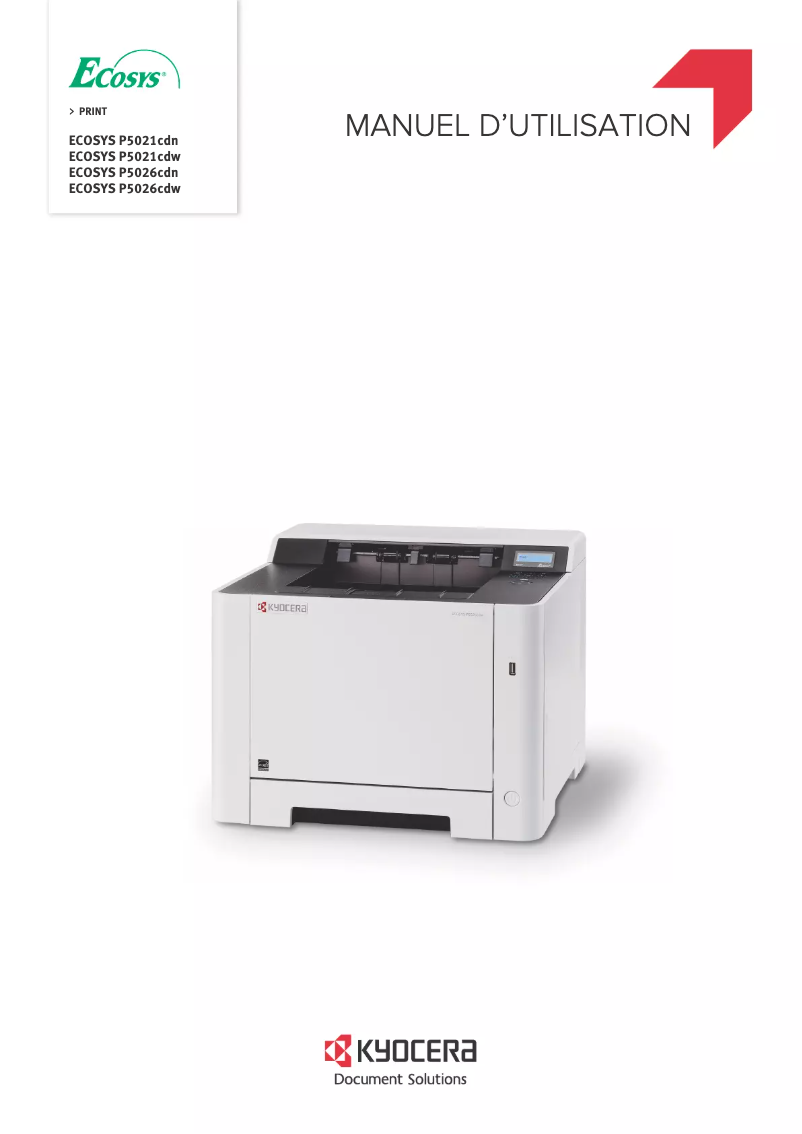
The Kyocera ECOSYS P5026cdn/KL3 printer stands out for its high-quality prints, offering a maximum resolution of 9600 x 600 DPI, ensuring precise details and vibrant colors. With a fast printing speed of 26 pages per minute, it effectively meets the needs of demanding work environments. Additionally, its maximum service cycle of 50,000 pages per month makes it a robust choice for heavy users. However, there are some drawbacks to note. The manual duplex printing mode can be less convenient for those who prefer automatic printing. The lack of Wi-Fi connectivity also limits usage flexibility, requiring a direct connection to the network for wireless printing. Furthermore, its weight of 21 kg may pose challenges for users seeking a more mobile solution. The printer's performance is solid, but the cost of replacement cartridges can add up quickly for users with high printing needs, despite the intention to save in the long run. In terms of design, while it is functional, the weight remains a friction point for those looking for greater mobility. Regarding features, the printer offers appreciated options such as manual duplex printing and a high service cycle, even though Wi-Fi connectivity is absent, which limits connection. Finally, the support is adequate, with documents like the user manual and a FAQ available to assist users. Overall, the Kyocera ECOSYS P5026cdn/KL3 is a high-performing and reliable printer, ideal for professional users, but it has some limitations to consider before purchase.Score details
User experience
The user experience is generally positive due to the print quality and compatibility with various operating systems, although the manual duplex printing mode may be less convenient.
Performance
The performance is solid, with a fast printing speed of 26 pages per minute and a maximum resolution of 9600 x 600 DPI, but the weight of the printer may limit its mobility.
Value for money
The cost of replacement cartridges can add up quickly for users with high printing needs, despite an intention to save in the long term.
Design
The design is functional, but the weight of 21 kg may pose a problem for those looking for a more mobile solution.
Features
The printer offers appreciated features like manual duplex printing and a high duty cycle, although it lacks Wi-Fi connectivity, making the connection less flexible.
Support
The availability of documents such as the user manual and FAQ ensures a good level of support for users.
Advantages
High-quality prints up to 9600 x 600 DPI
Print speed up to 26 pages/minute
Manual duplex printing for paper savings
Monthly duty cycle of 50,000 pages
Compatible with Windows, Mac, and Linux
Disadvantages
Manual double-sided printing
No Wi-Fi connectivity
Weight of 21 kg difficult to move
High cost of replacement cartridges
Limited output capacity of 150 sheets
Technical Specifications ECOSYS P5026cdn/KL3
General Information
-
ModelECOSYS P5026CDN/KL3
-
Brand
-
Category
-
Type
-
SKU1243760
-
MPN1243760
Print speed
-
Economic printingYes
-
Maximum resolution9600 x 600 DPI
-
Economic printingYes
-
Printing technologyLaser
-
Print speed (color, normal quality, A4/US Letter)26 ppm
-
Print speed (color, normal quality, A4/US Letter)26 ppm
-
Preheating time29 s
-
Copy time for the first page (Black, normal)9.5 s
-
Copy time for the first page (color, normal)10.5 s
-
Duplex printing modeAuto
-
Duplex printing speed (color, normal quality, A4/US Letter)13 ppm
-
Duplex printing speed (color, normal quality, A4/US Letter)13 ppm
-
Economic printingYes
-
Black print resolution1200 x 1200 DPI
-
Black print resolution1200 x 1200 DPI
Features
-
Service cycle (Maximum)50000 pages per month
-
Number of print cartridges4
-
Languages of the page descriptionMicrosoft XPS, PCL 5c, PCL 6, PCL XL, PostScript 3
-
Printing colorsBlack, Cyan, Magenta, Yellow
-
Service cycle (recommended)1000 - 2000 pages per month
-
Replacement cartridgesTK-5240K (4,000 pages)
-
TK-5240CMY (3,000 pages)
Design
-
ScreenLCD
-
Product colorBlack, White
-
Built-in screenYes
-
Market positionDomestic and professional
-
Color displayNo
-
Order typeButtons
-
CertificationGS, TüV, CE
Power
-
AC input voltage220 - 240 V
-
AC input frequency50 Hz
-
Average power consumption in Print mode375 W
-
Energy consumption (standby mode)33 W
-
Energy consumption (eco mode)0.9 W
-
Electricity consumption (stop)0.2 W
-
Energy Star, typical electrical consumption (TEC)0.94 kWh/week
Representation / realization
-
Sound pressure level (impression)47.4 dB
-
Sound level (ready)30 dB
-
Built-in memory card readerYes
-
Processor frequency800 MHz
-
Maximum internal memory512 MB
-
Maximum internal memory512 MB
-
Compatible memory cardsSD, SDHC
-
Built-in memory card readerYes
-
Processor familyARM Cortex
-
Processor modelA9
-
Sound pressure level (silent mode)43.4 dB
Input and output capacity
-
Input capacity of the paper tray 1250 sheets
-
Maximum input capacity550 sheets
-
Input capacity of multi-purpose trays50 sheets
-
Total number of power supply units1
-
Maximum number of feed bins2
-
Paper feed typeCassette, Paper tray
-
Maximum output capacity150 sheets
-
Multifunctional trayYes
-
Input capacity of the paper tray 1250 sheets
-
Maximum output capacity150 sheets
Minimum system requirements
-
Support for the Linux operating systemYes
-
Support for the Mac operating systemMac OS X 10.10 Yosemite, Mac OS X 10.11 El Capitan, Mac OS X 10.12 Sierra, Mac OS X 10.13 High Sierra, Mac OS X 10.14 Mojave, Mac OS X 10.15 Catalina, Mac OS X 10.8 Mountain Lion, Mac OS X 10.9 Mavericks
-
Support for the Linux operating systemYes
Paper management
-
Maximum ISO A series paper sizeA4
-
Type of paper tray supportOrdinary paper
-
ISO, Format Series A (A0...A9)A4, A5, A6
-
ISO, Formats Series-B (B0...B9)B5, B6
-
Non-ISO print support sizesLegal (media size), Letter (media size)
-
Weight of paper tray support60 - 163 g/m²
-
Weight of the multifunctional tray support60 - 220 g/m²
-
Support weight supported in duplex mode60 - 120 g/m²
-
Support width customization70 - 216 mm
-
Customization of support length148 - 356 mm
-
Maximum print format216 x 356 mm
Weight and dimensions
-
Depth410 mm
-
Depth410 mm
-
Height329 mm
-
Weight21000 g
Network
-
Ready-to-use networkYes
-
BluetoothNo
-
Ready-to-use networkYes
-
Wiring technology10/100/1000Base-T(X)
-
LAN Ethernet: data transfer rate10,100,1000 Mbit/s
-
BluetoothNo
-
BluetoothNo
-
Mobile printing technologiesApple AirPrint, Google Cloud Print, Kyocera Mobile Print, Mopria Print Service
-
Security-supported algorithm802.1x RADIUS, HTTPS, IPPS, IPSEC, SNMPv3
Connectivity
-
Standard interfacesEthernet, USB 2.0
-
USB portYes
-
USB portYes
-
Quantity of USB 2.0 Ports2
Sustainability
-
Sustainability certificatesBlue Angel
-
CE
-
REACH
-
RoHS
-
EPEAT Silver
-
ENERGY STAR
Environmental conditions
-
Operating temperature10 - 32.5 °C
-
Temperature out of operation-20 - 40 °C
-
Operating relative humidity (H-H)10 - 80 %
-
Relative humidity rate (storage)10 - 90 %
-
Operating altitude0 - 3500 m
-
Non-operating altitude0.6 - 15000 m
Packaging information
-
Package width592 mm
-
Package depth567 mm
-
Package height460 mm
-
Package weight27000 g
Packaging contents
-
Cartridge(s) includedYes
-
Included cartridge capacity (CMY)1200 pages
-
Included cartridge capacity (CMY)1200 pages
-
Cables includedSector
Certificate
-
Compliant with the standard (WEEE, Waste Electrical and Electronic Equipment)Yes
Logistics data
-
Harmonized System Code84433210
Frequently Asked Questions
What is the weight of the Kyocera ECOSYS P5026cdn/KL3?
What is the best method to remove paper jammed in the printer?
Why is my printer not recognizing the original cartridges?
What are the possible reasons for poor print quality?
How does a laser printer differ from an inkjet printer?
Why does my inkjet printer leave black streaks on prints?
What does the acronym DPI mean?
What certifications does the Kyocera ECOSYS P5026cdn/KL3 have?
How many cartridges can be installed in the Kyocera ECOSYS P5026cdn/KL3?
What is the height of the Kyocera ECOSYS P5026cdn/KL3?
What is the width of the Kyocera ECOSYS P5026cdn/KL3?
What is the depth of the Kyocera ECOSYS P5026cdn/KL3?
Is the manual for the Kyocera ECOSYS P5026cdn/KL3 available in French?
Similar products


More product categories from brand Kyocera
Phones Kyocera
Other Kyocera
More product types from brand Kyocera


Presentation of product ECOSYS P5026cdn/KL3 specifications from brand Kyocera
General Information
The Kyocera ECOSYS P5026cdn/KL3 printer is a model from the Kyocera brand, known for its commitment to quality and innovation in the printing device sector. This model, identified by the code 1102RC3NL0, is designed to deliver optimal performance, conducive to an enhanced user experience. The associated EAN codes, such as 0632983036648 and 4058154134832, ensure unique identification in distribution systems.
Print Speed
This printer supports color printing, allowing it to meet various aesthetic needs. With a maximum resolution of 9600 x 600 DPI, it ensures prints of remarkable clarity, ideal for professional or personal applications. Its print speed reaches up to 26 pages per minute in both black and color, making it particularly efficient for demanding work environments.
The laser printing system of the Kyocera ECOSYS P5026cdn/KL3 guarantees precise and professional results. Additionally, it offers a manual duplex printing function, contributing to reduced paper consumption and promoting a more eco-friendly approach. The warm-up time is 29 seconds, and the first page print delay is 9.5 seconds for black prints and 10.5 seconds for color prints.
Technical Specifications
The maximum duty cycle is 50,000 pages per month, which is perfectly suited for high-volume printing users. The printer uses four toner cartridges and is compatible with various page description languages, including Microsoft XPS, PCL, and PostScript. Replacement cartridges, such as the TK-5240K for black and TK-5240CMY for colors, ensure consistent print quality.
Design and Ergonomics
The Kyocera ECOSYS P5026cdn/KL3 is equipped with a built-in LCD screen, providing an intuitive user interface. With dimensions of 410 x 410 x 329 mm and a weight of 21 kg, its design is suitable for home or professional use. The printer's color is a mix of black and white, giving it a modern and elegant look.
Connectivity and Compatibility
This printer is equipped with Ethernet/LAN connectivity but does not offer Wi-Fi or Bluetooth functionality. It is compatible with several operating systems, including Windows, Mac (versions Yosemite to Catalina), and Linux, facilitating its integration into various work environments. The number of USB 2.0 ports is 2, allowing easy connection to different devices.
Durability and Energy Consumption
The Kyocera ECOSYS P5026cdn/KL3 complies with several environmental standards, such as Blue Angel and ENERGY STAR, attesting to its energy efficiency. The power consumption is 375 W in print mode, while in standby, it consumes only 33 W. In energy-saving mode, the consumption is reduced to 0.9 W.
Environmental Conditions
This printer operates within a temperature range of 10 to 32.5 °C and can withstand relative humidity levels of 10 to 80 %. Its ability to function at altitudes of up to 3500 m makes it a flexible choice for various work environments.
Packaging Information
The package dimensions are 592 x 567 x 460 mm and its weight is 27 kg, ensuring adequate protection during transport. The packaging also includes toner cartridges, allowing you to start using the printer immediately.


