

Manuals of product ECOSYS P6230cdn


Editorial note
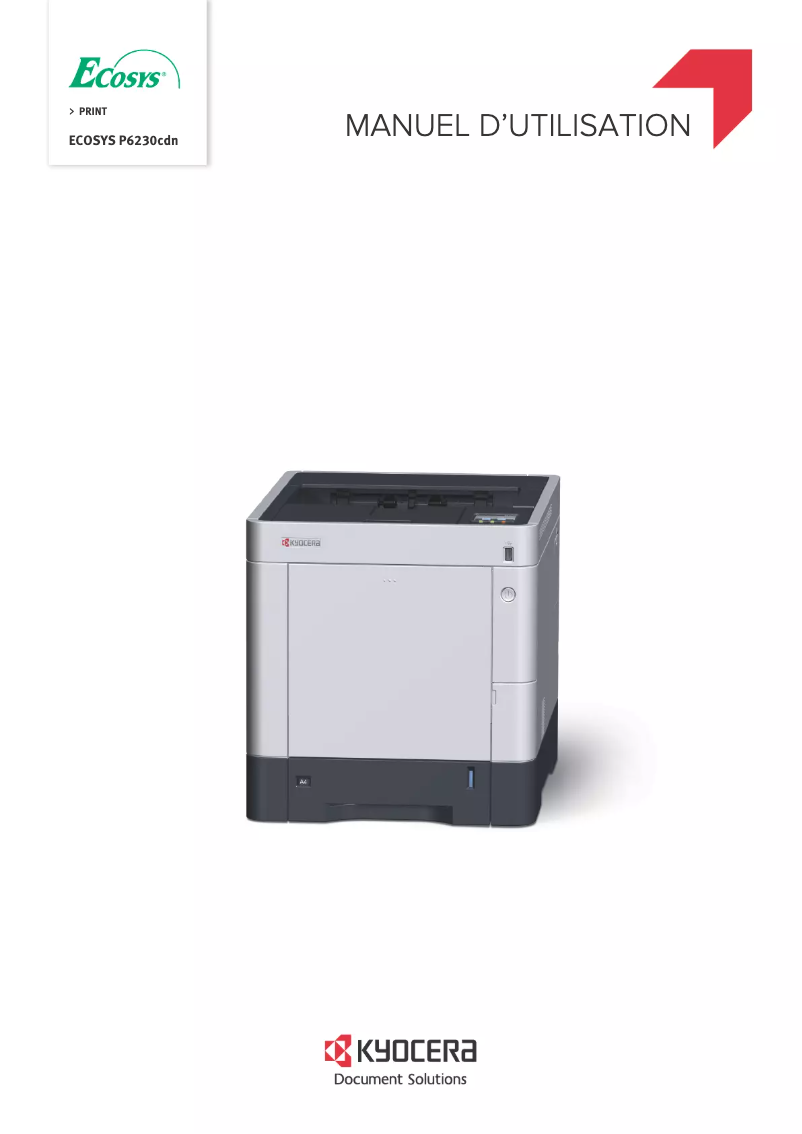
The Kyocera ECOSYS P6230cdn printer stands out for its impressive performance, offering a print speed of up to 30 pages per minute. Its laser printing technology ensures a maximum resolution of 1200 x 1200 DPI, providing prints of exceptional clarity. Additionally, the built-in duplex printing feature optimizes resource use and reduces paper volume, which is an asset in a demanding work environment. However, there are some drawbacks to consider. Weighing 28,300 g, its installation and movement can be challenging, especially in offices where mobility is required. The 26-second warm-up time may also be too long for situations requiring quick prints. The lack of built-in Wi-Fi connectivity limits usage flexibility, requiring cables for connection. Furthermore, the cost of replacement cartridges can be high, increasing long-term operating expenses, and the maximum output capacity of 250 sheets may lead to frequent interruptions in high-volume printing environments. Regarding user experience, the interface is intuitive, making it easy to use, although the weight may pose issues during installation. The provided documentation is comprehensive and helpful, with a good level of support, contributing to an overall positive experience. In summary, the Kyocera ECOSYS P6230cdn is a solid option for those seeking a high-performance printer, but it is essential to consider its limitations in terms of mobility and operating costs.Score details
User experience
The user experience is positive due to an intuitive interface and well-thought-out features, but the weight of the printer can make installation difficult.
Performance
The printer offers a fast printing speed of up to 30 pages per minute, although the warm-up time of 26 seconds may be a drawback in situations requiring instant prints.
Design
The design is functional, but the weight of 28,300 g can hinder mobility in an office environment.
Value for money
The cost of replacement cartridges can be high, increasing long-term operating expenses.
Features
Laser printing technology with a resolution of 1200 x 1200 DPI and built-in duplex printing, but the lack of built-in Wi-Fi limits flexibility.
Usability
Although the maximum input capacity of 2100 sheets is impressive, the output capacity of 250 sheets can lead to frequent interruptions in high-volume printing environments.
Support
Documents available for the user, including a manual and FAQ, providing a good level of support.
Documentation
The documentation is comprehensive with 271 pages, providing detailed information on usage and safety.
Advantages
Fast printing up to 30 pages per minute
Laser resolution of 1200 x 1200 DPI
Built-in duplex printing for savings
Input capacity of 2100 sheets
Ethernet connectivity and mobile printing available
Disadvantages
High weight, difficult installation
Preheating time too long
No built-in Wi-Fi
High cost of cartridges
Insufficient output capacity
Technical Specifications ECOSYS P6230cdn
General Information
-
ModelECOSYS P6230CDN
-
Brand
-
Category
-
Type
-
SKU1148572
-
MPN1148572
Print speed
-
Double-sided printingYes
-
Maximum resolution1200 x 1200 DPI
-
Double-sided printingYes
-
Printing technologyLaser
-
Print speed (black, normal quality, A4/US Letter)30 ppm
-
Preheating time26 s
-
Copy time for the first page (Black, normal)6 s
-
Copy time for the first page (color, normal)7 s
-
Duplex printing speed (Black, normal quality, A4/US Letter)15 ppm
Features
-
Number of print cartridges-
-
Service cycle (Maximum)- pages per month
-
Languages of the page descriptionPCL 5c, PCL 6, PCL XL, PDF 1.7, PostScript 3, XPS
-
Replacement cartridgesTK-5270Y, TK-5270C, TK-5270M, TK-5270K
-
Printing colorsBlack, Cyan, Magenta, Yellow
Input and output capacity
-
Maximum input capacity2100 sheets
-
Total power capacity500 sheets
-
Input capacity of multi-purpose trays100 sheets
-
Paper feed typeCassette, Paper tray
-
Total output capacity- sheets
-
Maximum output capacity250 sheets
-
Multifunctional trayYes
Paper management
-
Maximum ISO A series paper sizeA4
-
Type of paper tray supportOrdinary paper
-
ISO, Format Series A (A0...A9)A4, A5, A6
-
ISO, Formats Series-B (B0...B9)B5, B6
-
Weight of paper tray support60 - 163 g/m²
-
Weight of the multifunctional tray support60 - 220 g/m²
-
Types of multi-purpose binsLegal, Letter, Plain paper
-
Non-ISO print support sizesFolio (media size), Legal (media size), Letter (media size)
-
Support width customization70 - 216 mm
-
Customization of support length148 - 356 mm
-
Maximum print format216 x 356 mm
Network
-
Wifi-
-
Ready-to-use network-
-
Ethernet/LANYes
-
Wiring technology10/100/1000Base-T(X)
-
Mobile printing technologiesApple AirPrint, Google Cloud Print, Kyocera Mobile Print, Mopria Print Service
-
LAN Ethernet: data transfer rate10,100,1000 Mbit/s
Connectivity
-
Standard interfacesRJ-45, USB 2.0
-
Optional connectivityWireless LAN
-
Direct printingYes
Representation / realization
-
Internal memory1000 MB
-
Internal memory1000 MB
-
Integrated into the processorYes
-
Internal storage capacity128 GB
-
Sound pressure level (impression)49.5 dB
-
Sound power level (standby)30 dB
-
Integrated into the processorYes
-
Processor familyARM Cortex
-
Processor modelA9
-
Processor frequency1200 MHz
-
Number of processor cores2
-
Storage mediaHDD
Design
-
Built-in screen-
-
Product colorBlack
-
CertificationWhite
-
TÜV/GS
-
CE
Power
-
AC input voltage220 - 240 V
-
AC input frequency50 - 60 Hz
-
Average power consumption in Print mode466 W
-
Energy consumption (standby mode)0.6 W
-
Energy consumption (loan)56 W
Minimum system requirements
-
Support for the Linux operating systemYes
-
Support for the Mac operating systemMac OS X 10.10 Yosemite, Mac OS X 10.11 El Capitan, Mac OS X 10.12 Sierra, Mac OS X 10.13 High Sierra, Mac OS X 10.8 Mountain Lion, Mac OS X 10.9 Mavericks
-
Support for the Linux operating systemYes
Weight and dimensions
-
Width390 mm
-
Depth532 mm
-
Height409.5 mm
-
Weight28300 g
Frequently Asked Questions
What is the weight of the Kyocera ECOSYS P6230cdn?
What is the best method to remove paper jammed in the printer?
Why is my printer not accepting original cartridges?
Why is the print quality of my documents poor?
What is the difference between a laser printer and an inkjet printer?
Why does my inkjet printer leave black streaks on prints?
What does the acronym DPI mean?
What are the certifications of the Kyocera ECOSYS P6230cdn?
How many cartridges can be installed in the Kyocera ECOSYS P6230cdn?
What is the height of the Kyocera ECOSYS P6230cdn?
What is the width of the Kyocera ECOSYS P6230cdn?
What is the depth of the Kyocera ECOSYS P6230cdn?
What is the storage capacity of the Kyocera ECOSYS P6230cdn?
Why is my printer not printing anything?
How can I improve print quality if my documents are blurry?
What should I do if my printer frequently jams?
How do I set up secure printing on the Kyocera ECOSYS P6230cdn?
Why am I receiving a 'low toner' warning when I recently replaced the cartridge?
Does the Kyocera ECOSYS P6230cdn have a duplex printing function?
What is the maximum resolution of the Kyocera ECOSYS P6230cdn?
What is the printing speed of the Kyocera ECOSYS P6230cdn?
What is the maximum input capacity of the Kyocera ECOSYS P6230cdn?
Is the manual for the Kyocera ECOSYS P6230cdn available in French?
Similar products


More product categories from brand Kyocera
Phones Kyocera
Other Kyocera
More product types from brand Kyocera


Presentation of product ECOSYS P6230cdn specifications from brand Kyocera
General Information
The Kyocera ECOSYS P6230cdn is a printer from the Kyocera brand, known for its innovation and reliability in the printing device sector. This model, identified by the code 870B61102TV3NL0, is designed to deliver high performance and an enhanced user experience. Its EAN codes, 0632983934296 and 0632983933930, ensure its unique identification in distribution systems.
Print Speed
This printer supports color printing, offering a maximum resolution of 1200 x 1200 DPI, ensuring results of impressive clarity, suitable for both professional needs and personal prints. The built-in duplex printing function saves paper while optimizing resource use. With a print speed of up to 30 pages per minute in black and white, it is particularly efficient for dynamic work environments. The warm-up time is 26 seconds, and the first page print delay is 6 seconds for black prints and 7 seconds for color prints, which is ideal for quick printing needs.
Features
The maximum service cycle of the printer is suitable for heavy users, although the number of print cartridges is standard. It supports page description languages such as PCL 5c, PCL 6, and PostScript 3, among others. Replacement cartridges are identified by the codes TK-5270Y, TK-5270C, TK-5270M, and TK-5270K, ensuring consistent print quality.
Input and Output Capacity
The maximum input capacity of the printer is 2100 sheets, allowing for efficient management of a high volume of documents. The total feed capacity is 500 sheets, with a multi-purpose tray that can hold up to 100 sheets. Regarding output, the maximum capacity is 250 sheets, which may require frequent interventions in a high-volume printing environment.
Paper Management
The Kyocera ECOSYS P6230cdn supports various paper formats, including A4, A5, and several B formats. It can handle media ranging from 60 to 220 g/m², and its multi-purpose tray is compatible with different types of documents, including envelopes and labels. Customizable paper dimensions allow for flexible use according to the specific needs of the user.
Network
The printer's connectivity includes an Ethernet/LAN port, facilitating integration into corporate networks. However, it does not have built-in Wi-Fi, which may limit usage flexibility. The data transfer rate is 10/100/1000 Mbit/s, ensuring a fast connection for efficient access to printing functions.
Connectivity
This printer is equipped with standard interfaces to ensure optimal integration with various devices. Optional wireless LAN connectivity can expand usage possibilities. The direct printing function allows for quick printing from external devices, increasing convenience for users.
Representation / Performance
Equipped with an internal memory of 1000 Mo, this printer can handle a substantial volume of data and applications. It also features a built-in memory card reader, facilitating file transfer. The noise level in print mode is 49.5 dB, while in standby, it is 30 dB, allowing for relatively quiet operation.
Design
The Kyocera ECOSYS P6230cdn features a modern design in black and white tones. It is equipped with a built-in screen for an enhanced user experience. TÜV/GS and CE certifications attest to its compliance with safety standards.
Power
Its power supply operates at a voltage of 220 - 240 V with a frequency of 50 - 60 Hz. The power consumption in print mode is 466 W, while in standby, it reduces to 0.6 W, contributing to energy efficiency.
Minimum System Requirements
The Kyocera ECOSYS P6230cdn is compatible with several operating systems, including Windows and various versions of Mac OS, as well as Linux, thus offering usage flexibility for a wide range of users.
Weight and Dimensions
With dimensions of 390 mm wide, 532 mm deep, and 409.5 mm high, and a weight of 28 300 g, this printer is designed for use in offices where space is a consideration.


