

Manual of product ECOSYS P7035cdn
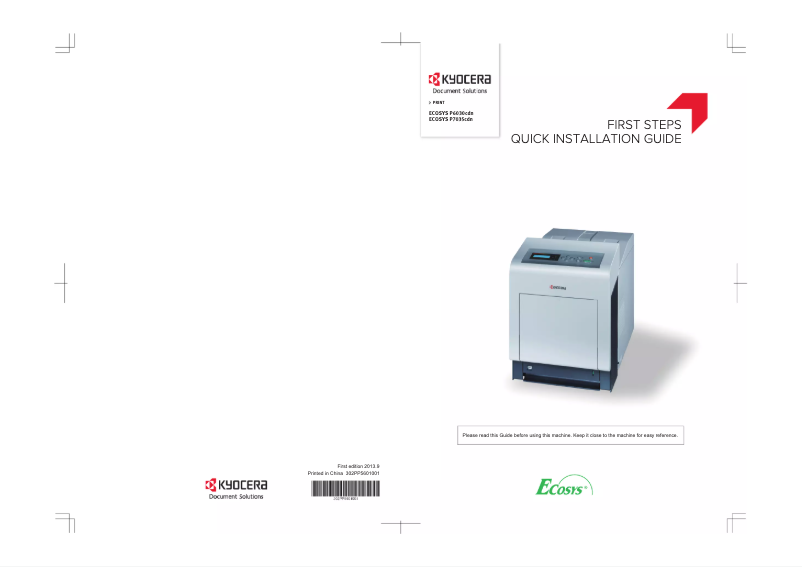
Editorial note
The Kyocera ECOSYS P7035cdn stands out for its printing speed, reaching 35 pages per minute, making it ideal for demanding work environments. Its maximum paper capacity of 2,650 sheets and its sustainability certifications such as Blue Angel and ENERGY STAR testify to its efficiency and environmental friendliness, thus offering good value for money. However, there are some drawbacks to consider. The 45-second warm-up time may frustrate users looking for immediate printing. Additionally, the lack of Wi-Fi connectivity limits wireless printing options, and manual duplex printing may not suit everyone. The weight of 35 kg can also pose challenges during setup or rearrangement. In terms of user experience, Ethernet network connectivity is a plus, but the lack of Wi-Fi and the need for manual duplex printing can complicate usage for some. While the available documentation is sufficient, a more detailed guide could help users fully utilize the printer's features. Overall, the Kyocera ECOSYS P7035cdn is a robust and efficient printer, but it has some limitations in connectivity and functionality that may not suit all users.Score details
User experience
The user experience is positive due to fast and efficient printing, but the 45-second warm-up time may be a drawback for those seeking immediate use.
Performance
With a printing speed of 35 pages per minute, the product meets the demands of high-pressure work environments, although manual duplex printing may limit its efficiency.
Design
The design is modern, but the weight of 35 kg may pose mobility issues during installation or rearrangement.
Value for money
The product offers good value for money with its 2650-sheet paper capacity and sustainability certifications, although it lacks Wi-Fi connectivity.
Robustness
Sustainability certifications such as Blue Angel and ENERGY STAR ensure that the device is designed to last while being environmentally friendly.
Usability
Ethernet network connectivity is a plus, but the absence of Wi-Fi and the need for manual duplex printing may complicate use for some.
Support
The user manual is available, but more online resources or phone support could enhance the user experience.
Documentation
The provided documentation is sufficient, but a more detailed guide could help users make the most of the features.
Advantages
Fast printing: 35 pages per minute
Double-sided printing to save paper
Ethernet connectivity for easy sharing
Capacity of 2650 sheets for high volumes
Eco certifications: Blue Angel and ENERGY STAR
Disadvantages
No Wi-Fi connectivity
Slow preparation of 45 seconds
Manual double-sided printing
Noise of 53.2 dB during printing
Weight of 35 kg, difficult to move
Technical Specifications ECOSYS P7035cdn
General Information
-
ModelECOSYS P7035CDN
-
Brand
-
Category
-
Type
-
SKU111624
-
MPN111624
Print speed
-
Secure printingYes
-
Maximum resolution600 x 600 DPI
-
Secure printingYes
-
Printing technologyLaser
-
Print speed (black, normal quality, A4/US Letter)35 ppm
-
Preheating time45 s
-
Copy time for the first page (Black, normal)8 s
-
Secure printingYes
-
Duplex printing modeAuto
Features
-
Service cycle (Maximum)150000 pages per month
-
Number of print cartridges4
-
Languages of the page descriptionMicrosoft XPS, PCL 5c, PCL 6, PCL XL, PDF 1.7, PostScript 3
-
Printing colorsBlack, Cyan, Magenta, Yellow
Input and output capacity
-
Total power capacity650 sheets
-
Maximum input capacity2650 sheets
-
Input capacity of multi-purpose trays150 sheets
-
Total number of power supply units2
-
Maximum number of feed bins6
-
Paper feed typeCassette, Paper tray
-
Total output capacity- sheets
-
Maximum output capacity500 sheets
-
Multifunctional trayYes
Paper management
-
ISO, Format Series A (A0...A9)A4
-
Maximum print formatA5
-
Type of paper tray supportA6
-
ISO, Formats Series-B (B0...B9)216 x 356 mm
-
Non-ISO print support sizesOrdinary paper
-
Support weight supported in duplex modeB5
-
Weight of the multifunctional tray supportFolio (media size), Letter (media size)
-
Support weight supported in duplex mode60 - 120 g/m²
-
Support width customization60 - 220 g/m²
-
Customization of support length60 - 120 g/m²
-
Maximum ISO A series paper size70 - 216 mm
-
138 - 356 mm
-
A4
Network
-
Mobile printing technologies-
-
Ready-to-use networkYes
-
WifiNo
-
Ready-to-use networkYes
Connectivity
-
Standard interfacesEthernet, USB 2.0
-
Optional connectivityWireless LAN
-
Direct printingYes
Representation / realization
-
Internal memory512 MB
-
Maximum internal memory1536 MB
-
Sound pressure level (impression)53.2 dB
-
Sound power level (standby)33.7 dB
-
Processor frequency667 MHz
-
Processor familyPowerPC
-
Processor model465S
-
Integrated into the processorYes
Design
-
Product colorBlack, White
-
ScreenLCD
-
Number of lines displayed5 lines
-
CertificationTÜV/GS, CE
-
Built-in screenYes
Power
-
AC input voltage220 - 240 V
-
AC input frequency50 - 60 Hz
-
Average power consumption in Print mode622 W
-
Energy consumption (standby mode)86 W
-
Energy consumption (eco mode)4 W
-
Electricity consumption (stop)0 W
Minimum system requirements
-
Support for the Windows operating systemYes
-
Support for the Mac operating systemMac OS X 10.5 Leopard
-
Mac OS X 10.6 Snow Leopard
-
Mac OS X 10.7 Lion
-
Mac OS X 10.8 Mountain Lion
-
Mac OS X 10.9 Mavericks
Weight and dimensions
-
Width345 mm
-
Depth518 mm
-
Height512 mm
-
Weight35000 g
Packaging contents
-
Drivers includedYes
Sustainability
-
Sustainability certificatesBlue Angel
-
ENERGY STAR
Frequently Asked Questions
What is the weight of the Kyocera ECOSYS P7035cdn model?
What is the recommended method for removing paper jammed in the printer?
Why does my printer not recognize the original cartridges?
What could be the reasons for poor print quality?
How does a laser printer differ from an inkjet printer?
Why does my inkjet printer leave black streaks on prints?
What does the acronym DPI mean?
What certifications does the Kyocera ECOSYS P7035cdn have?
How many cartridges can be installed in the Kyocera ECOSYS P7035cdn?
What is the height of the Kyocera ECOSYS P7035cdn?
What is the width of the Kyocera ECOSYS P7035cdn?
What is the depth of the Kyocera ECOSYS P7035cdn?
Is the manual for the Kyocera ECOSYS P7035cdn available in French?
Similar products


More product categories from brand Kyocera
Phones Kyocera
Other Kyocera
More product types from brand Kyocera


Presentation of product ECOSYS P7035cdn specifications from brand Kyocera
General Information
The model Kyocera ECOSYS P7035cdn is a printer from the brand Kyocera, known for its innovation and quality. This model, identified by the code 1102PR3NL0, is designed to provide optimal performance and an enhanced user experience. It is referenced by the following EAN codes: 632983032350, 6329830323504, 0632983032350, 5052184070848, allowing for precise identification in distribution systems.
Print Speed
The Kyocera ECOSYS P7035cdn offers color printing, thus facilitating alignment with your aesthetic preferences. Its maximum resolution of 600 x 600 DPI ensures exceptionally clear prints, ideal for various needs. The printer also integrates a manual duplex printing feature, helping to reduce paper waste. Utilizing laser printing technology, it guarantees optimal output quality with a print speed of 35 pages per minute in black, which is perfectly suited for professional use. The warm-up time is 45 seconds, and the first page copy delay is 8 seconds, making the device efficient for demanding work environments. Additionally, the printer ensures secure printing for confidential documents.
Technical Specifications
The maximum service cycle of the Kyocera ECOSYS P7035cdn is 150,000 pages per month, thus meeting the demands of heavy users. It uses 4 toner cartridges and supports several page description languages, such as Microsoft XPS, PCL 5c, PCL 6, PCL XL, PDF 1.7, and PostScript 3. The print colors include black, cyan, magenta, and yellow, ensuring a rich and accurate visual output.
Input and Output Capacity
The total paper feed capacity of the device is 650 sheets, while its maximum input capacity reaches 2650 sheets, allowing for the management of large print volumes without interruption. The total number of feed trays is 2, with a capacity for the multi-purpose trays of 150 sheets. The multi-function tray adds flexibility in use. The maximum output capacity is 500 sheets.
Paper Management
The Kyocera ECOSYS P7035cdn is compatible with various paper sizes, including A series (A0 to A9) such as A4, A5, A6, and the maximum print size of 216 x 356 mm. It supports paper weights ranging from 60 to 220 g/m², ensuring print quality across a wide range of media. Customization of paper dimensions allows for adaptation according to the specific needs of the user.
Network
The printer is equipped with Ethernet/LAN connectivity, facilitating its integration within a network. However, it does not have Wi-Fi connectivity, which may limit wireless printing options. Its compatibility with various mobile printing technologies allows for quick printing from mobile devices.
Connectivity
The Kyocera ECOSYS P7035cdn features standard interfaces for optimal connectivity with different devices. It also offers optional wireless LAN connectivity, although direct printing is supported for increased efficiency.
Representation / Performance
This printer has an internal memory of 512 MB, expandable up to 1536 MB, allowing for efficient data management. The sound pressure level during printing is 53.2 dB, while the standby level is 33.7 dB, ensuring relatively quiet operation. The processor operates at a frequency of 667 MHz and belongs to the PowerPC family, ensuring reliable performance.
Design
The design of the Kyocera ECOSYS P7035cdn is distinguished by its black and white color, offering a modern aesthetic. Its integrated LCD screen of 5 lines allows for clear viewing of information. Certifications such as TÜV/GS and CE attest to its compliance with safety and performance standards.
Power
The AC input voltage of the device is 220 - 240 V, with an input frequency of 50 - 60 Hz. In print mode, the average power consumption is 622 W, while it is 86 W in standby and 4 W in energy-saving mode, thus contributing to energy savings. In off mode, the consumption is 0 W.
Minimum System Requirements
The Kyocera ECOSYS P7035cdn supports Windows operating systems, ensuring smooth compatibility. It is also compatible with several versions of Mac OS, including Mac OS X 10.5 to Mac OS X 10.9.
Weight and Dimensions
The dimensions of the printer are 345 mm in width, 518 mm in depth, and 512 mm in height. Its weight of 35 kg may require precautions during installation and movement.
Package Contents
The Kyocera ECOSYS P7035cdn comes with included drivers, facilitating quick and easy installation.
Durability
Certified by labels such as Blue Angel and ENERGY STAR, this printer meets high standards for energy efficiency and environmental protection.


