

Manuals of product ECOSYS P7240cdn
Editorial note
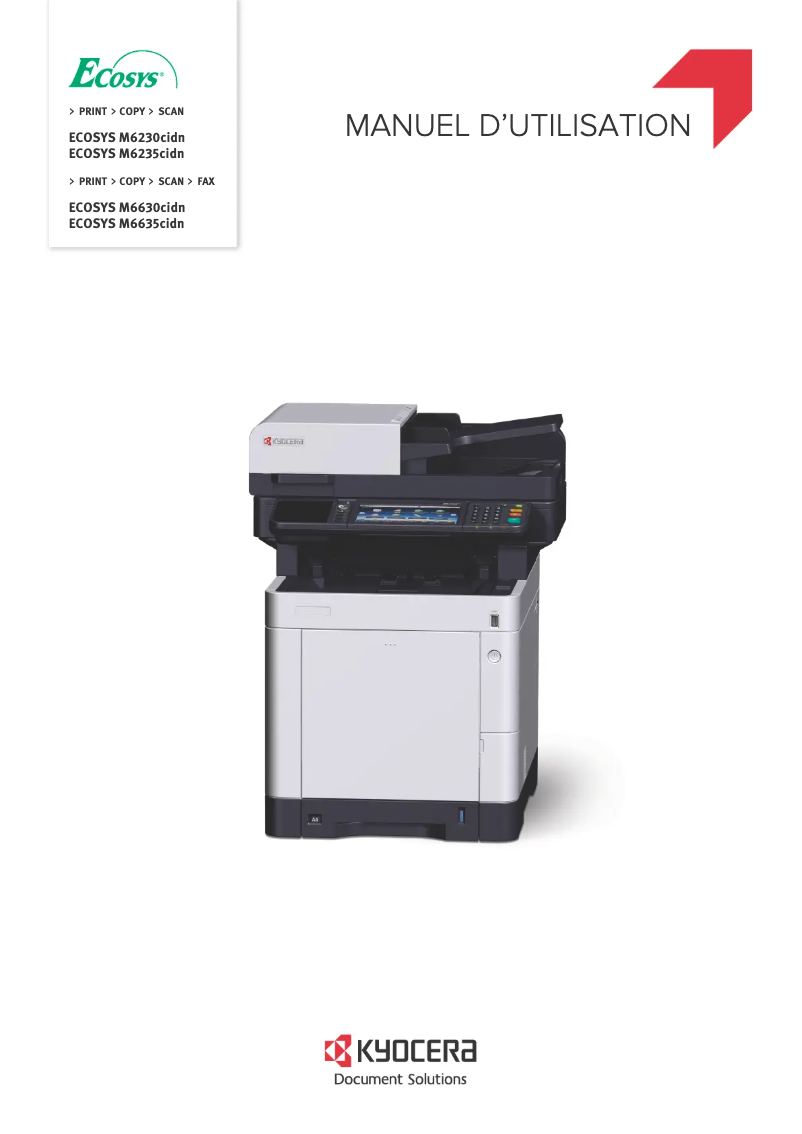
The Kyocera ECOSYS P7240cdn is a printer that stands out for its impressive printing speed of 40 pages per minute, both in color and black. This performance is ideal for demanding work environments, ensuring high productivity. Added to this, its maximum print resolution of 9600 x 600 DPI ensures high-quality prints with precise details and vibrant colors. The built-in duplex printing feature also helps optimize resource use, contributing to reduced paper costs. However, some drawbacks must be considered. The lack of Wi-Fi connectivity may limit usage flexibility, especially in offices where wireless connection is preferred. Additionally, its weight of 31 kg can complicate installation and movement. The total paper capacity of 500 sheets may seem insufficient for users with very high printing needs, leading to frequent reloads. Finally, the cost of replacement cartridges can represent a significant long-term investment. In terms of user experience, the intuitive interface and well-thought-out features make using the printer enjoyable, even though the lack of Wi-Fi can be problematic. The provided documentation, including a user manual and a FAQ, is comprehensive and offers a good level of support. Despite some limitations, the Kyocera ECOSYS P7240cdn remains a high-performing choice for professionals looking for a reliable and quality printer.Score details
User experience
The user experience is satisfactory thanks to an intuitive interface and well-thought-out features, although the lack of Wi-Fi connectivity may limit flexibility.
Performance
The printing speed of 40 pages per minute, both in color and black, ensures high productivity, ideal for demanding work environments.
Design
The design is modern, but the weight of 31 kg can complicate its installation and movement.
Value for money
The cost of replacement cartridges is high, which can be a long-term drawback for heavy users.
Features
Features such as a maximum print resolution of 9600 x 600 DPI and duplex printing contribute to exceptional print quality.
Usability
The maximum input capacity of 2100 sheets allows for handling large volumes of documents, although the total feed capacity of 500 sheets may require frequent reloading.
Support
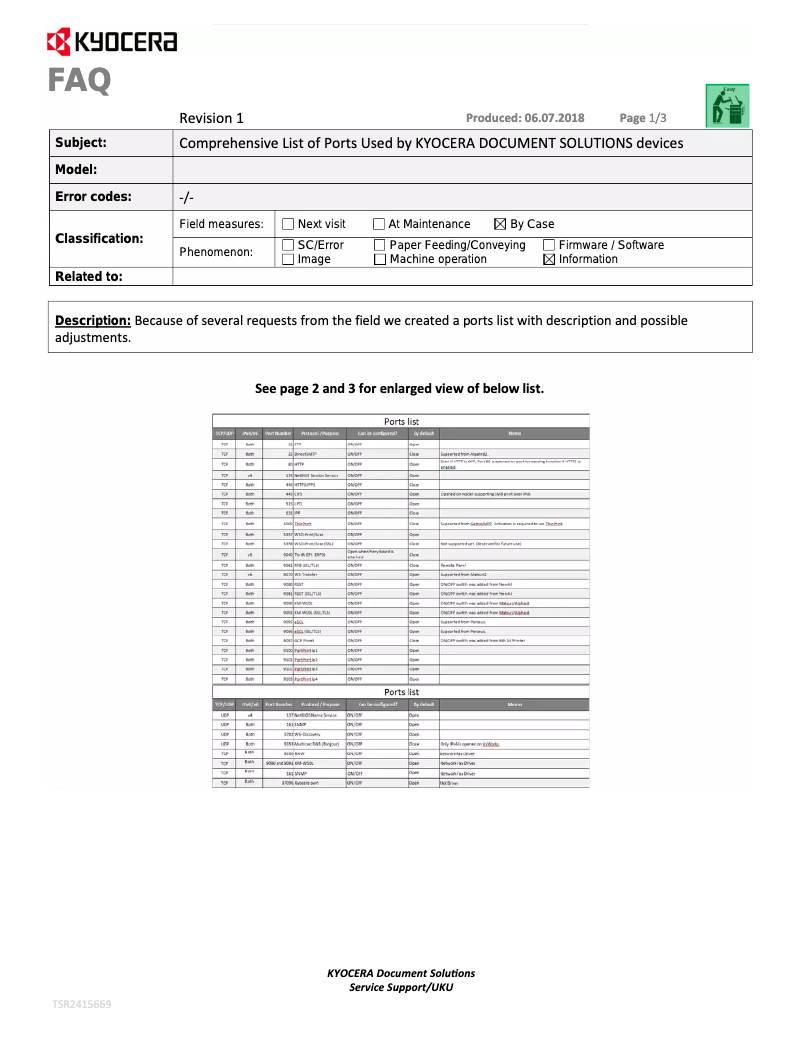
The available documents, such as the user manual and FAQ, provide a good level of support for users.
Documentation
The documentation is comprehensive, with 295 pages of useful information, although managing reloads may be a drawback.
Advantages
Fast printing of 40 pages per minute
Maximum resolution of 9600 x 600 DPI
Built-in duplex printing
Input capacity of 2100 sheets
Ethernet/LAN network connectivity
Disadvantages
No Wi-Fi connectivity
Weight of 31 kg
Power capacity limited to 500 sheets
High cost of replacement cartridges
Preheating time of 24 seconds
Technical Specifications ECOSYS P7240cdn
General Information
-
ModelECOSYS P7240CDN
-
Brand
-
Category
-
Type
-
SKU1138409
-
MPN1138409
Print speed
-
Secure printingYes
-
Maximum resolution9600 x 600 DPI
-
Secure printingYes
-
Printing technologyLaser
-
Print speed (color, normal quality, A4/US Letter)40 ppm
-
Print speed (color, normal quality, A4/US Letter)40 ppm
-
Black print resolution1200 x 1200 DPI
-
Preheating time24 s
-
Copy time for the first page (Black, normal)5.5 s
-
Copy time for the first page (color, normal)6.5 s
-
Secure printingYes
-
Black print resolution1200 x 1200 DPI
Features
-
Service cycle (Maximum)- pages per month
-
Number of print cartridges4
-
Languages of the page descriptionPCL 5c, PCL 6, PCL XL, PostScript 3, XPS
-
Printing colorsBlack, Cyan, Magenta, Yellow
-
Replacement cartridgesTK-5290K, TK-5290C, TK-5290M, TK-5290Y
Input and output capacity
-
Maximum output capacity500 sheets
-
Maximum input capacity2100 sheets
-
Input capacity of multi-purpose trays100 sheets
-
Total number of power supply units1
-
Paper feed typeCassette, Paper tray
-
Maximum output capacity500 sheets
-
Maximum output capacity500 sheets
-
Multifunctional trayYes
Paper management
-
Maximum ISO A series paper sizeA4
-
Type of paper tray supportOrdinary paper
-
Types of multi-purpose binsLegal, Letter
-
ISO, Format Series A (A0...A9)A4, A5, A6
-
ISO, Formats Series-B (B0...B9)B5, B6
-
Non-ISO print support sizesFolio (media size), Legal (media size), Letter (media size)
-
Support weight supported in duplex mode60 - 163 g/m²
-
Weight of the multifunctional tray support60 - 220 g/m²
-
Support weight supported in duplex mode60 - 163 g/m²
-
Support width customization70 - 216 mm
-
Customization of support length148 - 356 mm
-
Maximum print format216 x 356 mm
Network
-
Ready-to-use network-
-
Ethernet/LANYes
-
WifiNo
-
Wiring technology10/100/1000Base-T(X)
-
Mobile printing technologiesGoogle Cloud Print, Kyocera Mobile Print, Mopria Print Service
-
LAN Ethernet: data transfer rate10,100,1000 Mbit/s
-
Security-supported algorithm802.1x RADIUS, HTTPS, IPPS, IPSEC, SNMPv3
Connectivity
-
Standard interfacesRJ-45, USB 2.0
-
Optional connectivityWireless LAN
-
USB portYes
-
USB portYes
Representation / realization
-
Internal memory1000 MB
-
Maximum internal memory3000 MB
-
Internal storage capacity128 GB
-
Integrated into the processorYes
-
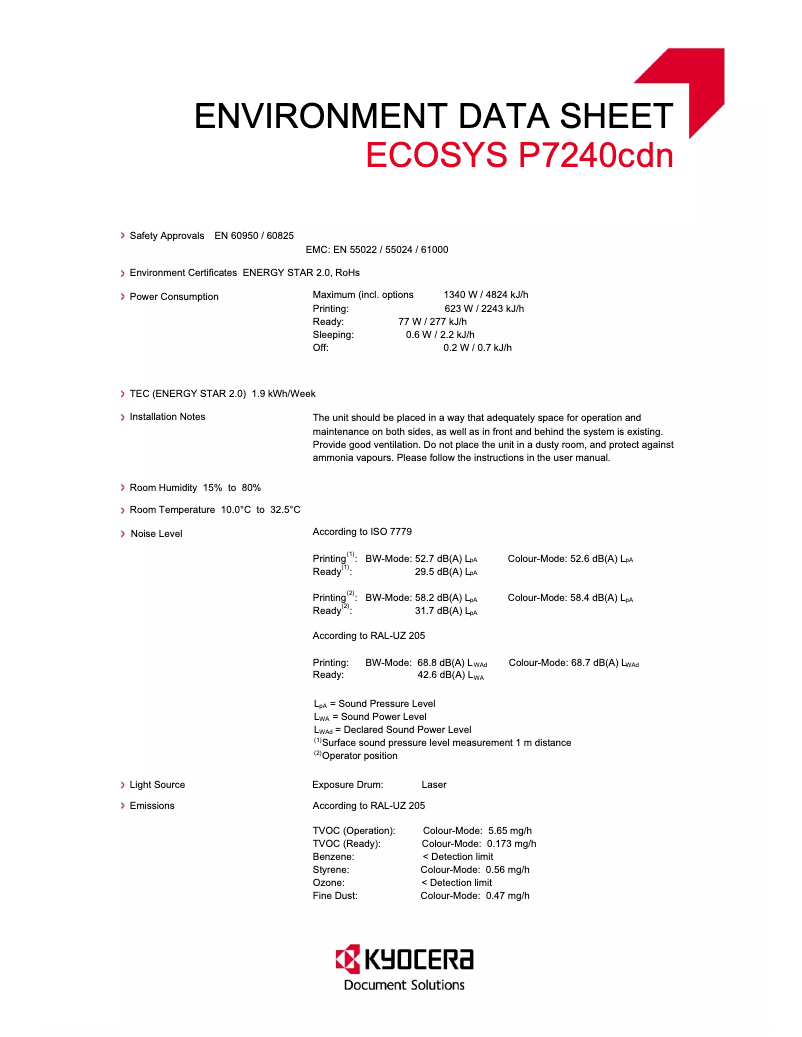
Sound pressure level (impression)52.7 dB
-
Processor familyARM Cortex
-
Processor modelA9
-
Integrated into the processorYes
-
Processor frequency1200 MHz
-
Number of processor cores2
-
Storage mediaHDD
-
Sound pressure level (silent mode)48.7 dB
Design
-
Product colorBlack, White
-
Built-in screenYes
-
CertificationGS, TÜV, CE
-
Market positionProfessional
-
ScreenLCD
-
Color displayNo
Power
-
AC input voltage220 - 240 V
-
AC input frequency50 - 60 Hz
-
Average power consumption in Print mode641 W
-
Energy consumption (standby mode)0.6 W
-
Energy consumption (loan)77 W
Minimum system requirements
-
Support for the Linux operating systemYes
-
Support for the Mac operating systemMac OS X 10.10 Yosemite, Mac OS X 10.11 El Capitan, Mac OS X 10.12 Sierra, Mac OS X 10.13 High Sierra, Mac OS X 10.8 Mountain Lion, Mac OS X 10.9 Mavericks
-
Support for the Linux operating systemYes
Weight and dimensions
-
Width390 mm
-
Depth532 mm
-
Height469.5 mm
-
Weight31000 g
Sustainability
-
Sustainability certificatesENERGY STAR
Logistics data
-
Harmonized System Code84433210
Frequently Asked Questions
What is the weight of the Kyocera ECOSYS P7240cdn printer?
What is the recommended method for removing a jammed paper from the printer?
Why does my printer not recognize the original cartridges?
What are the possible reasons for poor print quality?
How does a laser printer differ from an inkjet printer?
Why is my inkjet printer printing black streaks?
What does the acronym DPI mean?
What certifications does the Kyocera ECOSYS P7240cdn have?
How many cartridges can be installed in the Kyocera ECOSYS P7240cdn?
What is the height of the Kyocera ECOSYS P7240cdn printer?
What is the width of the Kyocera ECOSYS P7240cdn?
What is the depth of the Kyocera ECOSYS P7240cdn printer?
What is the storage capacity of the Kyocera ECOSYS P7240cdn printer?
Is the manual for the Kyocera ECOSYS P7240cdn available in French?
Similar products


More product categories from brand Kyocera
Phones Kyocera
Other Kyocera
More product types from brand Kyocera


Presentation of product ECOSYS P7240cdn specifications from brand Kyocera
General Information
The model Kyocera ECOSYS P7240cdn, from the brand Kyocera, is a device recognized for its quality and innovation in the printer sector. This model, identified by the number 1102TX3NL0, is designed to deliver top performance and an optimized user experience. It is referenced by the EAN code 0632983053904, ensuring unique identification in the distribution system.
Print Speed
This printer supports color printing, with a maximum resolution of 9600 x 600 DPI, ensuring prints of remarkable clarity. The built-in duplex printing function saves paper by using both sides. Thanks to its laser printing technology, the Kyocera ECOSYS P7240cdn achieves a print speed of 40 pages per minute in both black and color, making it ideal for demanding work environments. The warm-up time is 24 seconds, and the first page print delay is 5.5 seconds in black and 6.5 seconds in color. The print resolution is also 1200 x 1200 DPI for precise and quality rendering.
Features
The maximum service cycle of the Kyocera ECOSYS P7240cdn is designed to meet the needs of intensive users. It operates with four print cartridges and supports page description languages such as PCL 5c, PCL 6, PostScript 3, and XPS. The replacement cartridges are models TK-5290K, TK-5290C, TK-5290M, and TK-5290Y, ensuring consistent print quality.
Input and Output Capacity
This printer has a total feed capacity of 500 sheets, with a maximum input capacity reaching 2100 sheets. The multipurpose tray can hold up to 100 sheets. The paper feeding system is optimized for efficient operation, with a multifunction tray that meets various printing needs.
Paper Management
The Kyocera ECOSYS P7240cdn is compatible with ISO A series paper sizes, including A4, A5, and A6. It can handle various media types, including plain paper, envelopes, and labels. The supported paper weight ranges from 60 to 220 g/m², allowing for flexible use suitable for different printing projects.
Network
For connectivity, this model offers an Ethernet/LAN port but does not have Wi-Fi connectivity, which may limit its use in environments where wireless is preferred. It is equipped with 10/100/1000Base-T(X) cabling technologies for a stable and fast network connection.
Connectivity
The Kyocera ECOSYS P7240cdn integrates standard interfaces to facilitate connection with various devices. It supports direct printing via USB, providing a convenient solution for users wishing to print quickly from their devices.
Representation / Performance
The internal memory is 1000 MB, expandable up to 3000 MB, with a storage capacity of 128 GB. This allows for managing a significant volume of data and applications. In terms of noise, the sound pressure level during printing is 52.7 dB, while in silent mode, it is 48.7 dB, making it suitable for quiet work environments.
Design
The Kyocera ECOSYS P7240cdn features an elegant black and white finish. It is equipped with an LCD screen that facilitates its use, and it complies with safety standards with certifications such as GS, TÜV, and CE. This model is primarily intended for professional use.
Power
Regarding power supply, the input voltage is 220 - 240 V with a frequency of 50 - 60 Hz. In print mode, the power consumption is 641 W, while in standby, it only rises to 0.6 W, thus contributing to better energy efficiency.
Minimum System Requirements
The Kyocera ECOSYS P7240cdn is compatible with Windows, Mac (versions 10.8 to 10.13), and Linux operating systems, ensuring easy integration into various environments.
Weight and Dimensions
In terms of dimensions, the printer measures 390 mm wide, 532 mm deep, and 469.5 mm high, with a total weight of 31 kg, which may make its movement a bit more challenging.
Durability
The product is ENERGY STAR certified, attesting to its compliance with energy efficiency and environmental protection standards.
Logistics Data
Finally, the harmonized system code for the Kyocera ECOSYS P7240cdn is 84433210, facilitating its identification in international trade.


