
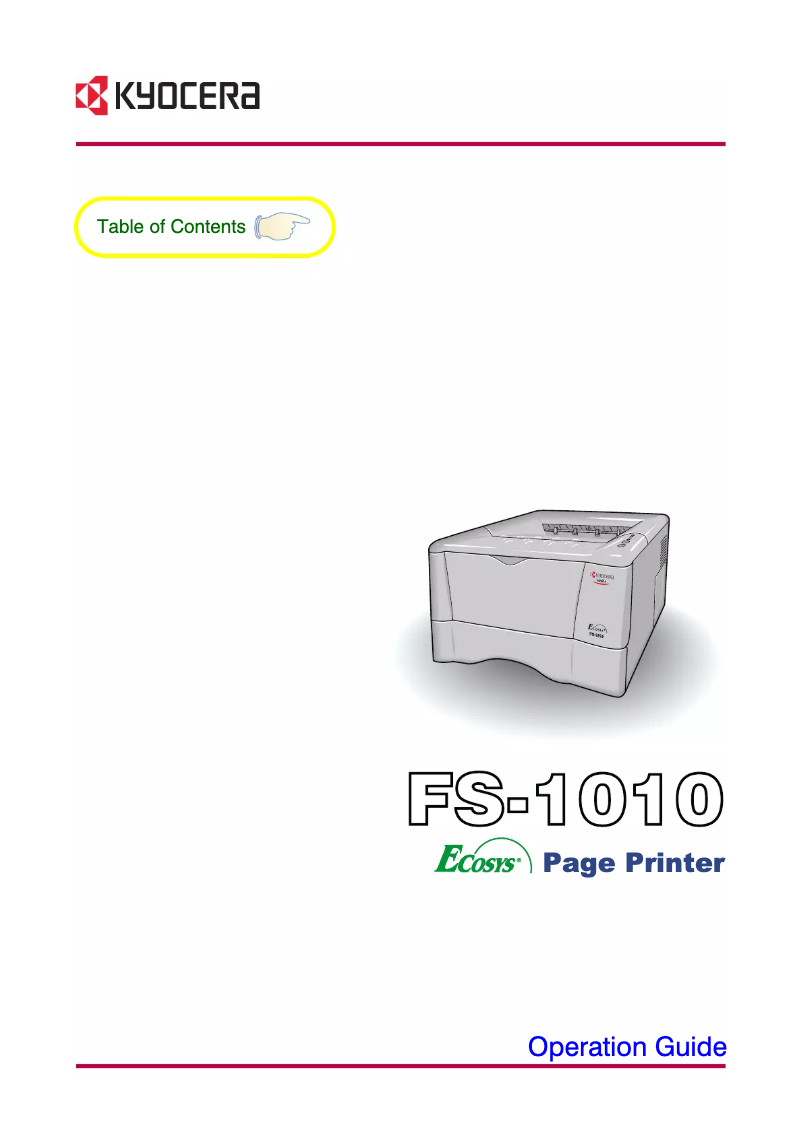
Manual of product FS-1010
Editorial note
The Kyocera FS-1010 is a printer that stands out for its reliability and durability, making it a wise choice for users looking for a device capable of meeting their daily needs. Its print quality is also remarkable, delivering sharp and professional documents thanks to its advanced technology. Additionally, the printer is designed to be energy-efficient, which helps reduce operational costs. However, some drawbacks are worth mentioning. The printer can be relatively slow when printing large documents, which could affect productivity in a dynamic office environment. Furthermore, it is equipped with limited features, which may not meet the expectations of users looking for advanced options like scanning or copying. The high cost of toner cartridges can also lead to additional expenses in the long run. In terms of user experience, the Kyocera FS-1010 offers a simple setup thanks to a clear user manual, making it accessible even for novices. Kyocera's technical support is generally of good quality, providing adequate resources to resolve any potential issues. On the other hand, the design of the printer is quite basic and may not aesthetically fit into contemporary offices. Finally, although the printer is reliable and energy-efficient, the combination of cartridge costs and limited features could diminish the perception of its value for money.Score details
User experience
The user experience is generally positive thanks to a clear user manual and simple setup, even for novices.
Performance
The printer's performance is good for standard prints, but it can be slow for large documents, which could impact productivity.
Design
The design is quite basic and may not suit modern offices, which could be a drawback for some users.
Value for money
Although the printer is reliable and energy-efficient, the high cost of toner cartridges can lead to additional expenses in the long run.
Features
The features are limited, which may not meet the needs of users looking for advanced options like scanning or copying.
Support
Kyocera's technical support is generally good, providing adequate resources to resolve any potential issues.
Advantages
Proven reliability and durability
Excellent print quality
Energy-efficient and cost-effective
Easy to set up and use
Good customer support available
Disadvantages
Slow printing for large documents
Limited features, no scanning
High cost of toner cartridges
Restricted connectivity, little wireless
Basic design, not aesthetically pleasing for offices
Technical Specifications FS-1010
General Information
-
ModelFS-1010
-
Brand
-
Category
-
Type
-
SKU859940
-
MPN859940
Frequently Asked Questions
What is the recommended method for removing jammed paper from the printer?
Why is my printer not recognizing the original cartridges?
What could be the causes of poor print quality?
What is the difference between a laser printer and an inkjet printer?
Why is my inkjet printer producing black streaks?
What does the acronym DPI mean?
Is the manual for the Kyocera FS-1010 available in French?
Similar products


More product categories from brand Kyocera
Phones Kyocera
Other Kyocera
More product types from brand Kyocera


Presentation of product FS-1010 specifications from brand Kyocera
General Information
The Kyocera FS-1010 printer is a product of the Kyocera brand, known for its commitment to quality and innovation in the printing device sector. This model, the FS-1010, stands out for its ability to provide reliable performance and an optimized user experience, tailored to the needs of small and medium-sized businesses.
Advantages
Among the main strengths of the Kyocera FS-1010, we find:
- Reliability: This device is designed to last, offering great longevity that makes it a wise choice for daily use.
- Print Quality: Thanks to its advanced technology, it produces sharp and professional prints, ideal for critical documents.
- Energy Efficiency: Designed with an eco-friendly approach, it helps reduce electricity consumption, thereby contributing to lower operational costs.
- Ease of Use: With a clear user manual, its installation and use are straightforward, even for beginners.
- Technical Support: As a product of the Kyocera brand, it benefits from good customer service and accessible technical assistance to resolve any issues.
Disadvantages
However, the Kyocera FS-1010 also has some drawbacks:
- Print Speed: The device can be relatively slow when printing large documents, which may hinder productivity in a busy office environment.
- Limited Features: It lacks advanced options such as scanning or copying, which may not suit all users.
- Consumable Costs: The toner cartridges can be expensive compared to other models, leading to additional costs in the long run.
- Restricted Connectivity: Compatibility with certain modern wireless technologies may be lacking, limiting connection options.
- Basic Design: Its simple appearance may not blend harmoniously into contemporary office designs.


