

Manual of product FS-1041/KL3
Editorial note
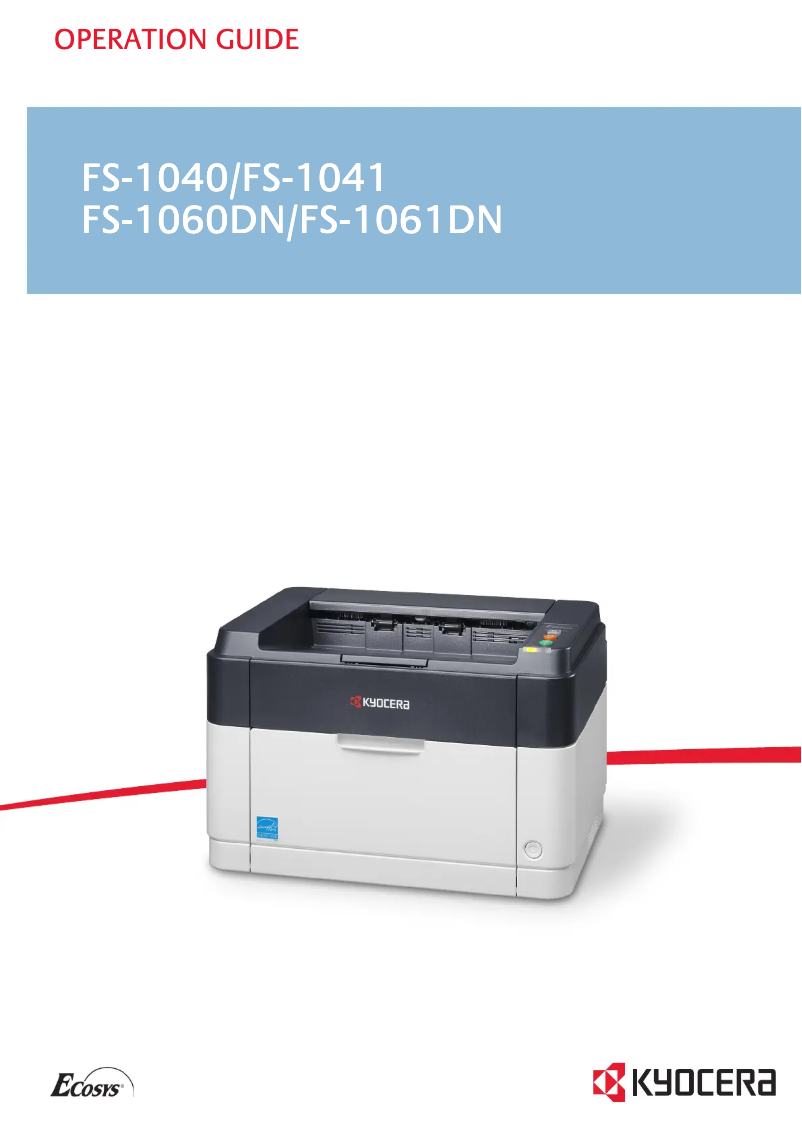
The Kyocera FS-1041/KL3 is a laser printer that stands out for its exceptional print quality, with a maximum resolution of 1800 x 600 DPI, ensuring clear and professional documents. Its print speed of 20 pages per minute is also a major asset for demanding work environments. Additionally, its compact design makes it easy to integrate into various office spaces while giving it a modern look. However, several drawbacks deserve to be highlighted. The lack of duplex printing functionality can lead to excessive paper use, which is not ideal for those looking to optimize their resources. Furthermore, the printer does not have network connectivity (Ethernet/LAN and Wi-Fi), thus limiting printing options from multiple devices. It is also restricted to black-and-white printing, which may not suit all users. Finally, the internal memory of 32 MB may hinder the management of more complex print tasks. In terms of energy consumption, the model is efficient with low consumption in standby mode (5 W) and in economy mode (3 W), thus contributing to significant energy savings. The value for money is fair, although it may be perceived as limited by some due to connectivity and color restrictions. Overall, the Kyocera FS-1041/KL3 is a solid printer, ideal for simple and quick printing tasks, but it may not meet the needs of users looking for more features and flexibility.Score details
User experience
The user experience is good, but the lack of network connectivity limits access to printing from multiple devices.
Performance
The printing speed of 20 pages per minute and the resolution of 1800 x 600 DPI ensure solid performance for daily use.
Battery life
The reduced power consumption in sleep mode (5 W) and in economy mode (3 W) contributes to significant energy savings.
Design
The compact design with optimal dimensions facilitates integration into various office spaces while offering a modern look.
Features
The lack of duplex printing and network connectivity limits functionality, which may not suit all users.
Value for money
The value for money is fair, but the limitations in connectivity and color may be a drawback for some.
Robustness
The product is generally robust, but the internal memory of only 32 MB may restrict the management of more complex printing tasks.
Advantages
1800 x 600 DPI quality printing
Printing speed of 20 pages per minute
Compact design for small spaces
Low energy consumption in standby
ENERGY STAR certified for sustainability
Disadvantages
No double-sided printing.
No network connectivity.
Prints limited to black color.
Only 32 MB of internal memory.
Preheating time of 14 seconds.
Technical Specifications FS-1041/KL3
General Information
-
ModelFS-1041/KL3
-
Brand
-
Category
-
Type
-
SKU162553
-
MPN162553
Print speed
-
Double-sided printingNo
-
Maximum resolution1800 x 600 DPI
-
Double-sided printingNo
-
Printing technologyLaser
-
Print speed (black, normal quality, A4/US Letter)20 ppm
-
Preheating time14 s
-
Copy time for the first page (Black, normal)8.5 s
Network
-
WifiNo
-
WifiNo
-
WifiNo
-
Mobile printing technologiesNot supported
Features
-
Service cycle (Maximum)10000 pages per month
-
Number of print cartridges1
-
Printing colorsBlack
-
Languages of the page descriptionGDI
-
Replacement cartridgesTK-1115
Representation / realization
-
Internal memory32 MB
-
Processor frequency390 MHz
-
Sound power level (standby)28 dB
-
Sound pressure level (impression)50 dB
-
Processor modelARM
-
Sound pressure level (silent mode)49 dB
-
Integrated into the processorYes
Input and output capacity
-
Maximum input capacity250 sheets
-
Maximum input capacity250 sheets
-
Maximum output capacity150 sheets
-
Maximum output capacity150 sheets
-
Maximum number of feed bins1
-
Maximum number of feed bins1
-
Paper feed typeCassette
Paper management
-
Maximum print format216 x 356 mm
-
Type of paper tray supportOrdinary paper
-
ISO, Format Series A (A0...A9)A3, A4, A5
-
ISO, Formats Series-B (B0...B9)B5
-
Non-ISO print support sizesLetter
-
Weight of paper tray support60 - 220 g/m²
-
Support width customization70 - 216 mm
-
Customization of support length148 - 356 mm
-
Maximum ISO A series paper sizeA4
Connectivity
-
Standard interfacesUSB 2.0
-
USB portYes
-
USB portYes
Minimum system requirements
-
Support for the Windows operating systemYes
-
Support for the Mac operating systemMac OS X 10.5 Leopard
-
Mac OS X 10.6 Snow Leopard
-
Mac OS X 10.7 Lion
-
Mac OS X 10.8 Mountain Lion
-
Mac OS X 10.9 Mavericks
Power
-
Average power consumption in Print mode304 W
-
Energy consumption (standby mode)5 W
-
AC input voltage220 - 240 V
-
AC input frequency50 - 60 Hz
-
Energy consumption (eco mode)3 W
Weight and dimensions
-
Weight6300 g
-
Width358 mm
-
Depth262 mm
-
Height241 mm
Sustainability
-
Sustainability certificatesENERGY STAR
Design
-
CertificationTÜV-GS, CE
-
Product colorBlack, White
-
Built-in screenNo
Packaging contents
-
Drivers includedYes
Frequently Asked Questions
What is the weight of the Kyocera FS-1041/KL3?
What is the best method to remove paper jammed in the printer?
Why is my printer not accepting original cartridges?
Why is the quality of my prints poor?
What is the difference between a laser printer and an inkjet printer?
Why is my inkjet printer producing black streaks?
What does the acronym DPI mean?
What are the certifications of the Kyocera FS-1041/KL3?
How many cartridges can be inserted into the Kyocera FS-1041/KL3?
What is the height of the Kyocera FS-1041/KL3?
What is the width of the Kyocera FS-1041/KL3?
What is the depth of the Kyocera FS-1041/KL3?
Is the manual for the Kyocera FS-1041/KL3 available in French?
Similar products


More product categories from brand Kyocera
Phones Kyocera
Other Kyocera
More product types from brand Kyocera


Presentation of product FS-1041/KL3 specifications from brand Kyocera
General Information
The model Kyocera FS-1041/KL3 is a device from the brand Kyocera, known for its innovation and quality in the field of office equipment. This model, identified by the EAN code 632983932384, ensures reliable performance and an optimized user experience.
Print Speed
This printer does not support color, offering black-only prints. With a maximum resolution of 1800 x 600 DPI, it guarantees documents of remarkable clarity, suitable for both personal and professional use. Although it does not include duplex printing, it uses laser printing technology that ensures optimal quality. The print speed is 20 pages per minute, and the warm-up time is 14 seconds, allowing for quick and efficient use.
Network
The Kyocera FS-1041/KL3 does not have network connectivity, neither Ethernet/LAN nor Wi-Fi, thus limiting printing options from multiple devices. However, it offers mobile printing technologies, facilitating printing from mobile devices.
Features
This model has a maximum monthly duty cycle of 10,000 pages, making it suitable for intensive use. The printer uses a single black toner cartridge, model TK-1115, ensuring consistent print quality. It is equipped with an internal memory of 32 MB and an ARM processor running at 390 MHz.
Input and Output Capacity
The input capacity of the Kyocera FS-1041/KL3 is 250 sheets, with an output capacity of 150 sheets. It is designed with a single paper tray, optimizing space and paper management. The type of feed is a cassette, allowing for easy paper loading.
Paper Management
The maximum print size is 216 x 356 mm, with compatibility for standard A3, A4, and A5 formats. The weight of the paper used must be between 60 and 220 g/m², and it offers width and length adjustment options for paper between 70 - 216 mm and 148 - 356 mm, respectively.
Connectivity
The Kyocera FS-1041/KL3 is equipped with standard interfaces including a USB port, allowing for simple and quick connection with various devices.
Minimum System Requirements
This model is compatible with Windows and Mac operating systems, including Mac OS X versions 10.5 to 10.9, ensuring smooth integration into various environments.
Power
In terms of energy consumption, it uses an average of 304 W in print mode and only 5 W in standby mode, contributing to energy savings. Its input voltage is 220 - 240 V, with a frequency of 50 - 60 Hz.
Weight and Dimensions
With a weight of 6300 g, its dimensions are optimized for easy integration into office spaces, measuring 358 mm in width, 262 mm in depth, and 241 mm in height.
Durability
The Kyocera FS-1041/KL3 is ENERGY STAR certified, attesting to its compliance with energy efficiency and environmental standards.
Design
This model is TÜV-GS and CE certified, ensuring its compliance with safety standards. It is available in black and white, with a functional and modern design, including a built-in screen for practical use.
Package Contents
The Kyocera FS-1041/KL3 comes with included drivers, facilitating quick and easy installation.


