

Manual of product FS-1050
Editorial note
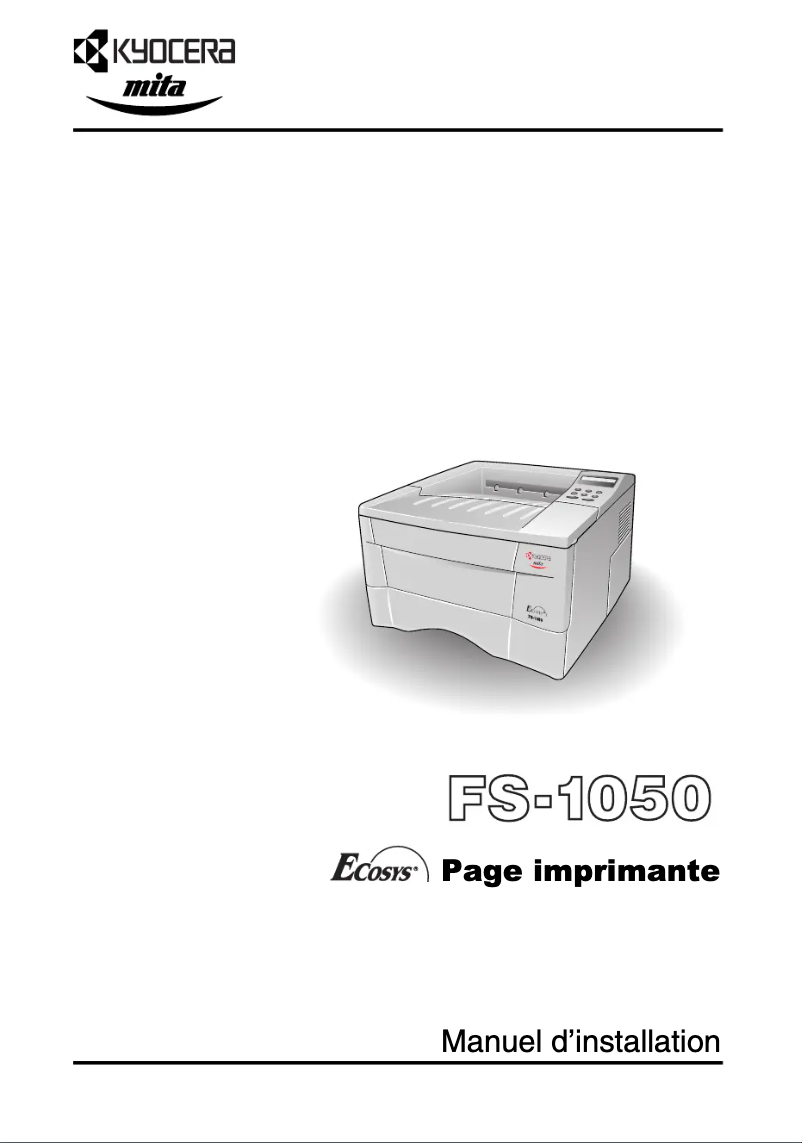
The Kyocera FS-1050 printer stands out with its printing speed of 14 pages per minute, an undeniable asset for users with daily printing needs. Its input capacity of 250 sheets allows for managing a large volume of documents without requiring frequent reloads, which enhances its efficiency. Additionally, its ENERGY STAR certification attests to its environmental respect and energy efficiency, thus offering good value for money. However, some drawbacks deserve to be highlighted. The lack of color printing limits its use for documents requiring graphic elements, which may frustrate creative users. Furthermore, its compatibility restricted to Windows XP, Vista, and 7 excludes users of more recent systems or Mac, thus limiting its audience. The internal memory of 16 MB may also pose issues when printing large or complex documents, affecting overall performance. In terms of design, the printer features a compact and lightweight design, making it easy to integrate into various office spaces. However, its weight of 9800 g can make it difficult to move, especially in environments where flexibility is required. Finally, support is limited, with restricted available documentation and limited compatibility, which could pose challenges for less experienced users. In summary, the Kyocera FS-1050 is a functional and efficient printer for daily use, but it has limitations that may not suit all users.Score details
User experience
The user experience is acceptable, but limited compatibility with older Windows systems and the lack of color printing may frustrate some users.
Performance
With a printing speed of 14 ppm, the printer is suitable for everyday use, but may be insufficient for faster printing needs or large documents.
Design
The compact and lightweight design makes it easy to integrate into various office spaces, although its weight may make it difficult to move.
Value for money
The printer offers good value for money due to its 250-sheet input capacity and ENERGY STAR certification, ensuring energy efficiency.
Features
The features are basic, with a single cartridge and 16 MB of internal memory, which may limit performance for more complex tasks.
Support
Support is limited due to the available documentation and compatibility restricted to older operating systems.
Advantages
Fast printing: 14 pages per minute
Input capacity: 250 sheets
ENERGY STAR certified for energy efficiency
USB connectivity for various devices
Compact and lightweight design for the office
Disadvantages
Printing only in black and white
Limited compatibility with older operating systems
Internal memory of only 16 MB
Printing speed of 14 ppm
High weight of 9800 g
Technical Specifications FS-1050
General Information
-
ModelFS-1050
-
Brand
-
Category
-
Type
-
SKU859938
-
MPN859938
Print speed
-
Print speed (black, normal quality, A4/US Letter)14 ppm
-
ColorNo
Other features
-
I/O PortsUSB
-
Standard input paper traysA4, A5, B5, Letter, Legal, Custom (148 x 210 mm - 216 x 297 mm)
-
Compatible operating systemsMicrosoft Windows 98/ME/2000/NT
-
Mac CompatibilityNo
-
Power requirements220/240 V, 50/60 Hz
Paper management
-
Maximum print format210 x 297 mm
-
Maximum ISO A series paper sizeA4
Representation / realization
-
Internal memory16 MB
-
Processor modelPowerPC 405
-
Processor frequency200 MHz
-
Integrated into the processorYes
Features
-
Number of print cartridges1
Input and output capacity
-
Maximum input capacity250 sheets
-
Maximum output capacity150 sheets
Weight and dimensions
-
Dimensions (LxWxH)244 x 377.6 x 374.5 mm
-
Weight9800 g
Sustainability
-
Sustainability certificatesENERGY STAR
Frequently Asked Questions
What is the weight of the Kyocera FS-1050 printer?
What is the recommended method for removing paper jammed in the printer?
Why is my printer not recognizing the original cartridges?
What could be the reasons for poor print quality?
What are the differences between a laser printer and an inkjet printer?
Why does my inkjet printer leave black streaks on prints?
What does the term DPI mean?
How many cartridges can be installed in the Kyocera FS-1050?
Is the user manual for the Kyocera FS-1050 available in French?
Similar products


More product categories from brand Kyocera
Phones Kyocera
Other Kyocera
More product types from brand Kyocera


Presentation of product FS-1050 specifications from brand Kyocera
General Information
The Kyocera FS-1050 printer is a model recognized for its robustness and efficiency. The Kyocera brand stands out for its commitment to quality and innovation in the field of office equipment. This model is designed to provide reliable performance and an optimized user experience, tailored to the needs of modern work environments.
Print Speed
With a print speed of 14 pages per minute in black and white, the Kyocera FS-1050 ensures rapid document production, which is essential for daily tasks. It is important to note that this printer does not support color printing, which may limit its use for jobs requiring colorful graphic elements.
Other Features
The printer is equipped with a USB port, ensuring convenient connectivity with various devices. It has paper trays that can accommodate various formats such as A4, A5, B5, Letter, Legal, and custom sizes ranging from 148 x 210 mm to 216 x 297 mm. Regarding operating system compatibility, the Kyocera FS-1050 works with Windows XP, Vista, and 7, but is not compatible with Mac systems. Its power requirements are 220/240 V at 50/60 Hz.
Paper Management
The maximum print size of the printer is 210 x 297 mm, ideal for producing standard-sized documents. The model is also designed to accept A4-sized sheets, ensuring compatibility with common printers and office equipment.
Representation / Performance
The internal memory of 16 MB allows the printer to handle a decent amount of data for efficient printing. Equipped with a PowerPC 405 processor running at 200 MHz, it ensures quick execution of printing tasks. The "processor-integrated" functionality also contributes to its overall efficiency.
Features
The Kyocera FS-1050 uses a single print cartridge, simplifying the management of consumables while maintaining satisfactory print quality.
Input and Output Capacity
Its maximum input capacity is 250 sheets, allowing it to handle a large volume of documents without requiring frequent reloads. The output capacity is 150 sheets, ensuring adequate performance for printing needs.
Weight and Dimensions
With dimensions of 244 x 377.6 x 374.5 mm, the Kyocera FS-1050 is designed to fit easily into various work environments. Its weight of 9800 g may make it less convenient to move, but it contributes to the stability of the device.
Durability
The Kyocera FS-1050 is ENERGY STAR certified, attesting to its energy efficiency and compliance with environmental standards, making it a responsible choice for users concerned about the ecological impact of their equipment.


