

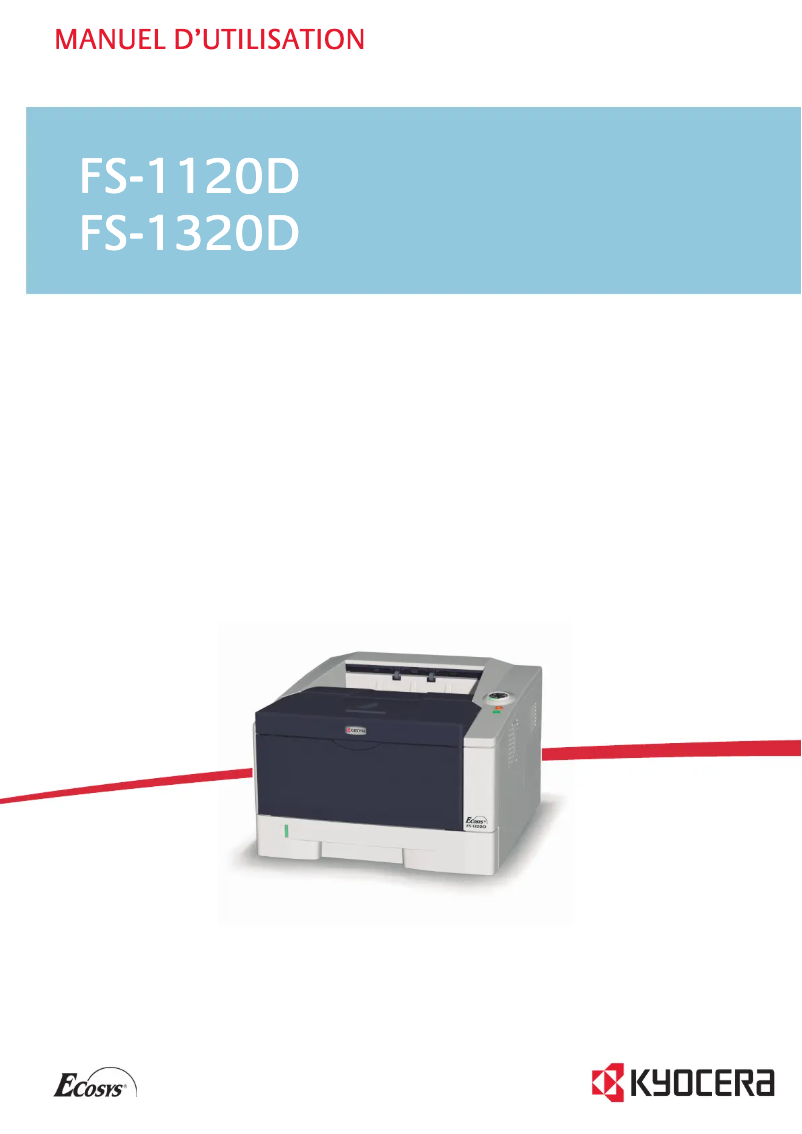
Manual of product FS-1120D
Editorial note
The Kyocera FS-1120D printer stands out for its printing speed, reaching 30 pages per minute, and its resolution of 1800 x 600 DPI, thus ensuring high-quality prints. Additionally, it features duplex printing, allowing for optimized paper usage and reduced printing costs. With an input capacity of 550 sheets, this device is well-suited to handle large volumes of documents without frequent interruptions. However, some drawbacks deserve to be highlighted. The lack of network connectivity, including Wi-Fi and Ethernet, limits usage flexibility, making it difficult to print from multiple devices. Furthermore, its weight of 12 kg can complicate its movement, especially in tight workspaces. With only 32 MB of internal memory, the printer may also experience slowdowns when printing large documents. Finally, although the print quality is satisfactory, the model only offers black and white printing, which may not suit all users. In terms of performance, the product scores 80, reflecting its speed and print quality, even though the internal memory could be improved. The user experience is rated at 70, highlighting overall satisfaction while noting a lack of flexibility. The noise level in standby mode is rated at 85, contributing to a pleasant work environment, but the printing noise of 54 dB could be bothersome. Regarding design, the product receives a score of 75 for its functionality, although its weight is a limiting factor. Finally, the value for money is rated at 78, indicating that the features offered justify its cost, despite the lack of color printing.Score details
User experience
The user experience is generally satisfactory, but the lack of network connectivity limits flexibility of use.
Performance
The printing speed of 30 ppm and the resolution of 1800 x 600 DPI ensure solid performance, although the internal memory of 32 MB may restrict printing of large documents.
Battery life
The low noise level in standby mode (30 dB) contributes to a pleasant working environment, although the printing noise of 54 dB can be disturbing.
Design
The weight of 12 kg can make the printer difficult to move, but its design is functional for office use.
Value for money
The cost is justified by the print quality and features like duplex printing, but the lack of color printing could be a disadvantage for some users.
Advantages
30 pages per minute of fast printing
Built-in duplex printing to save paper
Laser print quality 1800 x 600 DPI
Input capacity of 550 sheets
Low noise level during printing and standby
Disadvantages
No network connectivity
Weight of 12 kg difficult to move
Internal memory limited to 32 MB
Printing only in black and white
High noise level of 54 dB
Technical Specifications FS-1120D
General Information
-
ModelFS-1120D
-
Brand
-
Category
-
Type
-
SKU21082
-
MPN21082
Print speed
-
ColorNo
-
Maximum resolution1800 x 600 DPI
-
Print speed (black, normal quality, A4/US Letter)30 ppm
-
Preheating time19 s
-
Copy time for the first page (Black, normal)6 s
-
Double-sided printingYes
-
Printing technologyLaser
Representation / realization
-
Processor frequency360 MHz
-
Internal memory32 MB
-
Maximum internal memory544 MB
-
Sound pressure level (impression)54 dB
-
Memory locations1
-
Type of memoryDDR
-
Processor model405F5
-
Processor familyPowerPC
-
Sound power level (standby)30 dB
-
Sound pressure level (silent mode)49 dB
-
Compatible memory cardsCF
-
Integrated into the processorYes
Input and output capacity
-
Maximum input capacity550 sheets
-
Input capacity of multi-purpose trays50 sheets
-
Total output capacity250 sheets
-
Total power capacity300 sheets
-
Total number of power supply units2
-
Maximum number of feed bins3
-
Total output capacity250 sheets
-
Multifunctional trayYes
Network
-
WifiNo
-
WifiNo
-
WifiNo
-
Mobile printing technologiesNot supported
Power
-
Average power consumption in Print mode525 W
-
Energy consumption (standby mode)7.3 W
-
AC input voltage220 - 240 V
-
AC input frequency50 - 60 Hz
-
Energy consumption (eco mode)4.4 W
Weight and dimensions
-
Weight12000 g
-
Width375 mm
-
Depth393 mm
-
Height250 mm
Design
-
CertificationGS
-
Product colorTUV
-
CE
-
Black
-
White
Paper management
-
Non-ISO print support sizesLetter
-
ISO, Format Series A (A0...A9)A4, A5, A6
-
Maximum print format216 x 356 mm
-
Type of paper tray supportPlain paper
-
ISO, Formats Series-B (B0...B9)B5
-
Weight of paper tray support60 - 120 g/m²
-
Weight of the multifunctional tray support60 - 220 g/m²
-
Support weight supported in duplex mode60 - 105 g/m²
-
Support width customization70 - 215.9 mm
-
Customization of support length148 - 356 mm
-
Maximum ISO A series paper sizeA4
Features
-
Service cycle (Maximum)20000 pages per month
-
Number of print cartridges1
-
Languages of the page descriptionEpson LQ, IBM ProPrinter, PCL 5e, PCL 6, PJL, PostScript 3
-
Printing colorsBlack
Connectivity
-
Standard interfacesUSB 2.0
Minimum system requirements
-
Support for the Linux operating systemYes
-
Support for the Linux operating systemYes
-
Support for the Linux operating systemYes
Sustainability
-
Sustainability certificatesENERGY STAR
Frequently Asked Questions
What is the weight of the Kyocera FS-1120D printer?
What is the recommended method for removing paper jammed in the printer?
Why does my printer not recognize original cartridges?
What are the possible reasons for poor print quality?
What is the difference between a laser printer and an inkjet printer?
Why is my inkjet printer printing black streaks?
What does the acronym DPI mean?
What certifications does the Kyocera FS-1120D have?
How many cartridges are compatible with the Kyocera FS-1120D?
What is the height of the Kyocera FS-1120D printer?
What is the width of the Kyocera FS-1120D printer?
What is the depth of the Kyocera FS-1120D printer?
Is the user manual for the Kyocera FS-1120D available in French?
Similar products


More product categories from brand Kyocera
Phones Kyocera
Other Kyocera
More product types from brand Kyocera


Presentation of product FS-1120D specifications from brand Kyocera
General Information
The Kyocera FS-1120D printer is a model known for its reliability and performance, made by the Kyocera brand, recognized in the office equipment field. This model, referenced FS-1120D | 1102LY3NL0, ensures a smooth and efficient user experience. The EAN code, 5052179506291, 632983018187, 6329830181876, 0632983018187, allows for precise identification in the distribution system.
Print Speed
The Kyocera FS-1120D is a monochrome printer that offers a maximum resolution of 1800 x 600 DPI, ensuring sharp and high-quality prints. Its print speed reaches 30 pages per minute, ideal for work environments where productivity is essential. With a warm-up time of only 19 seconds and a first print delay of 6 seconds, it is designed to respond quickly to printing needs. Additionally, the built-in duplex printing feature allows for economical paper use.
Performance / Execution
Equipped with a processor running at 360 MHz and an internal memory of 32 MB, the FS-1120D efficiently handles print jobs. Its maximum memory of 544 MB allows for managing larger files without slowing down. The noise level in print mode is 54 dB, ensuring relatively quiet operation, while the standby mode displays a level of only 30 dB, making it suitable for quiet environments.
Input and Output Capacity
This printer has a maximum input capacity of 550 sheets, which is convenient for processing large volumes of documents. The multipurpose trays can hold up to 50 sheets, while the output capacity is 250 sheets. With two standard paper trays and the option to add a third, the FS-1120D easily adapts to various printing needs.
Network
The Kyocera FS-1120D does not have network connectivity, including Wi-Fi or Ethernet, thus limiting its use to direct connections. However, it supports mobile printing technologies, allowing for quick printing from compatible devices.
Power
In print mode, the power consumption is 525 W, while it drops to 7.3 W in standby mode, contributing to appreciable energy efficiency. The required AC input voltage is 220 - 240 V, with a frequency of 50 - 60 Hz, ensuring compatibility with most electrical installations. In economy mode, consumption drops to 4.4 W, enhancing its ecological aspect.
Weight and Dimensions
The weight of the printer is 12 kg, which may make it less mobile in restricted workspaces. Its dimensions are as follows: 375 mm wide, 393 mm deep, and 250 mm high, facilitating its integration into various environments.
Design
Certified GS, TUV, and CE, the Kyocera FS-1120D meets safety and performance standards. Its sleek design, available in black and white, gives it a modern and professional look.
Paper Management
This printer supports multiple formats, including series A (A4, A5, A6) and B (B5), as well as Letter format. Its paper tray can handle media weights ranging from 60 to 220 g/m², offering flexibility for various types of documents. Custom paper dimensions are possible, with a width of 70 to 215.9 mm and a length of 148 to 356 mm.
Features
The maximum duty cycle of the FS-1120D is 20,000 pages per month, suitable for users with high printing needs. It uses a single cartridge for quality monochrome printing. Support for multiple page description languages, such as PCL 5e and PostScript 3, makes it a versatile choice for various work environments.
Connectivity
The printer is equipped with standard interfaces for easy integration with other devices, although it does not offer advanced network connectivity.
Minimum System Requirements
The Kyocera FS-1120D is compatible with Windows, Mac, and Linux operating systems, allowing for flexible use suited to different environments.
Durability
Certified ENERGY STAR, the FS-1120D meets strict energy efficiency criteria, highlighting its commitment to environmentally friendly practices.


