

Manual of product FS-1128MFP/KL3
Editorial note
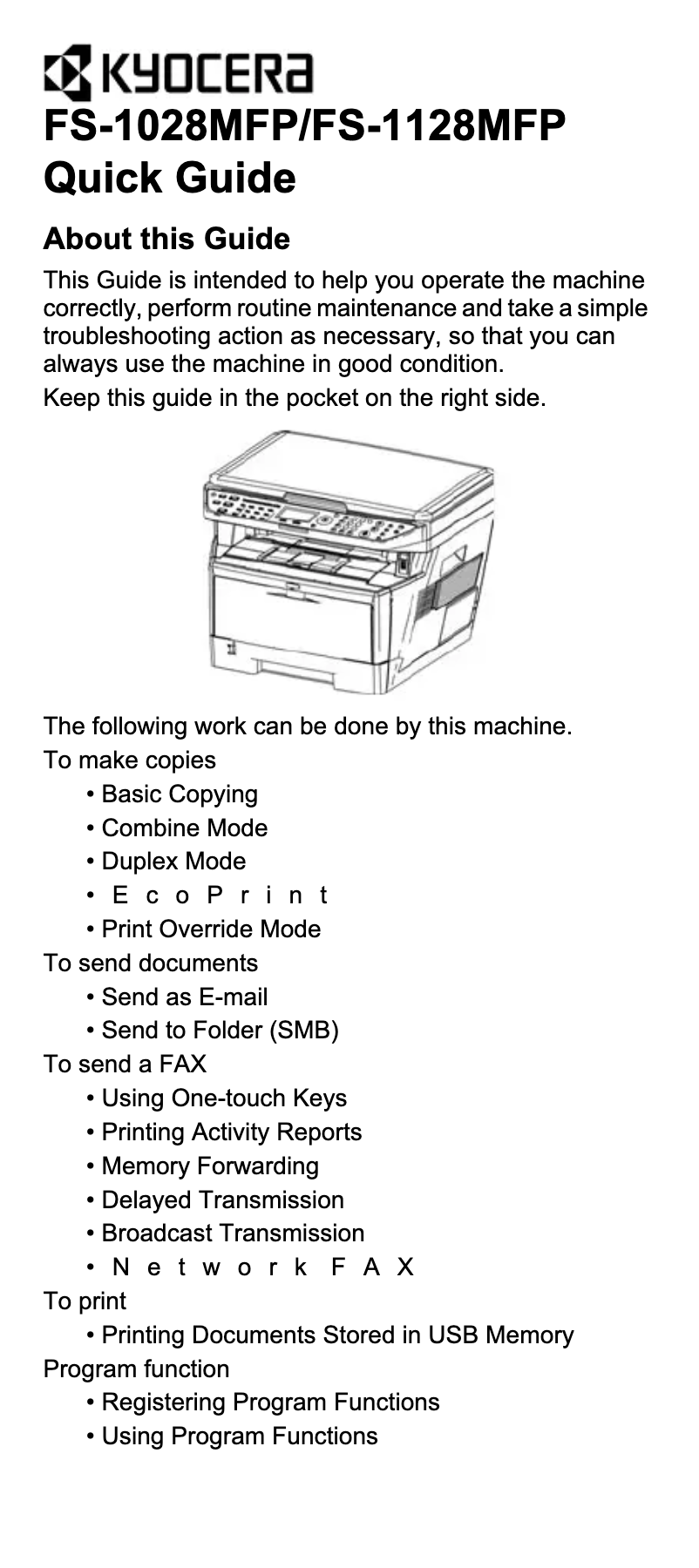
The Kyocera FS-1128MFP/KL3 is an impressive multifunction printer that stands out for its fast printing speed of up to 28 pages per minute and a maximum resolution of 1200 x 1200 DPI, ensuring results of exceptional clarity. Its all-in-one features, including printing, copying, and faxing, make it a versatile choice for dynamic work environments. Additionally, its input capacity of up to 800 sheets allows for handling large volumes of documents without requiring frequent reloads, which is a valuable asset for users. However, a few drawbacks deserve to be highlighted. The Kyocera FS-1128MFP/KL3 is not compatible with Mac operating systems, which may limit its use for some users. The lack of automatic duplex copying could also lead to increased paper consumption and less efficient management of double-sided documents. Furthermore, the maximum copy resolution of 600 x 600 DPI is lower than that of printing, which may affect the quality of copies. Finally, weighing 15 kg, the printer may be difficult to move, which could pose a problem in environments requiring more flexibility. In terms of scores, the user experience is generally positive with a rating of 80, although the lack of compatibility with Mac is a friction point. Performance stands out with a score of 85, highlighting the speed and print quality. Features receive a score of 75, reflecting good versatility despite some limitations. Ease of use is rated at 70, indicating that the weight of the device may pose challenges. Finally, the value for money is deemed acceptable with a score of 78, although improvements could be considered to optimize perceived value.Score details
User experience
The user experience is generally positive due to its versatility with all-in-one functions and an intuitive interface. However, the lack of compatibility with Mac systems may disrupt some users.
Performance
The performance is impressive with a printing speed of 28 pages per minute and a maximum print resolution of 1200 x 1200 DPI, ensuring high-quality results.
Features
The all-in-one features offer good versatility, but the absence of automatic duplex copying and a maximum copy resolution of 600 x 600 DPI may limit its effectiveness for certain tasks.
Usability
The input capacity of 800 sheets is an asset for handling large volumes, but its weight of 15 kg can make it difficult to move in a dynamic work environment.
Value for money
The value for money is acceptable, given its performance and features, but some limitations, such as compatibility and copy resolution, could affect the perception of value.
Advantages
Fast printing up to 28 pages per minute
Print resolution of 1200 x 1200 DPI
All-in-one functions: printing, copying, faxing
Input capacity of 800 sheets
Laser technology for consistent print quality
Disadvantages
Not compatible with Mac
No automatic duplex copying
Copy resolution limited to 600 DPI
Weight of 15 kg, difficult to move
No fast double-sided scanning
Technical Specifications FS-1128MFP/KL3
General Information
-
ModelFS-1128MFP/KL3
-
Brand
-
Category
-
Type
-
SKU24700
-
MPN24700
Print speed
-
Maximum resolution1200 x 1200 DPI
-
Print speed (black, normal quality, A4/US Letter)28 ppm
-
Copy time for the first page (Black, normal)6 s
-
Preheating time15 s
-
Printing technologyLaser
-
PrintingNo
-
Double-sided printingYes
Copier
-
Max. resolution of copies600 x 600 DPI
-
Release time of the first print (black, normal)6.9 s
-
Maximum number of copies999 copies
-
Resizing copy25 - 400 %
-
CopySingle copy
-
Duplex copyYes
Fax
-
Modem speed33.6 Kbit/s
-
Fax memory100 pages
-
Fax coding methodsJBIG, MH, MMR (Fax coding method), MR
-
FaxSimple fax
Input and output capacity
-
Total output capacity150 sheets
-
Maximum input capacity800 sheets
Representation / realization
-
Processor model440
-
Processor frequency667 MHz
-
Internal memory512 MB
-
Integrated into the processorYes
-
Sound pressure level (impression)52 dB
-
Sound power level (standby)30 dB
-
Integrated into the processorYes
-
Processor familyPowerPC
Other features
-
Maximum internal memory0.768 Go
-
Compatible operating systemsWindows 2000/XP/Server 2000/Server 2003/ Vista/Server 2008, MAC OS 9.X, MAC OS X, Linux
-
Network features10/100Base-TX
-
Ready-to-use networkYes
-
Dimensions (LxWxH)494 x 410 x 366 mm
-
EmulationsPCL 6, PCL 5e, Postscript 3 (KPDL3), Lineprinter, IBM Proprinter X24, EPSON LQ 850, DIABLO630, PRESCRIBE, PDF, XPS
-
Maximum support size (custom)(105 x 148) - (216 x 356) mm
-
Power requirementsAC 220 ~ 240 V, 50/60Hz
-
All-in-one functionsCopy, Fax, Scan
-
All-in-one color functionsscan, n
Paper management
-
Maximum print format216 x 297 mm
-
ISO, Format Series A (A0...A9)A4, A5, A6
-
ISO, Formats Series-B (B0...B9)B5
-
Recommended weights60 - 220 g/m²
-
Type of paper tray supportEnvelopes
-
Non-ISO print support sizesFolio
-
Maximum ISO A series paper sizeA4
Network
-
Ethernet/LANYes
-
Support for network protocols (IPv4)SNMPv3, SSL, IPsec, IPv6, IEEE802.1x
Connectivity
-
Standard interfacesUSB 2.0
-
Quantity of USB 2.0 Ports1
-
USB portYes
Weight and dimensions
-
Weight15000 g
Digitization
-
Scan toFTP
-
DigitizationColor scanning
-
Double-sided scanningYes
Power
-
Energy consumption (eco mode)10.2 W
-
Electricity consumption (average operation)494 W
-
Energy consumption (standby mode)91 W
Certificate
-
CertificationTÜV/GS
-
CE
Features
-
Digital senderNo
-
Service cycle (Maximum)20,000 pages per month
Design
-
Market positionProfessional
Frequently Asked Questions
What is the weight of the Kyocera FS-1128MFP/KL3 printer?
What is the recommended method for removing paper jammed in the printer?
Why does my printer not recognize original cartridges?
What could be the reasons for poor print quality?
What is the difference between a laser printer and an inkjet printer?
Why is my inkjet printer producing black streaks?
What does the acronym DPI mean?
What certifications does the Kyocera FS-1128MFP/KL3 have?
Is the manual for the Kyocera FS-1128MFP/KL3 available in French?
Similar products


More product categories from brand Kyocera
Phones Kyocera
Other Kyocera
More product types from brand Kyocera


Presentation of product FS-1128MFP/KL3 specifications from brand Kyocera
General Information
The Kyocera FS-1128MFP/KL3 is a multifunction printer from the Kyocera brand, known for its innovation and reliability in the printing field. This model, referenced under the code 870B61102JN3EU0, promises remarkable performance and simplified use. The EAN code 632983931394 allows for precise product identification within distribution systems.
Print Speed
With a maximum resolution of 1200 x 1200 DPI, the Kyocera FS-1128MFP/KL3 ensures prints of remarkable clarity, perfectly suited for professional environments. Its print speed reaches 28 pages per minute, guaranteeing increased productivity. The first page output time is only 6 seconds, while the warm-up time is 15 seconds. Additionally, this printer uses laser printing technology, providing precise results and excellent color print quality. The duplex printing function is also available, allowing for optimal paper resource management.
Copier
The Kyocera FS-1128MFP/KL3 has a maximum copy resolution of 600 x 600 DPI, ensuring good quality reproductions for professional documents. It can make up to 999 copies and offers a copy resizing feature from 25 to 400 %. Although it provides color copies, it is worth noting that it does not have an automatic duplex copy function.
Fax
Equipped with a modem operating at 33.6 Kbit/s, the Kyocera FS-1128MFP/KL3 allows for fast fax sending and receiving. Its fax memory can store up to 100 pages, thus facilitating the management of your communications. The coding methods for fax include JBIG, MH, MMR, and MR, ensuring efficient document transmission.
Input and Output Capacity
This printer has an output capacity of 150 sheets and can hold up to 800 sheets in input, making it suitable for high-volume workloads.
Performance and Components
Equipped with a processor model 440 with a frequency of 667 MHz, the Kyocera FS-1128MFP/KL3 is designed to ensure smooth operation. Its internal memory of 512 Mo allows for efficient handling of printing tasks. However, it is important to note that it is not compatible with Mac operating systems. In terms of noise, the operating sound level is 52 dB, while in standby, it is 30 dB.
Network Features and Connectivity
The Kyocera FS-1128MFP/KL3 supports an Ethernet/LAN connection, ensuring easy integration into a network. It is equipped with a USB 2.0 interface for quick connection to other devices. Supported network protocols include SNMPv3, SSL, IPsec, IPv6, and IEEE802.1x, providing efficient print management.
Paper Management
This printer supports various paper formats, including ISO A (A4, A5, A6) and B (B5) formats, with a recommended weight of 60 to 220 g/m². Its tray can accommodate envelopes and other types of media, allowing for flexible use.
Energy Consumption
In economy mode, the Kyocera FS-1128MFP/KL3 consumes 10.2 W, while its operating consumption is 494 W. In standby, it consumes 91 W, thus contributing to significant energy savings.
Certification and Service Cycle
Certified TÜV/GS and CE, the Kyocera FS-1128MFP/KL3 meets safety and performance standards. With a maximum service cycle of 20,000 pages per month, it meets the demands of the most pressing users.
Market Position
The Kyocera FS-1128MFP/KL3 is primarily intended for professional use, offering features tailored to the needs of demanding work environments.


