
Manuals of product FS-1220MFP
Editorial note
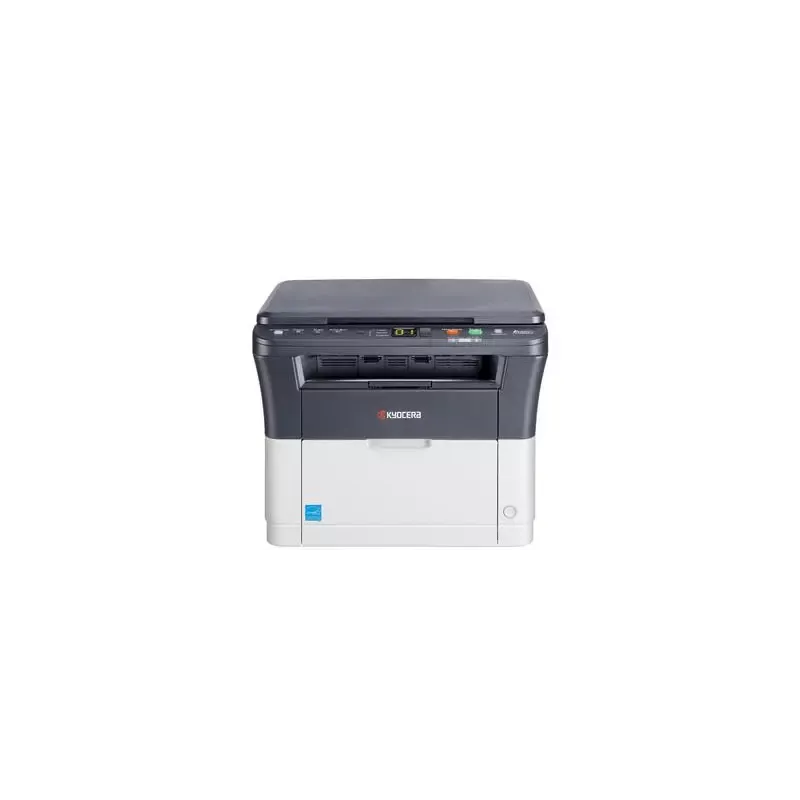
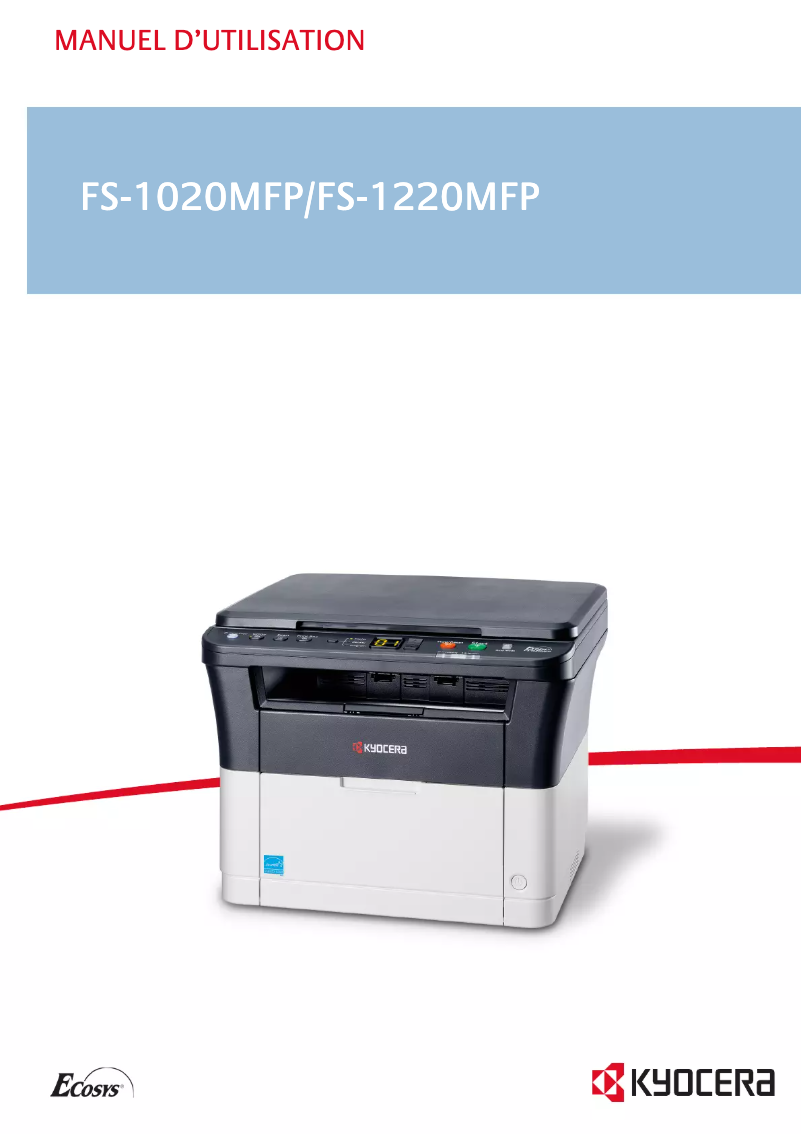
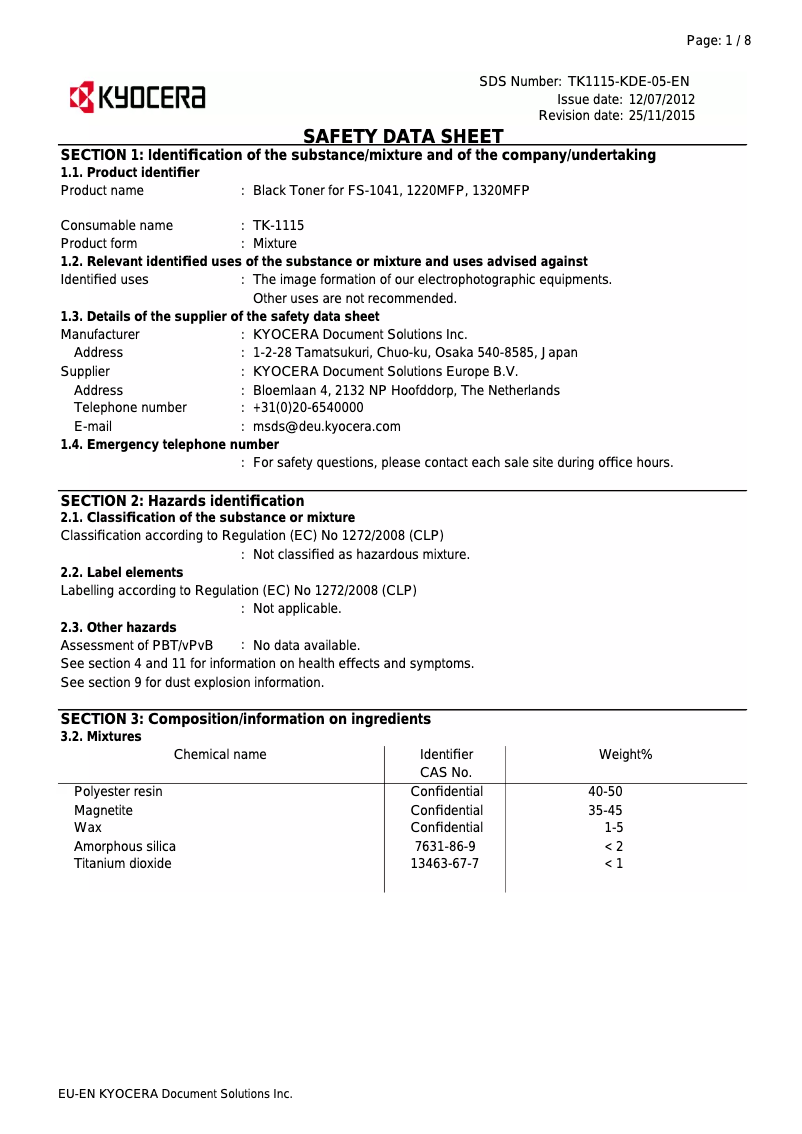
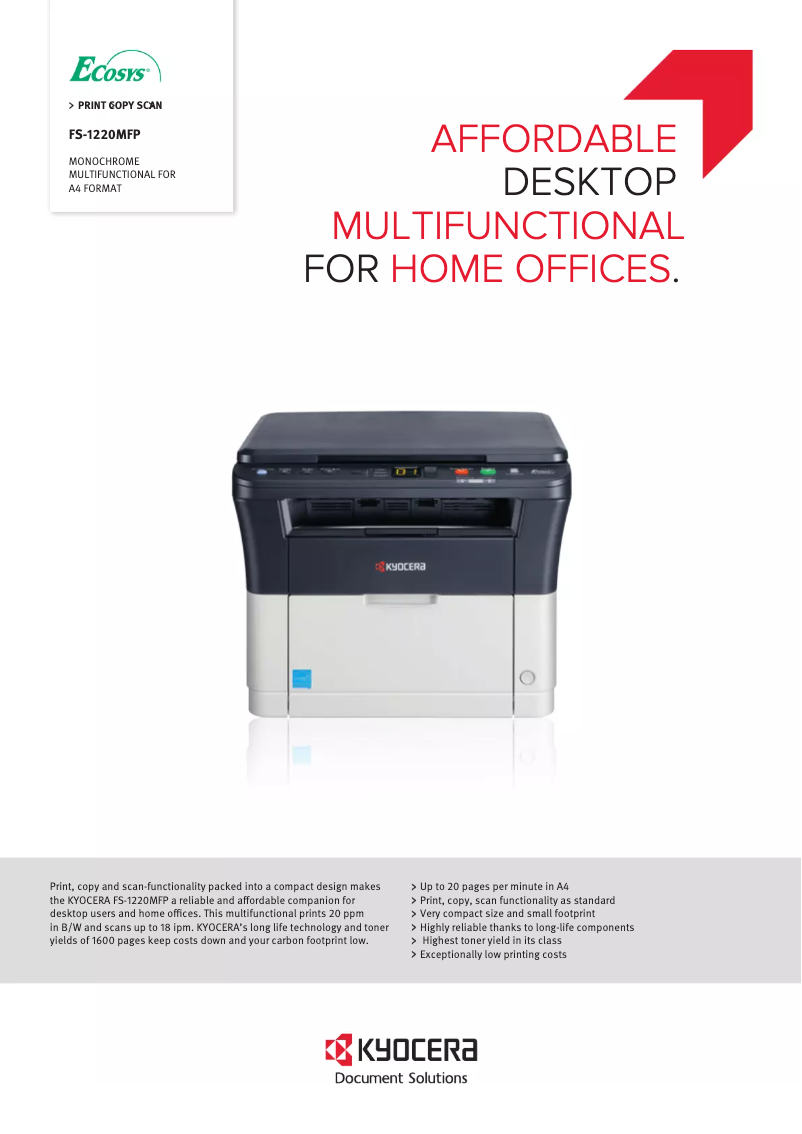
The Kyocera FS-1220MFP printer stands out for its versatility and print quality. With a print speed of 20 pages per minute and a maximum resolution of 1800 x 600 DPI, it ensures fast and accurate results, ideal for demanding work environments. Its all-in-one functionality, which includes printing, copying, and scanning, helps optimize desk space while improving the efficiency of daily tasks. Additionally, its low energy consumption in sleep mode and power-saving mode contributes to reducing energy costs while being environmentally friendly. However, some drawbacks are worth noting. The lack of duplex printing can lead to higher paper consumption, which is not ideal for eco-conscious users. The color scanning speed, at only 6 pages per minute, may also seem slow for those with high scanning volumes. Furthermore, the absence of network connectivity, such as Ethernet or Wi-Fi, limits sharing and remote access options, making the printer less suitable for a shared office. In terms of performance, the product scores well, particularly in user experience and energy consumption, although its features and perceived value are slightly affected by the mentioned limitations. The intuitive interface makes it easy to use, but some users may find the restrictions related to memory and features frustrating during more complex tasks. Overall, the Kyocera FS-1220MFP is a solid option for users looking for a reliable printer, copier, and scanner, but it may not be suitable for those with more advanced connectivity or feature needs.Score details
User experience
The user experience is generally satisfactory thanks to the all-in-one feature, but the lack of duplex printing can be a drawback.
Performance
The printing speed of 20 ppm and the print quality of 1800 x 600 DPI ensure quick and clear results, although the color scanning speed is slightly slow.
Battery life
The energy consumption in sleep mode and power-saving mode is very low, contributing to energy savings and environmental friendliness.
Features
The printer offers a good range of features, but the lack of network connectivity and the limit of 99 copies may restrict its use in shared work environments.
Value for money
The value for money is satisfactory, especially with the print quality and all-in-one features, but the mentioned limitations may influence the perception of its value.
Usability
The interface is intuitive and easy to use, but users may find the limitations in memory and features a bit frustrating when performing complex tasks.
Advantages
Fast printing: 20 pages per minute
Print quality: 1800 x 600 DPI
All-in-one function: printing, copying, scanning
Energy saving: low power consumption in standby
Color scanning: 600 x 600 DPI
Disadvantages
No double-sided printing.
Slow color scanning speed.
Lack of network connectivity.
Limit of 99 copies maximum.
Internal memory of only 64 MB.
Technical Specifications FS-1220MFP
General Information
-
ModelFS-1220MFP
-
Brand
-
Category
-
Type
-
SKU24865
-
MPN24865
Print speed
-
Printing technologyLaser
-
PrintingMonochrome printing
-
Print speed (black, normal quality, A4/US Letter)20 ppm
-
Maximum resolution1800 x 600 DPI
-
Copy time for the first page (Black, normal)8.5 s
-
Preheating time20 s
-
Double-sided printingNo
Copier
-
CopySimple copy
-
Max. resolution of copies600 x 600 DPI
-
Resizing copy25 - 400 %
-
Maximum number of copies99 copies
-
All-in-one function (N=)2, 4
-
Release time of the first print (black, normal)12 s
-
Duplex copyNo
-
Copy Function N in 1Yes
Digitization
-
DigitizationColor scanning
-
Optical scanning resolution600 x 600 DPI
-
Maximum scan areaLegal (216 x 356) mm
-
Scan toFile, Image, USB
-
Scanning speed (color)6 ppm
-
Scanner speed (black)18 ppm
-
Supported image formatsBMP, JPG, PNG, TIF
-
Support for text formatsPDF
-
Gray levels256
-
Scan driversTWAIN, WIA
-
Double-sided scanningNo
-
Scanning technologyCIS
Fax
-
Duplex faxNo
-
Duplex faxNo
Features
-
Service cycle (Maximum)10000 pages per month
-
Digital senderNo
-
Number of print cartridges1
-
All-in-one multitaskingYes
-
Printing colorsBlack
-
Double-sided functionsNot supported
-
Replacement cartridgesTK-1115
Representation / realization
-
Processor familyARM
-
Processor frequency390 MHz
-
Maximum internal memory64 MB
-
Built-in memory card readerNo
-
Sound pressure level (impression)50 dB
-
Sound power level (standby)28 dB
-
Sound pressure level (impression)50 dB
-
Sound pressure level (silent mode)49 dB
-
Maximum internal memory64 MB
-
Integrated into the processorYes
Input and output capacity
-
Maximum input capacity250 sheets
-
Paper feed typeCassette
-
Maximum input capacity250 sheets
-
Maximum number of feed bins1
-
Maximum number of feed bins1
-
Maximum output capacity100 sheets
-
Maximum output capacity100 sheets
Paper management
-
Maximum ISO A series paper sizeA4
-
Type of paper tray supportOrdinary paper
-
ISO, Format Series A (A0...A9)A4, A5, A6
-
ISO, Formats Series-B (B0...B9)B5
-
Non-ISO print support sizesLegal
-
Maximum print format216 x 356 mm
-
Weight of paper tray support60 - 120 g/m²
-
Support width customization70 - 216 mm
-
Customization of support length148 - 356 mm
Design
-
ScreenLED
-
Product colorBlack, White
-
Market positionDomestic and professional
-
Built-in screenYes
Network
-
WifiNo
-
WifiNo
-
Mobile printing technologiesNot supported
Connectivity
-
Direct printingNo
-
Standard interfacesUSB 2.0
-
USB portYes
Power
-
Electricity consumption (average operation)316 W
-
Energy consumption (eco mode)3 W
-
Energy consumption (standby mode)6 W
-
AC input frequency50 - 60 Hz
-
AC input voltage220 - 240 V
Minimum system requirements
-
Support for the Windows operating systemWindows 7 Enterprise
-
Support for the server operating systemWindows 7 Enterprise x64
-
Windows 7 Home Basic
-
Windows 7 Home Basic x64
-
Windows 7 Home Premium
-
Windows 7 Home Premium x64
-
Windows 7 Professional
-
Windows 7 Professional x64
-
Windows 7 Starter
-
Windows 7 Starter x64
-
Windows 7 Ultimate
-
Windows 7 Ultimate x64
-
Windows 8
-
Windows Vista Business
-
Windows Vista Business x64
-
Windows Vista Enterprise
-
Windows Vista Enterprise x64
-
Windows Vista Home Basic
-
Windows Vista Home Basic x64
-
Windows Vista Home Premium
-
Windows Vista Home Premium x64
-
Windows Vista Ultimate
-
Windows Vista Ultimate x64
-
Windows XP Home
-
Windows XP Home x64
-
Windows XP Professional
-
Windows XP Professional x64
-
Windows Server 2003
-
Windows Server 2003 x64
-
Windows Server 2008
-
Windows Server 2008 R2
-
Windows Server 2008 x64
Sustainability
-
Sustainability certificatesENERGY STAR
Certificate
-
CertificationTÜV-GS
-
CE
Weight and dimensions
-
Width390 mm
-
Depth333 mm
-
Height317 mm
-
Weight8700 g
Packaging contents
-
Cartridge(s) includedYes
-
Included cartridge capacity (black)1600 pages
-
Cables includedSector
Frequently Asked Questions
What is the weight of the Kyocera FS-1220MFP printer?
What is the recommended method for removing a jammed paper from the printer?
Why is my printer not recognizing the original cartridges?
Why is the print quality of my documents poor?
What is the difference between a laser printer and an inkjet printer?
Why does my inkjet printer leave black streaks on prints?
What does the acronym DPI mean?
What certifications does the Kyocera FS-1220MFP have?
How many cartridges can the Kyocera FS-1220MFP hold?
What is the height of the Kyocera FS-1220MFP printer?
What is the width of the Kyocera FS-1220MFP printer?
What is the depth of the Kyocera FS-1220MFP?
Is the manual for the Kyocera FS-1220MFP available in French?
Similar products


More product categories from brand Kyocera
Phones Kyocera
Other Kyocera
More product types from brand Kyocera


Presentation of product FS-1220MFP specifications from brand Kyocera
General Information
The model Kyocera FS-1220MFP, manufactured by the renowned brand Kyocera, is designed to provide a quality printing experience. This model, referenced under the code FS-1220MFP | 1102M43NLV, is recognized for its performance and reliability. The EAN code of this device is 632983027714, 8433799715626, 0632983027714, 0632983029589, 4053162310032, 4053162593596, 4058154320471, allowing for unique identification in distribution systems.
Print Speed
The Kyocera FS-1220MFP printer uses laser printing technology, ensuring high-quality results. It offers color printing, allowing for the production of documents and images with vibrant colors. With a print speed of 20 pages per minute in black (normal quality, A4/US Letter), it is suitable for daily use. Its maximum resolution of 1800 x 600 DPI guarantees prints of remarkable clarity. Additionally, the first page output time is 8.5 seconds, and the warm-up time is 20 seconds. However, it should be noted that the Kyocera FS-1220MFP does not offer duplex printing.
Copier
The integrated copier of the Kyocera FS-1220MFP allows for color copies with a maximum resolution of 600 x 600 DPI, ensuring exceptional print quality. It offers the ability to resize copies from 25 % to 400 % and can produce up to 99 copies in a single operation. Although it is multitasking, it does not support automatic duplex copying. On the other hand, the N-in-1 copy function is available, optimizing time and resources when creating multiple copies.
Scanning
The Kyocera FS-1220MFP is also equipped with a color scanning function, allowing for detailed reproductions of documents and images. Its optical scanning resolution is 600 x 600 DPI, providing high-quality results. Compatible with formats such as BMP, JPG, PNG, TIF, and PDF, it allows for flexibility during scanning. The color scanning speed is 6 pages per minute, while in black, it reaches 18 pages per minute. However, it is worth noting that this model does not offer duplex scanning.
Fax
The Kyocera FS-1220MFP does not have fax functionality, which may limit its use in environments requiring the sending of documents by fax.
Features
The maximum service cycle of the printer is 10,000 pages per month, making it suitable for intensive use. With a single print cartridge, the model is designed to deliver quality printing. It is also classified as a multitasking device, combining printing, copying, and scanning in one piece of equipment. The print color is primarily black, ensuring quality output.
Performance / Execution
The device's processor belongs to the ARM family, operating at a frequency of 390 MHz. With an internal memory of 64 MB, this device is capable of handling various tasks. Its operating noise level is 50 dB, which is acceptable for an office environment. In standby mode, the sound power level is reduced to 6 W.
Input and Output Capacity
The total paper capacity of the Kyocera FS-1220MFP is 250 sheets, managed by a single feed tray. The maximum output capacity is 100 sheets, ensuring adequate performance for moderate printing volumes.
Paper Management
Compatible with ISO A series paper sizes, the Kyocera FS-1220MFP supports formats such as A4, A5, and A6. It can also handle non-ISO media like Legal size, giving it some flexibility in using various types of paper. The supported paper weight ranges from 60 to 120 g/m².
Design
This model features a black and white hue, giving it a modern look. It is designed to fit into both home and professional environments. An integrated LED display facilitates the use and navigation of the device's various features.
Network
The Kyocera FS-1220MFP does not have Ethernet or Wi-Fi connectivity, thus limiting its integration into corporate networks. However, it offers mobile printing technologies for easy connection from mobile devices.
Connectivity
Although the model does not support direct printing, it is equipped with standard interfaces, ensuring connectivity with various devices. A USB port is also present to facilitate direct connections.
Power
In terms of energy consumption, the average operation of the Kyocera FS-1220MFP requires 316 W, while its economy mode consumes only 3 W. The AC input voltage is 220 - 240 V, ensuring compatibility with standard electrical systems.
Minimum System Requirements
This model is compatible with various Windows operating systems, including Windows 7, Windows Vista, and Windows XP, providing a smooth user experience.
Durability
The Kyocera FS-1220MFP is ENERGY STAR certified, attesting to its energy efficiency and environmental friendliness.
Certification
It is also compliant with TÜV-GS and CE certifications, ensuring the safety and performance of the device.
Weight and Dimensions
The dimensions of the Kyocera FS-1220MFP are 390 mm wide, 333 mm deep, and 317 mm high, with a weight of 8700 g, facilitating its installation in various workspaces.
Package Contents
The product includes print cartridges, allowing for immediate startup. The capacity of the included cartridge (black) is 1600 pages, providing an economical solution for your printing needs. Additionally, a power cable is provided to ensure optimal electrical connection.


