

Manual of product FS-1325MFP/KL3
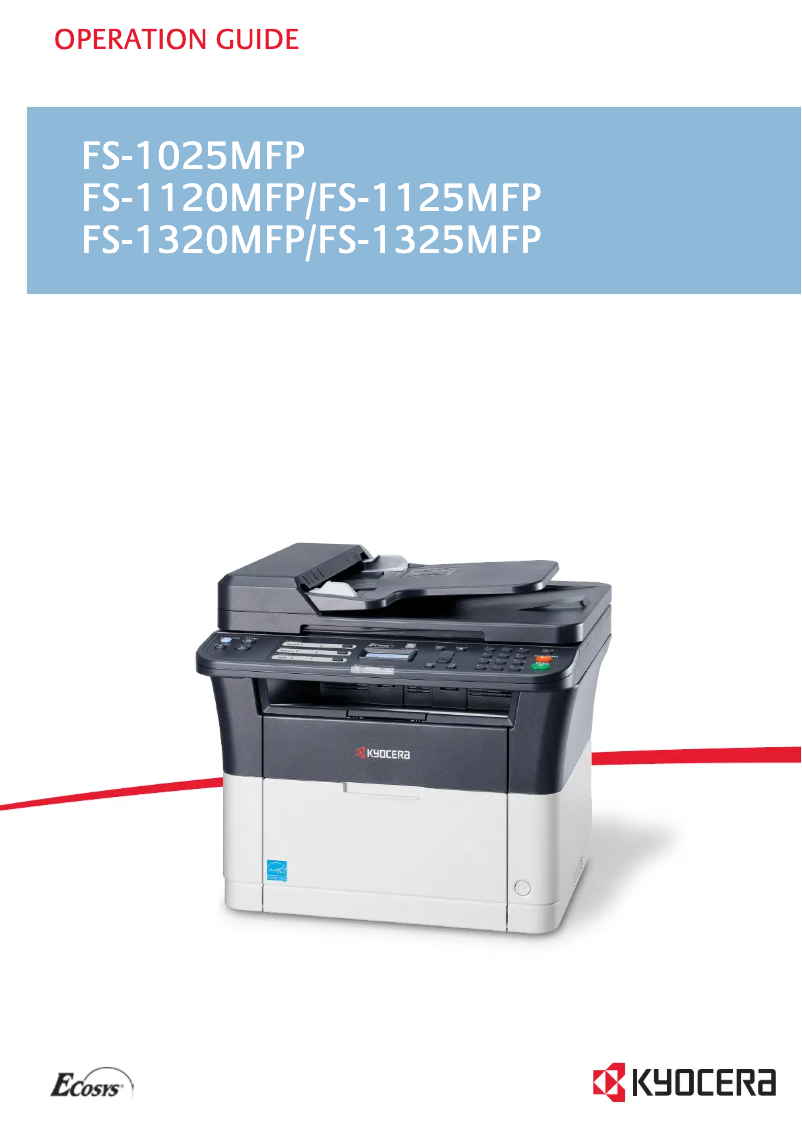
Editorial note
The Kyocera FS-1325MFP/KL3 is a multifunction printer appreciated for its fast printing speed of 25 pages per minute, making it an ideal choice for demanding work environments. Its color printing capability with a maximum resolution of 1800 x 600 DPI ensures high-quality documents and images. Additionally, its 250-sheet paper capacity and 40-sheet automatic document feeder facilitate the management of a large volume of documents without interruption. However, some drawbacks may limit its effectiveness. The duplex printing mode is manual, which can be inconvenient for those who need to quickly print documents on both sides. Furthermore, the lack of a duplex scanning function and the scanning speed of 6 ppm in color, relatively slow compared to other models, can slow down workflows. The internal memory of 64 MB may also be insufficient for heavier tasks, and the absence of Wi-Fi connectivity limits wireless connectivity options. In terms of design, the printer has a modern and sleek appearance, suitable for both home and professional environments. The value for money is good, although the lack of certain wireless connectivity features could enhance the user experience. The product is well supported by a detailed user manual, although online access to additional resources would be a valuable asset. Overall, the Kyocera FS-1325MFP/KL3 is a solid choice for those looking for a fast and quality printer, but it is important to consider its limitations in terms of features and connectivity.Score details
User experience
The user experience is satisfactory thanks to an intuitive interface, but the manual duplex printing mode and the lack of duplex scanning can make certain tasks less convenient.
Performance
The printing and copying performance is solid, with a printing speed of 25 ppm and good image quality. However, the scanning speed of 6 ppm in color is relatively slow compared to other models.
Design
The design is modern and suitable for office environments, with an elegant color and a reasonable size for home and professional use.
Value for money
The product offers good value for money with interesting features, although it lacks some aspects of wireless connectivity that could enhance the user experience.
Features
The features, while varied, are limited by the absence of duplex scanning and Wi-Fi connectivity, which can restrict its use in certain scenarios.
Support
The product is supported by a comprehensive user manual, but it would be beneficial to have online access to additional resources for quick assistance.
Documentation
The provided documentation is detailed and helpful, with a 201-page user manual that covers all aspects of the product.
Advantages
Print speed of 25 pages per minute
Color printing up to 1800 x 600 DPI
Color copies and scans at 600 x 600 DPI
250-sheet capacity and 40-sheet ADF
ENERGY STAR and Blue Angel certified
Disadvantages
Manual duplex printing is inconvenient
No duplex scanning
Slow scanning speed (6 ppm color)
Insufficient internal memory of 64 MB
Lack of Wi-Fi connectivity
Technical Specifications FS-1325MFP/KL3
General Information
-
ModelFS-1325MFP/KL3
-
Brand
-
Category
-
Type
-
SKU163753
-
MPN163753
Print speed
-
Printing technologyLaser
-
PrintingMono printing
-
Maximum resolution1800 x 600 DPI
-
Print speed (black, normal quality, A4/US Letter)25 ppm
-
Copy time for the first page (Black, normal)7.5 s
-
Preheating time28 s
-
Duplex printing modeAuto
-
Double-sided printingYes
Copier
-
Duplex copy-
-
CopySimple copy
-
Max. resolution of copies600 x 600 DPI
-
Maximum number of copies99 copies
-
Resizing copy25 - 400 %
-
All-in-one function (N=)2, 4
-
Release time of the first print (black, normal)13 s
-
Copy Function N in 1Yes
Digitization
-
Double-sided scanning-
-
DigitizationColor scanning
-
Optical scanning resolution600 x 600 DPI
-
Maximum scan areaLegal (216 x 356) mm
-
Gray levels256
-
Type of scannerADF Scanner
-
Supported image formatsBMP, JPG, PNG, TIF
-
Support for text formatsPDF
-
Scan driversTWAIN, WIA
-
Scan toFile, Image, USB
-
Scanning speed (color)6 ppm
-
Scanner speed (black)18 ppm
Fax
-
FaxSimple fax
-
Fax transmission speed4 sec/page
-
Modem speed33.6 Kbit/s
-
Fax Memory2.2 MB
-
Fax coding methodsMH, MMR (Fax coding method), MR
-
Fax memory150 pages
Features
-
Service cycle (Maximum)15000 pages per month
-
Digital senderNo
-
Number of print cartridges1
-
All-in-one multitaskingYes
-
Printing colorsBlack
-
Replacement cartridgesTK-1125
Input and output capacity
-
Maximum input capacity250 sheets
-
Automatic document feeder capacity40 sheets
-
Maximum output capacity100 sheets
-
Paper feed typeCassette, Paper tray
-
Maximum output capacity100 sheets
-
Maximum input capacity250 sheets
-
Maximum number of feed bins1
-
Maximum number of feed bins1
-
Input capacity of multi-purpose trays1 sheet
-
Automatic Document Feeder (ADF)Yes
-
Automatic Document Feeder (ADF)Yes
Paper management
-
ISO, Format Series A (A0...A9)A4
-
Maximum print formatA5
-
Type of paper tray supportA6
-
ISO, Formats Series-B (B0...B9)216 x 356 mm
-
Non-ISO print support sizesOrdinary paper
-
Weight of the multifunctional tray supportB5
-
Support weight supported in duplex modeLegal
-
Support width customization60 - 220 g/m²
-
Customization of support length60 - 120 g/m²
-
Thickness of supports (min)70 - 216 mm
-
Maximum ISO A series paper size148 - 356 mm
-
Weight of the multifunctional tray support0.11 mm
-
A4
-
60 - 220 g/m²
Design
-
Number of lines displayed2 lines
-
Product colorBlack, White
-
Market positionDomestic and professional
-
Built-in screenYes
Connectivity
-
Direct printingNo
-
Standard interfacesEthernet, USB 2.0
-
USB portYes
Network
-
Ethernet/LANYes
-
WifiNo
-
Mobile printing technologiesNot supported
-
LAN Ethernet: data transfer rate10, 100 Mbit/s
-
Wiring technology10/100Base-T(X)
Representation / realization
-
Internal memory64 MB
-
Built-in memory card readerNo
-
Processor frequency390 MHz
-
Processor familyARM
-
Sound pressure level (impression)50 dB
-
Sound power level (standby)29 dB
-
Sound pressure level (impression)50 dB
-
Sound pressure level (silent mode)49 dB
Power
-
Electricity consumption (average operation)345 W
-
Energy consumption (eco mode)4 W
-
Energy consumption (standby mode)8 W
-
AC input frequency50 - 60 Hz
-
AC input voltage220 - 240 V
Weight and dimensions
-
Width390 mm
-
Depth361 mm
-
Height362 mm
-
Weight10100 g
Minimum system requirements
-
Support for the Windows operating systemYes
-
Support for the server operating systemWindows Server 2003, Windows Server 2003 x64, Windows Server 2008, Windows Server 2008 R2, Windows Server 2008 x64
Certificate
-
CertificationTÜV-GS
-
CE
Sustainability
-
Sustainability certificatesBlue Angel
-
RoHS
-
EPEAT Silver
-
ENERGY STAR
Packaging contents
-
Cartridge(s) includedYes
-
Cables includedSector
-
Included cartridge capacity (black)2100 pages
Frequently Asked Questions
What is the weight of the Kyocera FS-1325MFP/KL3 printer?
How can I remove the paper jammed in the printer?
Why is my printer refusing to accept original cartridges?
What could be the reasons for poor print quality?
How does a laser printer differ from an inkjet printer?
Why does my inkjet printer leave black streaks on my prints?
What does the term DPI mean?
What certifications does the Kyocera FS-1325MFP/KL3 have?
How many cartridges can be installed in the Kyocera FS-1325MFP/KL3?
What is the height of the Kyocera FS-1325MFP/KL3 printer?
What is the width of the Kyocera FS-1325MFP/KL3?
What is the depth of the Kyocera FS-1325MFP/KL3 printer?
Is the manual for the Kyocera FS-1325MFP/KL3 available in French?
Similar products


More product categories from brand Kyocera
Phones Kyocera
Other Kyocera
More product types from brand Kyocera


Presentation of product FS-1325MFP/KL3 specifications from brand Kyocera
General Information
The Kyocera FS-1325MFP/KL3 is a multifunction printer model that fits within the renowned brand Kyocera, known for its innovation and quality in the field of office equipment. This model, referenced under 870B61102M73NL0, ensures robust performance and an enhanced user experience. The EAN code 632983932421 allows for precise identification of the device within distribution systems.
Print Speed
Equipped with Laser printing technology, the Kyocera FS-1325MFP/KL3 offers color printing with a maximum resolution of 1800 x 600 DPI. This guarantees documents and images of remarkable quality. Its print speed reaches 25 pages per minute in black and white, making this device suitable for demanding work environments. The warm-up time required is 28 seconds, and the first page copies in 7.5 seconds. Although the printer offers a duplex printing mode, it is manual, which may require user intervention for those wishing to print documents on both sides.
Copier
The integrated copier allows for color copies with a resolution of up to 600 x 600 DPI. It can produce up to 99 copies at once, with resizing possible from 25 to 400 %. The output time for the first copy is 13 seconds. However, it does not include the automatic duplex copy function, which may limit its efficiency for double-sided photocopying tasks.
Scanning
The color scanning function offers an optical resolution of 600 x 600 DPI, ensuring high-quality reproductions. The maximum scan area is 216 x 356 mm, allowing for the processing of large documents. The ADF (Automatic Document Feeder) type scanner facilitates the scanning of multiple pages simultaneously. Nevertheless, it is worth noting that the color scanning speed is 6 ppm, which may be considered relatively slow in a professional environment. Additionally, the lack of duplex scanning could slow down the scanning processes for double documents.
Fax
The fax function allows for the sending and receiving of documents, with a transmission speed of 4 seconds per page. The modem operates at a speed of 33.6 Kbit/s and the fax memory can store up to 150 pages.
Features
The maximum service cycle of the printer is 15,000 pages per month, making it suitable for intensive use. Although designed to be multifunctional, the product does not have a digital sending function, which could be a drawback for some users. In terms of cartridges, it uses a single cartridge for black printing, with a replacement identified under the code TK-1125.
Input and Output Capacity
The total feed capacity is 250 sheets, with an automatic document feeder that can hold 40 sheets. The total output capacity is 100 sheets, ensuring efficient paper management for high-volume printing. The feeding system is configured in a cassette, facilitating paper loading and management.
Paper Management
This printer supports various paper formats, including A4, A5, A6, and Legal, providing flexibility in use. The supported paper weight ranges from 60 to 220 g/m², ensuring optimal print quality.
Design
Featuring a built-in screen, the Kyocera FS-1325MFP/KL3 presents a modern and sleek design, primarily in black and white. It is designed to fit into both home and professional environments.
Connectivity
This printer does not offer direct printing, but it is equipped with a USB port for simple and quick connection to various devices. Although it has Ethernet/LAN connectivity, the absence of Wi-Fi may limit wireless printing options.
Network
The Kyocera FS-1325MFP/KL3 is compatible with 10/100Base-T(X) cabling technologies and has a data transfer rate of 10/100 Mbit/s, ensuring a reliable network connection.
Representation / Performance
With an internal memory of 64 MB, this printer efficiently manages everyday tasks. The processor frequency is 390 MHz, ensuring smooth operation. However, the lack of an integrated memory card reader may be a limitation for some users.
Power
The power consumption during operation is 345 W, while in economy mode, it drops to 4 W. In standby, the consumption is 8 W, contributing to energy efficiency.
Weight and Dimensions
The weight of the printer is 10,100 g, with dimensions of 390 mm wide, 361 mm deep, and 362 mm high, allowing for easy integration into various workspaces.
Minimum System Requirements
The Kyocera FS-1325MFP/KL3 is compatible with Windows operating systems, including Windows Server 2003, 2008, and their x64 versions, ensuring smooth integration into modern IT environments.
Certification
This printer complies with safety and performance standards, obtaining certifications such as TÜV-GS and CE.
Durability
Environmentally friendly, the Kyocera FS-1325MFP/KL3 is certified Blue Angel, RoHS, EPEAT Silver, and ENERGY STAR, ensuring eco-responsible use.
Package Contents
The product includes print cartridges, allowing for immediate use. It also comes with a power cable, essential for electrical supply. The included black cartridge has a print capacity of 2,100 pages, providing a practical solution for your printing needs.


