
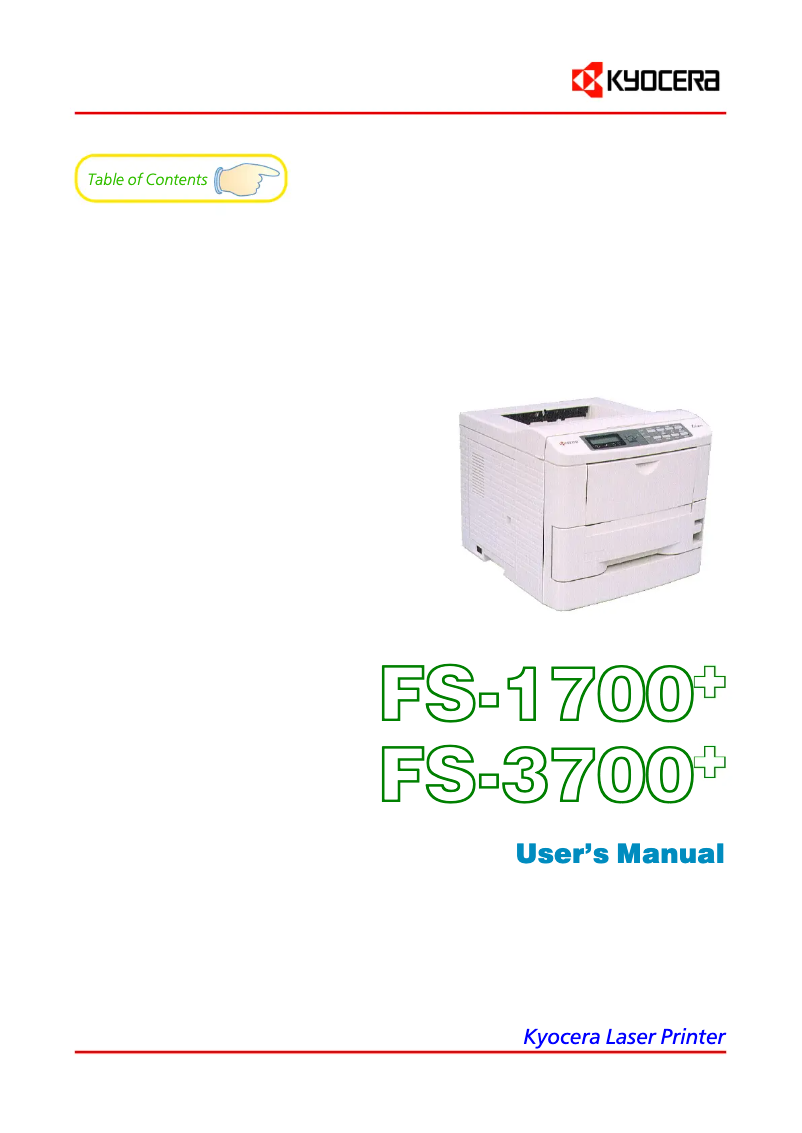
Manual of product FS-1700+
Editorial note
The Kyocera FS-1700+ printer stands out for its superior print quality, producing sharp and precise documents, making it an ideal choice for professional use. Its reputation for reliability and durability is confirmed, offering consistent performance even in demanding work environments. Additionally, ease of use is a major asset, with an included manual allowing for quick setup. However, there are some drawbacks to consider. The printer can be relatively noisy, which may disrupt a quiet work environment. Furthermore, the lack of wireless features limits usage flexibility, requiring a direct connection to a computer. The cost of toners and replacement parts can also increase the overall cost of use in the long term. Finally, the basic design of the printer may seem unappealing compared to more modern models, and its lack of advanced features like scanning or copying may disappoint those looking for an all-in-one device. In summary, the Kyocera FS-1700+ is a robust and high-performing printer, but it has limitations in terms of features and design that may not suit all users.Score details
User experience
The user experience is positive due to the ease of use, with an included manual that allows for quick setup.
Performance
The print quality is superior, providing sharp and accurate prints, ideal for professional documents.
Design
The design is quite basic and may seem unappealing compared to other more modern models.
Value for money
Although the printer is durable, the high cost of toners and replacement parts can increase the overall cost of use.
Features
The lack of advanced features like scanning or copying limits its appeal to users looking for an all-in-one device.
Robustness
The reliability and durability of the printer are excellent, even in demanding work environments.
Usability
The printer is easy to use, but the noise it generates can disrupt a quiet work environment.
Advantages
Clear and precise prints
Exceptional reliability and durability
Simple setup and use
Reduced energy consumption
Compatibility with various systems
Disadvantages
Noisy in operation
No wireless features
High toner costs
Lack of advanced features
Basic and unappealing design
Technical Specifications FS-1700+
General Information
-
ModelFS-1700+
-
Brand
-
Category
-
Type
-
SKU859944
-
MPN859944
Frequently Asked Questions
What is the recommended method for removing a jammed paper from the printer?
Why does my printer not recognize original cartridges?
What could be the reasons for poor print quality?
What are the differences between a laser printer and an inkjet printer?
Why does my inkjet printer produce black lines on prints?
What does the abbreviation DPI mean?
Is the manual for the Kyocera FS-1700+ available in French?
Similar products


More product categories from brand Kyocera
Phones Kyocera
Other Kyocera
More product types from brand Kyocera


Presentation of product FS-1700+ specifications from brand Kyocera
General Information
The Kyocera FS-1700+ printer is a flagship model from the Kyocera brand, known for its commitment to quality and innovation in the office equipment sector. This model is designed to deliver efficient performance, thus ensuring an optimal user experience tailored to the varied needs of professionals.
Advantages
The Kyocera FS-1700+ stands out for its superior print quality, producing documents with remarkable clarity, making it a preferred choice for professional printing. Its reliability and durability are also noteworthy, as it is designed to withstand demanding work environments while maintaining consistent performance. Additionally, this device is easy to use thanks to a clear user manual, allowing for quick setup to immediately enjoy its features.
In terms of energy efficiency, the FS-1700+ is designed to consume less energy, which helps reduce operating costs while minimizing its impact on the environment. Its varied compatibility with different operating systems facilitates integration into various computing environments, making this device versatile and practical.
Disadvantages
However, it is important to note some disadvantages associated with this model. The FS-1700+ printer can be relatively noisy during operation, which could disrupt a quiet work environment. Additionally, its lack of wireless features limits usage flexibility, requiring a direct connection to a computer. The cost of toners and replacement parts can also be a factor to consider, as it could increase the overall cost of use in the long term.
Finally, although the model offers excellent print quality, it does not have advanced features such as scanning or copying, which may not suit users looking for an all-in-one device. Its design, quite simple, may also seem less attractive compared to other more modern models available on the market.


