

Manual of product FS-2020D
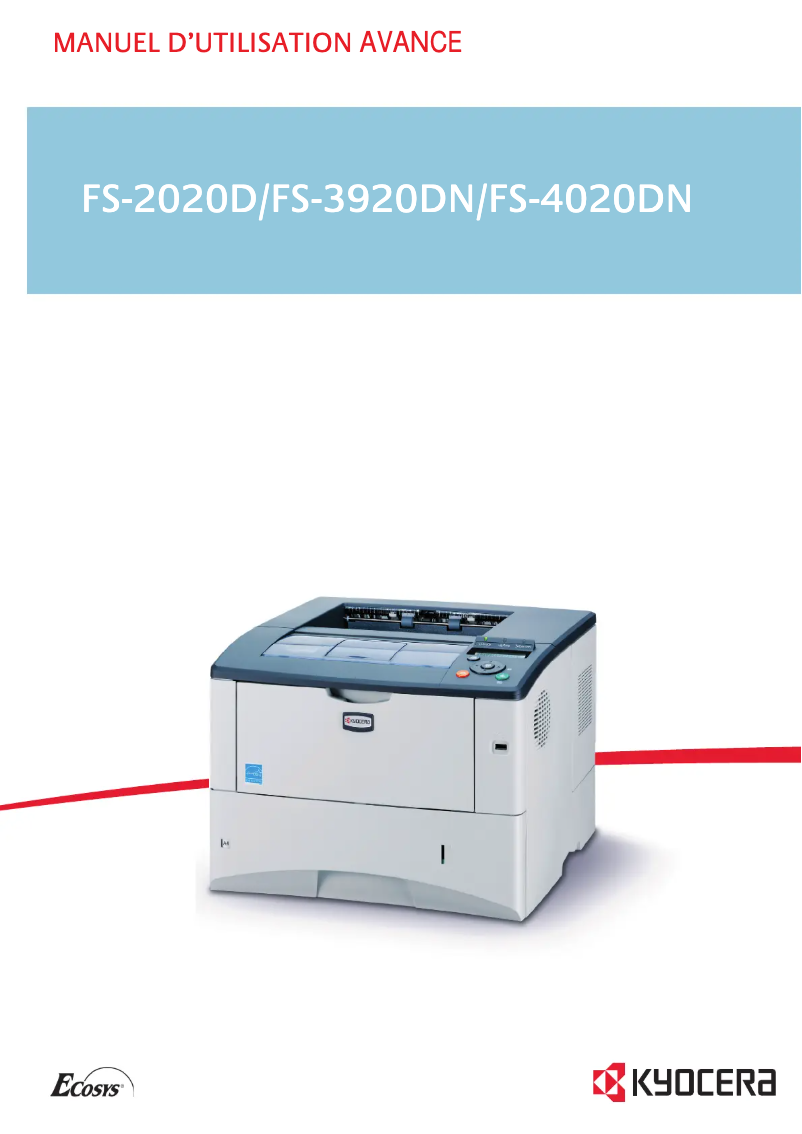
Editorial note
The Kyocera FS-2020D printer stands out for its fast printing speed of 35 pages per minute and its exceptional resolution of 1200 x 1200 DPI, ensuring high-quality prints for both professional and personal use. Additionally, its built-in duplex printing feature optimizes resource usage, which is a considerable asset for demanding work environments. With a cartridge capacity of 12,000 sheets, it is also economical in the long run. However, the model has some notable drawbacks. The lack of compatibility with Mac systems may restrict its use for some users. Furthermore, the absence of built-in network connectivity complicates its integration into modern office environments. Although the 128 MB internal memory is adequate for everyday tasks, it can become a bottleneck when printing heavy or complex documents. Its weight of 16.2 kg also makes the printer less portable, which could pose a problem when moving around an office. In terms of scores, the user experience is generally positive with a score of 78, thanks to its practical features. Performance is excellent with a score of 85, but the memory limitation could affect efficiency. The design, rated at 70, is functional but less convenient to transport. In terms of value for money, it receives a score of 75, although the cost of replacement toners may weigh on long-term operating costs. Finally, usability is rated at 65, mainly due to the lack of network connectivity, while the provided documentation is considered comprehensive, with a score of 80. In summary, the Kyocera FS-2020D is a high-performing and economical printer for regular use, but it may not be suitable for all users, particularly those using Mac systems or requiring seamless network integration.Score details
User experience
The user experience is generally positive, thanks to the duplex printing feature and the fast printing speed of 35 ppm, although the lack of Mac compatibility may be a drawback for some users.
Performance
The performance is excellent for everyday tasks, with a print resolution of 1200 x 1200 DPI ensuring exceptionally clear prints. However, the internal memory of 128 MB may limit efficiency when printing large documents.
Design
The design is functional, but the weight of 16.2 kg can make the printer less portable and more difficult to move.
Value for money
With a cartridge capacity of 12,000 sheets, the printer is cost-effective in the long run, even though the cost of replacement toners can be relatively high.
Usability
The lack of built-in network connectivity makes its integration into modern work environments more complex, which can hinder its user-friendliness.
Documentation
The user manual is comprehensive, with 226 pages providing detailed information on how to use the printer.
Advantages
Print speed of 35 ppm
Print resolution of 1200 x 1200 DPI
Built-in duplex printing
Cartridge capacity of 12,000 sheets
Noise level of 29 dB in standby
Disadvantages
Incompatible with Mac systems
No built-in network connectivity
High cost of replacement toners
Internal memory limited to 128 MB
Weight of 16.2 kg, not very portable
Insufficient printing speed for some
Technical Specifications FS-2020D
General Information
-
ModelFS-2020D
-
Brand
-
Category
-
Type
-
SKU21072
-
MPN21072
Print speed
-
ColorNo
-
Maximum resolution1200 x 1200 DPI
-
Print speed (black, normal quality, A4/US Letter)35 ppm
-
Preheating time17 s
-
Copy time for the first page (Black, normal)9 s
-
Printing technologyLaser
-
Double-sided printingYes
Representation / realization
-
Processor modelPowerPC 440
-
Processor frequency533 MHz
-
Internal memory128 MB
-
Maximum internal memory1152 MB
-
Sound power level (standby)29 dB
-
Type of memoryDDR2
-
Sound pressure level (impression)52 dB
-
Integrated into the processorYes
Other features
-
Toner cartridgeTK-340
-
Mac CompatibilityYes
-
Cartridge capacity12000 sheets
-
Type of power supply220/240 V, 50/60 Hz
-
Electricity consumption in operation560 W
-
Recommended monthly print volume20000 pages
Features
-
Number of print cartridges1
-
Service cycle (Maximum)150,000 pages per month
Input and output capacity
-
Maximum input capacity1100 sheets
-
Total power capacity500 sheets
-
Total output capacity250 sheets
-
Input capacity of multi-purpose trays100 sheets
-
Total number of power supply units1
-
Maximum number of feed bins2
-
Multifunctional trayYes
Paper management
-
Maximum print format216 x 356 mm
-
ISO, Format Series A (A0...A9)A4, A5, A6
-
ISO, Formats Series-B (B0...B9)B5
-
Non-ISO print support sizesLetter
-
Type of paper tray supportPlain paper, Recycled paper
-
Support weight supported in duplex mode60 - 120 g/m²
-
Weight of the multifunctional tray support60 - 220 g/m²
-
Support weight supported in duplex mode60 - 120 g/m²
-
Maximum ISO A series paper sizeA4
Network
-
WifiNo
-
WifiNo
-
WifiNo
Weight and dimensions
-
Dimensions (LxWxH)382 x 394 x 285 mm
-
Weight16200 g
Power
-
Energy consumption (standby mode)9.2 W
-
Energy consumption (eco mode)5.7 W
-
Average power consumption in Print mode560 W
-
AC input voltage220 - 240 V
-
AC input frequency50 - 60 Hz
-
Energy Star, typical electrical consumption (TEC)2.6 kWh/week
Design
-
ScreenLCD
-
CertificationGS, TüV, CE
Connectivity
-
Standard interfacesParallel, USB 2.0
-
Optional connectivityEthernet, Wireless LAN
Sustainability
-
Sustainability certificatesENERGY STAR
Frequently Asked Questions
What is the weight of the Kyocera FS-2020D printer?
What is the recommended method for removing a paper jam in the printer?
Why does my printer not recognize the original cartridges?
What could be the reasons for poor print quality?
How does a laser printer differ from an inkjet printer?
Why does my inkjet printer leave black streaks on prints?
What does the acronym DPI mean?
What certifications does the Kyocera FS-2020D have?
How many cartridges can be inserted into the Kyocera FS-2020D?
Is the manual for the Kyocera FS-2020D available in French?
Similar products


More product categories from brand Kyocera
Phones Kyocera
Other Kyocera
More product types from brand Kyocera


Presentation of product FS-2020D specifications from brand Kyocera
General Information
The Kyocera FS-2020D model is a monochrome laser printer from the Kyocera brand, known for its innovations and reliability in the printing equipment field. This model, identified by the code FS-2020D | 012J0EU, is designed to provide optimal performance and a smooth user experience. The associated EAN code, 632983014219, allows for unique identification in distribution systems.
Print Speed
This printer, although it only prints in black, ensures a remarkable print speed of 35 pages per minute (ppm), which is particularly suitable for demanding work environments. Its maximum resolution of 1200 x 1200 DPI guarantees exceptional clarity for all your documents. The warm-up time is 17 seconds, and the first page print delay is 9 seconds, making this device ideal for daily use. Additionally, it features an integrated duplex printing function, allowing for optimized use of paper resources.
Technical Specifications
The processor of the Kyocera FS-2020D is a PowerPC 440 operating at a frequency of 533 MHz, paired with an internal memory of 128 MB, expandable up to 1152 MB. The noise level in standby is 29 dB, ensuring discreet operation, while the sound pressure level during printing is 52 dB, which is suitable for noise-sensitive offices.
Other Features
Using the toner cartridge TK-340, the Kyocera FS-2020D can print up to 12,000 sheets, allowing for prolonged use without the need for frequent replacements. It operates with a power supply of 220/240 V, 50/60 Hz and consumes 560 W in active mode. The recommended monthly print volume is 20,000 pages, ensuring longevity and optimal performance.
Input and Output Capacity
This printer has a maximum input capacity of 1100 sheets and a feed capacity of 500 sheets, allowing for efficient document management. The output capacity is 250 sheets, and it includes a multi-purpose tray with a capacity of 100 sheets.
Paper Management
The maximum print size supported by the Kyocera FS-2020D is 216 x 356 mm, with compatibility for standard paper sizes ISO A4, A5, A6, as well as B5 and Letter. It can handle media from 60 to 220 g/m², ensuring optimal print quality on various types of paper.
Network
It is important to note that the Kyocera FS-2020D does not have built-in network connectivity such as Ethernet or Wi-Fi, which may complicate its integration into modern work environments.
Weight and Dimensions
The dimensions of the printer are 382 x 394 x 285 mm and its weight is 16.2 kg, which may make it more difficult to move in an office.
Power
In standby mode, the power consumption is 9.2 W, and in economy mode, it is 5.7 W. The power consumption in print mode is 560 W, while the AC input voltage is 220 - 240 V and the AC input frequency is 50 - 60 Hz.
Durability
The Kyocera FS-2020D is certified ENERGY STAR, attesting to its compliance with energy efficiency and environmental sustainability standards.


