

Manual of product FS-2100D/KL3
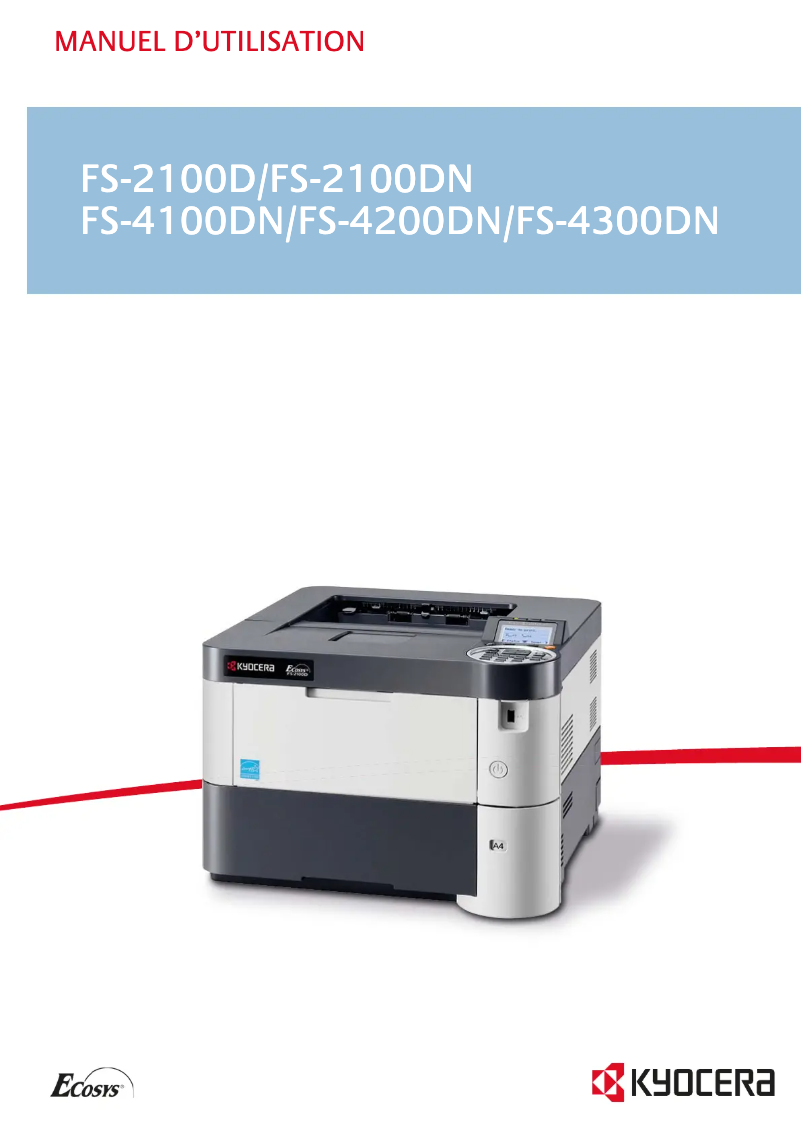
Editorial note
The Kyocera FS-2100D/KL3 printer stands out with its high printing speed of 40 pages per minute, making it an ideal choice for demanding work environments. The built-in duplex printing feature optimizes paper usage, thereby helping to reduce printing costs. With a maximum resolution of 1200 x 1200 DPI, it ensures clear and professional prints. Its total paper capacity of 600 sheets allows for handling a large volume of documents without frequent interruptions, and its compatibility with multiple operating systems — Windows, Mac, and Linux — offers appreciated flexibility of use. However, some drawbacks must be considered. The lack of network connectivity, both Ethernet and Wi-Fi, limits usage flexibility, which can be problematic in modern collaborative work environments. Additionally, while the maximum input capacity of 2600 sheets is sufficient for many users, it may not meet the printing needs of large companies. Its weight of 13.5 kg can also complicate moving or reinstalling the printer in tight workspaces. Finally, the absence of color printing may be a drawback for users requiring color documents, especially for presentations or marketing materials. In summary, the Kyocera FS-2100D/KL3 offers good performance and an interesting price-quality ratio, but its limitations in terms of connectivity and color printing could make it less appealing to some users.Score details
User experience
The user experience is generally positive due to a high printing speed of 40 pages per minute and integrated duplex printing, making tasks easier in a demanding work environment.
Performance
The performance is good with a maximum resolution of 1200 x 1200 DPI, but the internal memory of 128 MB may be insufficient for more complex printing tasks.
Value for money
The product offers good value for money due to its 600-sheet paper capacity and compatibility with multiple operating systems, but the lack of network connectivity limits its appeal.
Robustness
Weighing 13.5 kg can make it difficult to move, and while the 2600-sheet input capacity is sufficient for many, it may not satisfy large companies.
Features
Although the printer has interesting features, such as duplex printing, the lack of color printing can be a major drawback for users needing colored documents.
Advantages
40 pages per minute for increased productivity
Double-sided printing to save paper
Resolution 1200 x 1200 DPI for sharp prints
600-sheet capacity for fewer interruptions
Compatible with Windows, Mac, and Linux
Disadvantages
No network connectivity
Limited input capacity for large enterprises
Heavy weight, difficult to move
Printing only in black and white
Insufficient internal memory for large files
Technical Specifications FS-2100D/KL3
General Information
-
ModelFS-2100D/KL3
-
Brand
-
Category
-
Type
-
SKU162406
-
MPN162406
Print speed
-
ColorNo
-
Maximum resolution1200 x 1200 DPI
-
Double-sided printingYes
-
Printing technologyLaser
-
Print speed (black, normal quality, A4/US Letter)40 ppm
-
Preheating time15 s
-
Copy time for the first page (Black, normal)9 s
Features
-
Service cycle (Maximum)150,000 pages per month
-
Number of print cartridges1
-
Languages of the page descriptionEpson LQ, IBM ProPrinter, PCL 5c, PCL 6, PCL XL, PDF 1.7, PostScript 3
-
Printing colorsBlack
Network
-
WifiNo
-
WifiNo
-
WifiNo
-
Mobile printing technologiesNot supported
Representation / realization
-
Internal memory128 MB
-
Maximum internal memory1152 MB
-
Sound power level (standby)25.9 dB
-
Sound pressure level (impression)52.4 dB
-
Processor frequency750 MHz
-
Processor model465
-
Processor familyPowerPC
-
Compatible memory cardsSD, SDHC
-
Integrated into the processorYes
Input and output capacity
-
Total power capacity600 sheets
-
Input capacity of multi-purpose trays100 sheets
-
Total output capacity- sheets
-
Maximum output capacity250 sheets
-
Maximum input capacity2600 sheets
-
Total number of power supply units2
-
Maximum number of feed bins6
-
Multifunctional trayYes
Paper management
-
ISO, Format Series A (A0...A9)A4
-
Maximum print formatA5
-
Type of paper tray supportA6
-
ISO, Formats Series-B (B0...B9)216 x 356 mm
-
Non-ISO print support sizesOrdinary paper
-
Support weight supported in duplex modeB5
-
Weight of the multifunctional tray supportLetter
-
Support weight supported in duplex mode60 - 120 g/m²
-
Support width customization60 - 220 g/m²
-
Customization of support length60 - 120 g/m²
-
Maximum ISO A series paper size70 - 216 mm
-
148 - 356 mm
-
A4
Connectivity
-
Standard interfacesUSB 2.0
-
Quantity of USB 2.0 Ports3
-
Direct printingYes
Power
-
AC input voltage220 - 240 V
-
AC input frequency50 - 60 Hz
-
Average power consumption in Print mode564 W
-
Energy consumption (standby mode)11.5 W
-
Energy consumption (eco mode)3 W
Weight and dimensions
-
Width380 mm
-
Depth416 mm
-
Height285 mm
-
Weight13500 g
Design
-
CertificationTÜV/GS, CE
-
ScreenLCD
-
Product colorBlack, White
-
Built-in screenYes
Minimum system requirements
-
Support for the Linux operating systemYes
-
Support for the Linux operating systemYes
-
Support for the Linux operating systemYes
-
Support for the server operating systemWindows 2000 Advanced Server, Windows 2000 Server, Windows MultiPoint Server 2011, Windows SBS 2011 Essentials, Windows SBS 2011 Standard, Windows Server 2003, Windows Server 2003 R2, Windows Server 2003 x64, Windows Server 2008, Windows Server 2008 R2, Windows Server 2008 x64, Windows Server 2012
Sustainability
-
Sustainability certificatesBlue Angel
-
ENERGY STAR
Frequently Asked Questions
What is the weight of the Kyocera FS-2100D/KL3?
What is the best method to remove paper jammed in the printer?
Why is my printer not recognizing the original cartridges?
What are the possible reasons for poor print quality?
What is the difference between a laser printer and an inkjet printer?
Why is my inkjet printer leaving black marks on my prints?
What does the acronym DPI mean?
What are the certifications of the Kyocera FS-2100D/KL3?
How many cartridges can the Kyocera FS-2100D/KL3 hold?
What is the height of the Kyocera FS-2100D/KL3?
What is the width of the Kyocera FS-2100D/KL3?
What is the depth of the Kyocera FS-2100D/KL3?
Is the manual for the Kyocera FS-2100D/KL3 available in French?
Similar products


More product categories from brand Kyocera
Phones Kyocera
Other Kyocera
More product types from brand Kyocera


Presentation of product FS-2100D/KL3 specifications from brand Kyocera
General Information
The Kyocera FS-2100D/KL3 model, manufactured by the renowned brand Kyocera, is a printer that stands out for its quality and innovation. This product, referenced under the EAN code 632983932254, ensures an optimal user experience thanks to its reliable performance.
Print Speed
The Kyocera FS-2100D/KL3 is a monochrome printer, which means it does not perform color printing. This may suit users who prefer black and white prints. It offers a maximum resolution of 1200 x 1200 DPI, ensuring clear and precise prints. With its built-in duplex printing function, it optimizes paper usage, thereby reducing its operating cost. The print speed reaches 40 pages per minute, which is ideal for demanding work environments. Additionally, its warm-up time is only 15 seconds, while the first page print delay is 9 seconds, ensuring appreciable responsiveness.
Features
The maximum service cycle reaches 150,000 pages per month, making it perfectly suitable for intensive use. The printer uses a single cartridge, simplifying supply management. It supports various page description languages, including PCL and PostScript, allowing adaptation to user needs. The print color is black, ensuring a sharp visual output.
Network
The Kyocera FS-2100D/KL3 does not have network connectivity, nor Ethernet or Wi-Fi options, which may limit its use in collaborative environments. However, it offers mobile printing technologies, allowing convenient printing from mobile devices.
Representation / Performance
With 128 MB of internal memory, this device is capable of handling common tasks. Its maximum internal memory of 1152 MB allows for processing more complex documents. In terms of noise, it emits 25.9 dB in standby and 52.4 dB during printing, ensuring relatively quiet operation. The 750 MHz processor ensures smooth and efficient performance.
Input and Output Capacity
The total paper capacity of the printer is 600 sheets, allowing for a substantial volume of documents to be processed without frequent interruptions. It also includes feed trays that can support up to 2,600 sheets, making it suitable for varied needs. Its multifunction tray can accommodate different types of paper.
Paper Management
The Kyocera FS-2100D/KL3 is compatible with A4, A5, and A6 paper sizes. The maximum print size is 216 x 356 mm. It accepts various media, including plain paper, and supports paper weights ranging from 60 to 220 g/m². Its flexibility in formats and media weights makes it a versatile choice for various printing needs.
Connectivity
This printer is equipped with several USB 2.0 ports, facilitating connection with various devices. Direct printing is also supported, allowing for quick and efficient use.
Power
The Kyocera FS-2100D/KL3 operates on an AC input voltage of 220 - 240 V and a frequency of 50 - 60 Hz. Its power consumption is 564 W in print mode, 11.5 W in standby, and only 3 W in energy-saving mode, contributing to better energy efficiency.
Weight and Dimensions
The product measures 380 mm in width, 416 mm in depth, and 285 mm in height. With a weight of 13.5 kg, its transport can be challenging in tight spaces.
Design
The Kyocera FS-2100D/KL3 is TÜV/GS and CE certified, ensuring its compliance with safety and performance standards. It is equipped with an LCD screen for easier navigation. Its modern design, with a black and white finish, easily integrates into various office environments.
Minimum System Requirements
This printer is compatible with several operating systems, including Windows, Mac, and Linux, ensuring flexibility of use. It also supports a wide range of server operating systems, thus guaranteeing its integration into varied infrastructures.
Durability
The Kyocera FS-2100D/KL3 is certified by the Blue Angel and ENERGY STAR, attesting to its commitment to energy efficiency and environmental preservation.


