

Manual of product FS-6970DN
Editorial note
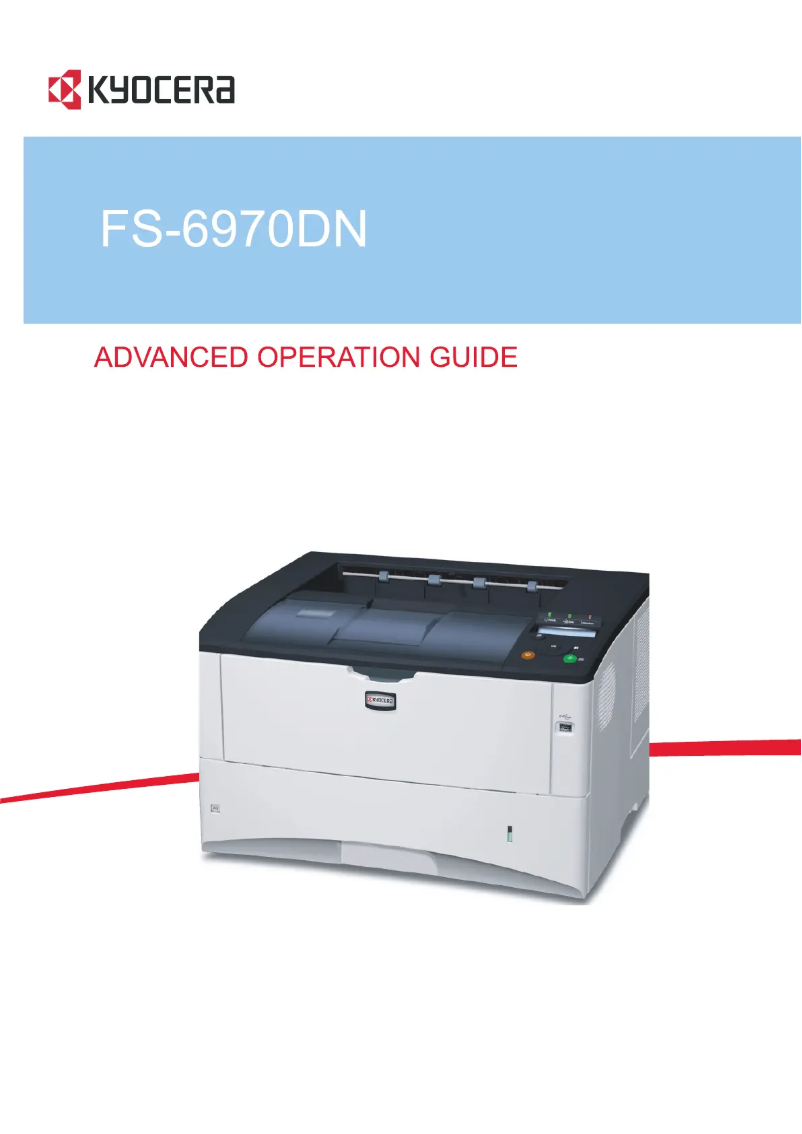
The Kyocera FS-6970DN printer stands out for its high printing speed of 35 pages per minute and a maximum resolution of 1200 x 1200 DPI, ensuring high-quality prints suitable for the needs of professional environments. Additionally, its automatic duplex printing feature contributes to more efficient paper usage, which is an asset for environmentally conscious users. With a maximum input capacity of 1350 sheets, this printer can handle a large volume of documents without requiring frequent interventions. However, there are some limitations to consider. The lack of Wi-Fi connectivity may restrict usage flexibility, forcing users to connect via an Ethernet cable. Furthermore, its weight of 19,500 g may pose portability issues, making frequent relocation difficult. The output capacity of 250 sheets may also seem insufficient for very busy offices, just like the duplex printing speed of 17 ppm, which is relatively slow compared to other competing models. Finally, although the maximum duty cycle is 150,000 pages per month, the recommended cycle of 20,000 pages may not be suitable for users with higher printing demands. In summary, the Kyocera FS-6970DN is a high-performing printer offering interesting features for work environments, but it has certain limitations in terms of connectivity and capacity that should be considered before purchase.Score details
User experience
The user experience is positive due to a high printing speed of 35 pages per minute and automatic double-sided printing, although the lack of Wi-Fi connectivity may limit flexibility.
Performance
The performance is solid with a maximum resolution of 1200 x 1200 DPI, but the double-sided printing speed of 17 ppm is relatively slow compared to some competitors.
Design
The design is functional, but the weight of 19,500 g limits portability, which may be an issue for users wanting to move the printer frequently.
Value for money
With a maximum input capacity of 1,350 sheets, the product offers good value for money for work environments, but the output capacity of 250 sheets may be insufficient for very busy offices.
Features
Features include laser printing technology and a maximum duty cycle of 150,000 pages per month, although the recommended cycle of 20,000 pages may not be enough for users with high printing needs.
Advantages
Fast printing at 35 pages per minute
Automatic double-sided printing
High resolution of 1200 x 1200 DPI
Input capacity of 1350 sheets
Durable laser printing technology
Disadvantages
No Wi-Fi connectivity
Heavy weight, difficult to move
Output capacity limited to 250 sheets
Slow duplex printing at 17 ppm
Recommended cycle insufficient for demanding users
Technical Specifications FS-6970DN
General Information
-
ModelFS-6970DN
-
Brand
-
Category
-
Type
-
SKU21075
-
MPN21075
Print speed
-
ColorNo
-
Maximum resolution1200 x 1200 DPI
-
Print speed (black, normal quality, A4/US Letter)35 ppm
-
Preheating time15 s
-
Copy time for the first page (Black, normal)9 s
-
Double-sided printingYes
-
Printing technologyLaser
-
Duplex printing speed (Black, normal quality, A4/US Letter)17 ppm
Representation / realization
-
Processor model440
-
Processor frequency600 MHz
-
Internal memory128 MB
-
Maximum internal memory1152 MB
-
Sound power level (standby)29 dB
-
Sound pressure level (impression)51 dB
-
Processor familyPowerPC
-
Integrated into the processorYes
Other features
-
Toner cartridgeTK-450
-
Power requirementsAC 220-240 V, 50/60 Hz
Input and output capacity
-
Maximum output capacity500 sheets
-
Total output capacity250 sheets
-
Total power capacity350 sheets
-
Maximum input capacity1350 sheets
-
Input capacity of multi-purpose trays100 sheets
-
Multifunctional trayYes
Paper management
-
ISO, Formats Series-B (B0...B9)B4, B5
-
Non-ISO print support sizesLedger (media size), Letter (media size)
-
ISO, Format Series A (A0...A9)A3, A4, A5
-
Maximum print format297 x 432 mm
-
Type of paper tray supportPlain paper
-
Support weight supported in duplex mode60 - 120 g/m²
-
Weight of the multifunctional tray support60 - 220 g/m²
-
Support weight supported in duplex mode60 - 120 g/m²
-
Support width customization70 - 297 mm
-
Customization of support length148 - 450 mm
-
Maximum ISO A series paper sizeA3
Network
-
Ethernet/LANYes
-
Ethernet/LANYes
-
WifiNo
-
Management protocolsSNMPv3
-
Security-supported algorithm802.1x RADIUS, SSL/TLS
-
Mobile printing technologiesNot supported
Weight and dimensions
-
Dimensions (LxWxH)469 x 395 x 285 mm
-
Weight19500 g
Power
-
Energy consumption (eco mode)6.3 W
-
Energy consumption (standby mode)9.6 W
-
Average power consumption in Print mode516 W
-
AC input voltage220 - 240 V
-
AC input frequency50 - 60 Hz
Design
-
CertificationGS
-
Product colorTÜV
-
CE
-
Black
-
Grey
Features
-
Service cycle (Maximum)150,000 pages per month
-
Service cycle (recommended)20,000 pages per month
-
Number of print cartridges1
-
Languages of the page descriptionEpson LQ, IBM ProPrinter, PCL 5c, PCL 6, PostScript 3
-
Printing colorsBlack
Connectivity
-
Standard interfacesEthernet
-
Direct printingParallel
-
USB 2.0
-
Yes
Minimum system requirements
-
Support for the Linux operating systemYes
-
Support for the Mac operating systemMac OS X 10.2 Jaguar, Mac OS X 10.3 Panther, Mac OS X 10.4 Tiger, Mac OS X 10.5 Leopard, Mac OS X 10.6 Snow Leopard, Mac OS X 10.7 Lion, Mac OS X 10.8 Mountain Lion
-
Support for the Linux operating systemYes
Sustainability
-
Sustainability certificatesENERGY STAR
Frequently Asked Questions
What is the weight of the Kyocera FS-6970DN printer?
What is the recommended method for removing paper jammed in the printer?
Why is my printer rejecting original cartridges?
What are the possible reasons for poor print quality?
What is the difference between a laser printer and an inkjet printer?
Why is my inkjet printer producing black lines?
What does the term DPI mean?
What certifications does the Kyocera FS-6970DN have?
How many cartridges can be installed in the Kyocera FS-6970DN?
Is the manual for the Kyocera FS-6970DN available in French?
Similar products


More product categories from brand Kyocera
Phones Kyocera
Other Kyocera
More product types from brand Kyocera


Presentation of product FS-6970DN specifications from brand Kyocera
General Information
The Kyocera FS-6970DN, manufactured by the Kyocera brand, is known for its reliability and innovations in the printing field. This model, referenced under the number FS-6970DN | 1102J53EU0, is designed to deliver remarkable performance, thus meeting the demands of professional users. The associated EAN code for this product is 632983014264, allowing for unique identification in distribution systems.
Print Speed
The Kyocera FS-6970DN does not offer color printing but focuses on high-quality monochrome printing. Its maximum resolution of 1200 x 1200 DPI ensures clear and precise prints, perfect for professional documents. With a print speed of 35 pages per minute, it is capable of quickly handling large volumes of documents. Its warm-up time is 15 seconds, and it prints the first page in 9 seconds, thus meeting the needs of demanding work environments. Additionally, it offers an automatic duplex printing function, allowing for paper savings. Its print speed in duplex mode is 17 ppm.
Technical Specifications
The printer is equipped with a 440 model processor running at 600 MHz, ensuring fast task execution. Its internal memory of 128 MB is expandable up to 1152 MB, allowing for efficient management of printing tasks. In terms of sound, it emits 29 dB in standby and 51 dB during printing, ensuring relatively quiet operation.
Input and Output Capacity
The Kyocera FS-6970DN can handle a significant printing volume thanks to its maximum input capacity of 1350 sheets and an output capacity of 500 sheets. Its multifunction tray supports up to 100 sheets, allowing for flexible use according to needs.
Paper Management
This printer is compatible with various paper formats, including series A (A3, A4, A5) and B (B4, B5). It can print documents with a maximum size of 297 x 432 mm. Its tray accepts media from 60 to 120 g/m² for standard prints and up to 220 g/m² for the multifunction tray.
Network and Connectivity
The Kyocera FS-6970DN is equipped with Ethernet/LAN connectivity, although it does not have Wi-Fi, thus limiting its flexibility of use. It supports the SNMPv3 protocol for centralized management of network devices and uses advanced security algorithms such as 802.1x RADIUS and SSL/TLS.
Weight and Dimensions
With dimensions of 469 x 395 x 285 mm and a weight of 19,500 g, this printer is designed for office use and may be less convenient to move frequently.
Energy Consumption
In economy mode, the Kyocera FS-6970DN consumes 6.3 W, and in standby mode, 9.6 W, thus contributing to energy savings. In print mode, its average consumption is 516 W, ensuring energy efficiency during use.
Durability and Certifications
This printer is certified ENERGY STAR, attesting to its compliance with energy efficiency and sustainability standards, making it a responsible choice for environmentally conscious users.


