

Manuals of product FS-9530DN
Editorial note
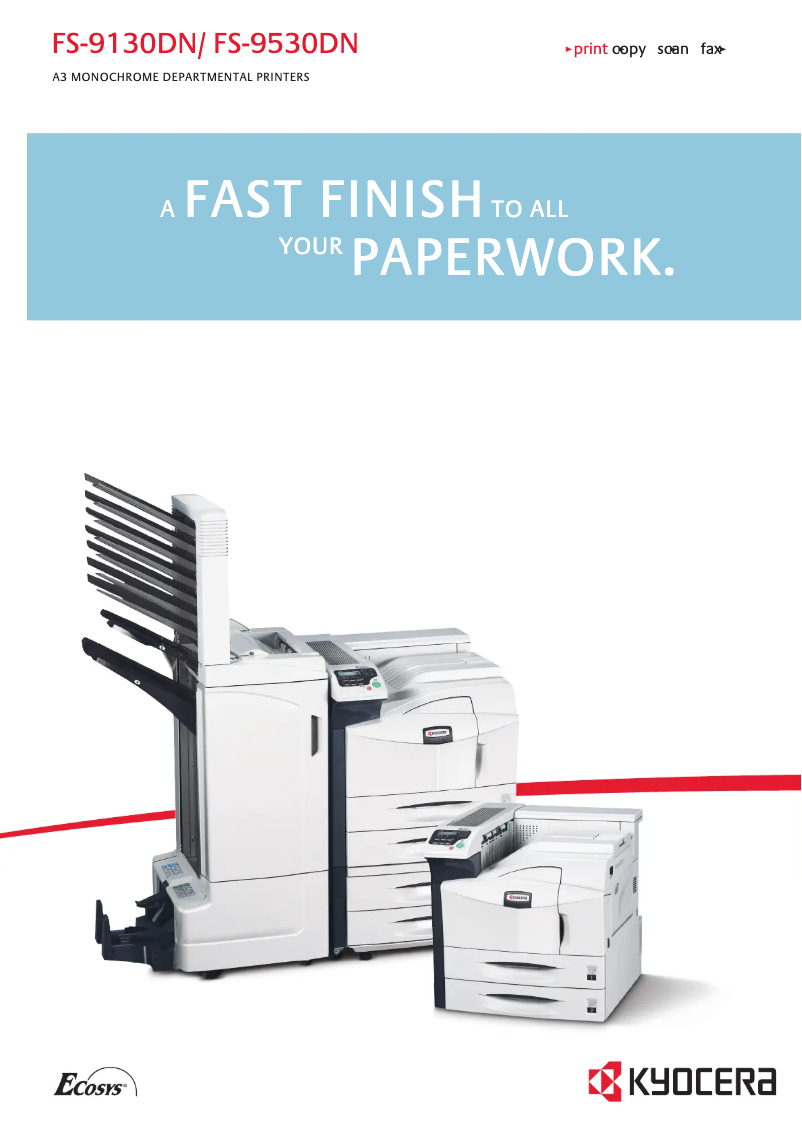
The Kyocera FS-9530DN printer stands out for its high performance, with a printing speed of 51 pages per minute and laser technology offering a resolution of 1800 x 600 DPI. These features make it an ideal choice for demanding work environments where productivity is paramount. Additionally, its maximum input capacity of 4200 sheets and built-in duplex printing allow for efficient management of large document volumes while reducing printing costs. However, some drawbacks must be considered. The weight of 68 kg can complicate its installation and movement, especially in tight spaces. The lack of Wi-Fi connectivity also limits usage flexibility, requiring a wired connection to print from mobile devices. Furthermore, the 60-second warm-up time can lead to delays for users seeking quick prints. The internal memory of 128 MB may prove insufficient for heavy printing tasks, which could cause slowdowns. Overall, the Kyocera FS-9530DN is a robust and high-performing printer, but it could benefit from improvements in connectivity and weight. Its ENERGY STAR certification and comprehensive documentation add value, making it suitable for users with regular and significant printing needs.Score details
User experience
The user experience is satisfactory thanks to practical features like built-in duplex printing, although the lack of Wi-Fi connectivity limits usage flexibility.
Performance
The high printing speed of 51 ppm and laser technology provide exceptional performance, but the 60-second warm-up time can delay immediate prints.
Design
The design is modern, but the weight of 68 kg can pose challenges for moving and installing in tight spaces.
Value for money
Its ENERGY STAR certification for energy efficiency and 4200-sheet input capacity make it a cost-effective product for users with high printing volumes.
Usability
Compatibility with various media types is a plus, but the limited 128 MB internal memory can cause slowdowns during heavy printing.
Robustness
Print quality is excellent thanks to a resolution of 1800 x 600 DPI, ensuring professional results.
Support
The available documents, such as the user manual and FAQ, are helpful, but more accessible technical support would be appreciated.
Documentation
The provided documentation is comprehensive, with clear information on installing and using the printer.
Advantages
Print speed of 51 pages per minute
Built-in duplex printing
Input capacity of 4200 sheets
Print quality 1800 x 600 DPI
Compatible with various media
ENERGY STAR certified for energy efficiency
Disadvantages
Weight of 68 kg, difficult to move
No Wi-Fi connectivity available
Preheating time of 60 seconds
Noise level of 70 dB
Internal memory of only 128 MB
Technical Specifications FS-9530DN
General Information
-
ModelFS-9530DN
-
Brand
-
Category
-
Type
-
SKU55148
-
MPN55148
Paper management
-
Maximum print format297 x 420 mm
-
Type of paper tray supportBond paper
-
ISO, Format Series A (A0...A9)Envelopes
-
ISO, Formats Series-B (B0...B9)Labels
-
Maximum ISO A series paper sizePlain paper
-
Recycled paper
-
Transparencies
-
A3
-
A4
-
A5
-
B4
-
B5
-
A3
Print speed
-
ColorNo
-
Print speed (black, normal quality, A4/US Letter)51 ppm
-
Maximum resolution1800 x 600 DPI
-
Preheating time60 s
-
Copy time for the first page (Black, normal)3.5 s
-
Printing technologyLaser
-
Economic printingYes
-
Print speed (black, normal quality, A3)26 ppm
-
Economic printingYes
Representation / realization
-
Internal memory128 MB
-
Processor frequency600 MHz
-
Sound power level (standby)51 dB
-
Sound pressure level (impression)70 dB
-
Maximum internal memory640 MB
-
Memory locations1
-
Type of memoryDDR
-
Processor model750FL
-
Processor familyPowerPC
-
Compatible memory cardsCF
-
Integrated into the processorYes
Input and output capacity
-
Maximum input capacity4200 sheets
-
Total power capacity1200 sheets
-
Total output capacity500 sheets
-
Total output capacity500 sheets
-
Input capacity of multi-purpose trays200 sheets
-
Total number of power supply units2
-
Multifunctional trayYes
Weight and dimensions
-
Dimensions (LxWxH)599 x 646 x 615 mm
-
Weight68000 g
Network
-
Wifi-
-
Ethernet/LANYes
-
Ethernet/LANYes
-
Support for network protocols (IPv4)TCP/IP, IPX/SPX, AppleTalk, NetBEUI
-
Wiring technology10/100Base-T(X)
-
LAN Ethernet: data transfer rate10, 100 Mbit/s
Features
-
Service cycle (Maximum)300,000 pages per month
-
Number of print cartridges1
-
Languages of the page descriptionPCL 5e, PCL 6, PCL XL
-
Printing colorsBlack
Power
-
Average power consumption in Print mode900 W
-
Energy consumption (eco mode)4.5 W
-
Energy consumption (standby mode)180 W
-
AC input voltage120 V
-
AC input frequency60 Hz
-
Current intensity11.4 A
Connectivity
-
Standard interfacesEthernet
-
Quantity of USB 2.0 PortsParallel
-
USB 2.0
-
1
Minimum system requirements
-
Support for the Windows operating systemWindows 2000
-
Support for the Mac operating systemWindows 2000 Professional
-
Support for the Linux operating systemWindows 7 Home Basic
-
Support for the server operating systemWindows 7 Home Basic x64
-
Support for other operating systemsWindows 7 Home Premium
-
Windows 7 Home Premium x64
-
Windows 7 Professional
-
Windows 7 Professional x64
-
Windows 7 Starter
-
Windows 7 Starter x64
-
Windows 7 Ultimate
-
Windows 7 Ultimate x64
-
Windows 95
-
Windows 98
-
Windows 98SE
-
Windows ME
-
Windows XP Home
-
Windows XP Home x64
-
Windows XP Professional
-
Windows XP Professional x64
-
Mac OS X 10.0 Cheetah
-
Mac OS X 10.1 Puma
-
Mac OS X 10.2 Jaguar
-
Mac OS X 10.3 Panther
-
Mac OS X 10.4 Tiger
-
Mac OS X 10.5 Leopard
-
Mac OS X 10.6 Snow Leopard
-
Mac OS X 10.7 Lion
-
Yes
-
Windows Server 2003
-
Novell NetWare 4.x
-
Novell NetWare 5.x
-
Novell NetWare 6.x
Sustainability
-
Sustainability certificatesENERGY STAR
Design
-
Screen-
-
Product colorWhite
Other features
-
Network featuresFast Ethernet
-
Included fontsYes
Frequently Asked Questions
What is the weight of the Kyocera FS-9530DN printer?
What is the recommended method for removing a jammed paper from the printer?
Why does my printer not recognize original cartridges?
What could be the causes of poor print quality?
What are the differences between a laser printer and an inkjet printer?
Why does my inkjet printer leave black streaks on prints?
What does the acronym DPI mean?
How many cartridges can be inserted into the Kyocera FS-9530DN?
Is the manual for the Kyocera FS-9530DN available in French?
Similar products


More product categories from brand Kyocera
Phones Kyocera
Other Kyocera
More product types from brand Kyocera


Presentation of product FS-9530DN specifications from brand Kyocera
General Information
The Kyocera FS-9530DN printer is a model recognized for its performance and reliability. Manufactured by Kyocera, a prestigious brand in the field of office equipment, this model (reference FS-9530DN | 1102G13NL0) is designed to provide an optimal user experience. The EAN code, 0632983008829 and 4054317107781, allows for unique identification in the distribution system.
Paper Management
This printer supports a maximum print size of 297 x 420 mm, ideal for large documents. The paper tray is compatible with various types of media such as plain paper, recycled paper, labels, envelopes, and transparencies. It also accepts ISO formats from series A (A3, A4, A5) and series B (B4, B5), ensuring flexible use tailored to different printing needs.
Print Speed
The Kyocera FS-9530DN prints at a remarkable speed of 51 pages per minute in black and white, making it particularly suitable for demanding work environments. Its print resolution reaches 1800 x 600 DPI, ensuring exceptional clarity of documents. Although the warm-up time is 60 seconds, the first page copy delay is quick at 3.5 seconds. Additionally, this printer offers a built-in duplex printing function, optimizing paper use and reducing costs.
Performance / Execution
Equipped with 128 MB of internal memory, the Kyocera FS-9530DN printer is capable of handling a substantial amount of data. Its processor, operating at 600 MHz, allows for rapid execution of instructions. The noise level in standby is 51 dB, while the noise during printing reaches 70 dB, which could be a drawback in noise-sensitive environments. The maximum memory can be expanded up to 640 MB, providing even more capacity for complex tasks.
Input and Output Capacity
The maximum input capacity is 4200 sheets, making it an ideal choice for offices with high printing volumes. The total feed capacity is 1200 sheets, while the output capacity is 500 sheets, ensuring an efficient workflow. The printer also has two feed trays, one of which is a multifunction tray capable of holding up to 200 sheets.
Weight and Dimensions
With dimensions of 599 x 646 x 615 mm and a weight of 68 kg, the Kyocera FS-9530DN may require dedicated space in your office and can be difficult to move. Its robust construction is designed for durable use.
Network
This printer is ready to use with built-in network connectivity, facilitating immediate access to the Internet. It has an Ethernet/LAN port for wired connection but does not support Wi-Fi. Supported network protocols include TCP/IP, IPX/SPX, AppleTalk, and NetBEUI, ensuring efficient print management.
Features
The maximum service cycle is 300,000 pages per month, allowing for intensive use. The printer uses a single cartridge, ensuring consistent print quality. It supports multiple page description languages, such as PCL 5e, PCL 6, and PCL XL, and prints only in black, thus providing high-quality visual output.
Power
In print mode, the power consumption is 900 W, while it drops to 4.5 W in economy mode. In standby, the consumption is 180 W, contributing to significant energy savings. The electrical specifications include an input voltage of 120 V and a frequency of 60 Hz, as well as a current intensity of 11.4 A.
Connectivity
The Kyocera FS-9530DN offers several standard interfaces, facilitating integration with various devices. It has a USB 2.0 port for quick connection.
Minimum System Requirements
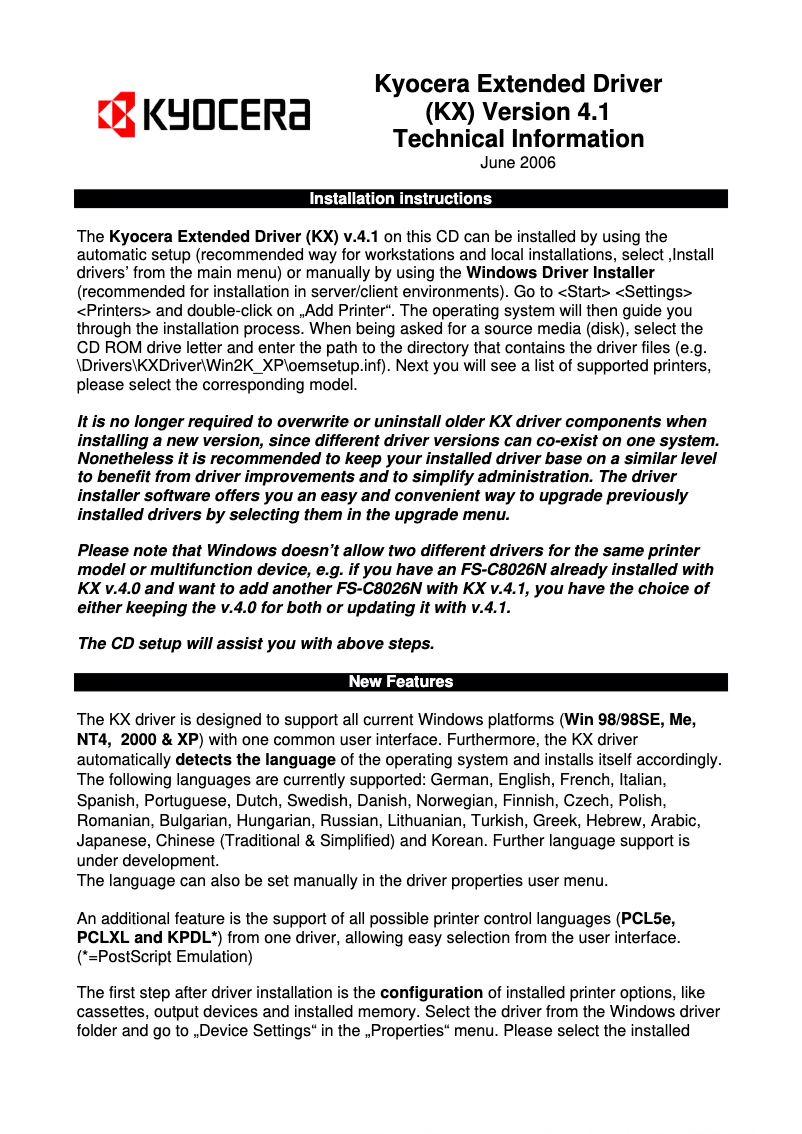
This printer is compatible with several operating systems, including Windows (including Windows 2000, 7, and XP), Mac OS X, and Linux, ensuring smooth use in various computing environments. It also supports server systems such as Windows Server 2003 and Novell NetWare.
Durability
The Kyocera FS-9530DN is ENERGY STAR certified, attesting to its compliance with energy efficiency and environmental sustainability standards.
Design
Its sleek white design easily integrates into any workspace, while the absence of a screen does not detract from its functionality.
Other Features
The integrated Fast Ethernet network ensures a reliable connection, and the printer includes fonts for immediate use.


