

Manuals of product FS-C1020MFP+
Editorial note
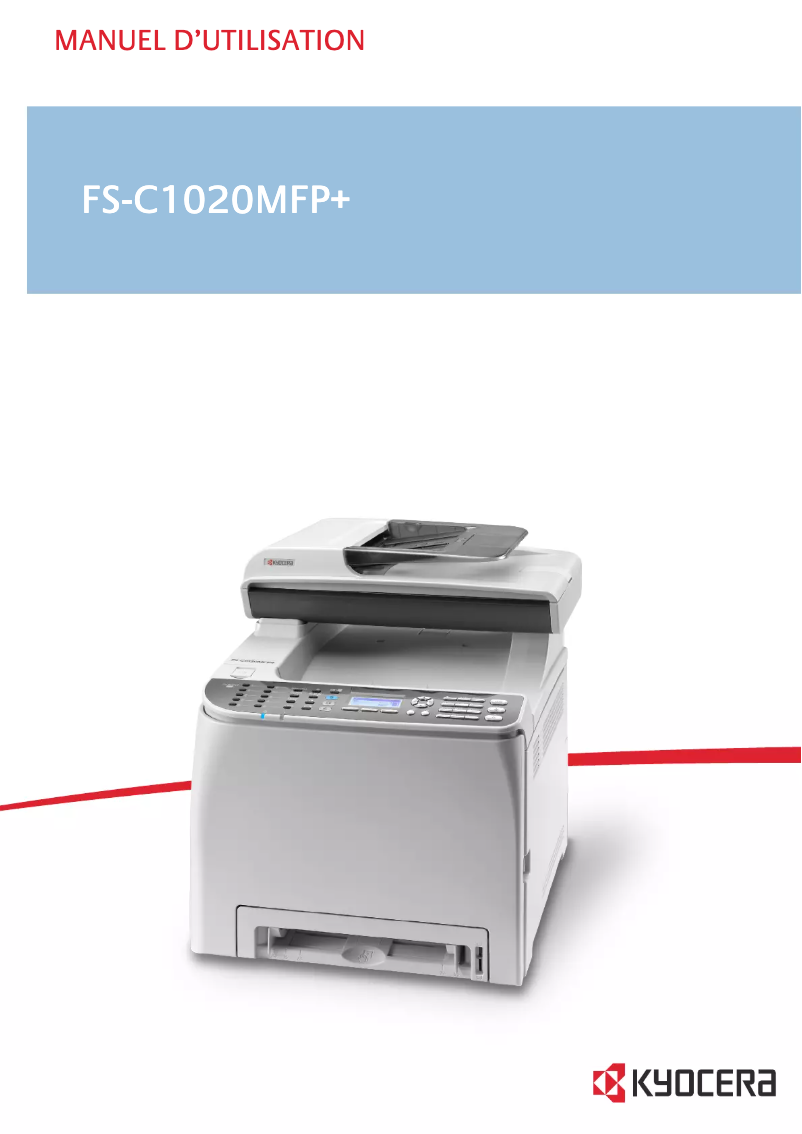
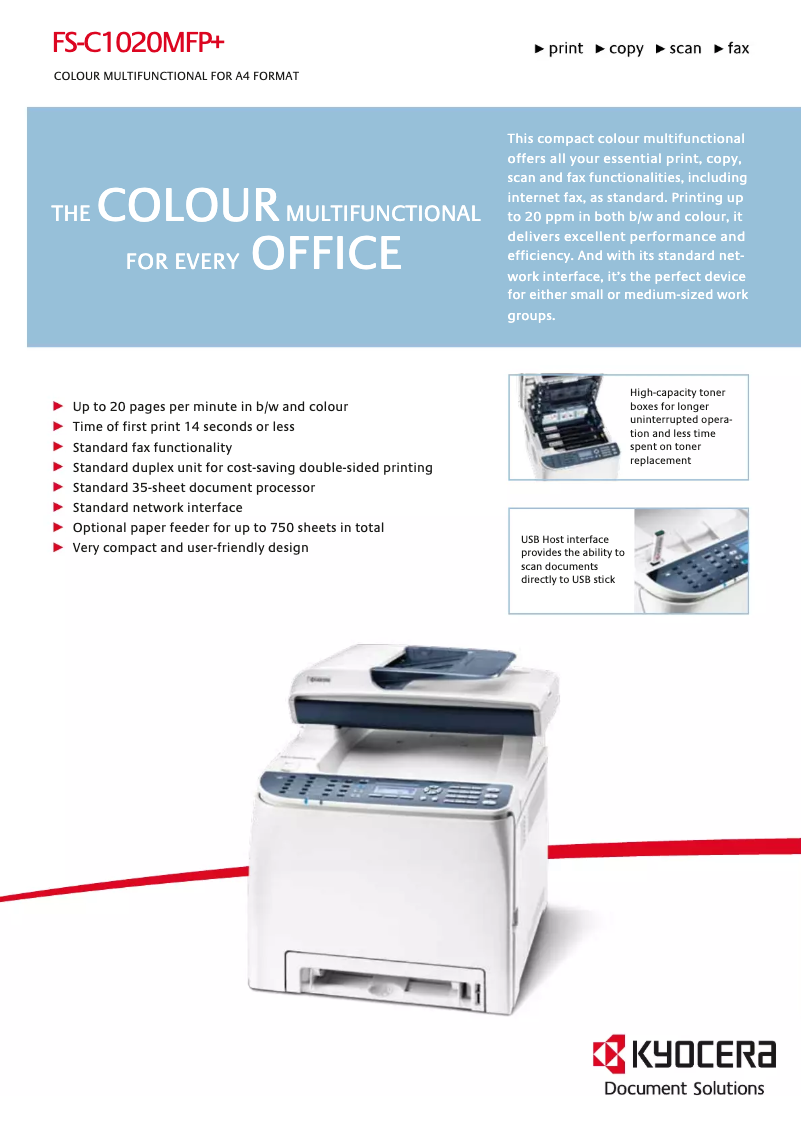
The Kyocera FS-C1020MFP+ is a multifunction printer that stands out for its solid performance and versatility. With a printing speed of 20 pages per minute in black and color, it effectively meets the needs of a professional environment. The built-in duplex printing feature optimizes paper usage, thereby helping to reduce printing costs. Additionally, its color scanning and copying capabilities with a resolution of 1200 x 1200 DPI ensure high-quality reproductions. However, this model has some drawbacks. The lack of Wi-Fi connectivity limits flexibility for those who wish to print wirelessly from their mobile devices. Its weight of 30 kg can also make installation and movement difficult, particularly in small workspaces. Furthermore, the color scanning speed of 6 inches per minute is relatively slow, which can hinder workflow. Finally, while the print quality is satisfactory, the fax resolution of 200 x 200 DPI may not meet expectations for sending important documents. In terms of design, the Kyocera FS-C1020MFP+ features a modern and professional look, although its weight is a factor to consider during installation. The various features, including printing, copying, scanning, and faxing, make it a good choice for users with diverse office needs. Additionally, its ENERGY STAR certification reflects energy-efficient design. Overall, the value for money is favorable, especially considering the features offered. While improvements could be made regarding connectivity and the speed of certain functions, the Kyocera FS-C1020MFP+ remains a solid choice for professionals seeking a robust and versatile printer.Score details
User experience
The user experience is generally positive, thanks to an intuitive interface and features tailored to professional needs.
Performance
Performance is solid with a print speed of 20 ppm in black and color, although the color scanning speed is a bit slow.
Design
The design is modern and professional, but its weight of 30 kg can make installation difficult.
Value for money
The value for money is good, especially with its multifunctional features and ENERGY STAR certification.
Features
The features are varied, including printing, copying, scanning, and faxing, although the lack of Wi-Fi connectivity limits flexibility.
Support
The documentation provided is comprehensive, but the lack of online support options for wireless connectivity can be a drawback.
Robustness
The product seems robust and durable, although it is quite heavy, which can pose installation issues.
Advantages
Fast printing: 20 ppm in color
Built-in duplex printing for savings
Color scanning at 1200 x 1200 DPI
Multifunction features: printing, copying, faxing
Energy-efficient with ENERGY STAR certification
Disadvantages
No Wi-Fi connectivity.
Weight of 30 kg, difficult to move.
Slow color scanning speed.
Noise level of 57 dB.
Fax resolution limited to 200 DPI.
Technical Specifications FS-C1020MFP+
General Information
-
ModelFS-C1020MFP+
-
Brand
-
Category
-
Type
-
SKU24823
-
MPN24823
Print speed
-
Printing technologyLaser
-
Maximum resolution2400 x 600 DPI
-
Print speed (color, normal quality, A4/US Letter)20 ppm
-
Print speed (color, normal quality, A4/US Letter)20 ppm
-
Copy time for the first page (color, normal)14 s
-
Copy time for the first page (color, normal)14 s
-
PrintingColor printing
-
Preheating time30 s
-
Double-sided printingYes
Features
-
Digital sender-
-
Service cycle (Maximum)65000 pages per month
-
Number of print cartridges4
-
Languages of the page descriptionPCL 5c, PCL 6, PostScript 3
-
Printing colorsBlack, Cyan, Magenta, Yellow
-
All-in-one multitaskingYes
Copier
-
Max. resolution of copies600 x 600 DPI
-
Maximum number of copies999 copies
-
CopyColor copy
Digitization
-
Optical scanning resolution1200 x 1200 DPI
-
Maximum scan areaLegal (216 x 356) mm
-
Scan toE-mail, File, FTP, Image, USB
-
Supported image formatsJPG, TIF
-
DigitizationColor scanning
-
Scanning speed (black)12 inches/minute
-
Scanning speed (color)6 inches/minute
-
Support for text formatsPDF
-
Scan driversTWAIN, WIA
Fax
-
Fax-
-
Fax resolution (black)200 x 200 DPI
-
Fax transmission speed4 sec/page
-
Modem speed33.6 Kbit/s
-
Fax memory100 pages
-
Automatic reminderYes
-
Fax coding methodsJBIG, MH, MMR (Fax coding method), MR
Input and output capacity
-
Total power capacity286 sheets
-
Paper feed typeCassette, Paper tray, Sheetfed
-
Maximum input capacity768 sheets
-
Maximum output capacity150 sheets
-
Automatic document feeder capacity35 sheets
-
Total number of power supply units3
-
Maximum number of feed bins4
-
Maximum output capacity150 sheets
-
Automatic Document Feeder (ADF)Yes
Paper management
-
Maximum ISO A series paper sizeA4
-
Maximum print format216 x 356 mm
-
Type of paper tray supportPlain paper
-
Non-ISO print support sizesLegal
-
Weight of paper tray support60 - 160 g/m²
-
Weight of the media, automatic document feeder52 - 105 g/m²
-
Support weight supported in duplex mode60 - 90 g/m²
-
Support width customization90 - 216 mm
-
Customization of support length148 - 356 mm
-
Maximum ISO A series paper sizeA4
Design
-
ScreenLCD
-
Product colorGray
-
Number of lines displayed4 lines
-
Built-in screenYes
-
Market positionProfessional
Connectivity
-
Direct printingNo
-
Standard interfacesEthernet, USB 2.0
-
USB portYes
Network
-
Ethernet/LANYes
-
WifiNo
-
Mobile printing technologiesNot supported
Representation / realization
-
Internal memory256 MB
-
Built-in memory card readerNo
-
Processor frequency400 MHz
-
Processor familyARM
-
Sound pressure level (impression)57 dB
-
Sound pressure level (impression)57 dB
-
Sound power level (standby)34 dB
-
Integrated into the processorYes
Power
-
Electricity consumption (average operation)381.9 W
-
AC input frequency50 - 60 Hz
-
AC input voltage220 - 240 V
-
Energy consumption (eco mode)10 W
Weight and dimensions
-
Width420 mm
-
Depth493 mm
-
Height476 mm
-
Weight30000 g
Minimum system requirements
-
Support for the Windows operating systemWindows 2000
-
Support for the Mac operating systemWindows 2000 Professional
-
Support for the server operating systemWindows 7 Home Basic
-
Windows 7 Home Basic x64
-
Windows 7 Home Premium
-
Windows 7 Home Premium x64
-
Windows 7 Professional
-
Windows 7 Professional x64
-
Windows 7 Starter
-
Windows 7 Starter x64
-
Windows 7 Ultimate
-
Windows 7 Ultimate x64
-
Windows Vista Business
-
Windows Vista Business x64
-
Windows Vista Enterprise
-
Windows Vista Enterprise x64
-
Windows Vista Home Basic
-
Windows Vista Home Basic x64
-
Windows Vista Home Premium
-
Windows Vista Home Premium x64
-
Windows Vista Ultimate
-
Windows Vista Ultimate x64
-
Windows XP Home
-
Windows XP Home x64
-
Windows XP Professional
-
Windows XP Professional x64
-
Mac OS X 10.3 Panther
-
Mac OS X 10.4 Tiger
-
Mac OS X 10.5 Leopard
-
Mac OS X 10.6 Snow Leopard
-
Mac OS X 10.7 Lion
-
Mac OS X 10.8 Mountain Lion
-
Windows Server 2003
-
Windows Server 2003 x64
-
Windows Server 2008
-
Windows Server 2008 R2
-
Windows Server 2008 x64
Sustainability
-
Sustainability certificatesENERGY STAR
Frequently Asked Questions
What is the weight of the Kyocera FS-C1020MFP+ printer?
What is the recommended method for removing jammed paper from the printer?
Why is my printer not recognizing the original cartridges?
What are the possible reasons for poor print quality?
What is the difference between a laser printer and an inkjet printer?
Why is my inkjet printer producing black streaks?
What does the acronym DPI mean?
How many cartridges can be installed in the Kyocera FS-C1020MFP+?
What is the height of the Kyocera FS-C1020MFP+ printer?
What is the width of the Kyocera FS-C1020MFP+ printer?
What is the depth of the Kyocera FS-C1020MFP+ printer?
Is the manual for the Kyocera FS-C1020MFP+ available in French?
Similar products


More product categories from brand Kyocera
Phones Kyocera
Other Kyocera
More product types from brand Kyocera


Presentation of product FS-C1020MFP+ specifications from brand Kyocera
General Information
The Kyocera FS-C1020MFP+ printer is a multifunction device from the Kyocera brand, known for its innovation and reliability in the office equipment sector. This model, identified by the code FS-C1020MFP+ | 1105J33NL0, is designed to deliver high performance and intuitive use. The EAN code, 0632983025413, allows for unique identification in the market.
Print Speed
Equipped with laser printing technology, the Kyocera FS-C1020MFP+ guarantees exceptional print quality with a maximum resolution of 2400 x 600 DPI. It offers a print speed of 20 pages per minute in both black and color, making this device particularly suitable for work environments requiring speed and efficiency. The warm-up time is 30 seconds, and it is capable of duplex printing, thus optimizing paper usage.
Features
The maximum service cycle of the printer is 65,000 pages per month, allowing for intensive use without compromising quality. With four print cartridges, the FS-C1020MFP+ ensures faithful color reproduction thanks to its printing system that uses black, cyan, magenta, and yellow. It is also equipped with page description languages such as PCL 5c, PCL 6, and PostScript 3, ensuring great compatibility with various operating systems.
Copier
The copying function of the Kyocera FS-C1020MFP+ allows for a maximum resolution of 600 x 600 DPI, providing remarkably high-quality copies. It can produce up to 999 copies at a time, making it efficient for batch document reproduction tasks. Additionally, it supports color copying, ensuring vibrant results.
Scanning
Scanning is facilitated by an optical resolution of 1200 x 1200 DPI, allowing for high-quality images. The maximum scan area is 216 x 356 mm, making it suitable for larger documents. Scanning modes include E-mail, File, FTP, Image, and USB, while supported image formats are JPG and TIF. The scanning speed is 12 inches/minute in black and 6 inches/minute in color.
Fax
The integrated fax of the Kyocera FS-C1020MFP+ offers a resolution of 200 x 200 DPI, ensuring clear transmissions. With a transmission speed of 4 seconds per page and a memory capable of storing up to 100 pages, this device ensures efficient management of fax sending and receiving. It also supports multiple coding methods for better document transmission.
Input and Output Capacity
The total paper feed capacity of the printer is 286 sheets, with a maximum input capacity of 768 sheets and an output capacity of 150 sheets. Its automatic document feeder can hold up to 35 sheets, thus facilitating the management of multiple documents at once. The FS-C1020MFP+ has several paper trays for increased flexibility.
Paper Management
Compatible with ISO paper formats, the Kyocera FS-C1020MFP+ supports various paper types, including A4 size. It can print on media ranging from 60 to 160 g/m², and its tray is designed to accept different weights, ensuring optimal print quality. Customization of paper dimensions is also possible to meet specific needs.
Design
With a built-in four-line LCD screen, the Kyocera FS-C1020MFP+ offers a clear and accessible user interface. Its modern gray design integrates seamlessly into any professional office environment.
Connectivity
Although the FS-C1020MFP+ does not have Wi-Fi connectivity, it offers standard interfaces, including a USB port, for easy connection with various devices. Network connectivity is ensured by an Ethernet/LAN port, facilitating integration into a corporate network.
Performance and Durability
With an internal memory of 256 MB and an ARM processor running at 400 MHz, this device is designed to efficiently handle many tasks simultaneously. It is also ENERGY STAR certified, attesting to its energy efficiency and compliance with environmental standards.
Weight and Dimensions
The Kyocera FS-C1020MFP+ measures 420 mm wide, 493 mm deep, and 476 mm high, with a total weight of 30 kg. These dimensions make it a robust device yet suitable for various workspaces.
Minimum System Requirements
Compatible with several operating systems, including Windows and Mac, the FS-C1020MFP+ ensures smooth integration into modern office environments, thus meeting the diverse needs of users.
Conclusion
The Kyocera FS-C1020MFP+ is a multifunction printer that combines performance, print quality, and various features while adhering to sustainability standards, all in a professional design suitable for modern offices.


