

Manual of product FS-C2126MFP+
Editorial note
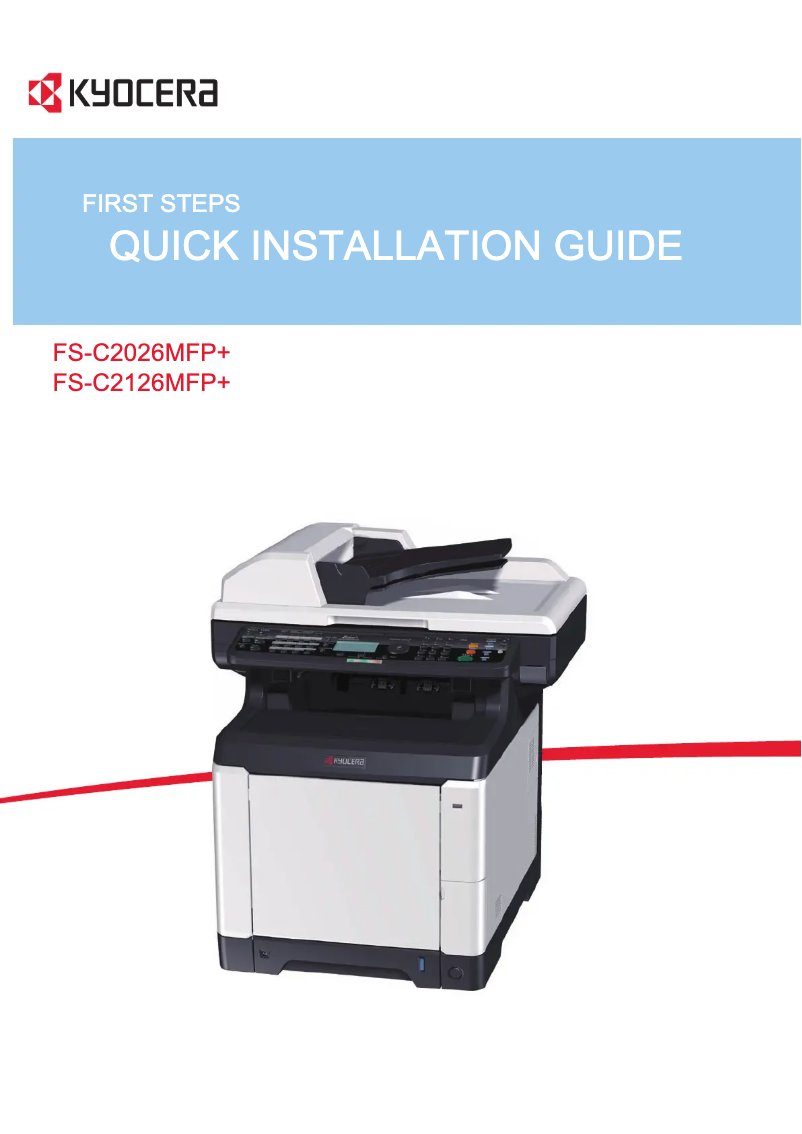
The Kyocera FS-C2126MFP+ printer stands out for its all-in-one features, offering options for copying, faxing, printing, and scanning, making it a versatile choice for work environments. Its printing speed of 26 pages per minute, both in black and color, effectively meets daily printing needs, while its maximum resolution of 9600 x 600 DPI ensures high-quality results, ideal for professional documents. However, some drawbacks are worth mentioning. The power consumption of 477 W during average operation may be considered excessive, leading to higher energy costs for regular use. Additionally, the lack of Wi-Fi connectivity limits wireless printing options, which could disappoint some users. The weight of 36.5 kg also makes the printer difficult to move, which can pose problems during setup or rearranging the workspace. In terms of performance, the scores indicate an overall positive user experience, although the warm-up time of 29 seconds may slow down the workflow. Despite this, the duplex printing features and the high input capacity of 1300 sheets are major assets for intensive use. However, the maximum copy resolution of 600 x 600 DPI may not satisfy users looking for superior print quality. In summary, while the Kyocera FS-C2126MFP+ offers many advantages, some aspects could be improved to fully meet user expectations.Score details
User experience
The user experience is generally positive thanks to the all-in-one features, making it easier to perform various tasks with a single device.
Performance
The printing speed of 26 ppm is adequate for a work environment, although the warm-up time of 29 seconds may slow down the workflow.
Battery life
The average power consumption of 477 W is high, which can lead to increased energy costs.
Design
The weight of 36.5 kg makes the printer difficult to move, which is not ideal for users who need to rearrange their workspace.
Features
The duplex printing features and the high input capacity of 1300 sheets are major assets for intensive use.
Value for money
Despite its many advantages, the lack of Wi-Fi connectivity and the maximum copy resolution (600 x 600 DPI) may disappoint some users.
Advantages
All-in-one functions: printing, copying, faxing, scanning
Print speed of 26 pages per minute
Print resolution of 9600 x 600 DPI
Input capacity of 1300 sheets
Double-sided printing for paper savings
Disadvantages
High power consumption of 477 W
No Wi-Fi connectivity available
Weight of 36.5 kg difficult to move
Copy resolution limited to 600 DPI
Preheating time of 29 seconds
Technical Specifications FS-C2126MFP+
General Information
-
ModelFS-C2126MFP+
-
Brand
-
Category
-
Type
-
SKU24790
-
MPN24790
Other features
-
All-in-one functionsCopy
-
All-in-one color functionsFax
-
Dimensions (LxWxH)Print
-
EmulationsScan
-
-
copy
-
print
-
scan
-
-
514 x 550 x 580 mm
-
-
PRESCRIBE IIc, PCL 6 (5c/XL), KPDL 3 (PostScript 3), PDF Direct Print, XPS Direct Print
Print speed
-
Printing technologyLaser
-
Maximum resolution9600 x 600 DPI
-
Print speed (color, normal quality, A4/US Letter)26 ppm
-
Print speed (color, normal quality, A4/US Letter)26 ppm
-
Preheating time29 s
-
PrintingColor printing
-
Double-sided printingYes
Features
-
Service cycle (Maximum)65000 pages per month
-
Languages of the page descriptionPCL 5c, PCL 6, PCL XL, PostScript 3
-
Digital senderNo
Copier
-
Max. resolution of copies600 x 600 DPI
-
Maximum number of copies999 copies
-
Resizing copy25 - 400 %
-
All-in-one function (N=)2, 4
-
CopyColor copy
Digitization
-
Optical scanning resolution600 x 600 DPI
-
Scan toE-mail, FTP, USB
-
Scanning speed (color)25 ppm
-
Scanner speed (black)35 ppm
-
Gray levels256
-
DigitizationColor scanning
Fax
-
Modem speed33.6 Kbit/s
-
Fax coding methodsJBIG, MH, MMR (Fax coding method), MR
-
FaxSimple fax
Input and output capacity
-
Total power capacity250 sheets
-
Maximum input capacity1300 sheets
-
Input capacity of multi-purpose trays50 sheets
-
Total output capacity150 sheets
-
Multifunctional trayYes
Paper management
-
Maximum print format210 x 297 mm
-
Type of paper tray supportOrdinary paper
-
ISO, Format Series A (A0...A9)A4, A5, A6
-
Non-ISO print support sizesFolio
-
Support weight supported in duplex mode60 - 163 g/m²
-
Weight of the multifunctional tray support60 - 220 g/m²
-
Support weight supported in duplex mode60 - 163 g/m²
-
Support width customization70 - 216 mm
-
Customization of support length148 - 356 mm
-
Maximum ISO A series paper sizeA4
Design
-
ScreenLCD
-
Built-in screenYes
-
Market positionProfessional
Connectivity
-
Standard interfacesEthernet, USB 2.0
-
USB portYes
-
USB portYes
Network
-
Ethernet/LANYes
-
WifiNo
Representation / realization
-
Internal memory1024 MB
-
Maximum internal memory2048 MB
-
Built-in memory card readerNo
-
Processor frequency667 MHz
-
Processor familyPowerPC
-
Processor model464
-
Sound power level (standby)30 dB
-
Sound pressure level (impression)50 dB
-
Integrated into the processorYes
Power
-
Electricity consumption (average operation)477 W
-
Electricity consumption (stop)17 W
-
Energy consumption (standby mode)79 W
-
AC input frequency60 Hz
-
AC input voltage220 - 240 V
Weight and dimensions
-
Weight36500 g
Minimum system requirements
-
Support for the Linux operating systemYes
-
Support for the Mac operating systemMac OS X 10.4 Tiger, Mac OS X 10.5 Leopard, Mac OS X 10.6 Snow Leopard, Mac OS X 10.7 Lion
-
Support for the Linux operating systemYes
Certificate
-
CertificationTÜV/GS
-
CE
Frequently Asked Questions
What is the weight of the Kyocera FS-C2126MFP+ model?
What is the recommended method for removing paper jammed in the printer?
Why does my printer not recognize the original cartridges?
Why is the quality of my prints unsatisfactory?
What is the difference between a laser printer and an inkjet printer?
Why does my inkjet printer leave black streaks on prints?
What does the acronym DPI mean?
What certifications does the Kyocera FS-C2126MFP+ have?
Is the manual for the Kyocera FS-C2126MFP+ available in French?
Similar products


More product categories from brand Kyocera
Phones Kyocera
Other Kyocera
More product types from brand Kyocera


Presentation of product FS-C2126MFP+ specifications from brand Kyocera
General Information
The Kyocera FS-C2126MFP+ model from the Kyocera brand stands out for its reputation for innovation and quality in the office equipment sector. Designed to deliver high performance, this model is ideal for users looking for an efficient printing solution.
Features
This all-in-one multifunction device integrates copying, faxing, printing, and scanning functions, providing unmatched versatility to meet various professional requirements. Its dimensions of 514 x 550 x 580 mm allow for easy integration into different work environments. The emulation system supports various protocols such as PRESCRIBE IIc, PCL 6, and PostScript 3, ensuring extensive compatibility with multiple printing systems.
Print Speed and Quality
Thanks to its laser printing technology, the Kyocera FS-C2126MFP+ offers a maximum resolution of 9600 x 600 DPI, ensuring high-quality prints. It achieves a print speed of 26 pages per minute in both black and color, making it ideal for daily use. Additionally, its duplex printing function helps save paper by optimizing resources.
Paper Handling and Capacity
With a maximum input capacity of 1300 sheets, this device is designed to handle large volumes of documents, thus reducing the need for frequent reloading. The multifunction tray allows for the processing of various types of paper, while customizable paper size options (from 70 to 216 mm in width and 148 to 356 mm in length) add to its flexibility.
Scanning and Faxing
The product is equipped with a scanner offering an optical resolution of 600 x 600 DPI and a scanning speed of 25 ppm in color and 35 ppm in black and white. For faxing needs, it operates at a modem speed of 33.6 Kbit/s and uses efficient coding methods to ensure fast and reliable document transmission.
Energy Consumption and Environmental Impact
The average power consumption during operation is 477 W, while it drops to 17 W in standby mode, thus contributing to reduced energy costs. Although its weight of 36.5 kg may pose mobility challenges, it is designed for sustainable and efficient use.
Connectivity
The Kyocera FS-C2126MFP+ offers standard interfaces for easy connection, including a USB port, but it lacks Wi-Fi connectivity, which may be a drawback for some users. On the other hand, it supports Ethernet/LAN connection for reliable network integration.
System Compatibility
This model is compatible with Windows, Mac (specific versions), and Linux operating systems, ensuring flexible use in various work environments.
Certification
The Kyocera FS-C2126MFP+ is certified according to TÜV/GS and CE standards, attesting to its compliance with safety and performance requirements.


